
How to Sell a YouTube Channel: Valuation, Listing and Transfer
From preparing YouTube Studio data to the Brand Account handover: how to sell a YouTube channel for a fair price, safely and with a clean transfer.

A YouTube channel with a loyal audience and a library of videos that keep getting watched is a valuable asset, and it can be sold like any other online business. Creators sell channels to move on to new projects, to cash in on years of work, or to hand a channel to someone with more time for it. If you know how to sell a YouTube channel properly, you’ll get a fair price and a clean handover, with no loose ends for you or the buyer.
This guide covers the whole process: when to sell, how to prepare the analytics buyers trust, how channels are valued, how to write a listing that attracts serious buyers, how to get paid safely and how to hand over ownership through YouTube’s own Brand Account tools.
It’s the seller’s companion to our guide on how to buy a YouTube channel; reading both shows you exactly what the other side is looking for.
Key takeaways
- Prepare 12 months of YouTube Studio data: views, watch time, traffic sources, audience, revenue and standing.
- Earning channels are valued on average monthly net profit; non-earning channels on audience quality, niche and library.
- Make sure the channel is on a Brand Account before you list; it’s how ownership moves without sharing passwords.
- Get paid through escrow or a trusted middleman, with the payment held before the handover starts.
- YouTube requires 7 days as an owner before someone can become primary owner; build that into the timeline.
When is the right time to sell?
Sell while the channel is performing well, not after it starts to slide. Buyers study the last few months closely, so a recent drop in views or income lowers offers even if the long-term record is strong. Good moments include when you want to start a new project, when the channel needs more uploads than you can produce, or when a steady income stream would be worth more to you as a lump sum.
Keep uploading on your usual schedule while the channel is for sale. Consistency in the months before a sale shows buyers the format is sustainable, and protects the numbers they’re about to pay for.
Which channels sell best?
- Faceless channels (voice-over, animation, screen recordings, compilations of original material) carry over to a new owner well, because viewers come for the topic.
- Channels with evergreen videos that keep getting views years after upload are especially attractive.
- Channels in niches advertisers pay well for (finance, software, business, education) often earn more per view.
- Personality-led channels can sell too, but buyers will want a plan for the transition, and will value mainly the library and audience.
Step 1: Prepare the proof buyers trust
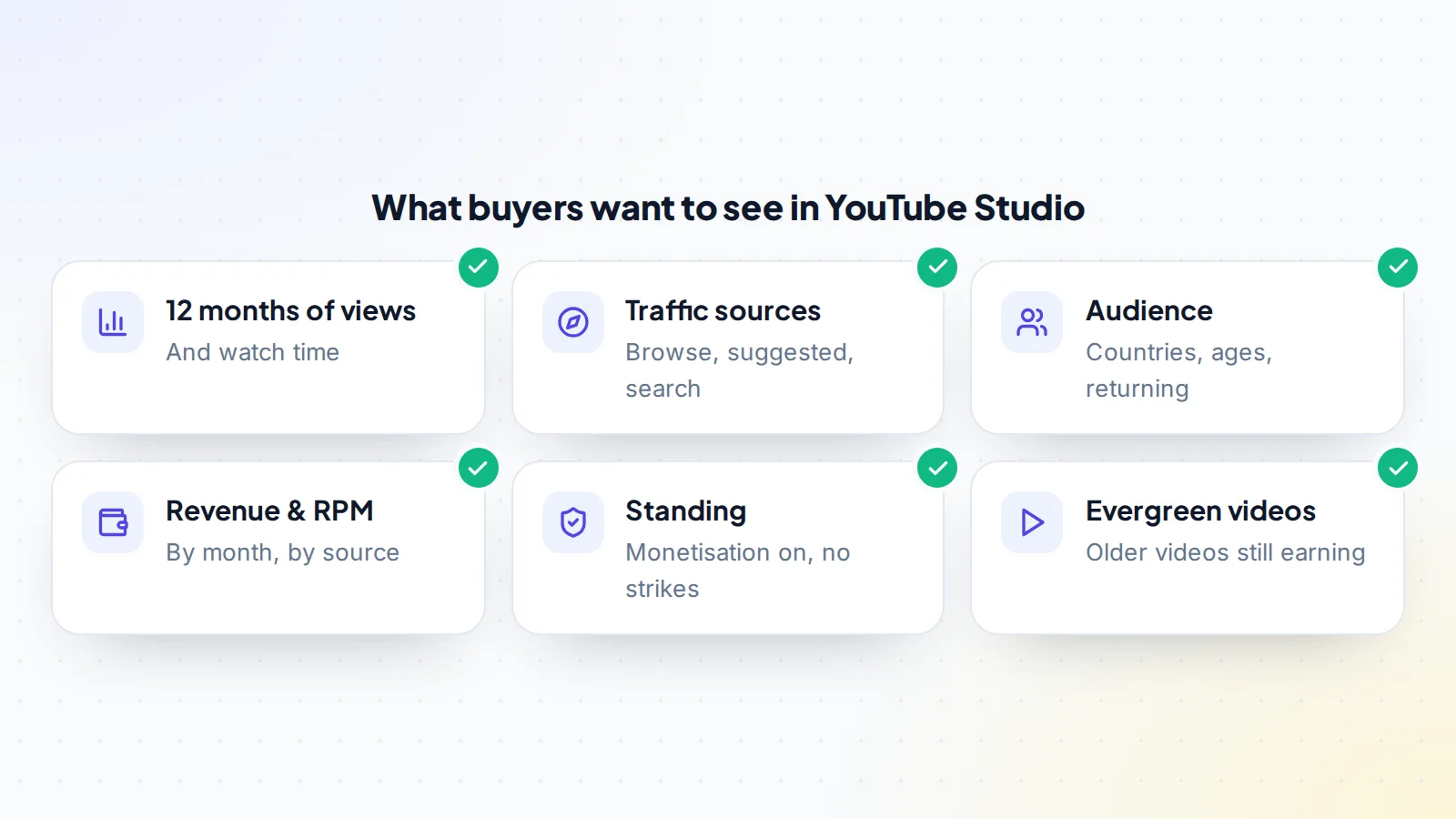
Buyers want to see what you see in YouTube Studio. Prepare at least 12 months of:
- Views and watch time by month.
- Traffic sources: browse features, suggested videos and YouTube search are signs of a healthy channel.
- Audience: top countries, age groups, and returning versus new viewers.
- Revenue: estimated revenue, RPM and income by source (ads, memberships, sponsors, affiliate links).
- Top videos and how much of the income they bring.
- Standing: monetisation status and the Status and features page, showing no active strikes.
The most convincing way to share this is a live screen share where the buyer chooses the date ranges, or a read-only connection. On digiflippers.com, you can connect your channel with a read-only Google sign-in so your listing shows subscribers, views and revenue straight from YouTube, marked as verified. See how verification works.
Step 2: Put the channel on a Brand Account
The cleanest way to hand over a channel is through a Brand Account, a Google account type that can have several owners and managers. If your channel is connected to your personal Google account, move it to a Brand Account before you list. YouTube’s help explains how owners and managers are added and how the primary owner role is transferred. This lets you sell without ever sharing your personal login.
Step 3: Work out what your channel is worth
Earning channels are usually valued as a multiple of their average monthly net profit over the last 6 to 12 months. Net profit means revenue minus the cost of making videos: editors, voice-over, thumbnails, music licences and software. If you make everything yourself, buyers will count the cost of replacing your work.
The multiple rises with a long, steady record, a faceless format, evergreen videos, several income sources, viewers in well-paying regions and a clean standing. It falls with a recent drop, income from one viral video, reliance on Shorts with lower revenue per view, or a channel that depends on your face and voice. Non-earning channels are valued on audience size and quality, engagement, niche and the library. Read our guide to YouTube channel value for the details, and try the free valuation tool for a quick range.
A worked example: pricing a faceless channel
Here is how a seller might think through the numbers before listing. The figures are made up to show the method, not market data.
Maya runs a faceless channel about home workshop tools. It has 84,000 subscribers and 300 videos, and most views come from search and suggested videos on tutorials posted two or three years ago. Over the last 12 months it brought in an average of $2,600 a month: about $1,700 from ads, $600 from affiliate links in descriptions and $300 from one sponsor a month. Maya pays a freelance editor $450 a month and spends about $50 a month on music licences and software, so average monthly net profit is $2,100.
Before choosing a multiple, Maya looks at what a buyer will notice:
- Strengths: 12 steady months, three income sources, evergreen tutorials, a faceless format and a written editing process the editor already follows.
- Weaknesses: one video brings about a fifth of the views, and the sponsor deal is renewed month to month.
Maya prepares a short note for each weakness: the top video’s views over 24 months to show it’s steady, and the sponsor’s emails showing a two-year relationship. Maya then tests a range of multiples in the valuation tool, sets an asking price at the upper middle of that range, and decides in advance the lowest acceptable offer. When a buyer asks why the price is where it is, Maya can point to the evidence rather than argue.
The point of the example: when you sell a YouTube channel, the price is a story backed by data. The clearer the record, the less room a buyer has to discount it.
Step 4: Raise the value before you list
- Keep uploading consistently in the months before a sale.
- Refresh titles and thumbnails on older videos that still get views.
- Organise playlists so new viewers find more to watch.
- Add an income source if you rely on ads alone, such as affiliate links relevant to your niche. See YouTube income streams.
- Write down your process: how ideas are chosen, scripts written, videos edited and uploaded.
Step 5: Write a listing that attracts serious buyers
- The niche, format and upload schedule.
- Subscribers, monthly views and watch time, with the trend.
- Revenue by source and net profit over 12 months.
- Audience countries and age groups.
- How much time the channel takes and who helps.
- What’s included: the channel, project files, thumbnails, brand assets, email list, social accounts.
- Why you’re selling.
Be honest about weaknesses; buyers forgive what they’re told and discount what they discover. When you’re ready, you can list your channel on digiflippers.com for free, with 0% success fee up to $10,000, then 5% (max $5,000).
Step 6: Talk to buyers
Answer questions in writing and keep every message in one place. Share analytics through a live screen share or a read-only connection, never your password. Be cautious with buyers who ask for login details “to check”, want you to hand over first and pay later, or suggest an escrow site you’ve never heard of. Fake escrow is one of the most common scams aimed at sellers; read how fake escrow scams work.
Step 7: Agree the terms
Write down the price, the payment method, exactly what’s included, the handover steps (with the 7-day owner wait), how long the buyer has to inspect, and any help you’ll give afterwards, such as introductions to sponsors or editors. If the buyer asks you not to start a similar channel, agree the scope clearly.
Step 8: Get paid safely
Start the handover only once the payment is held by escrow or a trusted middleman. The buyer pays the third party, you confirm the funds are held, you hand over the channel, the buyer confirms, and the money is released to you. On digiflippers.com, the ways to pay in a deal are: directly to the seller, through escrow, and the platform never holds the money itself.
Step 9: Hand over through the Brand Account
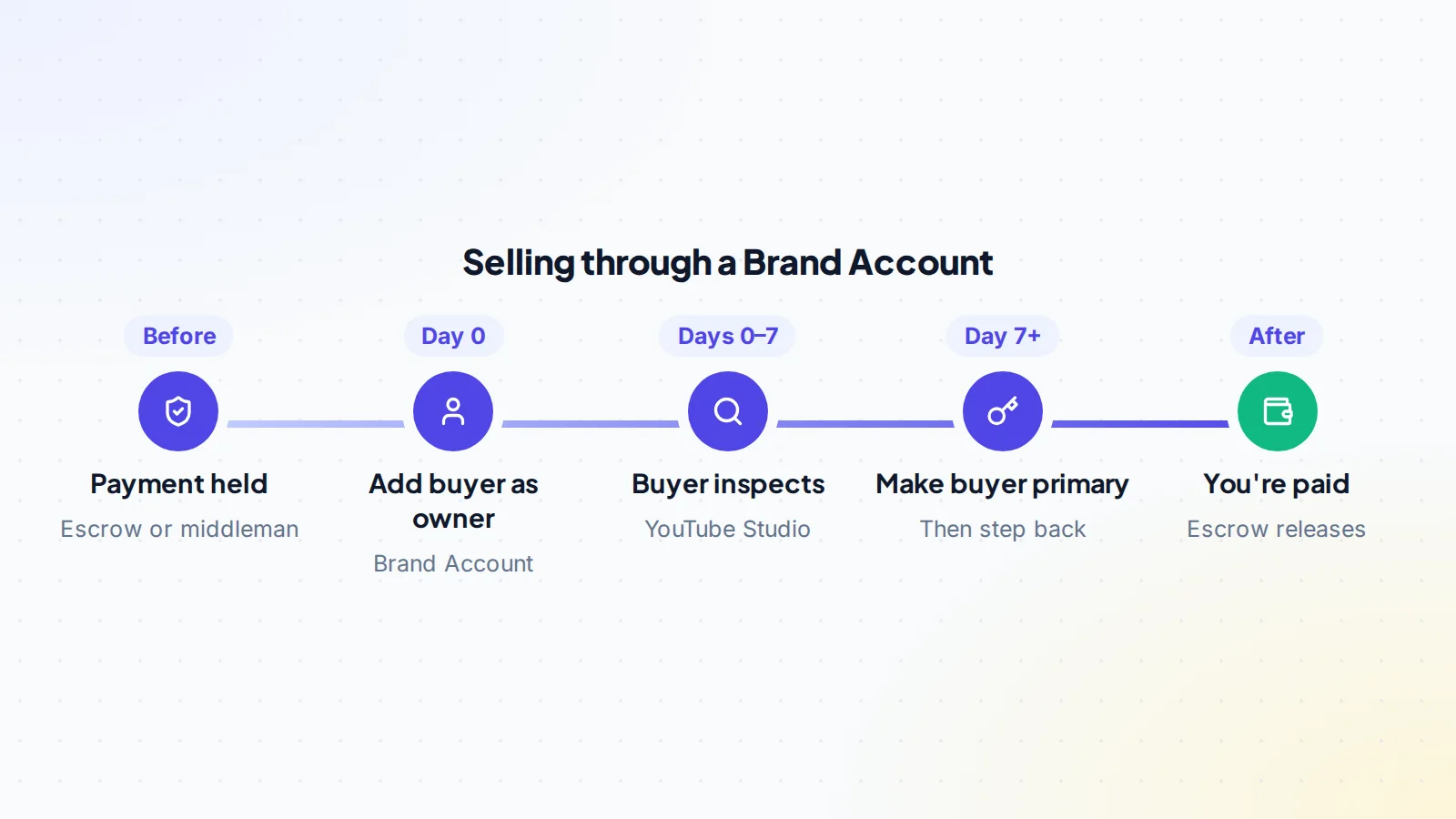
- Add the buyer’s Google account as an owner of the Brand Account.
- Wait 7 days. YouTube’s help explains that a person must have been an owner for at least 7 days before they can be made primary owner, and an owner must wait 7 days before removing other managers or owners. The buyer uses this week to inspect YouTube Studio.
- Make the buyer the primary owner.
- Disconnect your AdSense so the buyer can link their own, and remove your other connected accounts.
- Hand over the extras: project files, thumbnails, brand assets, social accounts and introductions.
- Step back: the buyer removes your access, and the payment is released.
Our guide to transferring YouTube channel ownership walks through each screen.
After the sale
Keep your promises during any support period, introduce sponsors as agreed and keep the signed agreement and payment records. Selling a channel can have tax consequences depending on where you live, so speak to an accountant. Then enjoy the result: selling a channel you built is an achievement.
Common mistakes sellers make
- Listing during a slump. Wait until the recent months reflect the channel’s normal level, or explain the dip with evidence.
- Screenshots instead of live data. Screenshots are easy to fake, so buyers discount them. Offer a live screen share or a read-only connection.
- Counting your own time as free. If you script, voice and edit everything, buyers will deduct what it costs to replace you. Document the work so they can price it fairly.
- Vague “what’s included”. List every file, account and relationship that comes with the channel, so nothing is argued about at handover.
- Starting the handover before payment is held. However friendly the buyer is, the order is always: funds held, then ownership.
- Forgetting the 7-day wait. Promise a realistic date that includes the Brand Account week and the inspection period.
Avoiding these is mostly about preparation. Sellers who sell a YouTube channel smoothly usually spent a few weeks getting the records in order first.
How to sell a YouTube channel: the checklist
- 12 months of views, watch time, sources, audience and revenue ready.
- Monetisation on and no active strikes.
- Channel on a Brand Account.
- Value worked out on average monthly profit or audience quality.
- Consistent uploads maintained while listed.
- Honest listing with what’s included and why you’re selling.
- Analytics shared live or read-only; no passwords.
- Terms agreed in writing, including the 7-day owner wait.
- Payment held by escrow or a middleman before the handover.
- Buyer made primary owner; your AdSense and access removed.
Ready to sell?
List it on digiflippers.com with verified numbers, answer buyers in one place and agree every step in a free Deal Room. 0% success fee up to $10,000, then 5% (max $5,000).
Frequently asked questions
How much can I sell my YouTube channel for?
Earning channels usually sell for a multiple of average monthly net profit. The multiple depends on stability, format, income sources, audience and standing.
How long does it take to transfer a YouTube channel?
At least a week through a Brand Account, because a new owner must wait 7 days before becoming primary owner. Add the buyer’s inspection period.
Do subscribers and videos transfer?
Yes. The channel moves with its videos, subscribers, playlists and history. The buyer links their own AdSense account for payouts.
Can I sell a channel that isn’t monetised?
Yes. Buyers value the audience, engagement, niche and library, and may monetise it themselves.
Do I need to tell my subscribers?
Not before the sale. Afterwards, the buyer decides how to introduce themselves; for personality-led channels, an honest note often helps.
What if a buyer asks for my password?
Decline. Use the Brand Account to add them as an owner once the payment is held. You never need to share your personal login.
Should I keep uploading while the channel is listed?
Yes. Keep your usual schedule. A gap during the sale shows up in the numbers buyers are checking, and steady uploads prove the format is sustainable.
Can I sell a channel that relies mostly on Shorts?
Yes, but expect buyers to look closely at revenue per view, which is usually lower for Shorts, and at whether Shorts viewers also watch longer videos.
