Moving a Gumroad, Lemon Squeezy or Payhip Store to a New Owner
How store ownership moves on Gumroad, Lemon Squeezy and Payhip, what to do about payouts, balances, customers and files, and a step-by-step handover plan.

Many digital product businesses run on hosted platforms such as Gumroad, Lemon Squeezy and Payhip. They handle checkout, file delivery and payouts, which makes them easy to run and, in principle, easy to sell. In practice, each platform has its own rules for changing who owns the store, and the details matter: payout accounts, tax information, balances, subscriptions and customer data. This guide explains how to transfer a Gumroad store and how ownership works on Lemon Squeezy and Payhip, with a safe handover plan for both sides.
Platform processes change, so always confirm the current steps with each platform’s help centre or support team before you agree terms. For the wider selling process, see our guide to selling a digital product business.
Key takeaways
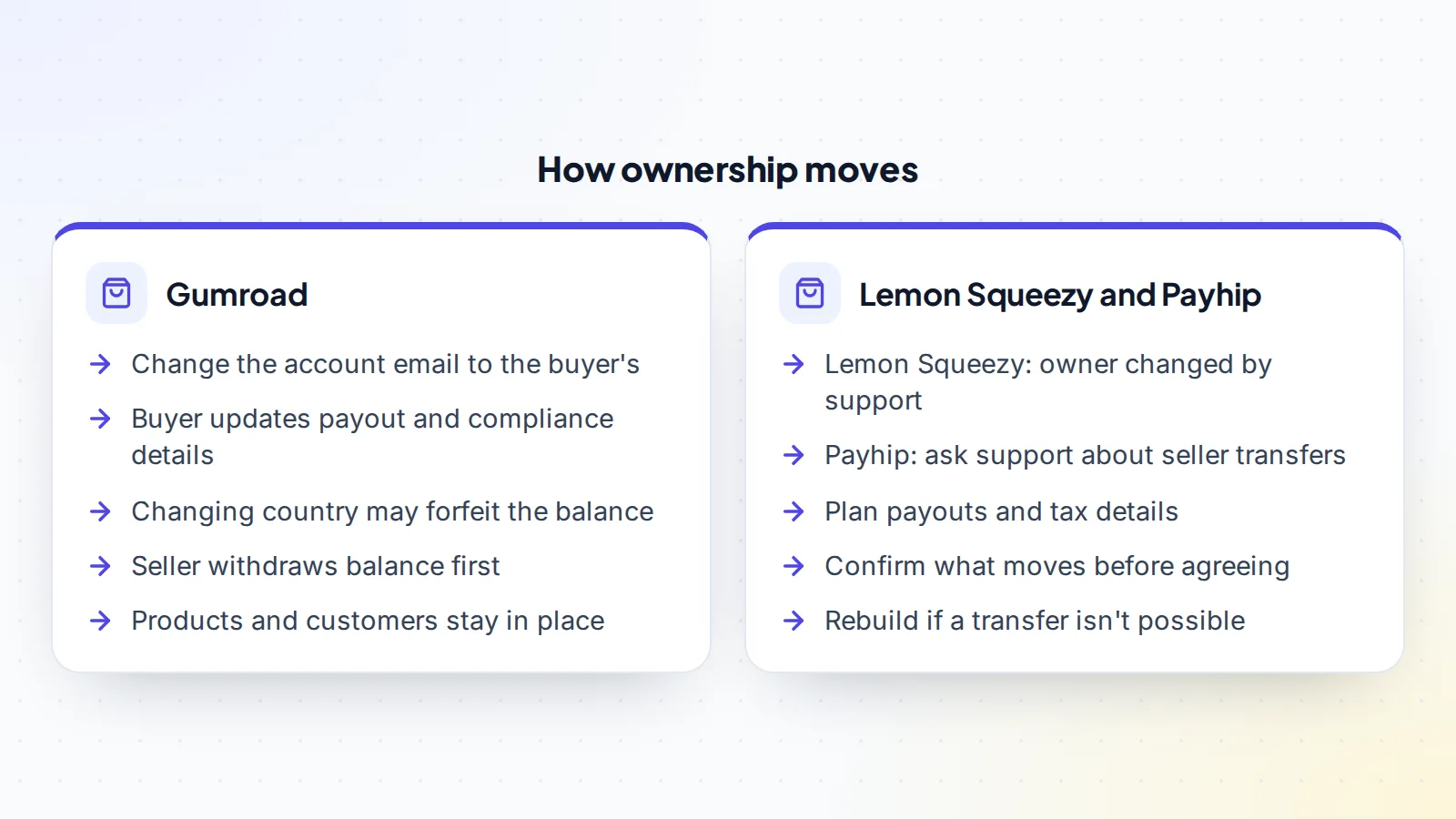
- Gumroad’s help centre says ownership moves by changing the account’s email to the new owner’s, after which the new owner updates payment and compliance details.
- Gumroad notes that changing the account’s country may mean forfeiting the existing balance, so the seller should withdraw it first.
- Lemon Squeezy says store owners can’t be changed in the dashboard, but support can change them manually.
- For Payhip, ask support about transferring a seller account before agreeing a plan.
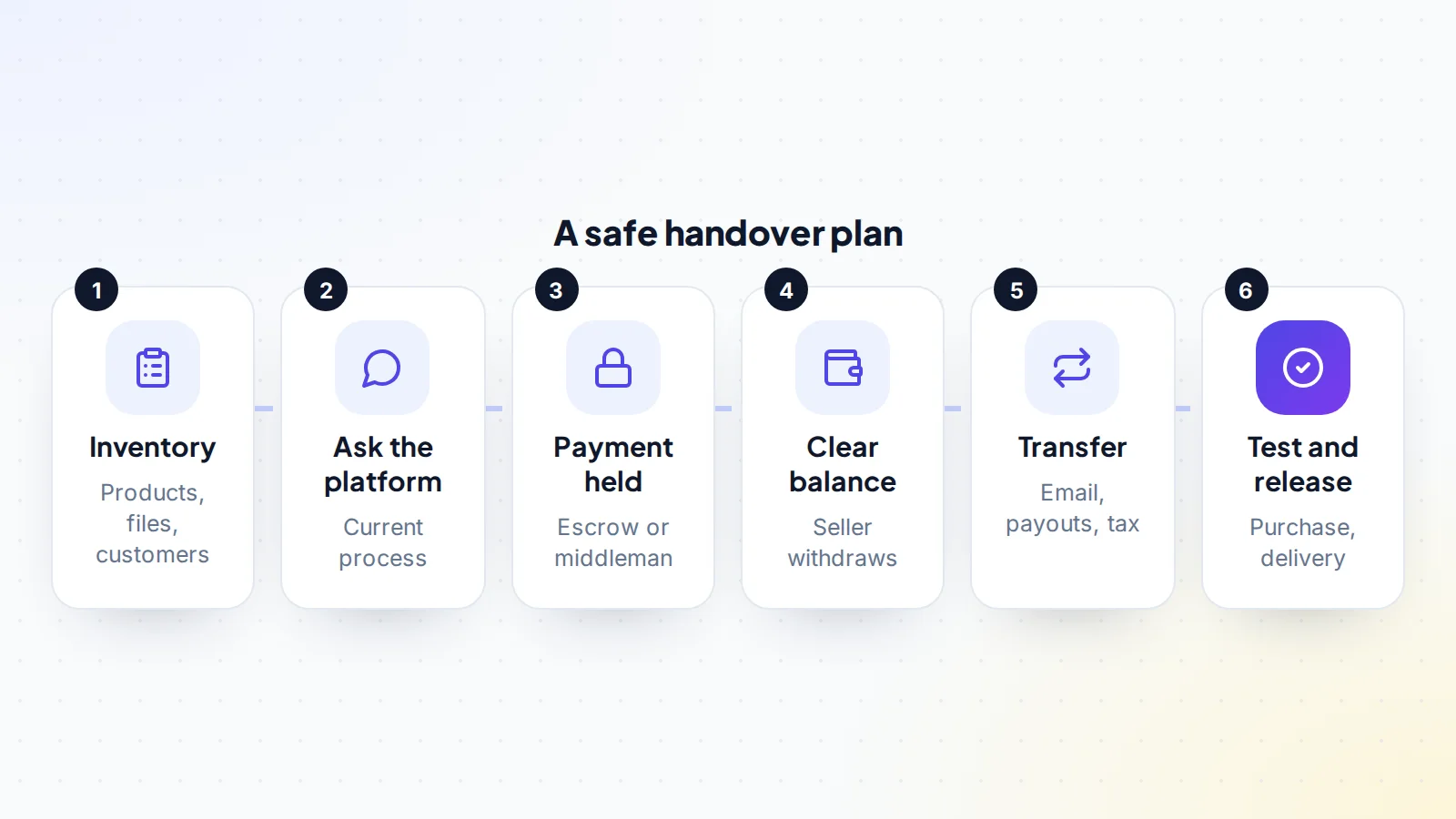
- Keep the payment held until a test purchase and delivery work on the new owner’s setup.
Why platform rules matter
On your own website, you control every account. On a hosted platform, the platform holds the store, the payout setup, the tax details and often the customer relationship. A store can only move in the ways the platform allows, and payouts must go to an account that belongs to the new owner. Getting this right protects both sides: the seller isn’t left responsible for a store they no longer own, and the buyer receives the income they paid for.
How to transfer a Gumroad store
Gumroad’s help centre explains that to transfer ownership of an account, the current owner changes the account’s email address to the new owner’s email in settings. The new owner then updates the payment settings, including compliance information and PayPal or bank account details. Gumroad also notes that changing the account’s country may mean forfeiting the existing balance.
In practice, that means:
- The seller withdraws the current balance before the handover, so earnings up to that date stay with the seller.
- The seller changes the account email to the buyer’s address.
- The buyer secures the account: new password, two-step sign-in and their own recovery details.
- The buyer updates payout and compliance details, so future earnings go to them.
- Both sides check products, files, subscriptions and integrations.
Because the products, customers and sales history stay in the account, customers can keep downloading what they bought and subscriptions can continue. Do the email change and payout update on the same call, so there’s no gap in which the account belongs to one person and pays out to another. If the platform asks for identity or tax verification from the new owner, allow time for it before the next payout.
Checking sales before you buy
Hosted platforms make sales easy to verify, as long as you see them first-hand. Ask the seller to share their screen and open the platform’s sales dashboard, then look at monthly sales and refunds for at least 12 months, sales by product, and active subscriptions or memberships. Match the figures to payout records from the platform and to bank or PayPal statements. Check where buyers come from: a store that sells mainly through the platform’s own discovery features is more exposed to platform changes than one with its own audience. Our guide to verifying revenue covers the general method.
If the buyer is in another country
Payout, tax and compliance settings depend on where the account holder is based. Gumroad’s note about forfeiting a balance when the country changes is one example of how this matters. If buyer and seller are in different countries, ask the platform how the change is handled, which tax forms the new owner must complete, and whether any features or payout methods differ. Plan the handover so the seller’s earnings are paid out before anything changes, and the buyer’s details are complete before the next payout date.
Lemon Squeezy
Lemon Squeezy’s documentation says the person who created a store is its “Owner”, and that owners can’t be changed within the dashboard, but its support team can change the owner manually. If you’re buying or selling a Lemon Squeezy store, contact support early with both parties’ details, ask what they need, and confirm how payouts, tax settings and subscriptions are handled after the change. Lemon Squeezy also supports team members, which can help during a transition.
Payhip
Payhip’s help centre explains how customers can move their own purchases between Payhip accounts, but we couldn’t find a published process for transferring a seller’s store to a new owner. Before agreeing a sale, ask Payhip support what’s possible and how payouts, products and customer data would move. If a transfer isn’t available, the alternative is for the buyer to open their own store and rebuild the products, with a plan for existing customers.
Subscriptions and memberships
Recurring income is often the most valuable part of a digital product store, and the most delicate to move. When the account itself changes owner, existing subscriptions generally continue, because they belong to the store. Even so, confirm with the platform how renewals are paid out after the change, and check that the payout details are updated before the next renewal date. If the store has to be rebuilt elsewhere, subscribers usually need to sign up again, so plan a clear, friendly message, a simple link and enough notice. Expect some subscribers not to make the move, and reflect that in the price.
Choosing the handover date
Pick a quiet moment: avoid launches, big promotions and the days just before a payout or a large batch of renewals. Agree a cut-off for earnings, so both sides know which sales belong to whom, and make sure refunds and disputes on earlier sales are covered in the agreement. A short call where both sides are online makes it easy to deal with any verification step the platform asks for.
If a transfer isn’t possible
Where a platform can’t move a store, the buyer opens a new store in their own name and the seller helps rebuild it:
- Products, descriptions, prices and files are recreated in the new store.
- Existing customers are told where to find updates, using channels they agreed to.
- Subscriptions are handled carefully: customers usually need to subscribe again, so plan the timing and offer a smooth path.
- Links on websites, emails and social profiles are updated to the new store.
Price the business with that work and the risk of losing some customers in mind. Our guide to digital product business valuation explains how.
What to list before the handover
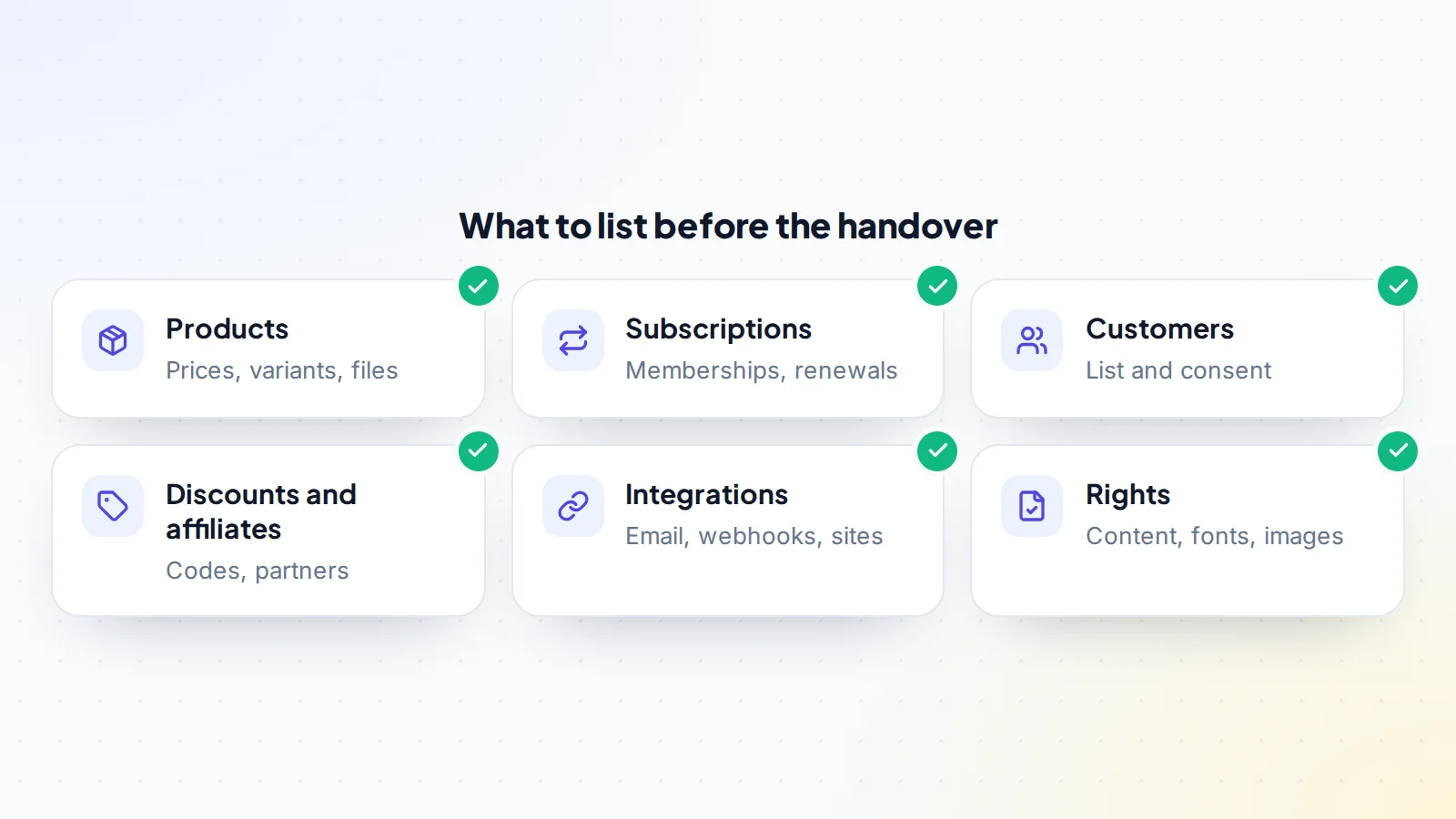
Make a full inventory of the store: every product with its price, variants and files; subscriptions and memberships; discount codes and affiliates; integrations with email tools, websites and webhooks; and the customer list, with notes on which customers agreed to marketing. The buyer uses it to check everything after the handover.
Affiliates, codes and integrations
Stores often connect to other tools: email marketing, membership communities, websites, analytics and automation services. List each connection, who owns the account on the other side and how it will move. Affiliate programmes and discount codes need attention too: decide whether existing affiliates continue under the new owner, tell them about the change, and check that active codes still make sense. Broken integrations are a common cause of missed deliveries in the first weeks after a sale.
Questions to ask the seller
- Which platform hosts the store, and have you confirmed the transfer process with them?
- What are monthly sales, refunds and payouts for the last 12 months?
- How many active subscriptions or memberships are there, and when do they renew?
- Which tools connect to the store, and in whose name are they?
- Where do buyers come from: your audience, search or the platform?
- Who created the products, and are all assets licensed for sale?
Clear answers to these make it far easier to transfer a Gumroad store, or one on any similar platform, without surprises.
Customers and email lists
Customer data comes with obligations. Check what the store’s privacy notice says, and which customers agreed to receive marketing. Email lists often live in a separate tool, which needs its own handover. Our guide to email list value explains how buyers judge a list, and our guide to customer data in a sale covers the data rules.
Rights to the products
The platform account isn’t the same as the rights to what’s sold through it. Make sure the sale agreement assigns the seller’s copyright in the products, and check licences for fonts, images and other assets. Our guide to digital product IP covers the checks.
Payment and the handover
Agree the plan in writing, then keep the payment held through escrow or a middleman until the store is in the buyer’s name, payouts are set up and a test purchase and delivery work. On digiflippers.com, the ways to pay in a deal are: directly to the seller, through escrow, and the platform never holds the money itself. If you’re comparing hosting options before buying, our guide to revenue diversification explains why stores selling through more than one channel are often valued more highly.
After the handover
For the first month, watch sales, deliveries and support messages closely. Reply to customer questions promptly, so they see the store is cared for. Check that every product’s files download correctly and that membership content is still reachable. Keep the seller’s support available, as agreed, for anything only they know, such as a customer arrangement or an integration’s quirks.
A worked example
The details below are made up to show the method.
Ella is buying a Gumroad store selling planner templates, with 4,000 customers and a small monthly membership. They agree the price and use escrow. On the handover call, the seller withdraws the balance, then changes the account email to Ella’s address. Ella sets a new password and two-step sign-in, updates the payout and compliance details in the same country, and moves the email list in the separate email tool.
Ella buys a product with a test card, confirms the download works and checks that the next membership renewal is scheduled. Ella then confirms in escrow, and the funds are released to the seller. The seller stays available for a month to answer questions.
Transfer a Gumroad store: the checklist
- Current process confirmed with the platform’s help centre or support.
- Store inventory made: products, files, subscriptions, codes, integrations.
- Rights to products assigned in the sale agreement.
- Seller’s balance withdrawn before the handover.
- Account email changed and account secured by the buyer.
- Payout, tax and compliance details updated by the buyer.
- Email list and integrations moved.
- Test purchase and delivery completed.
- Payment held until all of the above is confirmed.
Ready to find your next asset?
Browse listings with verified numbers, ask sellers your questions before you offer, and agree every step in a free Deal Room.
Frequently asked questions
Can I transfer a Gumroad account to someone else?
Gumroad’s help centre says the current owner changes the account’s email to the new owner’s, and the new owner updates payment settings, including compliance and payout details.
What happens to my Gumroad balance?
Gumroad notes that changing the account’s country may mean forfeiting the existing balance, so sellers should withdraw it before the handover.
Can a Lemon Squeezy store change owner?
Lemon Squeezy says owners can’t be changed in the dashboard, but its support team can change the owner manually.
What about Payhip?
Ask Payhip support before agreeing a sale. If a seller transfer isn’t available, the buyer can open a new store and rebuild the products.
Do customers keep access to their purchases?
When the account itself moves, products and customers stay in place. If the store is rebuilt elsewhere, plan how customers will get updates.
How should the buyer pay?
Through escrow or a middleman, released only once the store is in the buyer’s name and a test purchase works.
Should the store’s name change after the sale?
Usually not straight away. Keep the name customers know, and plan any rebrand once the handover has settled.