
Buying a Digital Product Business: Templates, Courses and Ebooks
Courses, templates, ebooks and download shops: what to check, how they're valued and how to take over the store, the customers and the rights.

Digital products are some of the most attractive online businesses you can own. There’s no stock to store, no parcels to ship, and every new sale costs almost nothing to fulfil. If you buy a digital product business with steady sales, you inherit a catalogue that keeps earning while you improve it.
But “no stock” doesn’t mean “no risk”. The value of a template shop, course or ebook business depends on three things that are easy to overlook: whether customers keep finding it, whether the seller really owns what they’re selling, and whether the store, customers and files can actually move to you.
This guide walks you through each of them. You’ll learn which kinds of digital product businesses suit which buyers, what to check before you make an offer, how these businesses are valued, how to pay safely and how to take over the store without losing sales.
Key takeaways
- Check sales, refunds and payouts in the store platform itself for at least 12 months.
- Find out where buyers come from. A business that lives on one search term or one social account is fragile.
- Confirm the seller owns every product, including anything made by freelancers, and that licences for fonts, images and code allow resale of the business.
- Learn what your platform lets you transfer. Some move whole accounts; others don’t move products or customers at all.
- Value on average monthly profit, and pay through escrow so funds are released only after the handover.
What counts as a digital product business?
A digital product business sells files or access rather than physical goods. The most common types are:
- Templates and design assets: Notion and spreadsheet templates, presentation decks, website themes, graphics packs, fonts and mockups. See our guide to the template business.
- Online courses and cohort programmes: video lessons, workbooks and communities. Read buying an online course business.
- Ebooks and guides: sold directly or through marketplaces. See ebook businesses.
- Themes, plugins and code: WordPress themes, UI kits and scripts. Read theme businesses for sale.
- Stock libraries: photos, music, video and 3D assets. See digital asset libraries.
- Print-on-demand and printables, which sit between digital and physical. Read print-on-demand stores.
They’re sold through very different channels: a store on the owner’s own website, a creator platform such as Gumroad, a marketplace such as Etsy, or a course platform. That channel matters a lot when you take over, as you’ll see below.
Why buy instead of building?
Creating good digital products takes months: research, design, writing, recording and testing. Building an audience that buys them takes longer still. An established business has already done both, and gives you three things you can’t easily create yourself:
- Proven products with a sales history, so you know what people pay for.
- Traffic and customers who already know the brand, often including an email list.
- Reviews and reputation that make new buyers more willing to purchase.
Your job as the new owner is to protect what works and add what’s missing: new products, better marketing, more channels. That’s often far easier than starting from nothing.
Step 1: Shortlist businesses that fit you
When you browse digital products for sale, filter first by what you can realistically run:
- Will you create new products? If yes, choose a niche you understand. If no, look for catalogues that sell steadily without constant releases.
- How much support do customers need? Courses generate questions; templates usually far fewer.
- How do sales happen? Organic search and marketplace search are relatively hands-off; paid ads and launches need active management.
- How old are the products? Some products age slowly (spreadsheet templates); others date quickly (tutorials for fast-changing software).
Read the seller’s answer to “why are you selling?” carefully. Moving on to a bigger project is common and healthy. Vague answers deserve more questions.
Step 2: Verify sales, refunds and profit
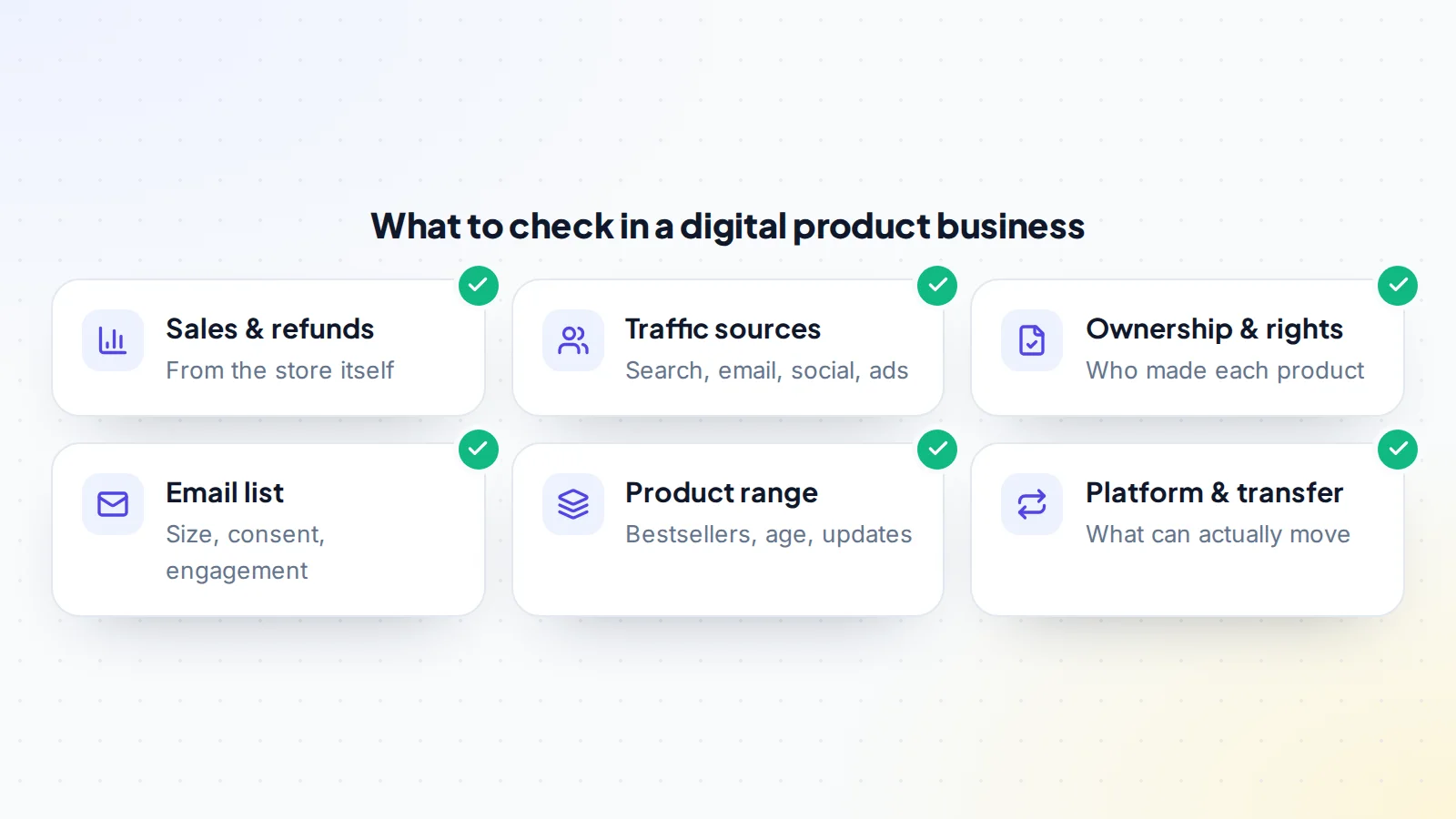
Ask for a live screen share of the store’s sales dashboard, or read-only access where the platform allows it, covering at least the last 12 months. Look at:
- Sales by month and by product. Is revenue spread across many products, or does one bestseller carry the business?
- Refunds and chargebacks. High refund rates point to products that don’t match their descriptions, or to buyers who download and ask for their money back.
- Payouts. Match the platform’s payouts to the seller’s bank or payment account. Revenue that never arrives isn’t revenue.
- Costs: platform and payment fees, ads, tools, hosting, freelancers and any affiliates paid on sales.
- Bundles, discounts and launches. A single big launch can make a year look better than it was. Ask for the months without one.
Our guide to verifying revenue claims covers the techniques in detail, and how to spot fake revenue screenshots shows what manipulated numbers look like.
Step 3: Understand where buyers come from
Digital products sell when the right people find them. Find out exactly how that happens:
- Search engines: check Google Search Console for the queries that bring visitors, and whether they’re stable.
- Marketplace search: Etsy, theme marketplaces and creator platforms have their own search. Rankings there can change with their algorithms.
- Email: a list of past buyers and subscribers is often the most valuable channel. Read how to value an email list.
- Social media: if sales depend on the seller’s personal account, they may not survive the sale.
- Paid ads: profitable ads are fine, but check the numbers after ad spend.
The healthier businesses have more than one channel. One channel isn’t a deal-breaker, but price it in. Our guide to marketing digital products explains how each channel works.
Step 4: Confirm the seller owns what they’re selling
With digital products, you’re buying rights as much as files. Ask for a list of every product with who created it and when.
- Products made by freelancers. In the United States, the Copyright Office explains that work made by a contractor is a “work made for hire” only in specific categories and with a written agreement; otherwise the creator usually keeps the copyright unless it was assigned in writing. Ask for the contracts or assignments. Other countries have their own rules, so check where the creators are.
- Third-party assets inside products: fonts, stock photos, icons, music and code libraries. Their licences must allow use in products for sale, and must still apply after a change of owner.
- Trademarks: is the brand name registered, and is it free of conflicts?
Our guide to intellectual property in digital products lists the documents to ask for.
Step 5: Find out what can actually be transferred
This step is easy to skip and expensive to get wrong. Platforms handle a change of owner very differently. Gumroad’s help centre, for example, says products, customers and sales history can’t be moved between accounts, and that ownership of a whole account moves by changing the account’s email address to the new owner’s. Other platforms let you move a store; some don’t allow transfers at all and you’d have to rebuild elsewhere.
Before you agree a price, find out for each channel:
- Can the account or store move to you, and how?
- If not, can you export products, customers and reviews, and import them somewhere else?
- Will existing customers keep access to what they bought?
- Will reviews and marketplace ranking survive?
Read transferring a Gumroad store and buying an Etsy digital shop for platform-specific detail.
Step 6: Value the business
Most established digital product businesses are priced as a multiple of average monthly net profit over the last 6 to 12 months.
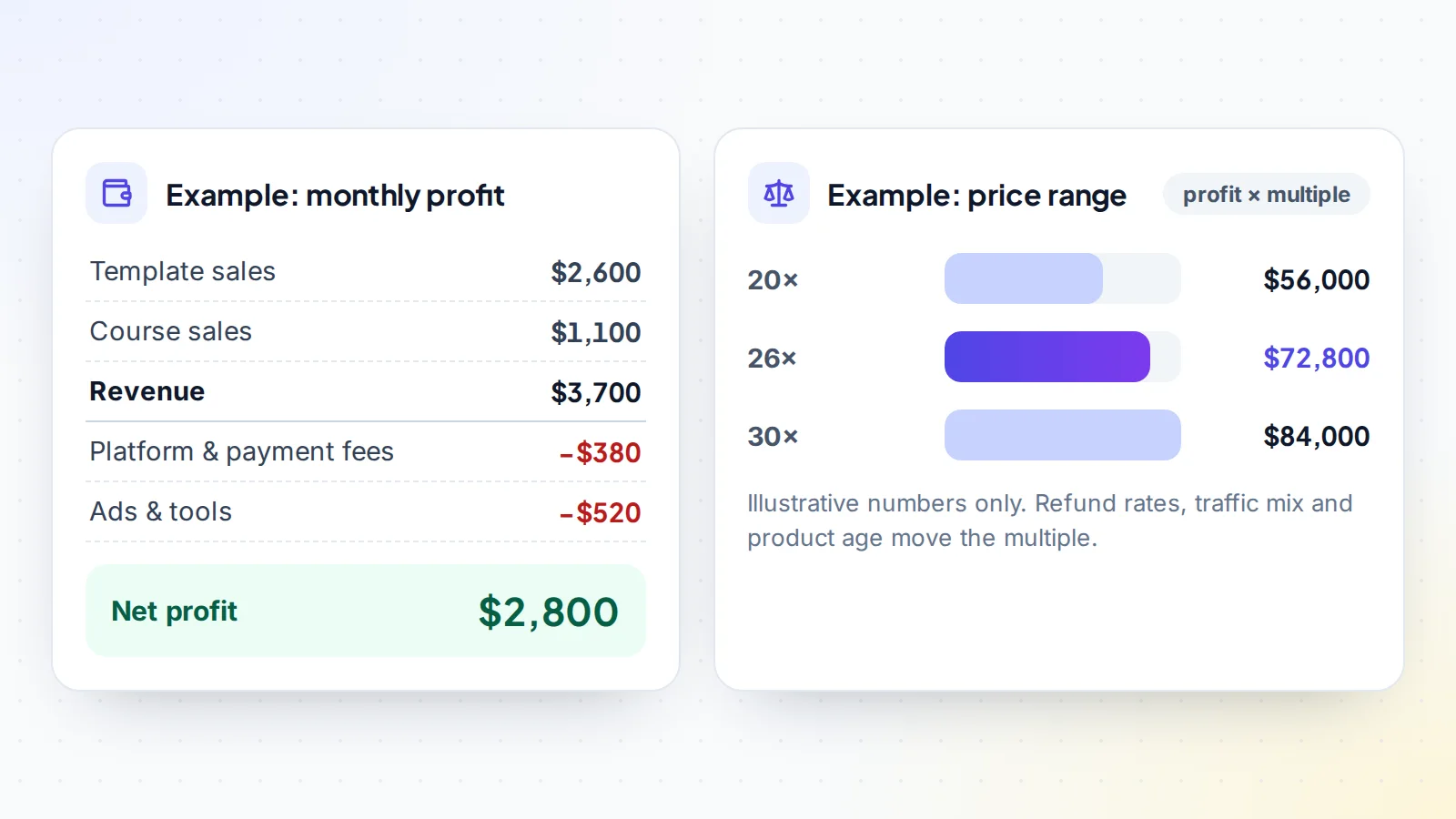
The multiple goes up with a long, stable sales history, low refunds, several traffic channels, a catalogue that doesn’t need constant updates, clean ownership of every product and an easy transfer. It goes down when sales depend on one product, one channel or the seller’s personal brand, when products are dated, or when the platform makes the transfer difficult. Our guide to valuing a digital product business explains each factor, and you can get a quick range with the free valuation tool.
Red flags to watch for
Most digital product sellers are creators moving on to something new. Still, a few warning signs come up often enough that you should know them before you buy a digital product business:
- A recent spike from one launch or bundle sale, presented as normal monthly revenue.
- Products that look very similar to someone else’s, which raises copyright questions you don’t want to inherit.
- No source files, only the final downloads.
- Refunds missing from the figures, or a seller who can’t explain them.
- Sales that depend on the seller’s personal social account, which won’t come with the business.
- A store on a platform that doesn’t allow transfers, with no plan for how you’d keep customers and reviews.
A worked example
Imagine a shop selling planning templates for small teams: 14 products, two years of history and an email list of past buyers. Revenue averages $3,700 a month and profit $2,800 after platform fees, a little advertising and tools. Most sales come from search and the email list; three templates bring in 60% of revenue.
Due diligence shows low refunds, a steady trend and source files for every product. One template was designed by a freelancer, and the seller has a signed assignment. The store runs on a platform where the whole account can move to a new owner, so customers keep their downloads. That’s a business where a multiple toward the higher end of the example range is reasonable. If the same shop relied on the seller’s personal social account for most sales, or had no assignment for the freelancer’s work, you’d either ask for a lower price or make fixing those issues a condition of the deal.
Step 7: Agree terms and pay safely
Write down what’s included: every product and its source files, the store or account, the domain and website, the email list, social accounts, templates for marketing, and any supplier or freelancer relationships. Add the handover order, an inspection period and a few weeks of support from the seller.
Then pay through escrow or a trusted middleman, so the money is held while the business moves to you and released only when you’ve checked everything. Read how escrow works. On digiflippers.com, the ways to pay in a deal are: directly to the seller, through escrow, and the platform never holds the money itself.
Step 8: Take over the business
- Files first. Get every product’s final files and source files (design files, raw video, manuscripts) into your own storage.
- Store and website. Move the store account, domain and hosting to you, following the platform’s own process.
- Payments. Connect your own payout account and check the first sale arrives.
- Customers and email. Move the email list in line with the consent subscribers gave, and keep sending in the same style.
- Everything else: social accounts, design tools, course platforms, affiliate programmes.
Our general handover checklist covers the details.
After the purchase
Start by listening: read past reviews and support messages to learn what customers love and what they wish existed. Then improve the bestsellers before you create new products, test prices carefully (our guide to pricing digital products helps), and add a second channel if the business relies on one.
Checklist: buy a digital product business with confidence
- The product type and workload fit you.
- 12+ months of sales, refunds and payouts checked in the platform.
- Revenue spread checked across products and channels.
- Traffic sources understood; email list size and consent known.
- Every product’s creator known; assignments for freelance work in hand.
- Licences for fonts, images, music and code checked.
- The platform’s transfer process confirmed, including customer access.
- Price based on average monthly profit and risk.
- What’s included, the handover order and support agreed in writing.
- Payment through escrow, released after the handover.
Ready to find your next asset?
Browse listings with verified numbers, ask sellers your questions before you offer, and agree every step in a free Deal Room.
Frequently asked questions
Are digital product businesses a good investment?
They can be: margins are high and there’s no stock. The main risks are relying on one channel or one product, unclear ownership of products and platforms that make transfers hard. Careful checks reduce all three.
How much does a digital product business cost?
Established businesses are usually priced as a multiple of average monthly profit. Small catalogues can sell for a few thousand dollars; larger brands for much more.
Can I move products from Gumroad to my own account?
Gumroad’s help centre says products, customers and sales history can’t be moved between accounts. The usual route is to take over the whole account by changing its email address to yours.
What happens to customers who already bought?
It depends on the platform. If the account moves, customers normally keep access. If you rebuild on another platform, plan how past buyers will keep their downloads.
Do I need the source files?
Yes. Without design files, raw video or manuscripts, you can’t update or improve the products, which limits the business’s future.
Do I need to be a creator to run one?
No. Many owners hire designers, writers or editors for new products and focus on marketing and customers themselves.