
Due Diligence for Buying an Online Business: The Complete Checklist
What to check before you buy any online business: financial, traffic, technical, legal and operational due diligence, with a step-by-step checklist.

Due diligence is the work you do between “this looks good” and “here’s my money”. It’s where you find out whether the business is what the listing says, whether it can keep doing it once it’s yours, and whether the price is fair. Good online business due diligence won’t make a deal risk-free, but it turns unknown risks into known ones you can price, fix or walk away from.
This guide gives you a complete, practical checklist for buying any online business or digital asset: websites, SaaS products, online stores, newsletters, digital product shops, domains and social media accounts. It covers the five areas every buyer should check, how to verify numbers at the source, the questions to ask, the red flags to watch for and how long it all usually takes.
It’s written for buyers, but sellers will find it useful too: every item here is something a serious buyer will ask about, so preparing for it is the fastest way to a smooth sale.
Key takeaways
- Verify everything at the source: live dashboards or read-only access, never screenshots alone.
- Check five areas: financial, traffic and audience, technical, legal and rights, and operations. Then check the seller.
- Match revenue to real payouts in a bank or payment account.
- Confirm what can actually transfer: accounts, platforms, contracts and rights.
- Keep a written list of findings and use it to adjust the price, the terms or your decision.
What due diligence is, and why it matters
The U.S. Small Business Administration’s guide to buying an existing business describes due diligence as research that helps you understand the business both financially and in its wider landscape: its infrastructure, contracts, cash flow and everything that comes with the purchase. The more you know, the better your decision.
Online businesses add their own twists. Their value often depends on accounts held by third-party platforms, traffic that search engines or algorithms control, and rights to content and code created by many people. Numbers are easy to show and easy to fake. That’s why due diligence for digital assets focuses so heavily on checking things where they live.
Before you start: set up the process
- Agree the scope with the seller. Tell them what you’ll need to see. Serious sellers expect it.
- Consider a confidentiality agreement if you’ll see sensitive data such as customer lists or code. See NDAs when buying a business.
- Use a letter of intent for larger deals, setting out the price, the main terms and the due diligence period. See letters of intent.
- Keep a findings document: every question, answer, document and concern in one place.
- Keep the conversation on one channel, ideally where you’ll also agree the deal, so there’s a record.
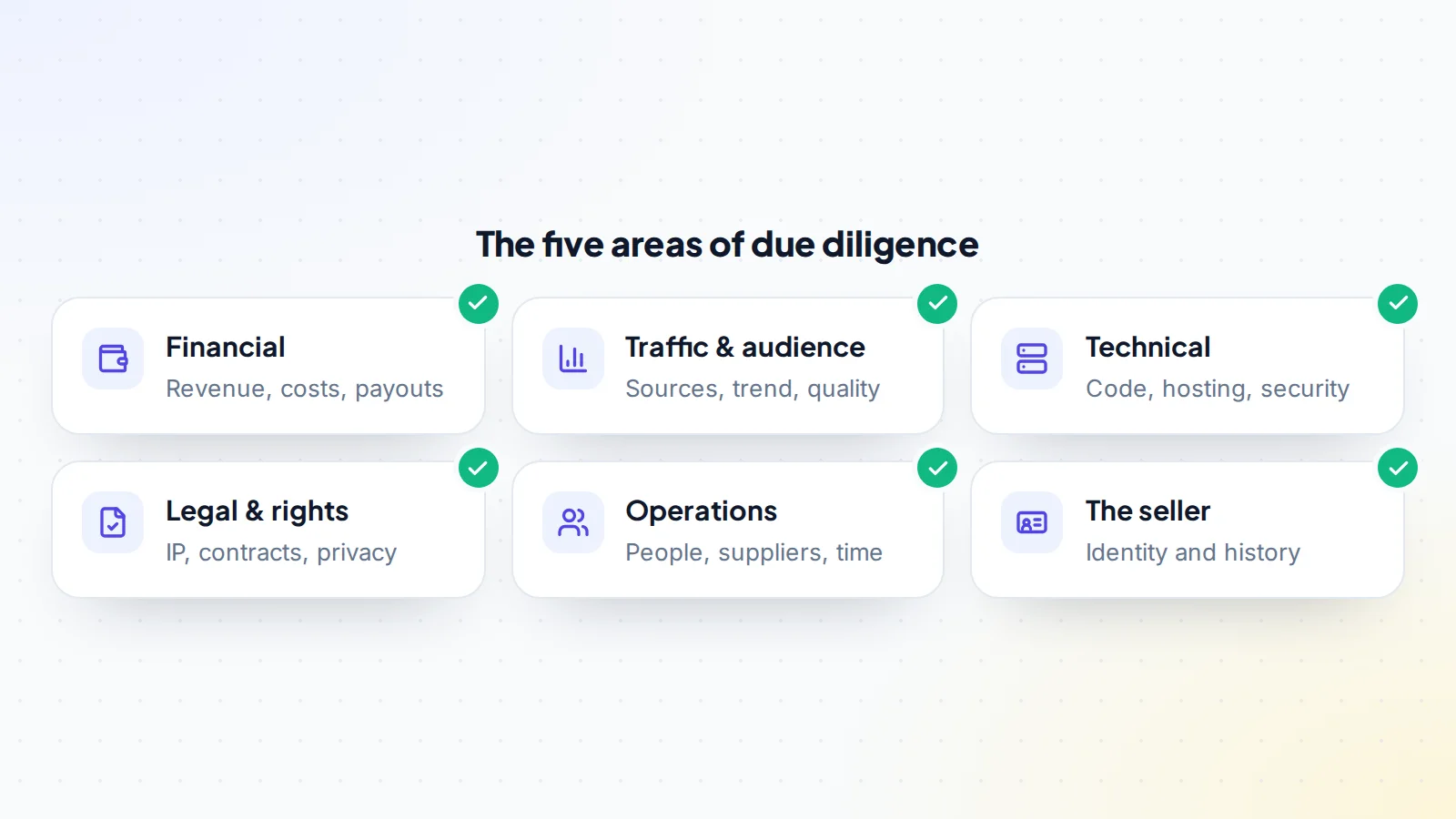
Area 1: Financial due diligence
This is where you confirm that the business earns what it claims, and how much of that is profit.
- Revenue at the source. Watch a live screen share of every income dashboard (ad networks, affiliate programmes, payment processors, store platforms) for at least 12 months, or use read-only access.
- Payouts. Match the dashboard figures to deposits in the seller’s bank or payment account. This is the single most reliable check.
- Costs. List every recurring expense: hosting, tools, writers, developers, ads, support, platform and payment fees. Ask for invoices for the larger ones.
- Refunds and chargebacks, which reduce real income.
- Trend: compare the last three months with the twelve-month average.
- Add-backs: accept only real, documented, one-off costs.
Our guide to financial due diligence walks through each check, and how to spot fake revenue screenshots shows what manipulated numbers look like.
Area 2: Traffic and audience
For most online businesses, traffic or audience is what produces the revenue. Check:
- Analytics: ask to be added as a viewer in Google Analytics. Google’s help explains that users are added under Admin → Access Management, and the Viewer role can see reports without changing anything.
- Search health: ask for access to Google Search Console (owners can add users under Settings → Users and permissions). Look for manual actions, security issues and the queries that bring visitors.
- Sources: search, direct, email, social, referral, paid. How concentrated is it?
- Quality: countries, devices, engagement and signs of bot traffic.
- For audiences (newsletters, social accounts, communities): engagement, growth pattern and how people joined.
Read how to verify website traffic and our explainer on verified metrics.
Area 3: Technical due diligence
- Hosting and infrastructure: where it runs, what it costs, who has access.
- Code or site build: who built it, how it’s maintained, how outdated it is.
- Security: past incidents, backups (and whether a restore has been tested), access controls.
- Dependencies: third-party services and APIs, and their terms.
- Domain: registrar, expiry date and history. ICANN’s Lookup tool shows current registration data.
For software, our SaaS technical due diligence guide goes much deeper.
Area 4: Legal and rights
- Ownership of content and code. Work by freelancers may need a written assignment; in the United States, the Copyright Office explains when commissioned work counts as “work made for hire”.
- Licences for themes, plugins, fonts, images and music, and whether they transfer.
- Trademarks and any disputes.
- Contracts: suppliers, sponsors, affiliates, contractors. Which ones transfer?
- Privacy: privacy policy, customer data and consent. For EU customers, the GDPR applies.
- Platform terms for every account the business depends on.
See legal due diligence for online businesses.
Area 5: Operations
- Owner’s time: how many hours a week, on what.
- People: writers, developers, virtual assistants. Will they stay, and on what terms?
- Suppliers: for stores, who supplies stock, at what terms, and whether they’ll work with you. See supplier due diligence.
- Processes: are routines documented, or in the seller’s head?
- Customer support: volume, tools and recent complaints.
Read operational due diligence for a complete list.
What changes by type of asset
The five areas apply to every deal, but the weight shifts depending on what you’re buying:
- Content and affiliate websites: search health matters most. Spend extra time in Search Console, on backlinks and on how many pages bring most of the traffic.
- SaaS: churn, code quality and infrastructure dominate. Read the billing data month by month and have a developer review the code. See SaaS due diligence.
- Online stores: suppliers, margins, stock, returns and the store platform’s transfer process.
- Newsletters and communities: engagement, consent and deliverability.
- Social media and game accounts: audience quality, account standing and full control of the email and recovery options.
- Domains: history, trademarks and transfer status.
A worked example
A buyer looks at a content site listed with $3,000 a month in profit. In the first week, the live screen share of the ad network matches the listing, and payouts land in the seller’s bank each month. Analytics show two years of steady traffic, but Search Console reveals that five articles bring 60% of all visits. Costs look complete until the buyer asks about writers: the seller writes most articles personally, about ten hours a week, and hasn’t counted that time.
None of this is a deal-breaker, but it changes the picture. The buyer recalculates profit with the cost of a writer, prices in the traffic concentration, and makes an offer at the lower end of the range, with the reasons written out. The seller agrees to a slightly lower price plus four weeks of handover support. That’s online business due diligence doing its job: not finding a perfect business, but turning what you find into a fair deal.
Check the seller, too
Confirm who you’re dealing with. Look at the seller’s history on the marketplace, their reviews, how long they’ve owned the business and whether their story is consistent. On digiflippers.com, sellers can verify their identity and their listings show which numbers have been verified. Our guide on how to check an online seller lists what to look for.
Questions to ask the seller
- Why are you selling, and what will you do next?
- What were the best and worst months, and why?
- Which single change would hurt the business most?
- What do you spend your time on each week?
- Which income sources or relationships depend on you personally?
- Has anything been lost or penalised in the past (rankings, accounts, programmes)?
- What would you do next if you kept it?
More are in our list of questions to ask when buying a business.
Red flags
- Numbers only as screenshots or spreadsheets, with no live access.
- Revenue that doesn’t match payouts.
- A sudden spike in the months before the sale.
- Refusal to explain traffic sources or costs.
- Pressure to skip steps or pay outside the agreed method.
- Missing documents for content, code or contracts.
Our guide to red flags when buying an online business goes through each one.
When to bring in help
Many buyers handle small deals alone. Bring in professionals when the stakes or the complexity rise. An accountant can check that the profit and loss statement, payouts and tax position hang together, and can tell you how the purchase will be treated where you live. A lawyer can review contracts, IP assignments and the purchase agreement; the SBA’s guide notes that an attorney and an accountant together typically help with documents such as the letter of intent, confidentiality agreement, contracts, financial statements, tax returns and the sales agreement. A developer can review code, hosting and security for software or complex sites. Their fees are small compared with the cost of a bad purchase, and their questions often reveal things a seller didn’t think to mention.
For sellers: prepare for due diligence
If you’re selling, every item in this guide is a question you’ll be asked. Prepare a profit and loss statement with matching payouts, give read-only access to analytics, gather contracts and IP assignments, and write down how the business runs. Sellers who arrive ready answer questions in days instead of weeks, and buyers trust their numbers more. Read how to sell a website for a seller’s view of the same process.
How long due diligence takes
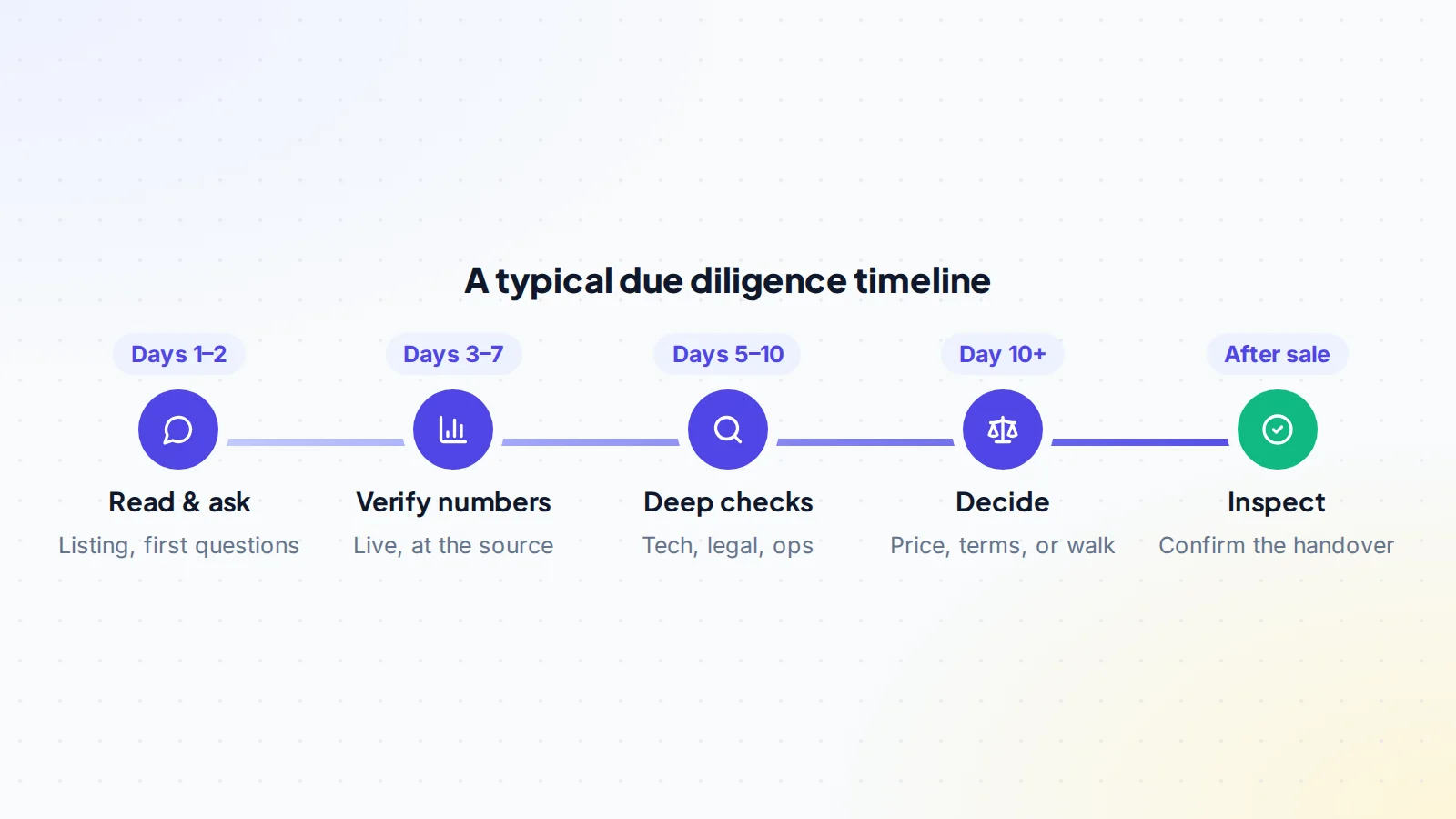
For small deals, one to three weeks is common. Larger or more complex businesses, especially with code, staff or many contracts, take longer. Agree a timeline with the seller at the start, and don’t let pressure shorten it. Our guide to the due diligence timeline breaks down each stage.
After due diligence: price, terms or walk away
Go back to your findings document and sort each item: fine, fixable, priceable or a deal-breaker. Fixable issues become conditions of the deal (for example, the seller gets a missing assignment signed). Priceable issues adjust the offer. Deal-breakers end the conversation, and walking away is a perfectly good outcome of due diligence.
When you go ahead, pay through escrow or a trusted middleman and use an inspection period after the handover to confirm everything you checked still holds. Read how escrow works. On digiflippers.com, the ways to pay in a deal are: directly to the seller, through escrow, and every step and message is kept in the Deal Room.
Online business due diligence: the checklist
- Scope, confidentiality and timeline agreed; findings document started.
- 12+ months of revenue seen live at every source.
- Revenue matched to payouts; all costs listed with invoices.
- Analytics and Search Console reviewed with read-only access.
- Traffic sources, concentration and quality understood.
- Hosting, code, security, backups and domain checked.
- Ownership of content and code confirmed; licences and contracts reviewed.
- Privacy, customer data and platform terms checked.
- Owner’s time, people, suppliers and processes understood.
- Seller’s identity and history checked; findings turned into price, terms or a decision.
Ready to find your next asset?
Browse listings with verified numbers, ask sellers your questions before you offer, and agree every step in a free Deal Room.
Frequently asked questions
What is due diligence when buying an online business?
It’s the research you do before buying to confirm the business’s revenue, traffic, technology, legal position and operations are as described, and to find risks you need to price or avoid.
How long does online business due diligence take?
Often one to three weeks for small deals, longer for larger or more complex businesses.
Can I do due diligence myself?
Yes, for most small deals. For larger ones, or anything with complex code, contracts or data, consider an accountant, a lawyer or a technical reviewer.
What documents should I ask for?
Profit and loss statements, payout records, cost invoices, analytics access, contracts, licences, IP assignments and any correspondence about penalties or disputes.
What if the seller won’t give access to analytics?
Ask for a live screen share instead. If they refuse both, treat the numbers as unverified and either price accordingly or walk away.
Should I pay a deposit before due diligence?
Usually not for small online deals. If a seller asks for one, agree in writing what it covers and when it’s refunded, and hold it in escrow rather than paying the seller directly.
What’s the most important single check?
Matching revenue to real payouts in a bank or payment account. If that doesn’t line up, nothing else matters until it’s explained.
Does due diligence end when I pay?
Not quite. An inspection period after the handover lets you confirm that everything you checked still works under your control before the payment is released.