
Buying a Discord Server: Ownership Transfer and Rules
What makes a Discord community worth buying, how to check activity rather than member counts, how ownership transfer works, and how to keep members after the handover.
A Discord server can be the heart of a community: people who show up every day to talk about a game, a hobby, a creator or a skill. If you want to buy a Discord server, you’re really buying that community, its culture and the team that runs it. The member count is the easy part to see; the activity, the moderators and the way ownership moves are what decide whether the purchase works.
This guide explains what makes a server worth buying, how to check real activity, how Discord’s ownership transfer works, the extra rules for monetized and partner servers, how to price a server, and how to keep members after the change.
If you’re on the other side, see how to sell a Discord server.
Key takeaways
- Judge a server on activity: daily conversation, returning members and an engaged moderation team.
- Ownership moves with Discord’s own Transfer Ownership option, from the current owner to a member.
- If the server uses Discord’s monetization features, Discord’s Monetization Policy says it must not be bought or sold without Discord’s approval. Get approval first.
- Partner and Verified servers transfer through a support ticket.
- Keep the moderators, the rules and the culture, and introduce yourself honestly.
What you’re buying
A Discord server isn’t a website with traffic; it’s a group of people. When you buy one, you acquire:
- The server itself: channels, roles, permissions, rules and history.
- The community: members who choose to stay, or leave, after the change.
- The team: moderators and admins who keep it running.
- Bots and automations: often run from accounts that need handing over too.
- Linked assets: a website, email list, social accounts or a brand that send people to the server.
The value lies in the people and the culture. That’s why buyers who keep the community’s spirit usually do well, and buyers who change everything at once often lose members.
Types of servers people buy
- Game communities: servers built around a particular game, with strategy channels, tournaments and team-finding. Their health often follows the game’s popularity.
- Creator communities: servers for a creator’s audience. They depend heavily on the creator, so buyers usually need the creator’s involvement or a plan for the transition.
- Learning and skill communities: coding, design, trading education, languages. Members stay for help and progress, which can make them durable.
- Hobby communities: collecting, art, fitness, music. Often friendly and loyal, with strong in-jokes and culture.
- Product and brand communities: servers where customers of a product meet, ask questions and share ideas.
Before you buy a Discord server, decide which kind fits your plans. A buyer with a related product or content often gets the most from a community, because they can serve its members well.
Check real activity, not the member count
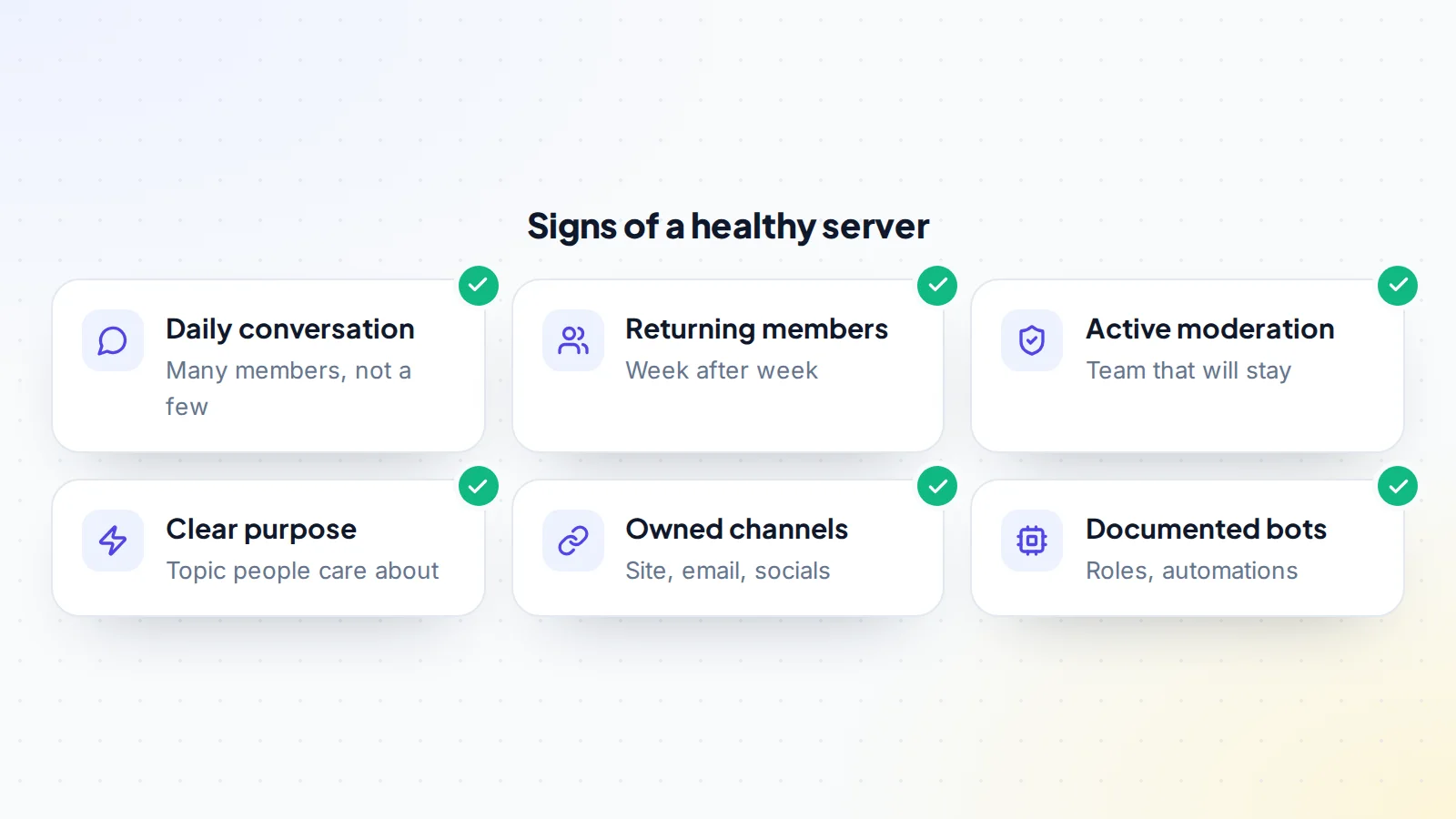
Member counts include people who joined once and never returned. To see what’s really happening:
- Server insights: larger community servers can show activity data such as active members, messages and retention. Ask the owner to share them live.
- Visit as a member: spend a few days in the server. Are conversations happening across many channels, between many different people?
- Look at returning members: the same names week after week are a sign of a real community.
- Check moderation: a team that answers questions and keeps things friendly is a big part of the value.
- See where members come from: a creator’s channel, a game, a website, search. Our guide to traffic concentration risk explains why one source can be fragile.
How ownership transfer works
Discord’s help centre explains that a server owner can transfer ownership to another member: from the server’s member list, the owner selects the member, chooses Transfer Ownership, confirms, and enters their two-factor code if it’s turned on. Ownership moves immediately.
Two practical points follow. The new owner must be a member of the server first, so join with the account that will own it, ideally one with two-factor authentication already on. And once ownership moves, the previous owner has no special powers unless the new owner gives them a role. Discord’s help also notes that its support team can’t reverse a completed transfer, so the order of steps matters.
Monetized and partner servers
Some servers earn money through Discord’s own features, such as Server Subscriptions or a Server Shop. Discord’s Monetization Policy says monetized servers must not be bought or sold without Discord’s approval, and that monetized server transfers go through a safety review. Discord’s creator support also explains that, after a transfer, subscription payouts go to the new owner, who must set up a payout account first and is responsible for delivering the benefits promised to existing subscribers.
Partner and Verified servers have their own process: Discord’s creator support says they must file a support ticket to transfer ownership.
If the server you’re interested in is monetized, a partner or verified, contact Discord first and follow its process before agreeing the deal. It protects both sides and the subscribers.
Questions to ask the seller
- How did the server grow, and where do new members come from today?
- How many members are active each week, and can you show the server’s insights?
- Who are the moderators, and do they know about the sale?
- Does the server use any of Discord’s monetization features, or is it a partner or verified server?
- What income does it have, from where, and with what evidence?
- Which bots does it use, and who controls them?
- What linked assets come with it: website, email list, social accounts?
- Why are you selling, and will you help with the transition?
Clear, honest answers, backed by what you see as a member, are the best sign you’re ready to buy a Discord server with confidence.
How servers are valued
Servers that earn money (through subscriptions, sponsorships, paid roles or products sold to members) are usually valued on their profit, like other online businesses. Servers that don’t earn yet are valued on activity, engagement, the topic and what the buyer can build: a community around a product, a creator’s audience or a niche hobby. Engaged members are worth far more than a large but quiet list.
Read about the online business valuation multiple for earning servers, and try the free valuation tool for a starting range.
A worked example
The details below are made up to show the process.
Avery wants to buy a server for fans of a strategy game, with 12,000 members. After a week as a member, Avery sees around 300 people chatting daily across tournament, strategy and off-topic channels, with the same regulars returning. Five moderators run weekly events. The server isn’t monetized through Discord, but earns from a sponsor who pays for a pinned announcement each month.
Avery and the owner agree: the price, that the five moderators are introduced and keep their roles, that the bots move with their documentation, and that the sponsor is introduced. Payment is placed with a middleman. The owner transfers ownership to Avery’s account through Discord, the bots are handed over, and the middleman confirms everything matches. The owner posts a short message introducing Avery, who keeps the rules and events unchanged for the first month. Activity holds steady.
Buying a server, step by step
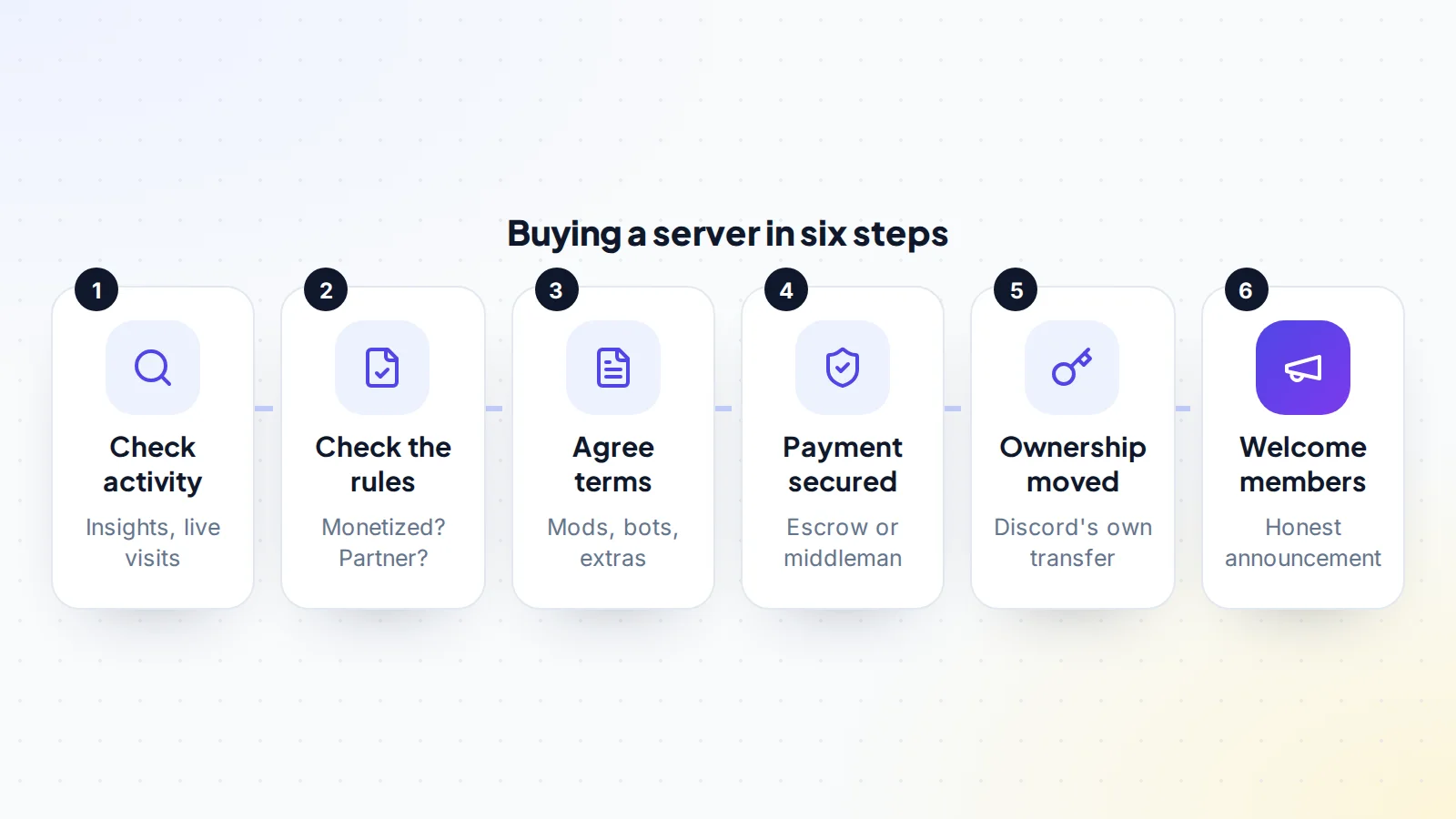
- Check activity through insights and your own visits.
- Check the rules: is the server monetized, partner or verified? If so, contact Discord first.
- Agree the terms: moderators, bots, linked assets, sponsor introductions and the announcement.
- Payment secured by escrow or a trusted middleman. On digiflippers.com, the ways to pay in a deal are: directly to the seller, through escrow, and the platform never holds the money itself.
- Ownership moved through Discord’s Transfer Ownership option, to your account.
- Bots and linked assets handed over; admin roles reviewed.
- Welcome members with an honest, friendly announcement.
Bots, roles and permissions
Many servers rely on bots for moderation, welcome messages, levels or events. Some are public bots configured inside the server; others are custom bots running from the owner’s developer account. Ask for a list of every bot, what it does, who controls it and how it will be handed over. Then review roles and permissions: make sure only people you trust have administrator powers after the change.
Securing the server after you buy
- Turn on two-factor authentication on your Discord account.
- Review every admin role, and remove any the previous owner doesn’t need.
- Check webhooks and integrations, and remove ones you don’t recognise.
- Update linked accounts such as social media and email.
- Keep a record of the agreement, the payment confirmation and the transfer.
Keeping the community
- Keep the moderators and thank them publicly.
- Change little at first: same rules, channels and events for a few weeks.
- Introduce yourself honestly: who you are and why you care about the community.
- Listen: ask members what they’d like to see.
- Grow carefully: new events, partnerships and content that fit the culture.
Our guide to what to do after buying an online business covers the first 90 days. If the community also has a newsletter, read how to buy a newsletter and run an email deliverability check.
Earning from a community the right way
Many buyers want a server to support a business: selling a course, promoting a product, offering paid roles or finding sponsors. Done well, these can fit naturally. A few principles help:
- Serve members first. Communities stay when they keep getting value: help, events, friendship and expertise.
- Be transparent about sponsorships and promotions, and keep them relevant to the topic.
- Use Discord’s own tools properly where you want paid features, and follow its Monetization Policy, including the approval needed for monetized servers that change hands.
- Build owned channels, such as an email list or a website, so the community’s value doesn’t depend on a single platform.
How long it takes
For a server that isn’t monetized, the ownership transfer itself takes seconds once both sides are ready. The work around it (checking activity, agreeing terms, securing payment, handing over bots and linked assets) usually takes a few days to two weeks. Monetized, partner or verified servers take longer because Discord’s own review or ticket process comes first.
Red flags
- A huge member count with quiet channels.
- Activity from a handful of accounts posting most of the messages.
- A seller offering account logins instead of Discord’s ownership transfer.
- A monetized server where the seller hasn’t contacted Discord.
- Moderators unaware of the sale or unwilling to stay.
How to buy a Discord server: the checklist
- Activity checked through insights and personal visits.
- Monetized, partner or verified status checked; Discord contacted if needed.
- Moderators introduced and willing to stay.
- Bots and integrations listed with handover plan.
- Linked assets included in the terms.
- Payment secured before ownership moves.
- Ownership transferred through Discord’s own option.
- Admin roles reviewed; two-factor on.
- Honest announcement agreed.
Ready to find your next asset?
Browse listings with verified numbers, ask sellers your questions before you offer, and agree every step in a free Deal Room.
Browse newsletters & communities Sell your newsletter or community
Frequently asked questions
How do I take ownership of a Discord server?
Join the server, then the current owner selects your account in the member list and chooses Transfer Ownership. Ownership moves immediately.
Can a monetized Discord server be sold?
Discord’s Monetization Policy says monetized servers must not be bought or sold without Discord’s approval, and monetized transfers go through a safety review. Contact Discord before agreeing a deal.
Is member count a good measure of value?
Not on its own. Daily activity, returning members and an engaged moderation team matter much more.
Do bots transfer with the server?
Bots configured inside the server stay; custom bots run from someone’s developer account need their own handover. List every bot before buying.
Can a server transfer be reversed?
Discord’s help says its support team can’t transfer a server back once it’s been transferred, so make sure payment is secured and terms are agreed first.
Should I tell members the server has a new owner?
Yes. A short, honest introduction, ideally posted by the previous owner, keeps trust. Explain what stays the same and invite members to share ideas.
What if the moderators don’t want to stay?
Plan a handover period with the previous team while you recruit new moderators from active, trusted members. Don’t make big changes until the new team is in place.
