
Deliverability Checks Before Buying an Email List or Newsletter
A list is only worth something if its emails reach the inbox. How to check authentication, spam complaints, engagement and list health before you pay.
When you buy a newsletter, the subscriber count on the listing is only half the story. What matters is whether emails sent to that list will still land in people’s inboxes after the sale. An email deliverability check before you pay tells you whether the list is healthy, whether the sending setup is sound, and whether the numbers you’re paying for are real.
This guide walks through the checks one by one: authentication, spam complaints, engagement, how subscribers joined, list hygiene and unsubscribes, plus the rules large inbox providers now set for bulk senders. It’s written for buyers of newsletters and email-driven businesses, and for sellers preparing for due diligence.
For the full buying process, see how to buy a newsletter.
Key takeaways
- Check that SPF, DKIM and DMARC are set up and passing on the sending domain. Gmail and Yahoo require them for bulk senders.
- Look at spam complaint rates. Gmail advises keeping them below 0.1% and never reaching 0.3%; Yahoo requires below 0.3%.
- Judge engagement over 12 months, not list size. Opens, clicks and trends tell you what the audience really does.
- Find out how subscribers joined. Lists built on the publication itself are healthy; imported or bought lists are a risk.
- Keep the domain, sending address and authentication the same after the sale to protect the inbox reputation.
Why deliverability decides value
A newsletter earns through its readers: sponsorships, paid subscriptions, affiliate links or products. If emails start going to spam, open rates fall, sponsors pay less, paid subscribers cancel and income drops, sometimes within weeks. Two lists of the same size can be worth very different amounts depending on how reliably they reach the inbox.
Deliverability is also hard to fix quickly. Inbox providers judge senders on their history, and a damaged reputation can take a long time to recover. That’s why checking it before you buy matters so much.
What Gmail and Yahoo require
Large inbox providers publish rules for senders, and they apply especially to bulk senders. Gmail’s sender guidelines define bulk senders as those sending close to 5,000 or more messages a day to Gmail accounts, and require them to:
- Authenticate email with SPF, DKIM and DMARC.
- Offer one-click unsubscribe in marketing messages.
- Keep spam rates low; Gmail’s guidance is to stay below 0.1% and never reach 0.3% or higher.
Yahoo’s sender best practices set similar requirements: bulk senders must use SPF and DKIM and publish a DMARC policy, keep spam rates below 0.3%, support one-click unsubscribe and honour unsubscribes within 2 days. Even smaller newsletters benefit from meeting the same standards.
The email deliverability check, step by step
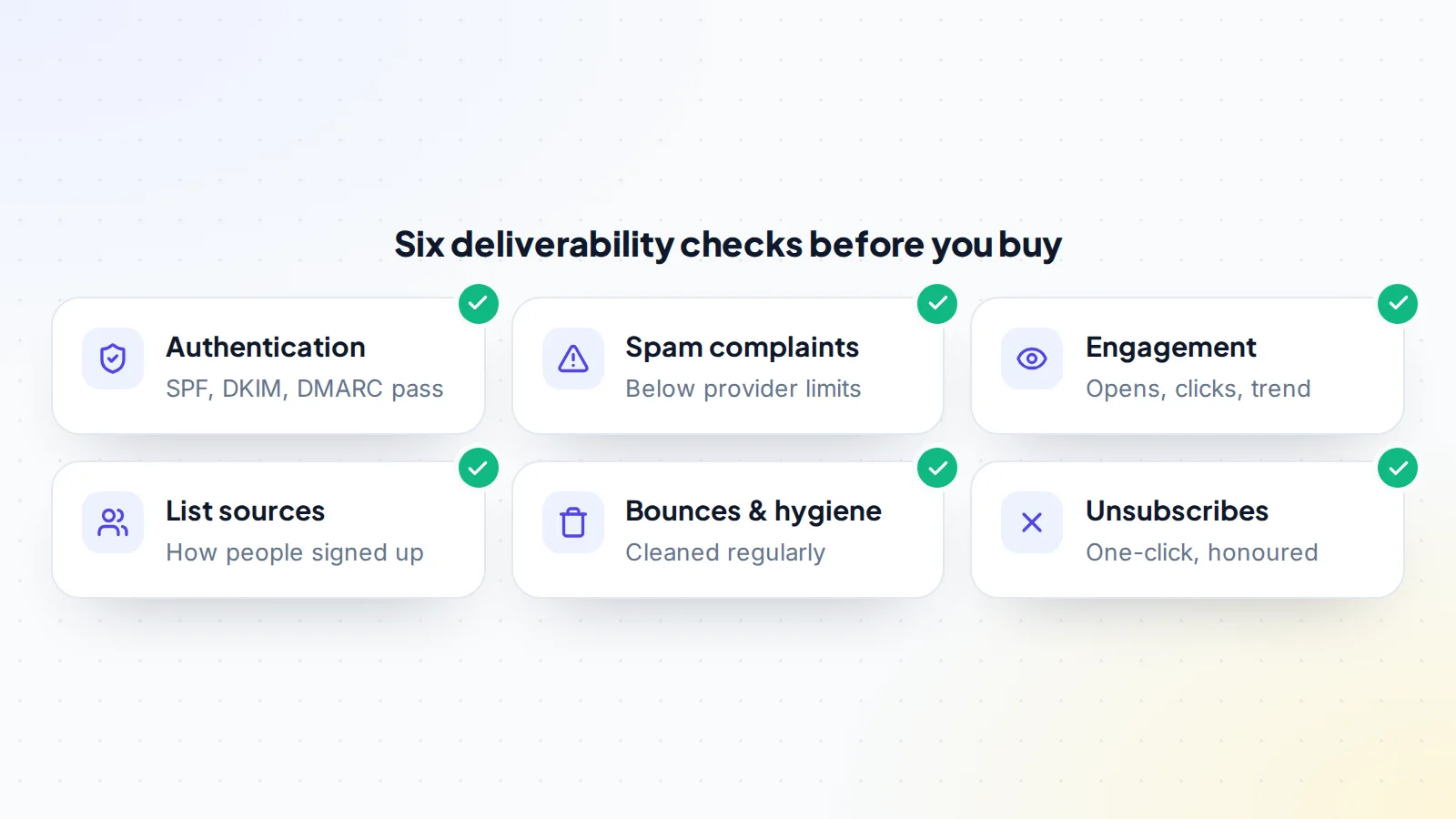
1. Authentication
Ask which domain the newsletter sends from, then check its DNS records for SPF, DKIM and DMARC. A test email sent to your own inbox will show in its headers whether each check passed. Missing or failing authentication is a serious warning sign; fixing it is possible, but it means the list’s reputation may already be affected.
2. Spam complaints
Ask for spam complaint rates from the newsletter platform and, if the sender uses it, Google’s Postmaster Tools, which shows data such as spam rate, reputation and authentication results for mail sent to Gmail accounts. Look at 12 months, not just the latest week, and compare with the provider thresholds above.
3. Engagement
Look at opens, clicks and replies over 12 months, by issue. Bear in mind that some email apps load images automatically, which can inflate open rates, so clicks and replies are often more reliable signs of real interest. A steady or rising trend is healthy; a sharp fall is a question to ask.
4. How subscribers joined
Ask where subscribers came from: sign-up forms on the newsletter’s site, referrals, recommendations from other newsletters, giveaways, imports. Lists built through the publication’s own sign-ups are the healthiest. Imported, purchased or swapped lists tend to bring complaints and bounces, and may not have the consent records needed in some countries.
5. Bounces and list hygiene
Check bounce rates and whether the seller removes invalid addresses and long-inactive subscribers. Regular cleaning keeps engagement rates high and complaint rates low. A list that has never been cleaned will look large but perform poorly.
6. Unsubscribes and suppression
Confirm unsubscribe links work, one-click unsubscribe is supported, and the suppression list (people who unsubscribed or complained) will transfer with the list. In the United States, the FTC’s CAN-SPAM guide requires opt-outs to be honoured within 10 business days; Yahoo asks bulk senders to honour them within 2 days.
Platform-specific points
Where a newsletter is hosted changes what you can check and what moves with it:
- Hosted newsletter platforms often send from their own shared infrastructure unless a custom domain is set up. In that case much of the sending reputation belongs to the platform, and the newsletter’s own reputation is tied mainly to engagement and complaints. If a custom sending domain is used, check its authentication as described above.
- Email service providers used with a website usually send from the newsletter’s own domain, so the domain’s authentication and history matter more, and moving the domain carefully is essential.
- Self-hosted sending is rarer and needs the closest look, because the server’s own reputation is part of what you’re buying.
In every case, ask whether the account can be transferred as it is, which keeps history and settings, or whether subscribers must be exported and imported into a new account, which needs extra care with consent records and suppression lists.
Healthy signs and warning signs
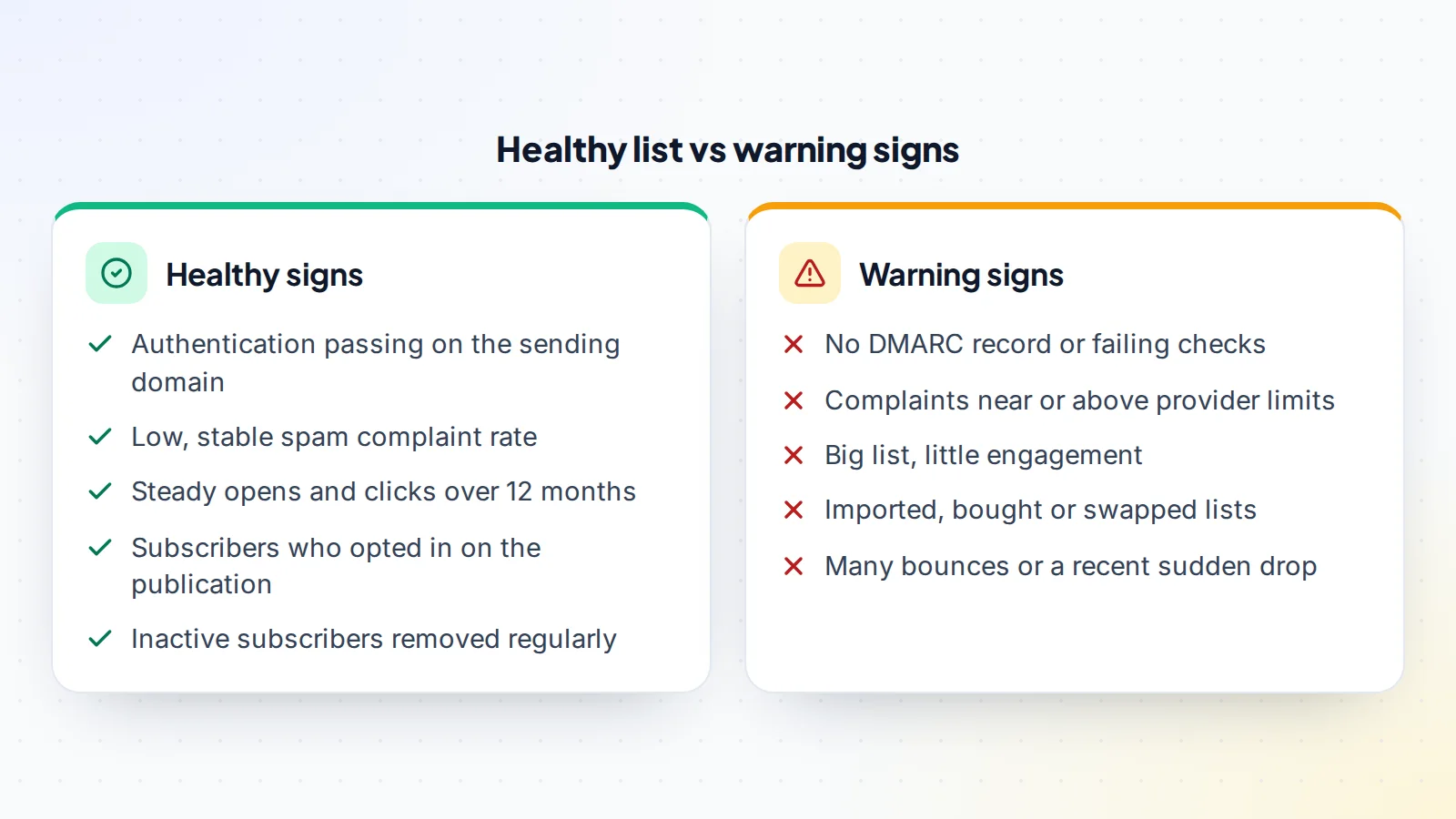
No single number decides it, and no list is perfect. Look at the overall pattern: a list with passing authentication, low complaints, steady engagement and clear sign-up sources is a good foundation. A list with failing authentication, rising complaints and unclear sources needs a much lower price, or a pass.
Tools that help
- The newsletter platform’s reports: opens, clicks, bounces, complaints and unsubscribes by issue. Ask for a live screen share where you choose the date ranges.
- Google Postmaster Tools: once the sending domain is verified in it, its dashboards show data about mail sent to personal Gmail accounts, including spam rate, reputation, authentication and delivery errors. Ask the seller to show it, or to add you as a user during due diligence.
- DMARC reports: if the domain’s DMARC record asks for reports, receiving providers send summaries of which messages passed or failed authentication. They reveal whether anyone else is sending email using the domain.
- Message headers: a test issue sent to your own inbox shows SPF, DKIM and DMARC results in the full headers, a quick check anyone can do.
- Your own inbox placement: subscribe with addresses at a few different providers and see where issues land: inbox, promotions tab or spam.
Questions to ask the seller
- Which domain and address do you send from, and who manages its DNS?
- Are SPF, DKIM and DMARC set up, and since when?
- What were your complaint and bounce rates over the last 12 months?
- Where did subscribers come from, and have you ever imported or bought a list?
- When did you last remove inactive subscribers, and how do you define inactive?
- Have you ever had a sudden drop in opens or a period where emails went to spam? What happened?
- Which sponsors or paid features depend on engagement figures?
A seller who answers clearly, with data, makes the email deliverability check quick. Vague answers on list sources or complaint rates are worth exploring before you go further.
How deliverability affects income
Every income source in a newsletter depends on emails being seen. Sponsors price placements on opens and clicks, so falling engagement means lower rates at renewal. Paid subscribers who stop receiving issues in their inbox are more likely to cancel. Affiliate and product sales fall with clicks. When you value a newsletter, connect each income source to the engagement it relies on, and ask what would happen to that income if engagement dropped by a quarter. Our guide to revenue vs profit valuation explains how to turn the answer into a price.
A worked example
The details below are made up to show the method.
A buyer is looking at a cooking newsletter with 42,000 subscribers, priced on its sponsorship income. The listing shows a 48% open rate.
The buyer asks for a live screen share of the newsletter platform and sends a test issue to a personal inbox. SPF and DKIM pass; DMARC is published. Engagement over 12 months is steady, with click rates consistent from issue to issue. But the sign-up sources reveal that 9,000 subscribers came from a giveaway two years ago, and that group almost never opens or clicks.
The seller hasn’t removed inactive subscribers in that time. The buyer proposes a price based on the engaged part of the list, about 33,000 readers, and plans to clean the giveaway segment after the purchase. The seller agrees, since the sponsorship rates were set on real engagement anyway. Deliverability after the sale stays strong because the sending domain and authentication don’t change.
Protecting deliverability after the sale
- Keep the sending domain and address the same, so the reputation carries over.
- Copy all DNS records before any domain transfer and check authentication passes afterwards.
- Keep the same schedule and topic, so readers recognise and keep engaging with the emails.
- Transfer suppression lists along with subscribers.
- Introduce the new owner in an issue, so readers aren’t surprised.
- Watch complaints and engagement closely for the first two months.
Our guide to newsletter transfer covers each platform’s ownership process.
The same checks for communities
Many communities, such as Discord servers or paid groups, also rely on email for announcements and payments. The same checks apply to their email lists. For communities themselves, the equivalent is engagement inside the community: active members, messages and retention. See our guides on how to buy a Discord server and sell a Discord server.
For sellers: preparing for the check
Sellers who prepare for an email deliverability check make due diligence fast and support their price. Before listing, set up and test SPF, DKIM and DMARC, turn on one-click unsubscribe, clean bounced and long-inactive subscribers, gather 12 months of engagement and complaint data, and write down where subscribers come from. A clean, documented list is one of the strongest selling points a newsletter can have. When you’re ready, list it on digiflippers.com with 0% success fee up to $10,000, then 5% (max $5,000).
Common mistakes
- Pricing on list size instead of engaged readers.
- Trusting open rates alone, which can be inflated by automatic image loading.
- Ignoring authentication because emails “seem to arrive”.
- Changing the sending domain straight after the sale.
- Leaving suppression lists behind, so people who opted out are emailed again.
Email deliverability check: the checklist
- SPF, DKIM and DMARC present and passing.
- Spam complaint rates reviewed for 12 months.
- Opens, clicks and replies reviewed by issue.
- Subscriber sources documented.
- Bounce rates and list cleaning practices checked.
- One-click unsubscribe working; suppression list included.
- Test issue sent to your own inbox and headers checked.
- Plan to keep the sending domain and address after the sale.
Ready to find your next asset?
Browse listings with verified numbers, ask sellers your questions before you offer, and agree every step in a free Deal Room.
Browse newsletters & communities Sell your newsletter or community
Frequently asked questions
What is an email deliverability check?
A review of whether a list’s emails reliably reach the inbox: authentication, complaint rates, engagement, list sources, hygiene and unsubscribe handling.
What spam rate is too high?
Gmail advises staying below 0.1% and never reaching 0.3%. Yahoo requires below 0.3%. Lower is always better, and a steady trend matters as much as the latest figure.
Do small newsletters need SPF, DKIM and DMARC?
The strictest rules apply to bulk senders, but authentication helps every sender reach the inbox and is worth setting up at any size.
Are open rates reliable?
Not on their own. Some email apps load images automatically, which can inflate opens. Clicks and replies are better signs of real engagement.
Can I fix a list with poor deliverability?
Often, by cleaning inactive subscribers, fixing authentication and sending consistently to engaged readers. But it takes time, so the price should reflect the current state.
Should the buyer get access to Postmaster Tools?
It’s helpful. During due diligence the seller can show it live or add the buyer as a user; after the sale, the buyer verifies the domain in their own account.
