
Transferring a Newsletter on Substack, beehiiv or Kit
How a newsletter changes hands on Substack, beehiiv and Kit: ownership, subscriber list, paid subscriptions, custom domain, sending setup and the announcement.

A newsletter is one of the easiest online businesses to hand over, because the asset is mostly a list of people who chose to hear from it, an archive of issues and a brand. But a newsletter transfer still has several moving parts, and each platform handles ownership differently. Get them right and subscribers barely notice; get them wrong and emails start landing in spam or paid subscriptions stop renewing.
This guide explains how ownership moves on three popular platforms (Substack, beehiiv and Kit), and then covers the parts that sit outside the platform: the subscriber list and consent, paid subscriptions, the custom domain, sending reputation, the archive and the announcement to readers.
If you’re still at the pricing stage, start with our guides on how to sell a newsletter and newsletter valuation.
Key takeaways
- Use the platform’s own ownership process. Never hand over passwords to a personal email account.
- On Substack, ownership moves from the publication settings, and both sides confirm. On beehiiv, it moves through a support request with written confirmation from both.
- Paid subscriptions depend on the payment account behind them, so confirm with the platform how they continue.
- The custom domain and its sending records (SPF, DKIM, DMARC) protect deliverability; move them carefully.
- Have the payment held by escrow or a middleman before ownership changes.
What actually moves
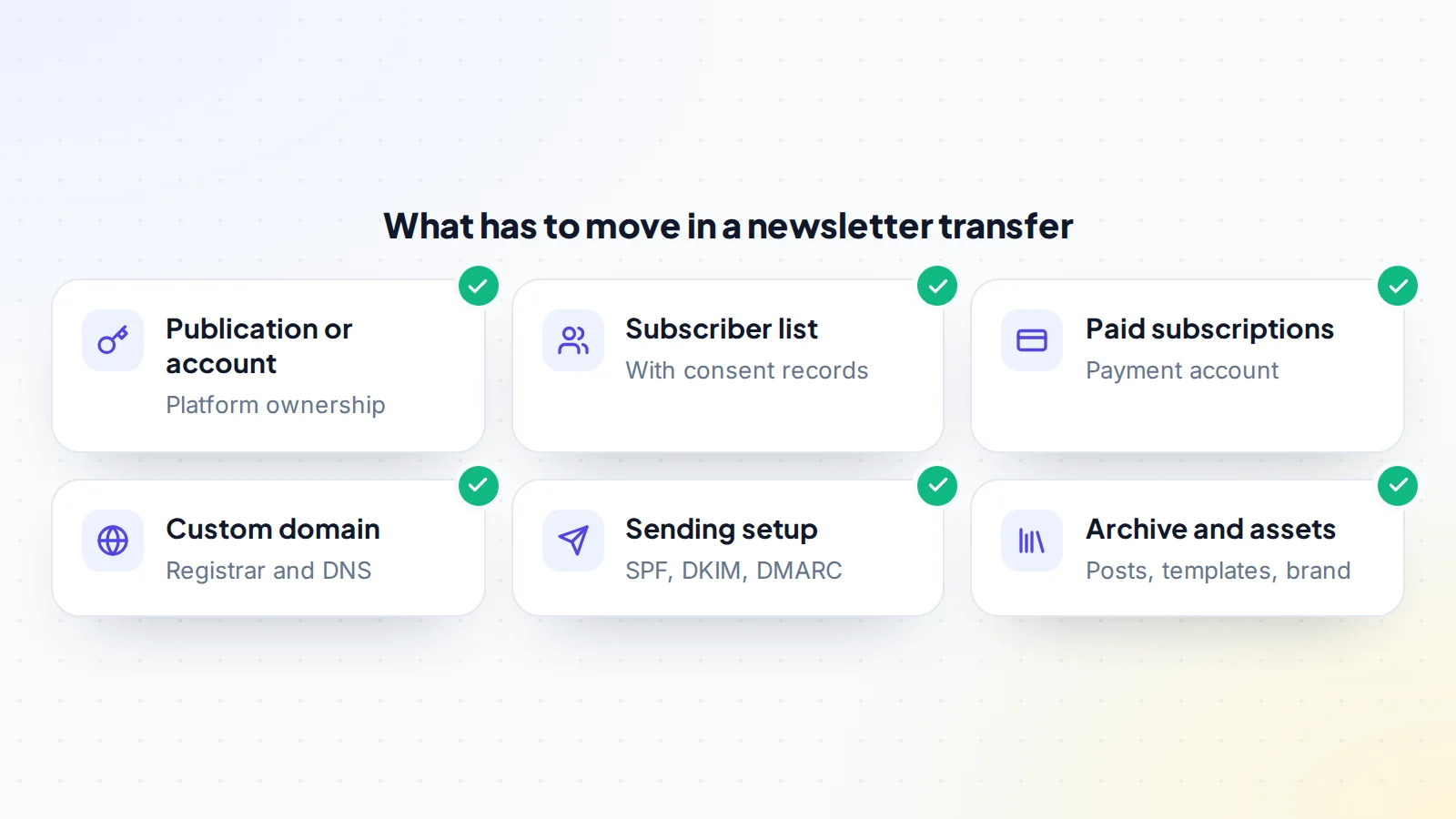
A newsletter is made of several pieces, and a buyer needs all of them:
- The publication or account on the newsletter platform, with its settings, templates, automations and archive.
- The subscriber list, including free and paid subscribers, and records of how they signed up.
- Paid subscriptions and the payment account they run through.
- The custom domain, if the newsletter uses one for its website or sending address.
- The sending setup: the domain authentication records that tell inbox providers the emails are legitimate.
- Brand and extras: the name, logo, social accounts, sponsor relationships, referral programme and any community spaces.
Write all of these into the deal terms so both sides know exactly what’s being handed over.
How a Substack newsletter transfer works
Substack’s help centre explains that a publication’s ownership can be transferred to another email address from the publication’s settings, in the section Substack calls the Danger Zone, using the transfer ownership option. Both the current owner and the new owner have to confirm the change. The new owner should have their own Substack account ready before the transfer starts.
Substack also lets you export your email list as a CSV file. It’s sensible to take a dated export immediately before the transfer, for the buyer’s records and yours, and to keep it securely.
Paid subscriptions on Substack run through a connected payment account. Before you agree the plan, ask Substack support how paid subscribers and the connected payment account are handled when ownership changes, so the buyer starts receiving the income and subscribers keep their access.
How a beehiiv transfer works
beehiiv’s help centre explains that ownership of a publication or workspace is transferred through a support request, with written confirmation from both the current owner and the new owner. Plan for the time the support team needs to process it, and agree with the buyer who opens the request and when.
Ask beehiiv at the same time how any paid subscriptions, referral programme rewards, ad network earnings and custom domain settings are handled, so nothing is left attached to the seller’s account.
How a Kit transfer works
Kit (formerly ConvertKit) lets an account have several team members with different roles, managed from the account settings. Its help centre explains how to add team members and how to export subscribers. Because ownership and login details are tied to the account’s email address, contact Kit support before the sale to confirm the right way to make the buyer the account owner, and whether the buyer should take over the whole account or import the list into a new one.
Taking over the whole account keeps automations, sequences, forms, tags and history in place, which is usually what buyers want. Importing into a new account gives the buyer a clean start but means rebuilding automations, and needs care to keep consent records.
Other platforms and self-hosted newsletters
The same principle applies elsewhere: find the platform’s documented ownership or team process and use it. If a newsletter runs on a self-hosted tool or a website plugin, the handover looks more like a website transfer: hosting, the database of subscribers, the sending service account and the domain all move together. When a newsletter is part of a bigger business account, such as a company Google Workspace, read how to transfer Google Workspace as well.
The subscriber list and consent
Subscribers signed up to hear from the newsletter, and a buyer continuing the same newsletter, on the same topic and under the same name, is the cleanest way to respect that. Keep:
- Sign-up records: where and when people subscribed, and what they were told.
- Unsubscribes and suppressions: people who opted out must stay opted out. In the United States, the FTC’s CAN-SPAM compliance guide requires opt-out requests to be honoured within 10 business days, and commercial emails to include a valid postal address.
- Bounces and complaints, so the buyer doesn’t email addresses that already failed.
Rules differ by country, and stricter rules apply in some places, such as the European Union. If the list includes subscribers in different regions, check the requirements with a professional before the transfer.
Paid subscriptions
Paid newsletters need extra care, because the income is the main thing the buyer is paying for. Confirm in advance:
- Which payment account the subscriptions run through.
- Whether that account moves to the buyer, or whether subscriptions have to be moved to a new account.
- Whether subscribers need to re-enter payment details. If they do, expect some to drop off, and reflect that in the price.
- When the last payout to the seller happens and when the first payout to the buyer happens.
Write the answers into the terms, including how any subscription income received during the handover week is split.
The custom domain and sending reputation
Inbox providers judge emails partly by the domain they come from. Gmail’s sender guidelines, for example, require bulk senders to set up SPF, DKIM and DMARC authentication and to offer one-click unsubscribe. A newsletter that sends from its own domain has built up a reputation with those records in place, and a buyer wants to keep it.
- Transfer the domain to the buyer’s registrar account using the registrar’s process. Our guide to the domain transfer process explains the steps.
- Copy the DNS records first. Before anything changes, record every DNS entry: the website, the sending records and any verification records. Losing them during a transfer is the most common cause of a sudden drop in deliverability.
- Check authentication after the move. Send a test issue and confirm SPF, DKIM and DMARC still pass.
- Keep the sending address the same if possible, so subscribers recognise it.
Our email deliverability check explains what buyers should review before and after the sale.
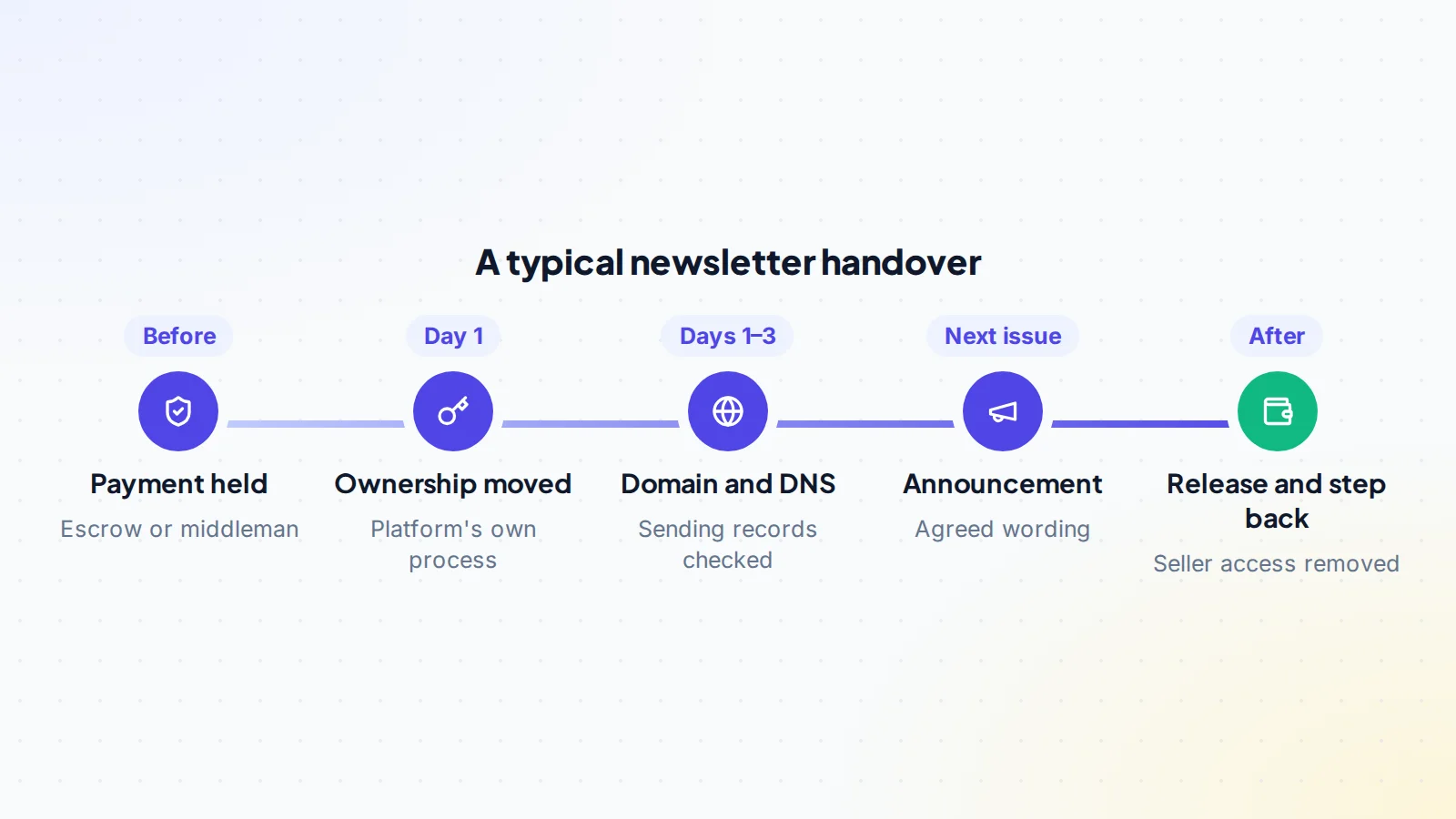
The newsletter transfer, step by step
- Agree the terms in writing: what’s included, the platform process, paid subscriptions, the domain and the announcement.
- Payment held by escrow or a trusted middleman before anything moves. On digiflippers.com, the ways to pay in a deal are: directly to the seller, through escrow, and the platform never holds the money itself.
- Dated exports of the subscriber list and key reports, kept by both sides.
- Ownership moved through the platform’s own process.
- Domain and DNS transferred, with sending records checked.
- Paid subscriptions and payouts confirmed on the buyer’s side.
- Brand extras: social accounts, sponsor introductions, templates and files.
- Announcement in the next issue, worded as agreed.
- Seller access removed, then the payment released.
A worked example
The details below are made up to show the method.
Priya sells a weekly newsletter about indie game development with 18,000 free subscribers and 600 paid members. It runs on a hosted platform with a custom domain used both for the website and the sending address. The buyer, Tom, already writes about game design.
Before signing, they check the platform’s ownership process and confirm with support how the paid subscriptions and the connected payment account will move. Priya exports the DNS records into a shared document and takes a dated subscriber export. The deal terms list everything: the publication, the domain, the social accounts, two sponsor introductions and a 30-day period where Priya answers Tom’s questions.
Once the payment is held, the platform transfer is confirmed by both of them. Tom transfers the domain to Tom’s own registrar account, re-enters the DNS records exactly as recorded, and sends a test issue to check that authentication passes. The next issue carries a short note from Priya introducing Tom and explaining that the newsletter’s focus stays the same. Open rates in the following month stay close to their usual level, and the payment is released. Nothing about the transfer was complicated; it simply followed the order agreed in advance.
Telling subscribers
Most readers care about one thing: will the newsletter stay the same? A short note in the next issue, ideally from the seller, introducing the new owner and confirming the topic, schedule and any paid benefits, keeps trust high. Agree the wording in the terms. For newsletters built around the founder’s personal voice, a gradual handover, with a few joint issues, can help.
The first month after the transfer
The handover isn’t finished when the platform shows a new owner. In the first few weeks, the buyer should watch a few signals closely and compare them with the figures shown during due diligence:
- Open and click rates on the first issues, compared with the previous three months.
- Unsubscribes and spam complaints after the announcement.
- Paid renewals, to confirm subscriptions are charging and paying out to the new account.
- Authentication results in a test inbox, to confirm SPF, DKIM and DMARC still pass.
- Sponsor bookings, to confirm introductions turned into relationships.
If the seller agreed a support period, this is when it’s most useful: a quick answer about an automation or a sponsor’s preferences saves the buyer hours. A small dip in engagement after a change of owner is normal; a sharp drop usually points to a technical issue, such as a missing DNS record, that can be fixed quickly once spotted.
Common mistakes
- Sharing passwords instead of using the platform’s ownership or team process.
- Forgetting the DNS records when the domain moves, so authentication breaks.
- Assuming paid subscriptions move automatically. Confirm with the platform first.
- Dropping suppression lists, so people who unsubscribed start receiving emails again.
- Moving ownership before payment is held.
Newsletter transfer checklist
- Platform ownership process confirmed (Substack, beehiiv, Kit or other).
- Paid subscription and payment account plan confirmed with the platform.
- Dated subscriber export, including unsubscribes and suppressions.
- DNS records copied before the domain moves.
- SPF, DKIM and DMARC checked after the move.
- Terms in writing, including the announcement and support period.
- Payment held by escrow or a middleman before ownership changes.
- Seller access removed and payment released at the end.
Ready to find your next asset?
Browse listings with verified numbers, ask sellers your questions before you offer, and agree every step in a free Deal Room.
Browse newsletters & communities Sell your newsletter or community
Frequently asked questions
How long does a newsletter transfer take?
Usually a few days. Platform ownership can move quickly once both sides confirm; a support-led process or a domain transfer can add time.
Can I transfer a Substack newsletter to someone else?
Yes. Substack lets the owner transfer a publication’s ownership to another email address from the publication settings, and both sides confirm the change.
Do paid subscribers move with the newsletter?
They can, but it depends on the platform and the payment account behind the subscriptions. Confirm the process with the platform before agreeing the deal.
Will deliverability drop after the transfer?
Not if the domain, DNS records and sending address stay the same and authentication keeps passing. Most drops come from lost DNS records or a change of sending domain.
Should the buyer import the list into their own account instead?
Sometimes, but taking over the whole account usually keeps automations, history and consent records intact. If you import, keep the sign-up records and suppressions.
Do I have to tell subscribers about the sale?
It’s good practice. A short, honest note introducing the new owner keeps trust and reduces unsubscribes.
Keep reading
Sources
- Substack Support: How do I transfer ownership of my publication to a new email address?
- Substack Support: How do I export my email list?
- beehiiv Support: Transferring ownership of a publication or workspace
- Kit Help: How to add a team member to your Kit account
- Kit Help: How to export subscribers in Kit
- Gmail Help: Email sender guidelines
- FTC: CAN-SPAM Act compliance guide for business
