
What Is a Domain Auth Code (EPP Code) and How Do You Use It?
The domain auth code is the password for moving a domain between registrars. How to request it, how to use it, what goes wrong, and how to protect it in a sale.
To move a domain name from one registrar to another, you need a short code issued by the current registrar. It goes by several names (auth code, authorisation code, EPP code, transfer code), but it does one job: proving that the transfer is authorised by the domain’s owner. Understanding the domain auth code makes transfers smoother and, in a sale, keeps the domain safe until the money is secured.
This guide explains what the code is, how to get it, how long registrars have to provide it, how to use it, what usually goes wrong and how to handle it safely in a sale. For the full process, see our guide to the domain transfer process.
Key takeaways
- The domain auth code is a unique code that authorises moving a domain to a new registrar.
- ICANN says registrars must provide it to the registrant within 5 calendar days of a request.
- The domain must usually be unlocked before the code can be used.
- Treat the code like a password: anyone who has it can try to start a transfer.
- In a sale, send it only to the agreed buyer, and only after payment is held by escrow or a middleman.
What a domain auth code is
When a domain moves between registrars, the new registrar needs proof that the move is wanted by the person who controls the domain. The auth code is that proof. ICANN describes it as a code created by the registrar to help identify the domain name holder and prevent unauthorised transfers. The registrar that holds the domain generates it; the registrar receiving the domain asks for it when the transfer starts.
The name “EPP code” comes from the Extensible Provisioning Protocol, the system registries and registrars use to manage domain registrations. Whatever it’s called, it works the same way.
How to get the code
- Sign in to your registrar account and open the domain’s settings.
- Turn off the transfer lock, sometimes called registrar lock or transfer protection.
- Request the auth code. Many registrars show it immediately; others email it to the registrant contact.
- Store it safely until you use it, and don’t share it more widely than needed.
If you can’t find the option, look for “transfer out”, “authorisation code” or “EPP code” in the registrar’s help pages, or contact support.
How long registrars have to provide it
ICANN’s rules say registrars must give the registrant the auth code within 5 calendar days of a request. Many provide it instantly. If a registrar refuses or delays beyond that, ICANN explains that registrants can raise the issue with the registrar and, if needed, submit a complaint to ICANN.
A registrar may still deny a transfer in some situations described in ICANN’s Transfer Policy, for example during certain waiting periods after a recent registration, transfer or change of registrant details. ICANN’s policy review has also recommended updates to how codes and waiting periods work, so check your registrar’s current rules.
How to use it
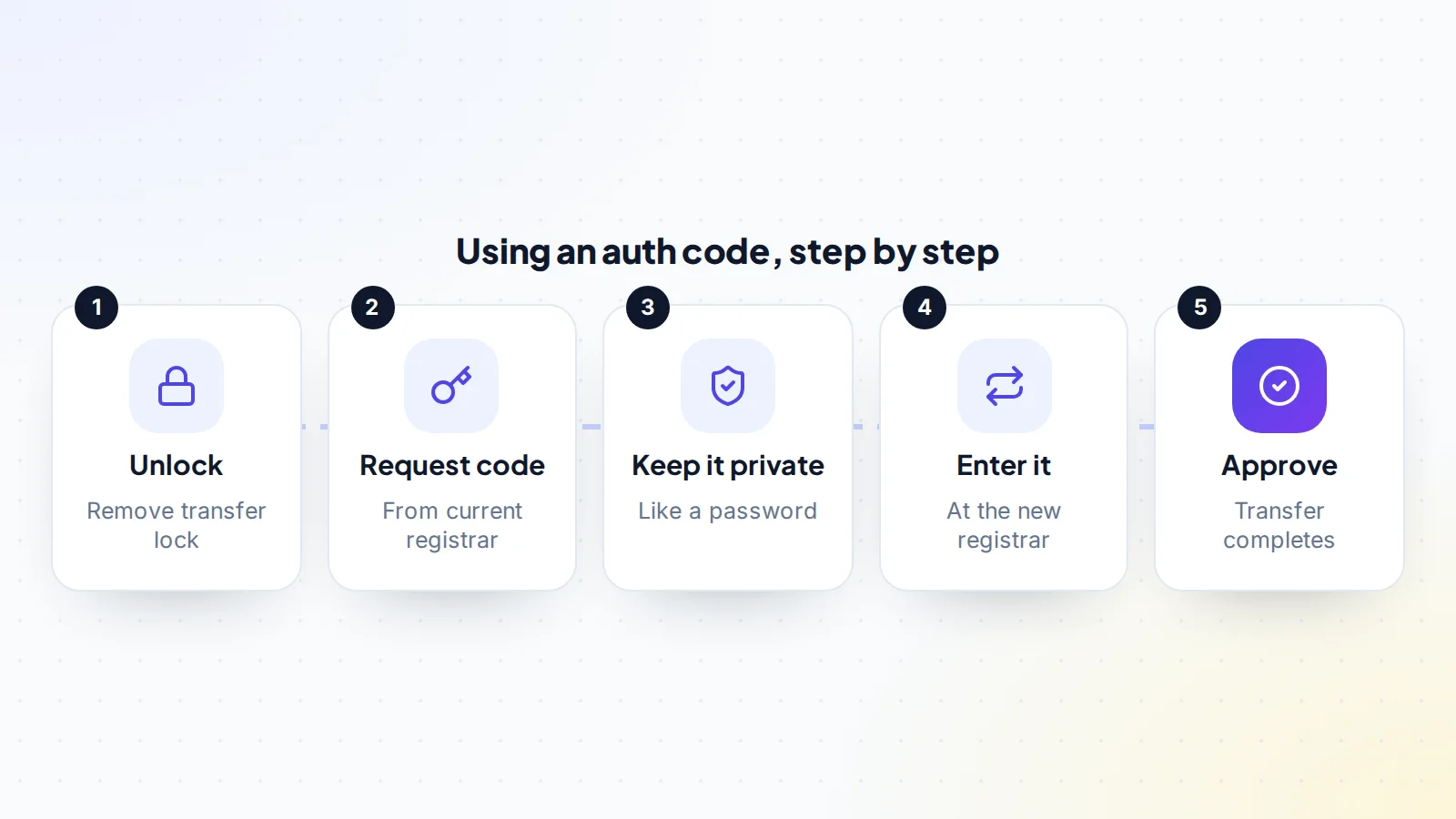
- Start the transfer at the new registrar by entering the domain name.
- Enter the auth code when asked. Copy and paste it; codes are often case-sensitive and may include symbols.
- Pay the transfer fee, which for many generic domains includes a year of renewal.
- Approve the transfer if asked, by email or in the old registrar’s account.
- Check the result: the domain appears in the new account, contact details are right, DNS works and the lock is back on.
Common problems
- “Invalid auth code”: the code was mistyped, has extra spaces, or was replaced by a newer one. Request it again and paste it carefully.
- “Domain is locked”: turn off the transfer lock at the current registrar and try again.
- The code email never arrives: the registrant email may be out of date. Update it, but be aware that changing registrant details can trigger a waiting period under ICANN’s long-standing rules.
- Transfer refused: the domain may be within a waiting period, close to expiry or subject to a dispute. Ask the registrar for the reason.
- Code expired: some registrars set codes to expire after a period. Request a new one.
Keeping the code safe
The auth code is effectively a key. Anyone who has it, and finds the domain unlocked, can try to transfer the domain to an account they control. To protect it:
- Only request it when you need it.
- Share it with one person only: the person receiving the domain.
- Send it privately, never in a public post or a screenshot that could be forwarded.
- Re-lock the domain if the transfer doesn’t go ahead, and request a new code later.
- Turn on two-factor authentication at your registrar, so nobody can sign in and get the code themselves.
Auth code vs registrar login
A common misunderstanding is that a buyer needs the seller’s registrar login to take over a domain. They don’t. The auth code (for a registrar transfer) or a push (within the same registrar) is all that’s needed. Sharing a registrar login gives access to every domain in the account, plus payment details and contact information, which is far more than any buyer should have. If someone asks for your login “to make the transfer easier”, decline and offer the code or a push instead.
What happens after the code is used
Once the new registrar accepts the code, the transfer request goes to the registry, which notifies the current registrar. Depending on the registrars, the current owner may receive an email to approve or reject it. If nobody acts, many generic domain transfers complete automatically after a short waiting period. When the transfer finishes:
- The domain appears in the new registrar’s account.
- The old auth code no longer works, and the new registrar can issue a fresh one later.
- The registration usually gains a year, paid as part of the transfer.
- Public registration data, which ICANN’s lookup tool shows through RDAP, lists the new registrar.
Auth codes and domain theft
Domain theft usually doesn’t start with guessing an auth code. It starts with access: a compromised registrar account or email account lets an attacker unlock the domain and request the code themselves. That’s why the most effective protection is securing the accounts around the code:
- Two-factor authentication on the registrar account and on the email address it uses.
- A unique, strong password for both.
- Transfer lock on whenever you’re not actively transferring.
- Registry lock, offered by some registrars for valuable domains, which adds manual checks before changes.
- Alerts: turn on notifications for changes to the domain’s settings.
If you see an auth code request or transfer approval email you didn’t expect, reject the transfer, change your passwords and contact the registrar immediately.
The auth code in a domain sale
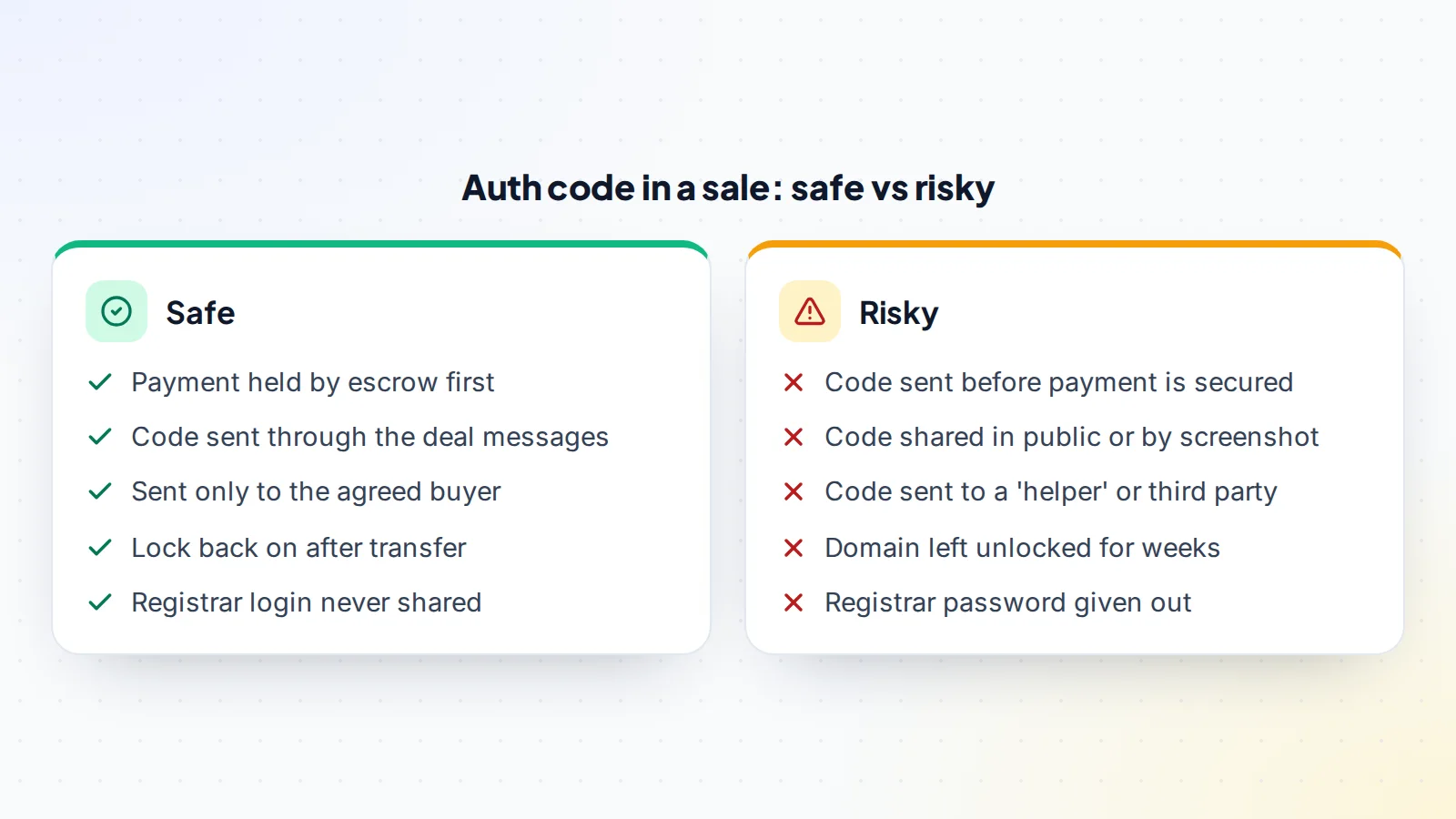
In a sale, the auth code is the moment of handover. Once the buyer has it, they can move the domain to their own account. So the safe order matters:
- Agree the terms: price, transfer method and timing.
- Payment held by escrow or a trusted middleman. On digiflippers.com, the ways to pay in a deal are: directly to the seller, through escrow, and the platform never holds the money itself.
- Unlock the domain and request the code.
- Send the code to the buyer through the deal’s private messages.
- The buyer completes the transfer and confirms the domain is in their account.
- The payment is released.
Our guides to domain escrow and how to sell a domain name cover the rest of the process.
When you don’t need an auth code
If buyer and seller use the same registrar, many registrars offer an internal “push” that moves the domain between accounts without an auth code or a registrar transfer. It’s often faster, and the domain stays at the same registrar. See domain push vs transfer to decide which suits your deal.
A worked example
The details below are made up to show the process.
Sam sells a short .com to a startup for an agreed price. The startup uses a different registrar, so a registrar transfer is needed. Payment goes into escrow, and the escrow service confirms it’s held.
Sam signs in to the registrar, turns off the transfer lock and requests the auth code, which appears on screen. Sam pastes it into the deal messages, addressed to the startup’s founder only. The founder starts the transfer at the new registrar, pastes the code and pays the transfer fee. Sam receives an approval email and approves it. The transfer completes the same day. The founder checks the domain appears in the new account, updates the contact details, re-enables the lock and confirms in escrow. The money is released to Sam.
If the code had been sent before escrow confirmed the payment, Sam would have had no protection if the buyer had disappeared with the domain.
Several domains at once
Each domain has its own auth code, and each transfer is handled separately. For a portfolio, make a list of every domain with its lock status, code, expiry date and transfer status, and tick each one off as it completes. Some registrars offer bulk tools for unlocking domains and exporting codes; check before doing it one by one. In a sale, agree whether payment is released when all domains arrive or domain by domain.
Keep a record
Keep the emails and messages around every transfer: the request for the code, the approval, the completion notice and, in a sale, the escrow confirmations. If a question comes up later, for example a dispute about when the domain arrived, those records settle it quickly. Registrars and escrow services will also ask for them if anything needs investigating.
Country-code domains
Country-code domains (such as .uk, .de or .au) are managed by national registries with their own rules, and some don’t use auth codes in the same way. Some use a different code system, and some move domains between registrars using a registry-specific process. Check the registry’s guidance before planning a sale.
For buyers: what to check before using the code
- The domain is what was agreed: check the spelling and extension carefully.
- Your registrar supports the extension and the transfer fee is clear.
- The expiry date isn’t so close that the domain might lapse mid-transfer.
- Payment is held by escrow or a middleman, so you’re protected if the transfer fails.
- Your own registrar account is secure, with two-factor authentication, before the domain arrives.
Common mistakes
- Sending the code before payment is secured.
- Posting the code in a public forum or group chat.
- Forgetting to unlock the domain.
- Leaving the domain unlocked after a failed or cancelled transfer.
- Changing the registrant email just before a transfer and triggering a waiting period.
Domain auth code: the checklist
- Two-factor authentication on at the registrar.
- Domain unlocked only when the transfer is ready.
- Code requested and stored privately.
- In a sale: payment held before the code is shared.
- Code sent only to the agreed recipient, through a private channel.
- Transfer approved and completed.
- Lock re-enabled; new code requested if the transfer is cancelled.
Ready to find your next asset?
Browse listings with verified numbers, ask sellers your questions before you offer, and agree every step in a free Deal Room.
Frequently asked questions
What is a domain auth code?
A unique code from your current registrar that authorises moving the domain to another registrar. It’s also called an EPP code or transfer code.
How long does it take to get one?
Often instantly. ICANN says registrars must provide it within 5 calendar days of a request.
Is it safe to share my auth code?
Only with the person receiving the domain, and in a sale only after payment is secured. Anyone with the code can try to transfer an unlocked domain.
Does the code expire?
Some registrars set an expiry. If yours has expired, request a new one.
Do I need an auth code for a push?
Usually not. A push moves the domain between accounts at the same registrar without a registrar transfer.
Can someone steal my domain with just the auth code?
Only if the domain is unlocked and the transfer isn’t rejected. Keep the lock on except during a planned transfer, protect your registrar and email accounts with two-factor authentication, and watch for unexpected transfer emails.
Should a buyer ever need my registrar password?
No. The auth code or a push is all a buyer needs. Never share your registrar login.
