
How YouTube Channels Make Money: Every Income Stream Explained
A guide to how YouTube channels make money: the YouTube Partner Program, ad revenue and RPM, Premium revenue, channel memberships, Super Chat and Super Thanks, Shopping, sponsorships, affiliate links, own products and licensing, plus which income streams transfer to a new owner and how buyers value them.

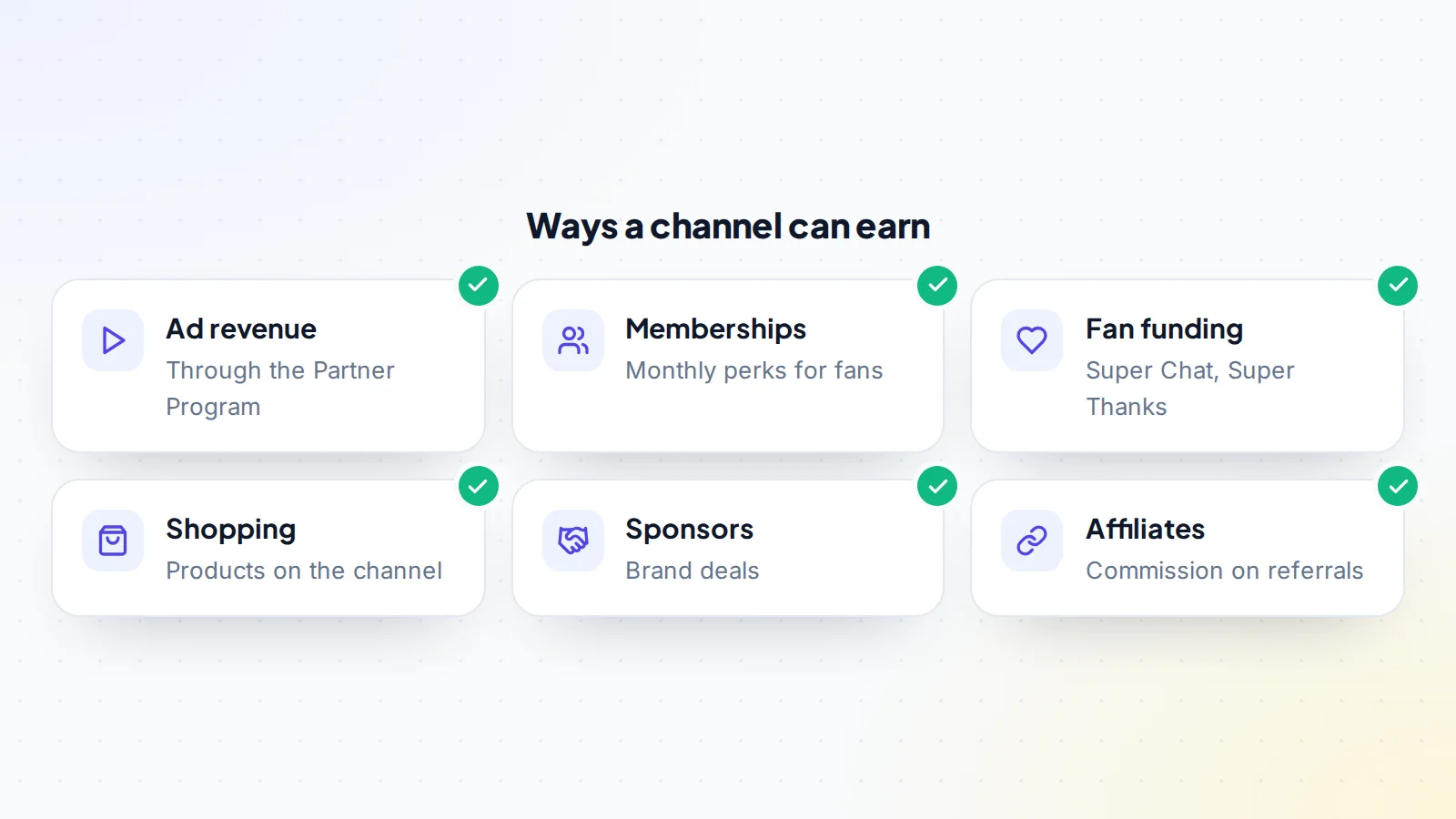
YouTube income comes from far more than ads. A healthy channel might earn from the YouTube Partner Program, channel memberships, fan funding, YouTube Shopping, brand sponsorships, affiliate links and its own products, all at once. Knowing how each income stream works helps creators grow and helps buyers judge what a channel is really worth. This guide explains every main YouTube income stream, how ad revenue and RPM work, what each stream needs, which ones move with a channel when it’s sold, and how buyers think about the mix.
For valuing and buying channels, read buying social media accounts and how growth trends affect value.
Key takeaways
- YouTube income can come from ads, memberships, fan funding, Shopping, sponsors, affiliates and products.
- Many on-platform features need the YouTube Partner Program; requirements are set by YouTube.
- RPM shows what a channel earns per thousand views after YouTube’s share.
- A spread of income streams makes a channel steadier and more attractive to buyers.
- Some income moves with a channel; sponsors, affiliates and payments are set up again.
The YouTube Partner Program
The YouTube Partner Program, often called YPP, is how channels earn directly from YouTube. YouTube sets the eligibility requirements and explains them in its Partner Program overview: for full ad revenue sharing, a channel needs 1,000 subscribers plus either 4,000 valid public watch hours in the last 12 months or 10 million valid public Shorts views in the last 90 days, along with following YouTube’s policies, living in an available region and having no active Community Guidelines strikes. YouTube also offers a lower-threshold level of the programme in many regions, giving access to some fan funding and Shopping features earlier. Check the current requirements in the help pages, as YouTube updates them over time.
Ad revenue
Ad revenue is the best-known YouTube income stream. Once in the programme, a channel earns a share of the revenue from ads shown on its long-form videos, and a share of revenue from ads shown between Shorts in the Shorts feed. How much a video earns depends on many factors: the audience’s location, the topic, the time of year, how long people watch and whether advertisers want to reach that audience. Videos also have to follow YouTube’s advertiser-friendly content guidelines to earn full ad revenue.
RPM and CPM
Two numbers explain ad income. CPM is what advertisers pay per thousand ad impressions, before YouTube’s share. RPM, or revenue per mille, is what the creator actually earns per thousand views after YouTube’s share, across all revenue sources counted in analytics. YouTube explains the difference in its RPM help page. For creators and buyers alike, RPM is the more useful number, because it reflects real earnings per view.
YouTube Premium revenue
When YouTube Premium members watch a channel’s videos, the channel earns a share of Premium subscription revenue based on how much those members watch. Premium members don’t see ads, so this stream partly replaces ad income from those viewers. It usually appears alongside ad revenue in analytics and isn’t something creators manage directly.
Channel memberships
Channel memberships let viewers pay a monthly fee for perks such as badges, custom emojis, members-only posts, videos or live streams. Channels can offer several levels at different prices. Memberships work well for channels with loyal, engaged audiences, and they provide steady recurring income that doesn’t depend on ad rates. Perks should be simple to deliver every month, or the workload can outgrow the income.
Super Chat, Super Stickers and Super Thanks
Fan funding features let viewers pay to stand out or say thanks. Super Chat and Super Stickers highlight a viewer’s message during live streams and premieres. Super Thanks lets viewers tip on regular videos and Shorts, with their comment highlighted. Income from these depends heavily on community engagement: a channel with regular live streams and an active audience can earn well, while a channel with passive viewers may earn little.
YouTube Shopping
YouTube Shopping lets eligible channels show products in and around their videos, either their own merchandise through connected stores or, in some countries, products from other brands through affiliate programmes. Viewers can browse and buy without leaving the video. For channels with an audience that buys, Shopping can turn views into sales more directly than links in a description.
Brand sponsorships
Sponsorships are often a channel’s largest income stream outside ads. A brand pays the creator to feature or mention a product in a video. Rates depend on audience size, engagement, niche and how well the audience fits the brand. Sponsorships must be disclosed: YouTube asks creators to tell it when videos include paid promotion, and in the US the FTC’s Disclosures 101 for social media influencers explains that sponsored content must be clearly disclosed. Clear disclosure protects the audience’s trust, which is what sponsors are paying for.
Affiliate links
Affiliate links earn a commission when viewers buy through them. Review, tutorial and comparison channels often earn well this way, because viewers watch with buying in mind. Income depends on the programme’s commission rates, cookie periods and how well recommendations match the audience. Affiliate links need disclosure too.
Own products and services
Many creators sell their own products: merchandise, courses, templates, ebooks, presets, coaching or software. Own products usually carry the highest margins, and they build a business that doesn’t depend entirely on YouTube’s ad rates. They also take more work to create and support.
Licensing and other income
Some channels license clips to media companies, earn from other platforms where their videos are reposted, or are paid for speaking and appearances. These streams are less common and usually irregular, but they can add up for channels with distinctive content.
Why the mix matters
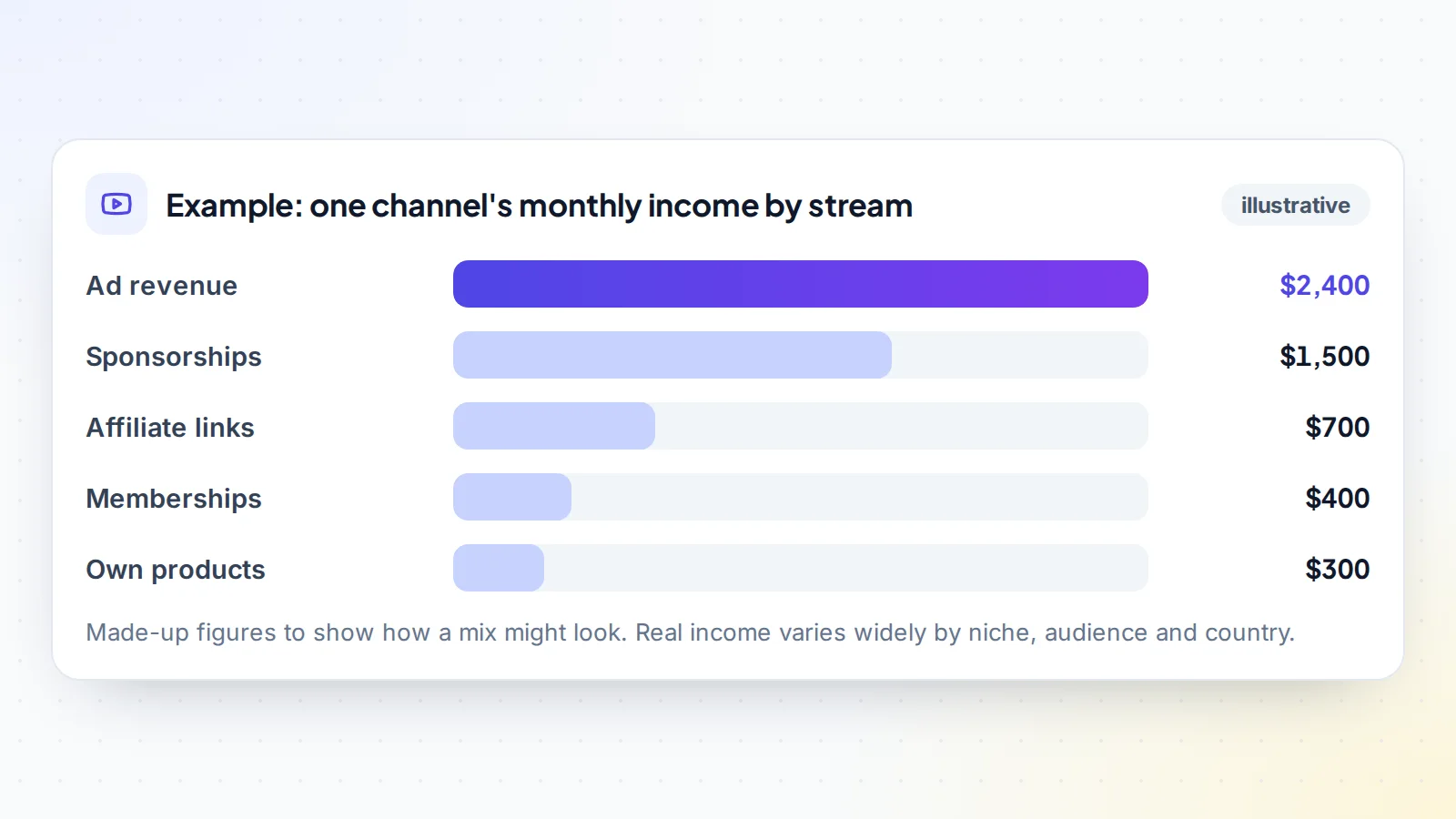
A channel earning from several streams is steadier than one relying on a single source. Ad rates change with the seasons and advertiser budgets; sponsors come and go; affiliate programmes change their commissions. When one stream drops, the others carry the channel. Buyers notice this, and a well-spread mix can support a stronger valuation. Read how audience demographics affect value, since the audience’s location and interests shape almost every stream.
How niche shapes income
The niche affects which streams work best. Finance, software and business channels often attract higher ad rates and sponsorships, because advertisers value those audiences. Gaming and entertainment channels may rely more on views, fan funding and memberships. Review and how-to channels often do well with affiliate links and Shopping. Education channels may earn most from their own courses. When judging a channel, compare its income with others in the same niche, not with channels in general.
Seasonality
YouTube income rarely moves in a straight line. Ad rates often rise towards the end of the year, when advertisers spend more on holiday campaigns, and can dip at the start of the next. Sponsorship budgets follow brands’ own planning cycles. Topic matters too: a gardening channel peaks in spring, a tax channel before filing deadlines. When judging income, look at a full twelve months rather than a single strong or weak month, and compare each month with the same month a year earlier where possible.
Tracking income by stream
Keeping clean records of each income stream helps creators decide where to spend effort and helps buyers trust the numbers. A simple monthly sheet with one column per stream is enough: YouTube revenue from analytics, each sponsor’s payments, affiliate commissions, membership income and product sales. Keep the original statements and invoices alongside. Over time, the sheet shows which streams are growing, which are stalling and how dependent the channel is on any one of them.
Which income moves with a channel
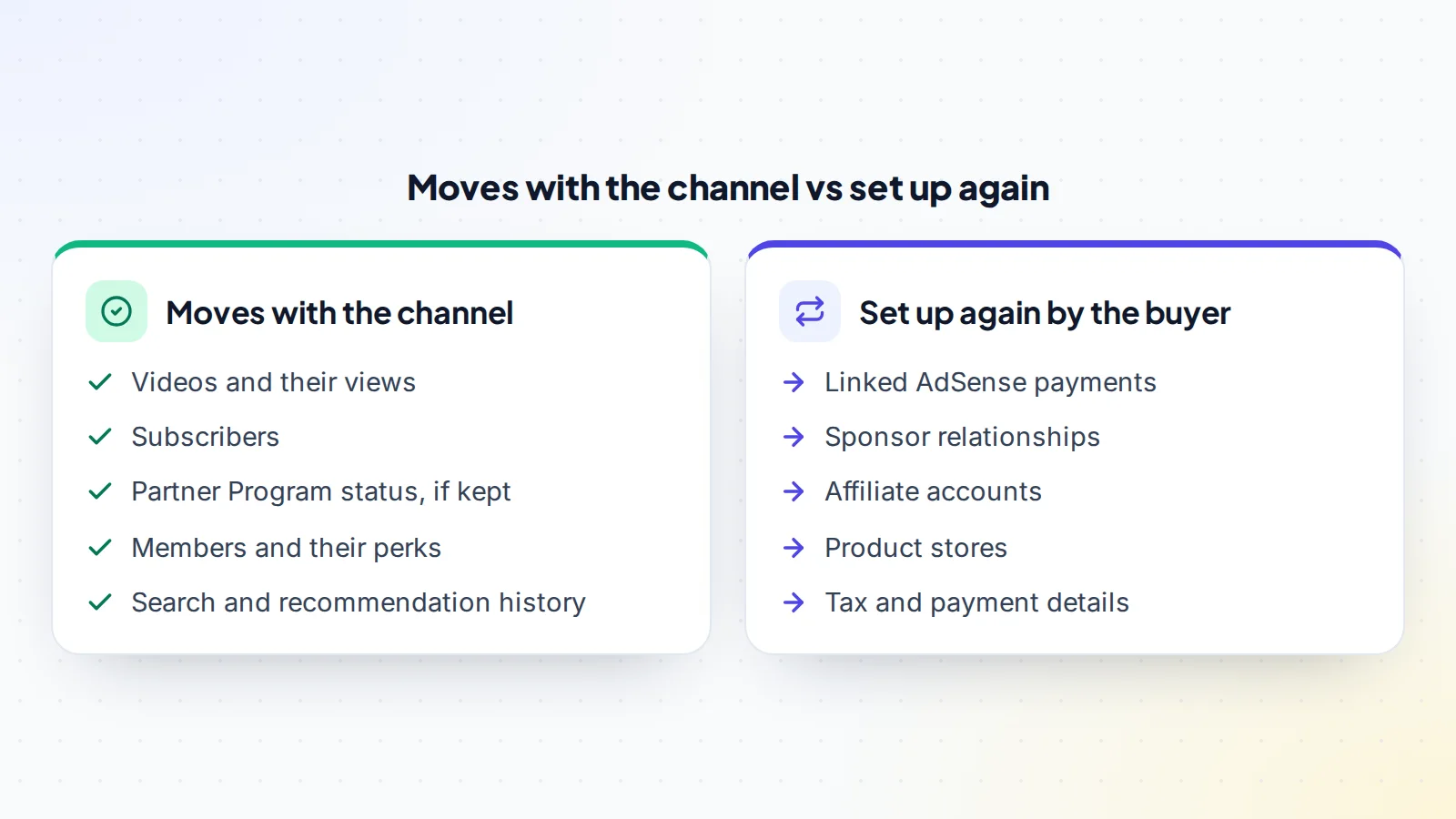
When a channel is sold, some income comes with it and some must be set up again. The videos, their views, the subscribers and the channel’s history stay with the channel, and so do members if the membership programme continues. The buyer links their own AdSense account for payments; YouTube explains how to change the linked AdSense account, and notes limits on how often it can be changed. Sponsors, affiliate programmes and product stores are usually relationships with the seller, so the buyer must agree new terms or open new accounts.
For buyers
Ask for income broken down by stream for at least the last twelve months, with evidence from the original sources: YouTube analytics revenue reports, sponsor invoices, affiliate dashboards and store reports. Check which streams depend on the seller personally, such as sponsors who book because of the creator’s face or voice, and which will continue without them. Read buyer protection for digital assets before paying.
For creators
Creators building a channel can add income streams step by step: start with content and audience, join the Partner Program when eligible, then add memberships or fan funding if the community is active, affiliate links where they genuinely help viewers, and sponsors once the audience is clear. Own products often come later, once you know what the audience wants. Each stream added makes the channel steadier and, if you ever sell, more valuable. Read growing an Instagram account and TikTok monetization for ideas on other platforms.
Staying eligible
On-platform income depends on staying in good standing. YouTube’s monetization policies cover the channel as a whole, not just individual videos, and channels are reviewed against them. Reused content without meaningful added value, misleading metadata or repeated policy problems can affect monetization. Following the policies isn’t only about avoiding trouble: a channel with a clean record is also more attractive to sponsors and buyers.
Common mistakes
- Relying only on ad revenue.
- Judging income by views alone instead of RPM and the mix.
- Not disclosing sponsorships and affiliate links.
- Offering membership perks that are hard to keep up.
- Assuming sponsors and affiliates transfer with a sale.
- Not keeping evidence of income by stream.
A worked example
The details below are made up to show the method.
Emerson runs a channel about home workshop tools. It’s in the Partner Program and earns from ads, two regular sponsors, affiliate links to tools, a small membership tier and printable project plans. Over twelve months, ads make up about half the income, sponsors about a third, and the rest comes from affiliates, members and products.
When Emerson lists the channel, the listing shows income by stream with analytics reports, sponsor invoices and affiliate statements. A buyer notes that sponsors book because of the channel’s audience rather than Emerson’s face, since the videos show hands and tools only. They agree a price, pay through escrow, and the buyer links their own AdSense account, contacts the sponsors and opens their own affiliate accounts during the handover.
YouTube income: the checklist
- Partner Program status and requirements checked.
- Income broken down by stream for twelve months.
- RPM tracked alongside views.
- Sponsorships and affiliate links disclosed.
- Evidence kept for every stream.
- Seller-dependent income identified.
- Handover plan for AdSense, sponsors, affiliates and stores.
- Income mix compared with similar channels in the niche.
Browse channels and social accounts for sale on digiflippers.com, or list your channel.
Ready to find your next asset?
Browse listings with verified numbers, ask sellers your questions before you offer, and agree every step in a free Deal Room.
Frequently asked questions
How do YouTube channels make money?
Through ad revenue, Premium revenue, memberships, fan funding, Shopping, sponsorships, affiliate links and their own products.
What do I need to earn ad revenue?
Membership of the YouTube Partner Program, which has eligibility requirements set by YouTube.
What’s the difference between RPM and CPM?
CPM is what advertisers pay per thousand ad impressions; RPM is what the creator earns per thousand views after YouTube’s share.
Which income stream is most valuable to buyers?
Steady, well-evidenced income that doesn’t depend on the seller personally, ideally from several streams.
Do sponsors transfer with a channel?
Not automatically. Sponsors deal with the seller, so the buyer must agree new terms.
Do I have to disclose sponsorships?
Yes. YouTube asks for paid promotion to be declared, and laws such as the FTC’s rules in the US require clear disclosure.
Can small channels earn money?
Yes, often through affiliate links, sponsors or products before reaching Partner Program thresholds.
How do I check a channel’s income before buying?
Ask for analytics revenue reports, sponsor invoices and affiliate statements, ideally shared live or through the platforms.
