
How to Check a Seller Before You Buy
Before paying for a digital asset, check who you're dealing with: identity, proof they own the asset, their history, the numbers and how they want to be paid.

Buying a website, domain, app or account usually means paying someone you’ve never met. Most sellers are honest, but the few who aren’t rely on buyers skipping the checks. Taking an hour to check an online seller (who they are, whether they really own the asset, what their history shows and how they want to be paid) is one of the best investments you can make in any deal.
This guide walks through each check, explains the warning signs, and shows how marketplaces and protected payments make the job easier. It’s part of wider due diligence, which also covers the asset itself.
Key takeaways
- Check identity, proof of ownership, history, numbers, communication and payment method.
- Ask for live proof of ownership, such as a code placed on the site or profile, not screenshots.
- Verify numbers at the source through screen shares or read-only access.
- Keep conversations on the marketplace; be wary of anyone who pushes you elsewhere.
- The FTC warns that scammers pressure you to act fast and insist on payment by wire, crypto, payment apps or gift cards. Use escrow or a middleman instead.
Why checking the seller matters
When you buy a digital asset, you’re trusting two things: that the asset is what the listing says, and that the person selling it has the right to sell it. Due diligence on the asset covers the first. Checking the seller covers the second, and it often reveals problems with the first too: a seller who can’t prove ownership usually can’t prove the numbers either.
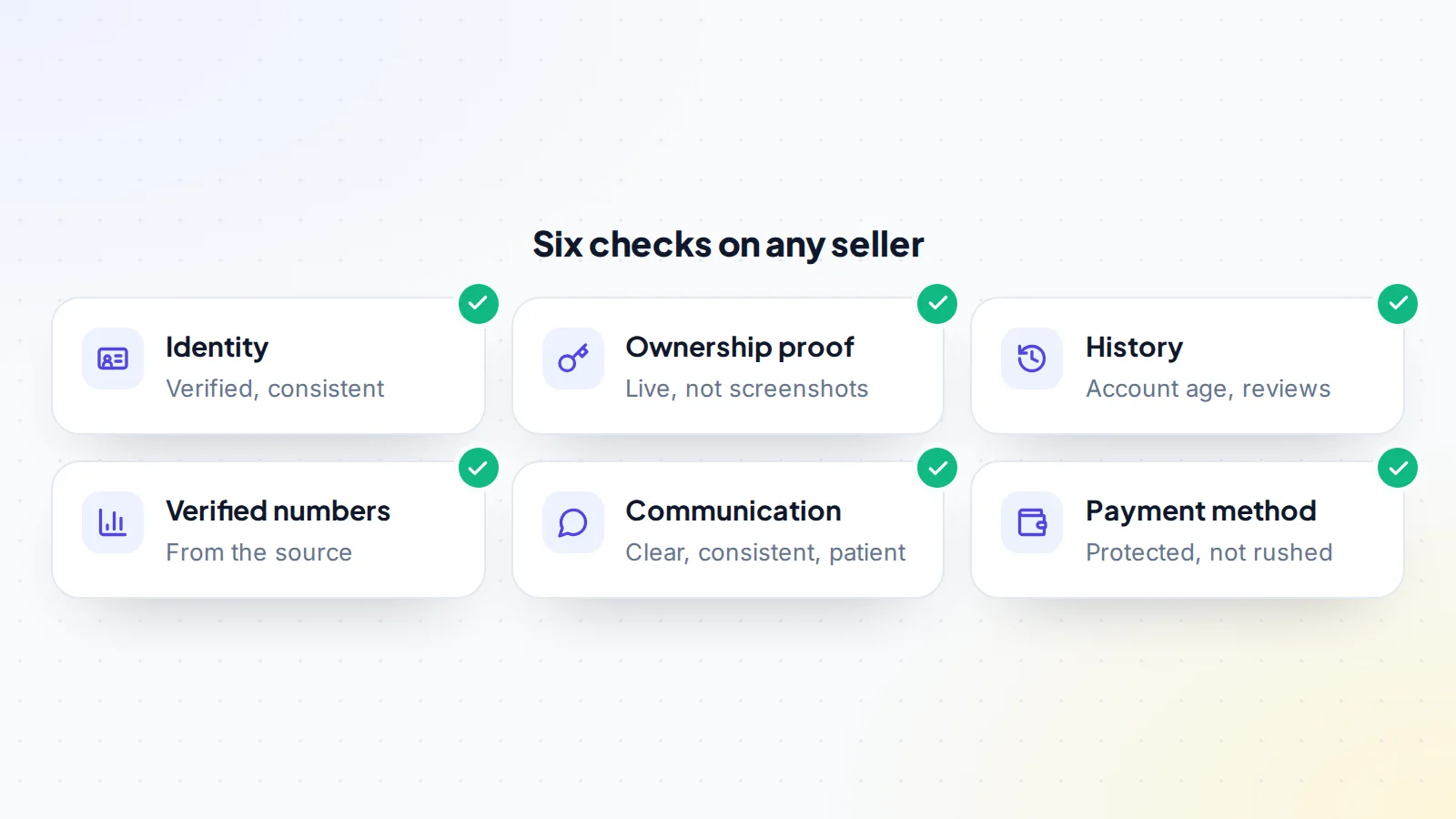
1. Identity
- Marketplace verification: has the seller verified their identity or phone number with the platform? Verified sellers are accountable in a way anonymous ones aren’t.
- Consistency: does the name, location and story match across the listing, messages and any business details?
- Business sellers: if the seller is a company, does it exist in the relevant public business register?
- Public presence: does the seller have a history connected to the asset, such as being named on the site or channel?
On digiflippers.com, sellers can verify their identity and earn a verified seller badge, so you can see what’s been checked.
2. Proof of ownership
The most important check of all: does this person actually control the asset? Ask for live proof:
- Websites: a code placed in a page, a file uploaded to the site or a DNS record added at your request.
- Domains: a DNS record or a change you request, and a look at the registration data through ICANN’s lookup tool.
- Social and video accounts: a code added to the profile bio or description, or a post made on request.
- Communities and newsletters: a message posted or a change made while you watch.
The key is that you choose the code or change, and it appears where only the real owner could put it. Marketplaces often run these checks automatically; see how verification works.
3. History and reputation
- Account age on the marketplace: a brand-new account listing a high-value asset deserves extra care.
- Completed deals and reviews from real buyers.
- The asset’s history: how long the seller has owned it, and whether that matches records such as domain registration dates or archived versions of the site.
- Other listings: is the same asset listed elsewhere by someone else? That’s a strong warning sign.
4. Verified numbers
Ask to see traffic, revenue and other figures at the source: a live screen share where you choose the dates, or read-only access to analytics and payment systems. A seller who offers only screenshots, and refuses every live option, is asking you to trust images that are easy to edit. Our guide to fake revenue screenshots explains the tricks to watch for.
5. Communication
How a seller communicates says a lot:
- Clear, consistent answers that don’t change between messages.
- Patience with reasonable checks.
- Willingness to keep messages on the marketplace, where there’s a record.
- No pressure to decide immediately.
The U.S. Federal Trade Commission’s advice on avoiding scams notes that scammers pressure people to act immediately, while honest businesses give you time to decide.
6. How they want to be paid
The FTC also warns that scammers often insist on payment by cryptocurrency, wire transfer services, payment apps or gift cards, because that money is hard to get back. In a digital asset deal, the safe answer is a neutral third party: escrow or a trusted middleman holds or confirms the money until the handover is complete. On digiflippers.com, the ways to pay in a deal are: directly to the seller, through escrow, and the platform never holds the money itself.
Be equally wary of a seller who suggests an escrow service you’ve never heard of; fake escrow sites are a common trick. Read how fake escrow scams work.
Using public records
Some of the best evidence is public and free:
- Domain registration data: ICANN’s lookup tool shows a domain’s registrar, creation date and status through RDAP, which replaced WHOIS as the authoritative source for generic domains. A “five-year-old site” on a domain registered last month is a contradiction worth asking about.
- Web archives: archived copies of a website show what it looked like in the past and roughly how long it has existed.
- Channel and profile pages: join dates, upload history and past posts are visible on most platforms.
- Business registers: where the seller is a company, national registers confirm it exists and who runs it.
Public records won’t tell you everything, but they’re hard to fake and quick to check.
Checks by type of asset
- Websites and online businesses: ownership code on the site, analytics and revenue at the source, domain records, and how long the seller has run it.
- Domains: registration data, a DNS change on request, and whether the domain is listed elsewhere by someone else.
- Social media and YouTube: a code in the bio or description, live statistics, and the channel’s or account’s history.
- Game accounts: a live walkthrough of the account and its items, and clear answers about email and two-factor access. See securing a game account.
- SaaS and apps: access to the code repository, payment data through read-only keys and a conversation with the founder about the product.
How long it takes
For most deals, the checks to check an online seller take an hour or two spread over a few days: a few messages, one ownership check, a screen share and a look at public records. That’s small next to the cost of a mistake. If a seller makes even these simple checks difficult, that tells you something important before any money moves.
Reassuring signs and warning signs
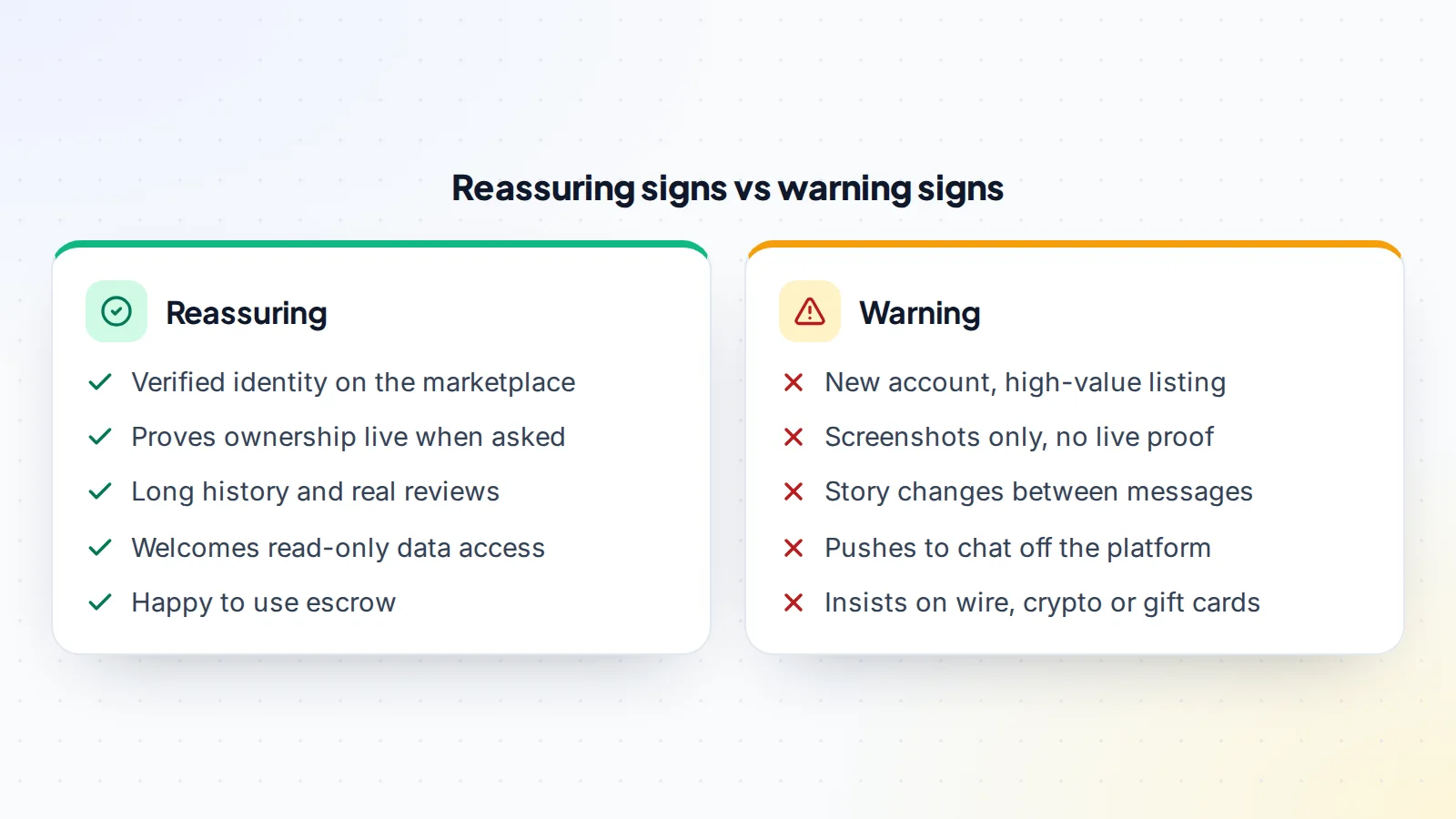
No single sign proves anything. A new seller can be perfectly honest; an experienced one can still make mistakes. Look at the overall picture, and let the warning signs decide how much more checking you do before paying.
A worked example
The details below are made up to show the process.
A buyer finds a well-presented listing for a recipe website, priced attractively. The seller’s account is two weeks old. When asked for proof of ownership, the seller sends a screenshot of a hosting dashboard. The buyer asks instead for a specific code to be added to the site’s footer. The seller says they’re travelling and can’t do it, but offers a discount if the buyer pays today by bank transfer to a personal account.
Four warning signs in one conversation: a new account, screenshots instead of live proof, pressure to pay quickly and an irreversible payment method. The buyer declines and reports the listing. A week later, the real owner of the website, who never listed it, posts a warning in a forum. The listing had copied the site’s content and numbers.
A second listing, from a seller with a verified identity and a year of history, passes every check: the code appears in the footer within an hour, analytics are shared through a viewer role, and the seller suggests escrow before the buyer does. That’s what a straightforward deal looks like.
Watch for impersonation
Some scams don’t involve a fake asset at all, but a fake seller: someone pretending to be the real owner of a site, channel or domain. They copy the content, screenshots and story of a genuine business and list it as their own. Live ownership proof stops this, because the impostor can’t add your code to the real site or profile. Another quick check: contact the business through the details on its own website or channel, not the ones in the listing, and ask whether it’s for sale.
Impersonation also happens in reverse: someone posing as marketplace staff, an escrow agent or a “verification team” contacts you privately. Real staff work through the platform itself. If in doubt, contact the marketplace through its own website.
Put it in writing
Once you’re satisfied with the checks, write down what you’ve agreed: what’s included, the price, the payment method, the handover steps and any promises the seller made about the asset. A written agreement turns the seller’s statements into commitments, and gives both sides a clear reference if a question comes up later.
How marketplaces help
Good marketplaces do part of this work for you: verifying identities and phone numbers, checking ownership with codes and records, flagging duplicate listings, recording messages and offering protected payment. They don’t replace your own checks, but they make them faster and catch many problems before you see a listing.
Questions to ask any seller
- How long have you owned this, and how did you acquire it?
- Can you add this code to the site, profile or DNS so I can confirm ownership?
- Can you show me the numbers live, or add me as a viewer?
- Why are you selling?
- Are you happy to use escrow or a middleman?
- Will you put everything we agree in writing?
If something feels wrong
- Pause: no honest deal requires you to decide today.
- Don’t move off the platform or switch payment methods because the seller asks.
- Report the listing to the marketplace.
- Keep records of messages and listings.
- If you’ve lost money, contact your payment provider immediately and, in the United States, report it at ReportFraud.ftc.gov.
For honest sellers: making checks easy
Sellers can turn these checks into a strength: verify your identity, complete ownership verification before listing, connect your data sources, keep conversations on the platform and suggest protected payment yourself. Buyers move faster, and offer more, when they don’t have to wonder who they’re dealing with.
Common mistakes
- Trusting a good-looking listing without checking ownership.
- Accepting screenshots as proof.
- Moving to private chat where there’s no record.
- Paying by an irreversible method to save a small fee.
- Feeling rude for asking reasonable questions.
Check an online seller: the checklist
- Identity verified or consistent across sources.
- Live proof of ownership with a code you chose.
- Account age, reviews and completed deals checked.
- Asset history matches public records.
- Numbers verified at the source.
- Conversation kept on the marketplace, without pressure.
- Payment through escrow or a trusted middleman.
Ready to find your next asset?
Browse listings with verified numbers, ask sellers your questions before you offer, and agree every step in a free Deal Room.
Frequently asked questions
How do I know an online seller really owns the asset?
Ask for live proof: a code or change you choose, placed on the site, profile or DNS where only the owner could put it.
Is a new seller account always a red flag?
No, but combined with a high-value listing and other warning signs, it’s a reason for extra checks and protected payment.
What payment methods should I avoid?
The FTC warns that scammers insist on crypto, wire transfers, payment apps or gift cards. For digital assets, use escrow or a trusted middleman.
Should I continue the conversation on another app?
It’s safer to keep it on the marketplace, where messages are recorded and the platform can help if something goes wrong.
What if the seller refuses to verify anything?
Treat the listing as unverified. Either walk away or proceed only with full protection and a price that reflects the risk.
How long should it take to check an online seller?
Usually an hour or two spread over a few days: an ownership check, a screen share of the numbers, a look at public records and a few direct questions.
