
How to Buy a Mobile App: Revenue, Reviews and Store Transfers
A buyer's guide to mobile apps: checking revenue, active users and reviews, reviewing code and running costs, and how App Store and Google Play transfers work.
A mobile app can be a great acquisition: a product people have already downloaded, rated and paid for, with a place in the stores that would take years to earn from scratch. But apps have more moving parts than most online assets. Revenue sits in store consoles, the product depends on code and backend services, and the app itself has to move through Apple’s or Google’s official transfer process. This guide explains how to buy a mobile app safely, from checking the numbers to completing the transfer.
If you’re comparing apps with web software, see our guide to buying a SaaS business. Sellers can read our guide to selling a mobile app.
Key takeaways
- Verify revenue and users live in App Store Connect or the Google Play Console.
- Check reviews, retention, code quality, backend services and running costs.
- Both stores have official transfer processes; ratings and reviews carry over.
- Apple and Google each set criteria that must be met before a transfer.
- Keep the payment held until the app, backend and accounts are all yours.
Why buy an existing app
Building an app is expensive, and getting discovered is harder. Many good apps never find an audience at all. An existing app comes with downloads, ratings, a store listing that ranks for its keywords, a working codebase and, often, paying users. For a buyer with development skills or a team, an app with a solid base and room to improve can grow faster than a new one. For a business, an app in its niche can also be a direct line to customers on their phones, which is hard to build from nothing.
Check revenue in the store consoles
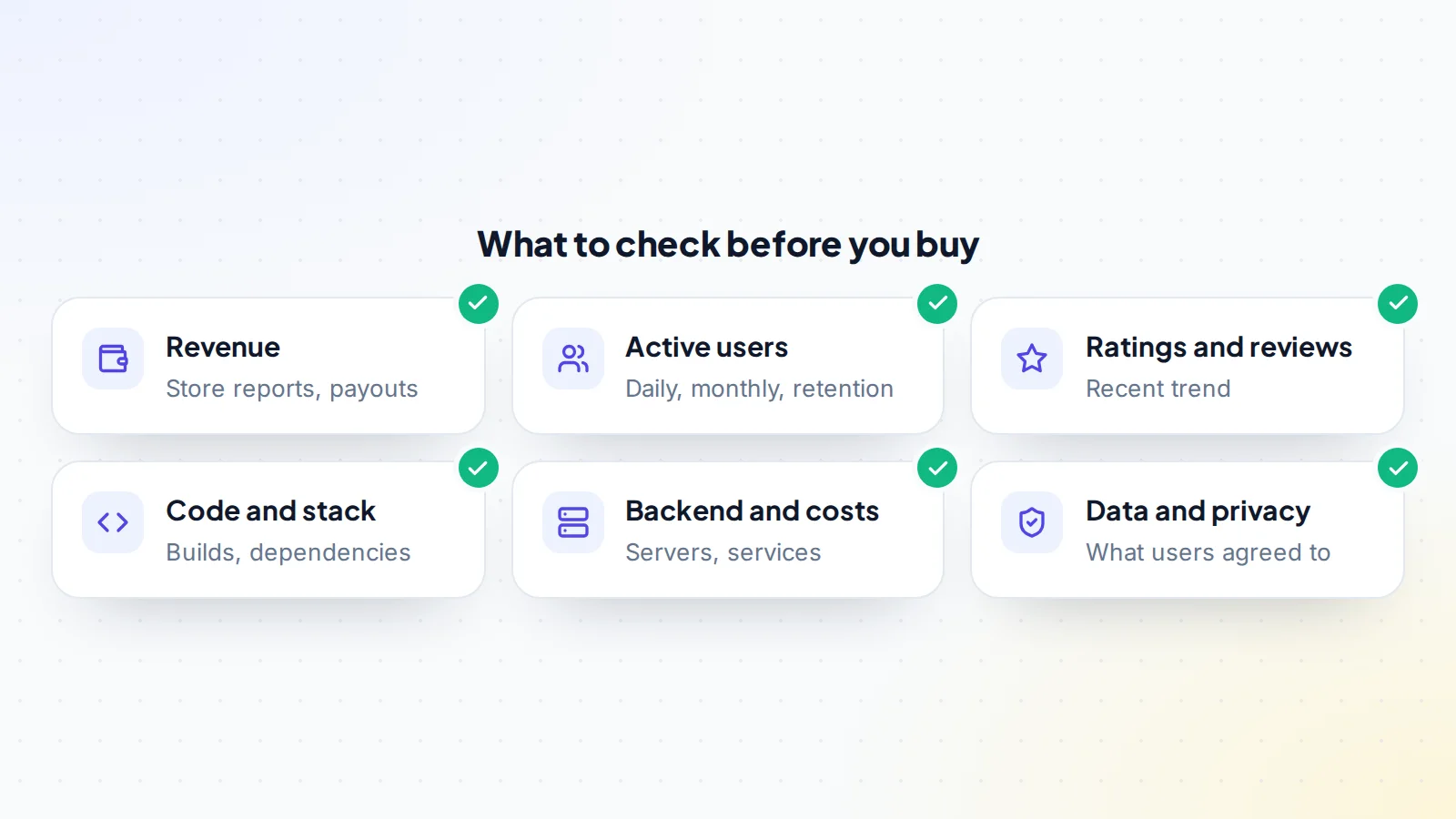
App revenue comes from paid downloads, in-app purchases, subscriptions and ads. Ask the seller to open App Store Connect or the Google Play Console on a screen-share, and look at:
- Monthly proceeds for at least 12 months, after the store’s commission.
- Revenue by type: subscriptions, one-off purchases, ads.
- Refunds and cancellations.
- Ad network dashboards, if the app shows ads.
Match the figures to payout reports and bank statements. For subscription apps, look at active subscriptions, renewals and churn over time, and check how many subscribers are on free trials or introductory prices that will step up later. Revenue that depends on a recent price change or a short promotion should be valued with care.
Check users and retention
Downloads alone say little. Look at active users, daily and monthly, and how many users return after one day, one week and one month. An app with modest downloads but strong retention is often worth more than one with many installs that are quickly abandoned. Check where users are, which devices they use and which versions of the operating system they run, since support for older versions affects development cost.
Read ratings and reviews
Ratings and reviews carry over in a store transfer, so they’re part of what you buy. Read the most recent ones first: a run of complaints about crashes, ads or a broken feature tells you what you’ll need to fix. Check how the seller responded. A strong average built years ago with recent decline is a warning sign; steady or improving recent reviews are reassuring.
The store listing and discovery
Much of an app’s value comes from being found. Look at how users discover it: store search, browse and featuring, referrals from websites or ads. Both stores give developers acquisition reports, so ask to see them live. Check which search terms the app ranks for and how stable that has been, the quality of the screenshots and description, and whether the app depends on paid installs. An app with strong organic discovery is usually worth more than one that relies on buying every new user.
iOS, Android or both
Apps on one platform are simpler to run; apps on both reach more users but need more maintenance. If the app uses a cross-platform framework, one codebase may serve both. If it has two native codebases, check that both are maintained to the same standard. Look at revenue and users by platform, because they often differ, and plan your development budget accordingly.
Review the code and backend
Ask for read access to the code repository, or have a developer you trust review it. Check:
- Whether the code builds and runs, and how it’s structured.
- The frameworks and libraries used, and how up to date they are.
- The backend: servers, databases, APIs and third-party services the app relies on.
- Signing keys, push notification certificates and API keys, and how they’ll move.
- Monthly running costs: hosting, services, analytics and developer accounts.
Our guide to technical due diligence has a fuller checklist for reviewing code before you commit.
Data, privacy and compliance
Apps collect data: accounts, analytics, crash logs, sometimes location or health information. Check the privacy policy, the privacy details shown on the store listing, the analytics and advertising tools in use, and how user data will move to you. If the app has users in the EU or UK, read our guide to GDPR in a SaaS sale; the same principles apply.
How Apple app transfers work
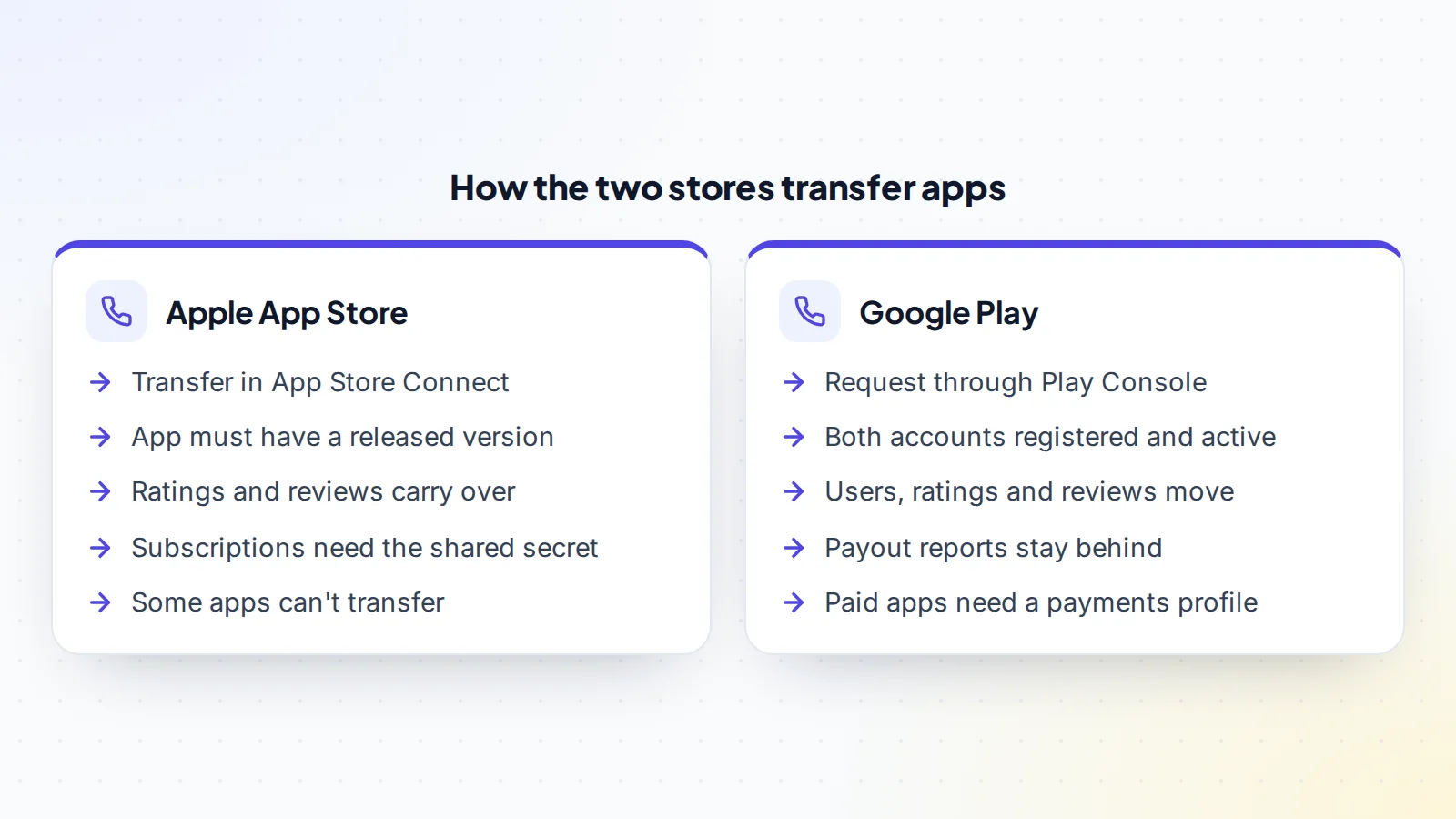
Apple lets developers transfer an app to another developer account through App Store Connect. Apple’s help pages list criteria that must be met first, including that the app has at least one version released on the App Store, isn’t available for pre-order and isn’t in certain review or processing states, and that both accounts have accepted the latest agreements. Some apps can’t be transferred, such as Apple Arcade apps. Apple says the app stays available during the transfer, ratings and reviews carry over, and users keep receiving updates. For apps with auto-renewable subscriptions, the buyer should obtain the app-specific shared secret before accepting, so subscription checks keep working.
How Google Play app transfers work
Google Play lets developers transfer apps to a different developer account through a request in Play Console. Google says the app’s users, download statistics, ratings and reviews, content ratings and store listing move with it, while payout and earnings reports don’t, so the seller should download any reports needed beforehand. Both developer accounts must be registered and active, and paid apps or apps with in-app products need a payments profile on the receiving account. Integrated services such as Firebase or Google Analytics need updating separately.
Common risks
- Platform changes: new store policies or operating system versions can require updates.
- Outdated code: old libraries can block updates or create security issues.
- Hidden dependencies: services in the seller’s personal accounts, such as analytics, push notifications or a backend.
- Concentrated revenue: one in-app product, ad network or country providing most income.
- Founder knowledge: how to build, sign and release the app may live only in the seller’s head; ask for documentation.
Questions to ask the seller
- How do users find the app, and what share comes from paid installs?
- What are monthly running costs, and which accounts are they billed to?
- Which third-party services and keys does the app depend on?
- When was the last update, and what’s planned next?
- What are the most common support requests and review complaints?
- Can you document how to build, sign and release a new version?
Good answers make it far easier to buy a mobile app with confidence, and gaps tell you where to look harder.
How apps are valued
Profitable apps are usually priced as a multiple of average monthly net profit, after store commissions, running costs and paid help. The multiple rises with steady or growing revenue, strong retention, good recent reviews, clean code and a small number of dependencies on the seller. Apps without profit are priced on users, ratings, rankings and potential; our guide to pre-revenue valuation explains how.
Accounts you’ll need
Before the transfer, set up your own accounts so you can receive the app: an Apple Developer Program membership and a Google Play developer account in your name or your company’s, with agreements accepted, tax and banking details completed and, for paid apps or in-app purchases, a payments profile. You’ll also need accounts for any services the app uses, such as a cloud provider, crash reporting, analytics and push notifications, so the seller can transfer projects or you can recreate them. Doing this early avoids a transfer stalling at the last step.
Ads and in-app purchases
If the app shows ads, check which networks it uses, the revenue by network and whether the ad accounts can move to you or need replacing. Changing ad accounts means updating app IDs in the code and releasing an update. For in-app purchases, check every product ID and price, and make sure none clash with products in your existing developer account, which Apple lists as a transfer criterion. List all of this in the transfer plan, so revenue keeps flowing on the day ownership changes.
Making the deal
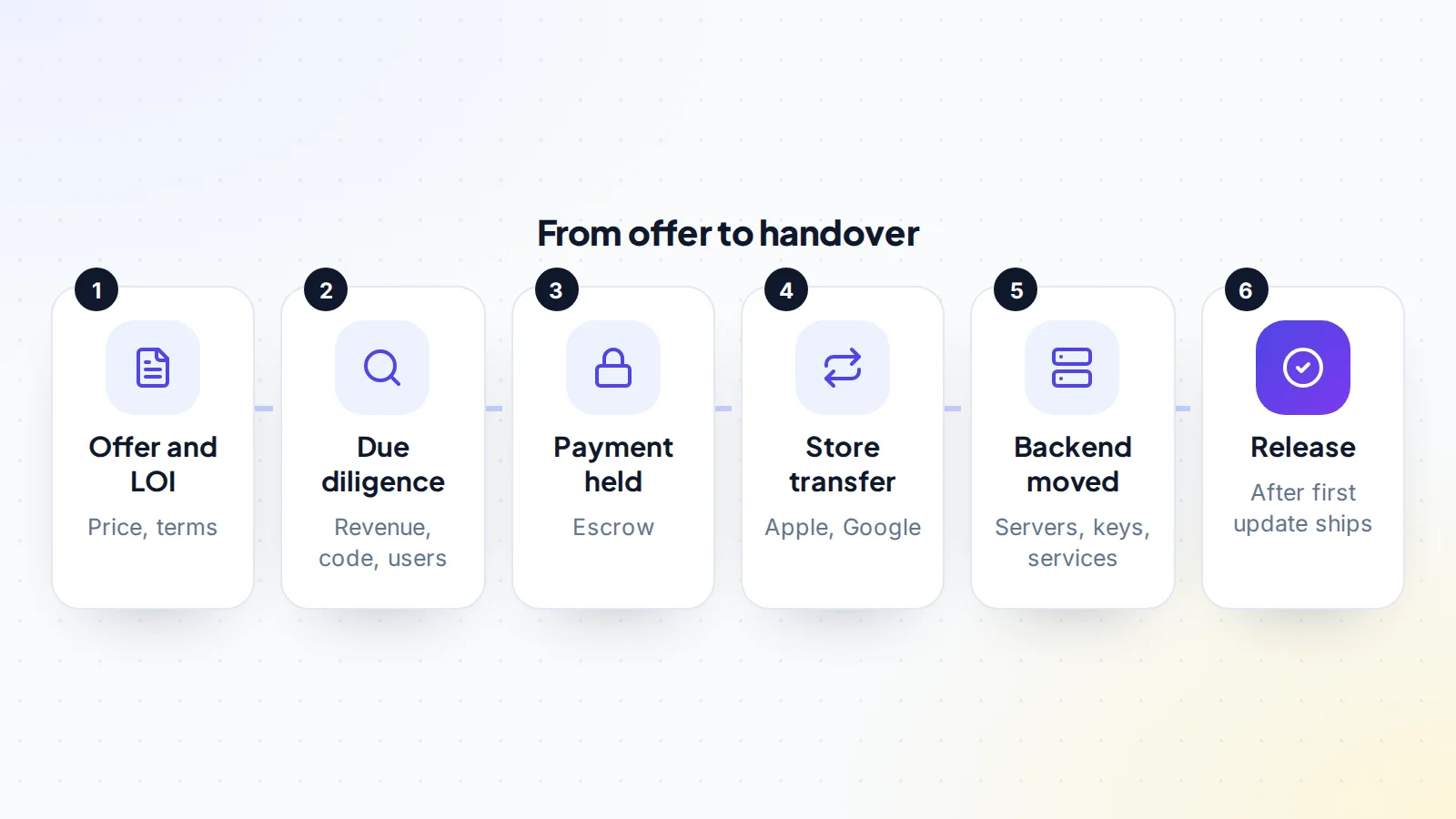
Agree the price and key terms in a letter of intent, then complete due diligence. Write the transfer plan into the agreement: the store transfers, the code repository, the backend, domains, email, social accounts and any third-party services. Keep the payment held through escrow or a middleman until everything is in your accounts. On digiflippers.com, the ways to pay in a deal are: directly to the seller, through escrow, and the platform never holds the money itself.
A worked example
The details below are made up to show the method.
Ravi wants to buy a habit-tracking app on iOS and Android with 40,000 monthly active users and a subscription. On a screen-share, the seller shows twelve months of proceeds in App Store Connect and Play Console, matching payouts. Retention after 30 days is healthy, recent reviews are positive, and a developer Ravi hires confirms the code is in good shape, with one outdated library to update.
They agree a price, use escrow and plan the transfer. The seller shares the subscription shared secret, initiates the Apple transfer and requests the Google transfer, and moves the backend and repository. Ravi ships a small update from the new owner’s own accounts to confirm everything works, then the escrow funds are released.
Your first month
After the transfer, focus on continuity. Release a small update from your own developer accounts to prove the build and release process works. Watch crash reports, reviews and subscription renewals closely. Update the support email, privacy policy and store listing contact details to your own. Reply to new reviews so users can see the app is actively looked after by its new owner. Then start on the improvements you planned, one at a time, measuring their effect on retention and revenue.
Buy a mobile app: the checklist
- Revenue shown live in the store consoles and matched to payouts.
- Active users and retention reviewed.
- Recent ratings and reviews read.
- Code, backend, keys and running costs reviewed.
- Privacy policy, store privacy details and data transfer checked.
- Apple and Google transfer criteria confirmed.
- Subscription shared secret and integrated services planned.
- Transfer plan written into the agreement.
- Payment held until an update ships from your accounts.
Ready to find your next asset?
Browse listings with verified numbers, ask sellers your questions before you offer, and agree every step in a free Deal Room.
Frequently asked questions
Can you buy an app from another developer?
Yes. Both Apple and Google have official processes to transfer an app from one developer account to another.
Do reviews and ratings transfer?
Yes. Apple and Google both say ratings and reviews carry over in an app transfer.
How do I verify an app’s revenue?
Watch the seller open App Store Connect or the Play Console live, and match proceeds to payout reports and bank statements.
What can stop an app transfer?
Each store has criteria. Apple, for example, requires a released version and excludes apps in certain review states or available for pre-order. Check both stores’ current rules.
What about subscriptions?
Apple says buyers should get the app-specific shared secret before accepting a transfer of an app with auto-renewable subscriptions, so subscription checks keep working.
How should I pay?
Use escrow or a middleman, and release the payment only once the app, backend and accounts are yours.
How long does an app transfer take?
It varies by store. Google says its support team reviews transfer requests within two business days; Apple transfers are initiated and accepted in App Store Connect once its criteria are met.
