How to Find Who Owns a Domain (WHOIS and RDAP Explained)
A step-by-step guide to finding a domain owner: looking up registration data, using the registrar's contact method when details are redacted, checking the site and its history, brokers, and writing a first message that gets a reply.

You’ve found the perfect domain name, but it’s already registered. Before you can make an offer, you need to reach the person or company who owns it. That’s not always obvious: many domains show no contact details, and privacy rules now hide most owners’ personal information. The good news is that there are reliable ways to get a message through. This guide explains how to find domain owner details step by step, what a lookup can and can’t tell you, and how to write a first message that gets a reply.
Once you’ve found the owner, read our guide to negotiating a domain purchase. For the bigger picture, see buying a domain name that is taken.
Key takeaways
- Start by visiting the domain: many owners show a sale page or contact details.
- Use an RDAP lookup, such as ICANN Lookup, to see the registrar and contact method.
- When personal details are redacted, registrars must provide an email or web form to reach the contact.
- Archived pages and related sites can give useful clues.
- Keep the first message short, specific and credible, and pay only through escrow.
Step 1: Visit the domain
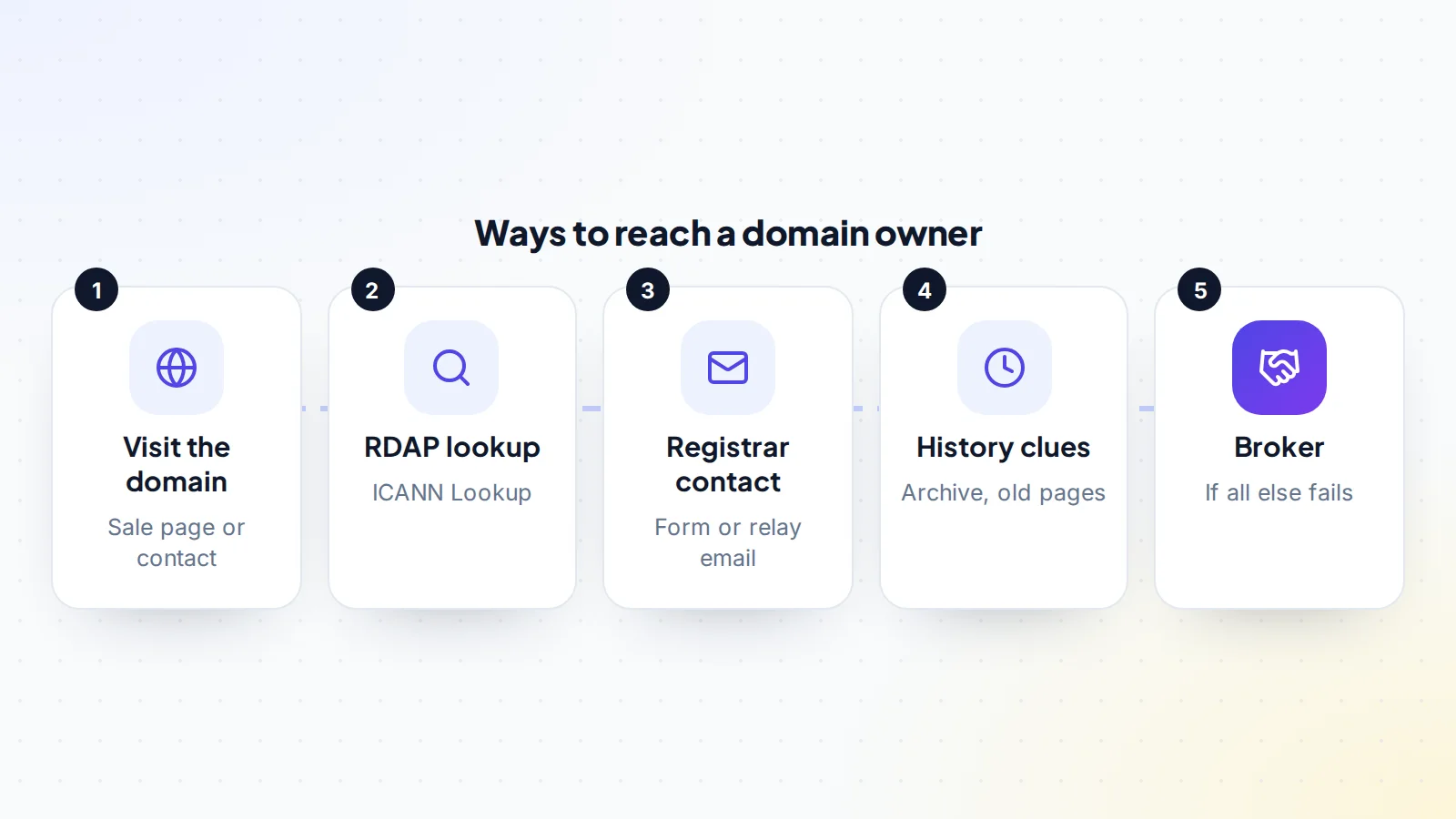
The simplest route is often the right one. Type the domain into your browser and see what loads. Many owners who want to sell show a “this domain is for sale” page, sometimes with a price or an offer form. Others are listed on a domain marketplace, which you’ll see from the page or by searching the name. If there’s a live website, look for a contact page, an email address in the footer or social links.
If you find a sale page, use the form it offers. It’s the route the owner has chosen, and it usually leads straight to them or their broker. Note any price shown, because it gives you a starting point for your research before you make an offer.
Step 2: Run an RDAP lookup
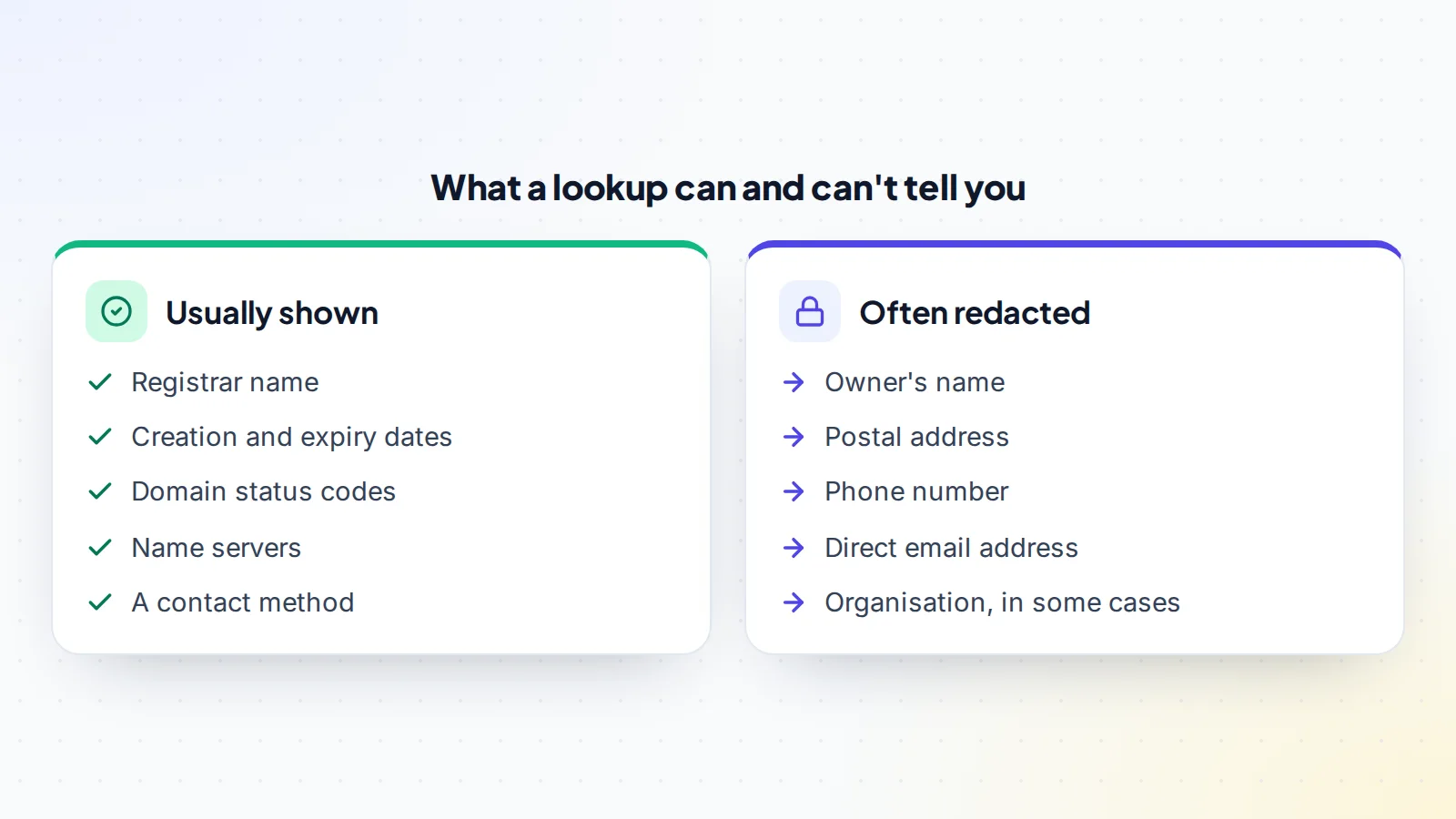
Registration data for domain names is available through the Registration Data Access Protocol, or RDAP, which has replaced the older WHOIS service for generic top-level domains. ICANN Lookup lets you enter a domain and see its registration data. A lookup typically shows the registrar, the dates the domain was created and expires, its status codes and the name servers it uses.
The registrar is especially useful. It’s the company that manages the registration, and it’s the route to contacting the owner when their details are hidden.
Step 3: When details are redacted
Since data protection laws came into force, most registrars redact personal details such as the owner’s name, address and phone number. That doesn’t mean you can’t reach them. ICANN’s Registration Data Policy says that when a registrar redacts contact details, it must publish an email address or a link to a web form that lets people contact the registrant, without revealing the registrant’s own email. ICANN has also published advisories on how registrars should run these contact methods.
Look in the lookup results for that email address or web form, and use it to send your message. It will be forwarded to the owner. Keep it professional, because it’s the owner’s first impression of you.
Country-code domains
Country-code domains, such as those ending in a two-letter country code, are managed by national registries with their own rules. Some offer their own lookup tools, some show more information than others, and some have their own contact procedures. If ICANN Lookup doesn’t give you what you need for a country-code domain, check the registry for that country, which usually has a lookup or contact service on its website.
Step 4: Look for clues in the history
If the domain once hosted a website, its history can point to the owner. The Internet Archive’s Wayback Machine shows snapshots of past pages, which may include a business name, contact page or social profile. Searching the domain name in quotation marks can reveal mentions on other sites. If the name matches a company, that company may own it, and you can contact them through their main website.
Use these clues to find a contact route, not to pressure anyone. A polite message through an official channel works far better than a surprise call to a personal number.
Check the domain’s status
While you’re looking, note the domain’s status codes and expiry date. A domain close to expiry may be one its owner has forgotten about, which can make them open to a reasonable offer. A domain in a redemption or pending delete status may become available without a purchase at all. Our guide to domain extensions explains how different endings work, and our guide to domain investing covers how investors watch names like this.
Who usually owns valuable names
Knowing who tends to hold a name helps you choose the right approach. Valuable domains are often held by:
- Domain investors: people or companies who buy names to resell. They usually list names on marketplaces or have a sale page, and expect offers.
- Businesses: companies using the name, or holding it to protect their brand. They may not want to sell, or may want a price that covers the cost of changing.
- Individuals with old projects: people who registered a name for an idea years ago. They may be open to a fair offer, especially near renewal time.
- Registries or registrars: some names are held back as premium names and sold at set prices through registrars.
Once you find domain owner contact details, think about which of these you’re likely dealing with, and tailor your message to fit.
Check domain marketplaces
Before contacting anyone directly, search the main domain marketplaces for the name. Many investors list their portfolios there, sometimes with a fixed price you can pay straight away through the marketplace’s own process. A listing tells you the owner wants to sell and often how they prefer to do it. It also gives you a safer, more structured route than a cold email.
Step 5: Use a broker
If you can’t reach the owner, or you’d rather not approach them yourself, a domain broker can help. Brokers know how to track down owners and approach them professionally, and they can keep your identity private, which can stop the price rising if you represent a well-known company. Brokers charge for this, usually a fee or commission agreed in advance, so they make most sense for valuable names.
Writing the first message
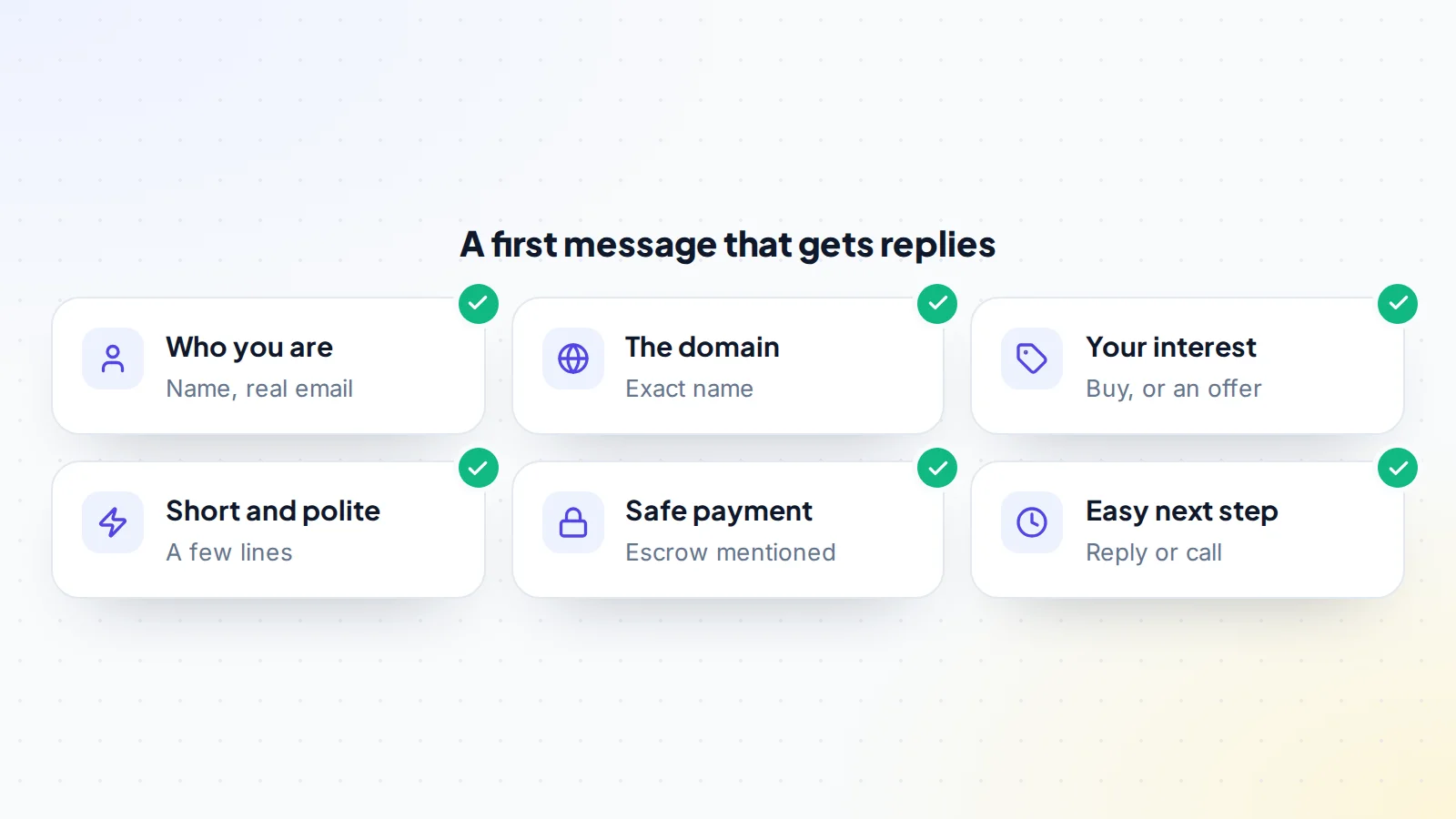
Owners often receive many messages, some of them spam or scams. A clear, credible message stands out. Keep it short and include:
- Your name and a real email address.
- The exact domain you’re interested in.
- That you’d like to buy it, and either an opening offer or a request for their price.
- That you’d pay through escrow, which reassures owners that you’re serious and safe to deal with.
- An easy next step, such as replying to your email.
Avoid long explanations of how much you need the name, threats, or claims that you have legal rights to it unless you genuinely do. Our guide to negotiating a domain purchase explains how to make an opening offer.
If there’s no reply
Many owners don’t reply to the first message. Wait a week or two, then send one polite follow-up. If there’s still no answer, try another route: a different contact method, a broker, or a marketplace where the owner may list the name in future. Meanwhile, keep alternative names in mind. Some owners reply months later, especially around renewal time.
Keep a simple record
If you’re contacting several owners, or trying several routes for one name, keep a short record: the domain, the date you made contact, the route you used, what you said and any reply. It stops you sending duplicate messages, helps you time follow-ups, and gives you a clear history if a deal goes ahead. It also helps you notice patterns, such as which routes tend to get replies, which makes the next search faster.
Record the domain’s expiry date too. A renewal reminder is often the moment an owner thinks about the name again, so a well-timed message just before that date can get a response when earlier ones didn’t.
Staying safe
Domain purchases attract scams. Be careful if someone claiming to be the owner contacts you first, pushes for fast payment, or suggests an escrow service you don’t know. Confirm that the person you’re dealing with really controls the domain, for example by asking them to add a specific record to the domain’s DNS or to show it in their registrar account on a call. Keep messages in writing, and record each step. Pay only through escrow or a marketplace’s deal process, never by direct transfer to someone you’ve just met.
On digiflippers.com, sellers can verify domain ownership, and deal messages stay on the platform as a record; our guide to the deal chat record explains why that matters. You can also browse domains for sale with clear prices, and read about trust and safety.
After you’ve found them
Once you’re talking to the owner, the next steps are negotiation, written terms, escrow and the transfer. Check trademarks for the name before you agree a price, and look at its history for any problems. If the domain is part of a larger business, our guide to seller’s discretionary earnings explains how those businesses are usually valued.
Common mistakes
- Skipping the simple step of visiting the domain itself.
- Sending a long first message full of reasons you need the name.
- Contacting the owner through personal channels found in old records.
- Trusting someone who contacts you first claiming to own the name.
- Paying before ownership is confirmed and escrow is in place.
A worked example
The details below are made up to show the method.
Kim wants a short .com for a new tea brand. Visiting the domain shows a blank page. ICANN Lookup shows a well-known registrar, a creation date ten years ago, an expiry date in two months, and redacted contact details with a link to the registrar’s contact form.
The Wayback Machine shows the domain once hosted a small tea blog that stopped posting six years ago. Kim sends a short message through the registrar’s form: name, the domain, interest in buying it, an opening offer, and a note that payment would go through escrow. No reply comes. Two weeks later, Kim sends one polite follow-up. The owner, the former blogger, replies a few days after that, saying the renewal reminder had prompted them to check their messages. They agree a price, use escrow, and the domain is transferred to Kim’s registrar account.
Find domain owner details: the checklist
- Domain visited for a sale page or contact details.
- RDAP lookup run through ICANN Lookup or the registry.
- Registrar’s contact email or web form used if details are redacted.
- Archive history and related sites checked for clues.
- Status codes and expiry date noted.
- First message short, specific and credible.
- One polite follow-up sent after a week or two.
- Ownership confirmed before any payment.
- Payment only through escrow.
Ready to find your next asset?
Browse listings with verified numbers, ask sellers your questions before you offer, and agree every step in a free Deal Room.
Frequently asked questions
How do I find out who owns a domain?
Visit the domain first, then run an RDAP lookup through ICANN Lookup. It shows the registrar and a contact method even when personal details are hidden.
Why are the owner’s details hidden?
Most registrars redact personal data for privacy. ICANN’s policy requires them to provide an email address or web form so people can still reach the registrant.
Has WHOIS been replaced?
For generic top-level domains, RDAP is now the main protocol for registration data, and ICANN Lookup uses it.
What if it’s a country-code domain?
Check the national registry for that country, which usually has its own lookup or contact service.
What should my first message say?
Who you are, the exact domain, that you’d like to buy it, an offer or request for a price, and that you’d pay through escrow.
What if the owner never replies?
Send one follow-up, try another route or a broker, and keep alternatives in mind. Some owners reply months later.
How do I know I’m talking to the real owner?
Ask them to prove control, such as adding a DNS record you specify, and pay only through escrow.