How to Audit Backlinks Before Buying a Website
A step-by-step backlink audit for website buyers: where to get link data, how to judge quality, relevance and anchor text, warning signs of paid or manipulative links, the disavow question and how findings affect price.

Links from other websites help search engines find and judge pages, and for many sites they’re a big part of why traffic arrives. But links can also be a hidden liability. A site built on paid links or link networks may rank well today and fall sharply later. A backlink audit before buying shows you which kind of site you’re looking at. This guide explains where to get link data, how to judge it, the warning signs to watch for, what to do about bad links and how your findings should affect the price.
A backlink audit is one part of a wider review; see our guide to SEO due diligence. For how links relate to ranking changes, read about Google algorithm update risk.
Key takeaways
- Collect link data from Search Console and at least one backlink tool.
- Judge linking domains on relevance and whether they’re real sites, not on counts.
- Google’s spam policies treat buying links for ranking and link schemes as link spam.
- Patterns such as repeated exact-match anchors or sudden spikes are warning signs.
- Get the seller’s link-building history in writing, and price what you find.
Why audit backlinks before buying
When you buy a site that earns from search, you inherit its links, good and bad. Healthy links earned from relevant sites support rankings and tend to last. Manipulative links can work for a while, but Google’s spam policies describe link spam as a violation, and sites relying on it can lose rankings when Google’s systems detect it or after a manual action. A backlink audit before buying helps you understand which situation you’re in, so you can pay a fair price or walk away.
The audit also tells you what to protect. If a handful of strong links drive most of the site’s authority, you’ll want to keep the pages they point to and look after the relationships behind them.
Step 1: Collect the link data
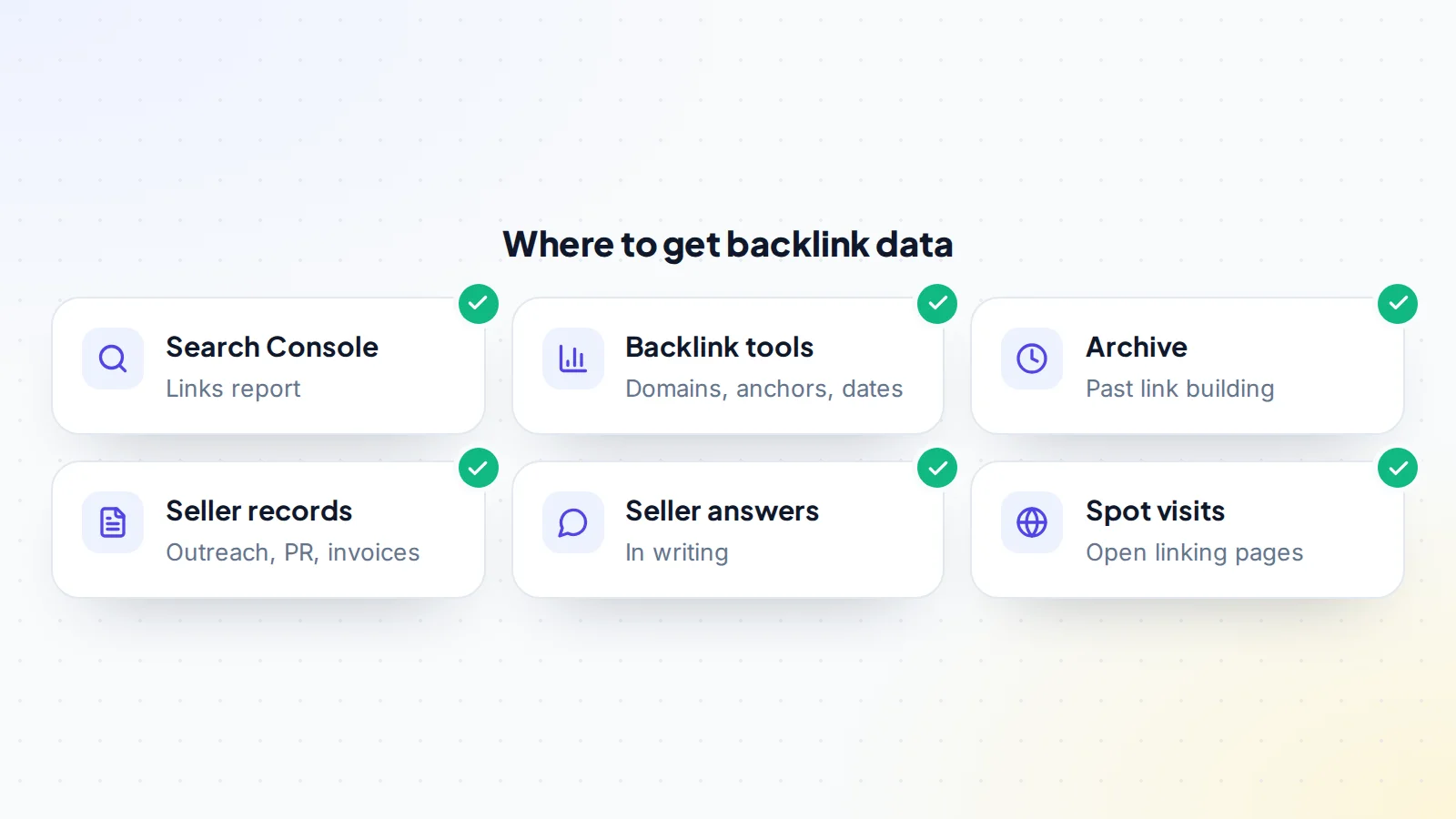
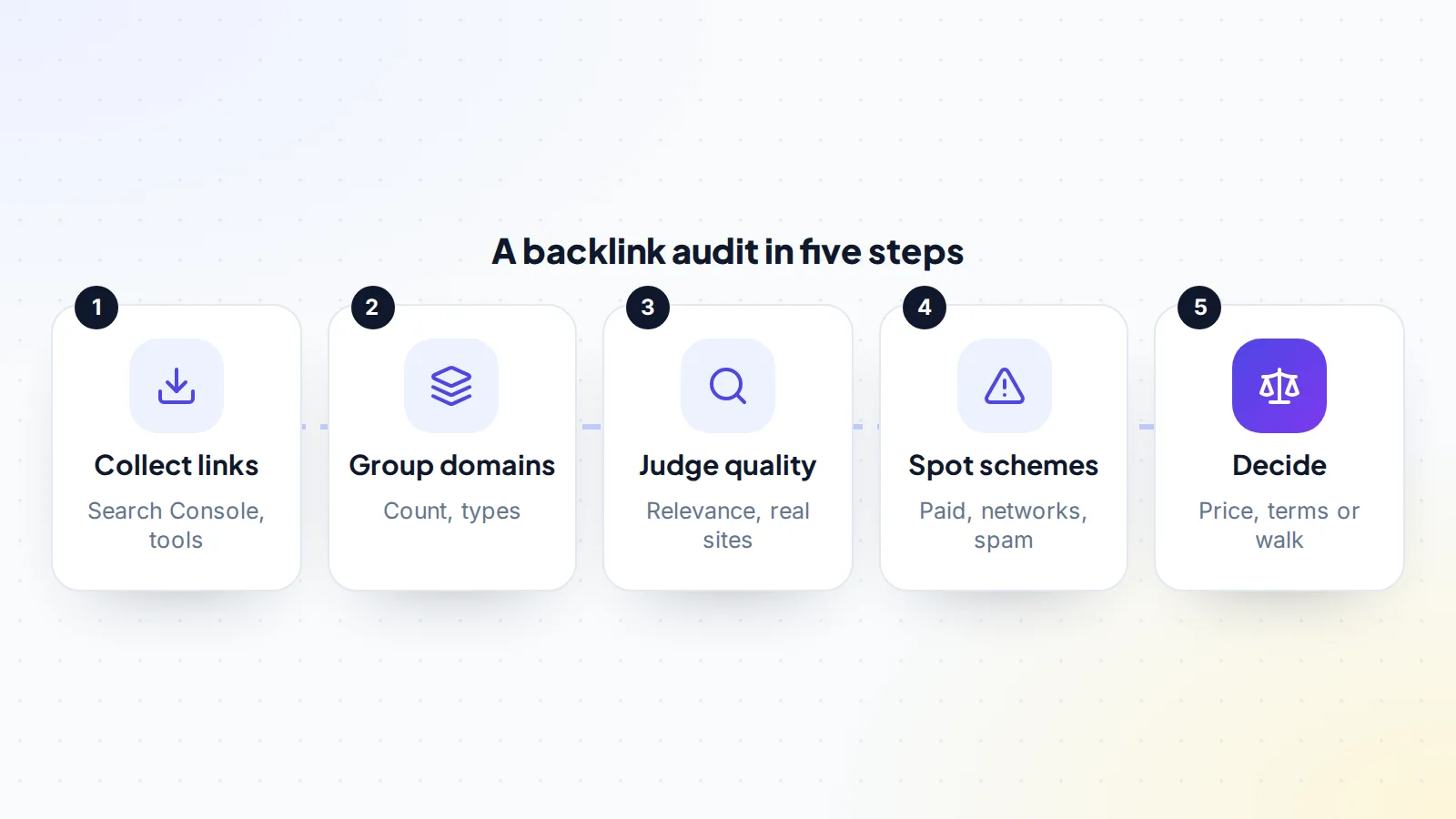
Start with Google Search Console. With restricted access, you can open the Links report, which shows top linking sites, top linked pages and top linking text. It’s Google’s own sample of the links it knows about, which makes it a good baseline.
Then use one or more third-party backlink tools. They usually show more detail: every linking domain, anchor text, the date each link was first seen and whether links are followed or marked as sponsored or nofollow. Tools differ in coverage, so expect their numbers to vary; what matters is the pattern. Export the data so you can sort and review it.
Step 2: Group by linking domain
A site may have thousands of individual links but far fewer linking domains. Work at the domain level: one site linking from every page in its footer is one decision, not a thousand. Group domains into rough types: editorial links in articles, resource pages, directories, forums and comments, social profiles, partner sites, and links you can’t classify yet. This makes the audit manageable and shows where most links come from.
Step 3: Judge quality and relevance
For the most important linking domains, and a random sample of the rest, ask a few questions:
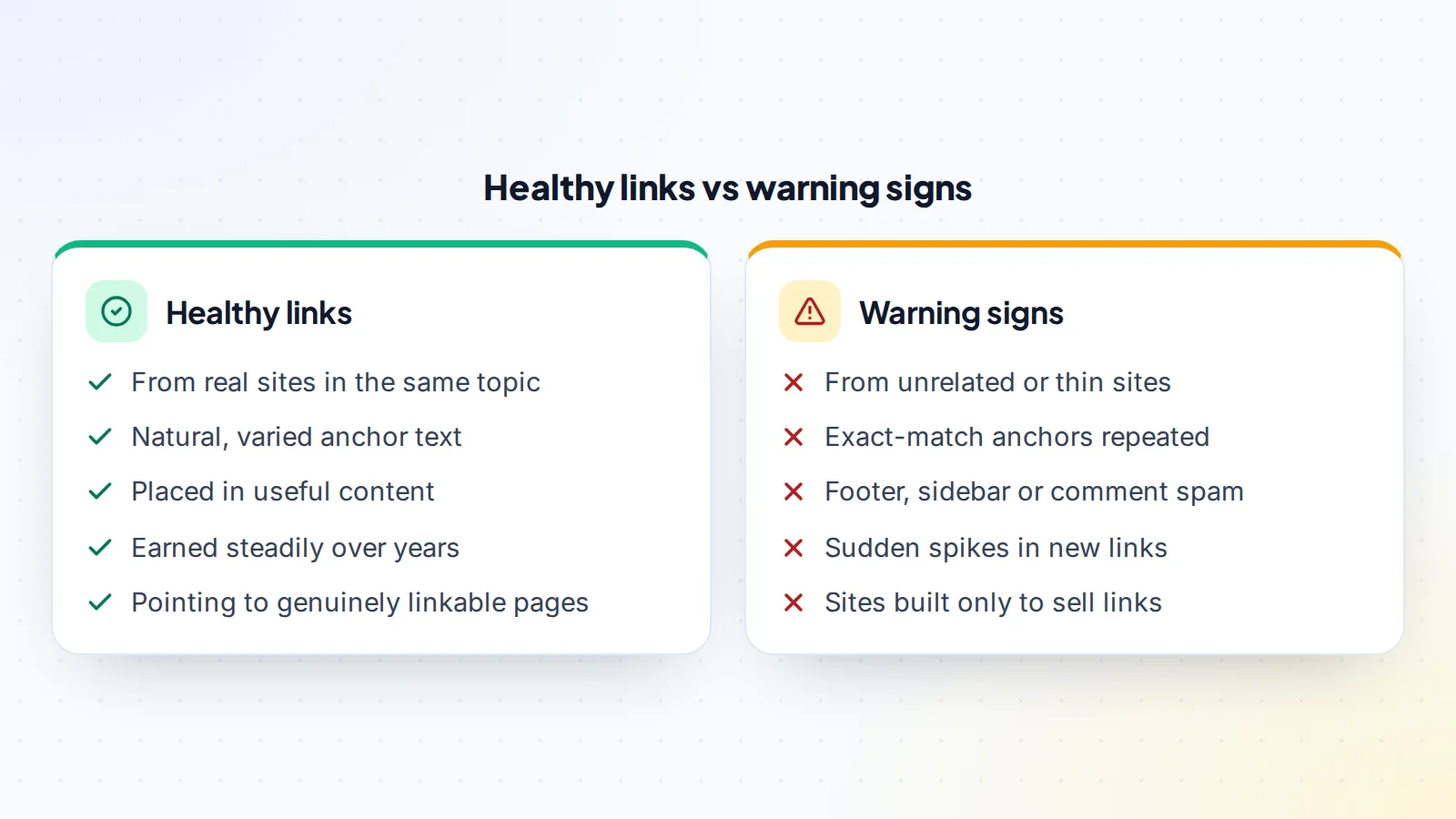
- Is it a real site? Does it have genuine content, an audience and a purpose beyond linking out?
- Is it relevant? Does it cover the same topic or a closely related one?
- Is the link editorial? Is it placed naturally in useful content, or stuffed in a footer, sidebar or comment?
- Is it labelled? Paid or sponsored links should carry a sponsored or nofollow attribute, as Google’s guidance on qualifying outbound links explains.
- What does the anchor say? Natural anchors vary: brand names, page titles, plain URLs and phrases. The same commercial keyword repeated across many sites is unusual.
Open a sample of linking pages yourself. A quick visit often tells you more than any score a tool assigns, because you can see at a glance whether the page is something a real reader would find useful.
Step 4: Spot link schemes
Google’s spam policies list practices that count as link spam, including buying or selling links for ranking purposes, excessive link exchanges, using automated programs to create links, and requiring links as part of a terms of service or contract without qualifying them. In an audit, these often show up as:
- Many links from sites that publish on any topic and exist mainly to sell guest posts.
- Groups of sites with similar designs, owners or hosting that all link to each other.
- Exact-match commercial anchors repeated across unrelated sites.
- Sudden spikes of new links over a few weeks, then nothing.
- Large numbers of links from comments, profiles or low-quality directories.
One or two of these can be normal; every site attracts some odd links it didn’t ask for. A clear pattern suggests deliberate link building that could become a problem.
Look at link growth over time
Backlink tools usually show when each link was first seen. Plot new linking domains by month. Natural link growth tends to be uneven but steady: a few links here and there, with occasional bumps when a page gets attention. Bursts of dozens of new links in a single month, especially from unrelated sites, often point to a paid campaign. Compare the dates with the site’s traffic history; if traffic rose right after a burst of questionable links, that traffic may be at risk.
The Internet Archive’s Wayback Machine can help too. Old versions of the site sometimes show “partner” pages, link exchange pages or sponsored posts that have since been removed.
Step 5: Ask the seller, in writing
Ask the seller directly how the site earned its links. Have they bought links, paid for guest posts, used link networks or exchanged links? Have they ever received a manual action, or used Google’s disavow tool? Ask for any records: outreach emails, PR coverage, invoices from link vendors. Get the answers in writing, and consider including them as statements in the purchase agreement. Our guide to checking an online seller covers how to verify who you’re dealing with.
Check for manual actions
In Search Console, open the Manual actions report. Google says this shows if a human reviewer has determined that pages don’t comply with its spam policies, which can include unnatural links to the site. A current manual action is a serious red flag. A past one, now resolved, needs a clear explanation of what happened and what was fixed.
The disavow question
Google’s disavow tool lets site owners ask Google not to take certain links into account. Google’s help says most sites don’t need to use it, and that it’s mainly for sites that have a significant number of spammy, artificial or low-quality links pointing to them that may cause a manual action, or that already have one. Ask whether the site has a disavow file, and if so, request a copy. A disavow file tells you the previous owner saw link problems; its contents show how serious they were.
Don’t plan to “fix” a site built on bad links with a disavow file after buying. If the links are holding up the rankings, removing their effect may also remove the traffic you paid for.
Check which pages the links support
Look at which pages receive the strongest links, and make sure they still exist and still load properly. If valuable links point to deleted or redirected pages, value may already be leaking. Make a note of these pages: after buying, you’ll want to keep them live, keep their addresses the same and keep the content worth linking to.
Check outbound links too
A backlink audit focuses on links pointing to the site, but take a quick look at the links the site gives out as well. Sites that sell links often have many outbound links to unrelated commercial pages, sometimes without sponsored or nofollow labels. Google’s guidance says paid links should be qualified with the sponsored or nofollow attribute. If the site you’re buying has been selling unlabelled links, that’s both a risk and a source of income that won’t continue under a careful new owner.
Step 6: Turn findings into a decision
Summarise what you found: the share of linking domains that are healthy, any clear schemes, manual action history and the seller’s answers. Then decide:
- Mostly healthy links: proceed, and protect the key pages after buying.
- Some questionable links, explained: proceed with caution, perhaps with a lower multiple or a longer inspection period.
- Heavy reliance on manipulative links: treat the traffic as at risk, offer much less, use an earn-out, or walk away.
Our guide to seller’s discretionary earnings explains how buyers measure the profit they’re paying for, and our guide to display ad income websites covers sites where search traffic drives most income.
After you buy
Keep the linked pages live and useful, and avoid changing their addresses. If you must move a page, redirect it permanently to the closest matching page. Don’t start buying links to “boost” the site; earn new links with genuinely useful content, partnerships and PR. Watch Search Console for any manual action notices, and keep an eye on the Links report over the first few months. Thank the sites that link to you where it makes sense; good relationships often lead to more links.
Ad-supported sites
Sites that earn from display ads depend heavily on search traffic, so link quality matters even more. A ranking drop shows up in ad income almost immediately. If you’re looking at one, our guide to AdSense websites for sale covers the extra checks for ad income.
A worked example
The details below are made up to show the method.
Sam is reviewing a home office equipment site with 1,200 linking domains according to a backlink tool. Grouping them shows that most come from directories and scraper sites that every site attracts, about 150 from genuine blogs and news sites in related topics, and about 80 from general “write for us” sites publishing on any subject, many with the same commercial anchor.
Search Console shows no manual actions. When asked in writing, the seller admits to buying guest posts two years ago, then stopping. Traffic has been steady since, and the strongest links are editorial ones from relevant blogs. Sam treats the guest-post links as a moderate risk, proposes a slightly lower multiple and a longer inspection period, and includes the seller’s written answer in the purchase agreement. The seller accepts.
Backlink audit before buying: the checklist
- Search Console Links report reviewed.
- Link data exported from at least one backlink tool.
- Linking domains grouped by type.
- Top domains and a random sample checked by visiting them.
- Anchor text patterns reviewed.
- Link schemes identified, if any.
- Manual actions report checked.
- Seller’s link-building history obtained in writing.
- Disavow file requested if one exists.
- Findings reflected in price, terms or the decision to walk away.
Browse websites for sale, and use escrow to keep the payment protected while you complete the handover.
Ready to find your next asset?
Browse listings with verified numbers, ask sellers your questions before you offer, and agree every step in a free Deal Room.
Frequently asked questions
What is a backlink audit?
A review of the links pointing to a site: where they come from, how relevant and natural they are, and whether any look manipulative.
Where do I get backlink data?
From the Links report in Google Search Console and from third-party backlink tools. Combining sources gives a fuller picture.
What counts as a bad link?
Google’s spam policies describe link spam, such as buying links for ranking, link schemes and automated link creation. Patterns of these are the real concern.
Should I disavow bad links after buying?
Google says most sites don’t need to. If the links hold up rankings, removing their effect may also reduce traffic, so price the risk before buying.
Is a site with paid links worth buying?
Sometimes, at the right price. The more traffic depends on manipulative links, the higher the risk and the lower the price should be.
What should I ask the seller?
How links were earned, whether any were bought or exchanged, whether there’s a disavow file and whether there’s been a manual action. Get the answers in writing.
How long does a backlink audit take?
For a small site, a few hours. Larger sites take longer, but working at the domain level keeps it manageable.