How to Hand Over a Game Account (Email, 2FA and Linked Consoles)
A step-by-step guide to game account transfers for buyers and sellers: preparing recovery details, moving email, password and two-factor authentication, linked console and launcher accounts, escrow, quiet periods and keeping the account secure.
Game accounts can hold years of progress: rare skins, ranked history, collections and in-game currency. When one changes hands, the handover is what turns a payment into ownership. A good game account transfer moves every way of signing in from the seller to the buyer, in the right order, while the payment is held safely. This guide explains what to prepare, the steps for email, password and two-factor authentication, how to handle linked console and launcher accounts, and how to finish cleanly.
If you’re selling, see our guide on how to sell a game account. For how values are set, read about Roblox account value and wider game account market trends.
Key takeaways
- A transfer moves email, password, two-factor and linked accounts to the buyer.
- The order matters: email first, then password, then two-factor, then linked accounts.
- Some platforms limit how often details can change; check before you agree a date.
- Hold the payment in escrow or with a middleman until the handover is complete.
- Finish with a quiet period, signed-out sessions and removed payment methods.
What a game account transfer involves
Most game accounts are protected by a few layers: the email address that receives codes and resets, the password, a second factor such as an authenticator app or text message, and links to other platforms, such as a console network or a launcher. Whoever controls those layers controls the account. A transfer means moving each layer from the seller to the buyer, so that only the buyer can sign in, recover the account or approve changes.
Doing it in the right order matters, because each layer protects the next. Think of it as handing over a set of keys one by one, checking each lock works before moving to the next. Changing the password before the email, for example, leaves the seller able to reset it.
Before the handover: what the seller prepares
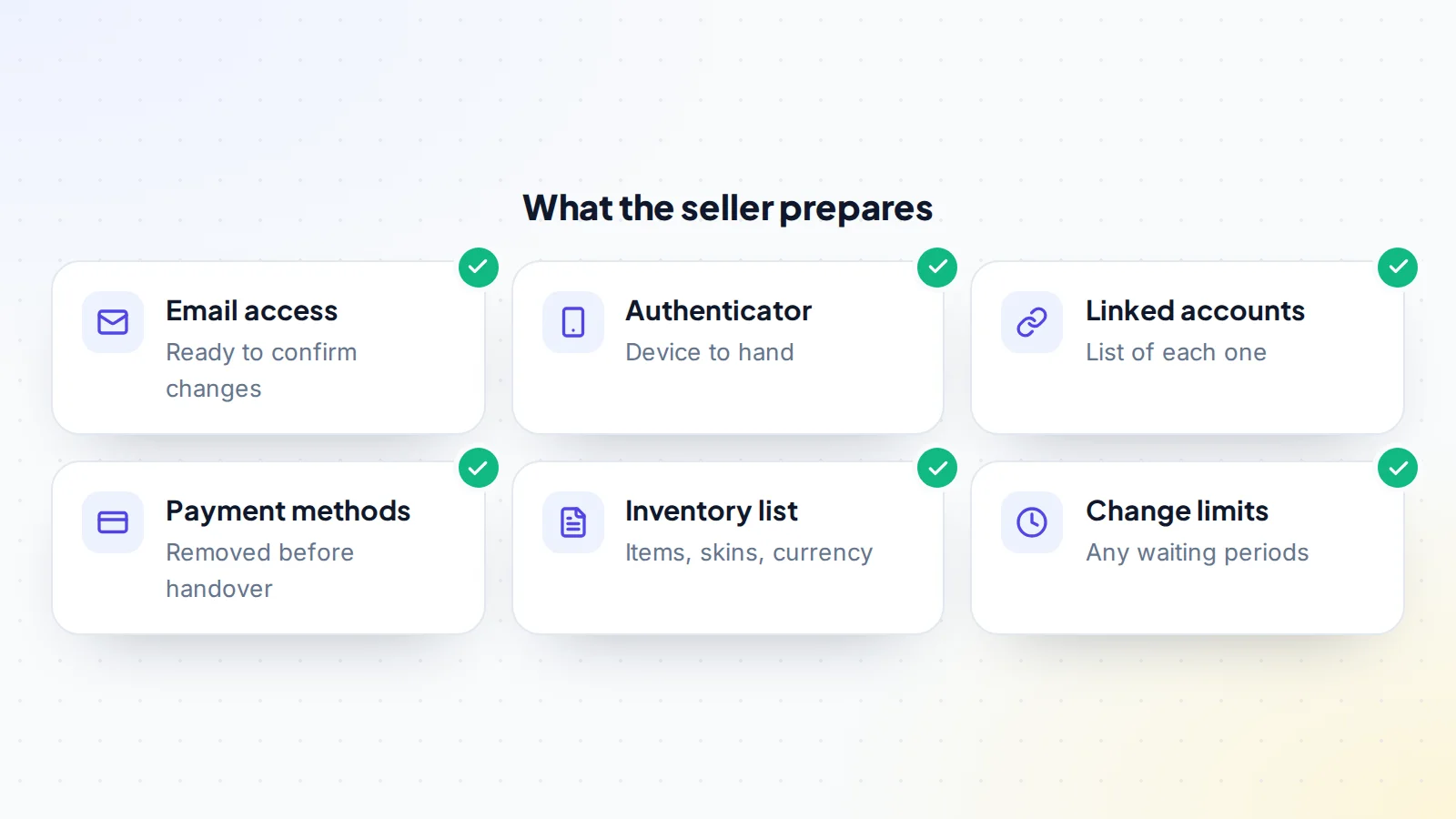
- Email access: the seller needs to be able to receive codes at the current email to approve changes.
- Authenticator device: if the account uses an authenticator app, the seller needs the phone it’s on.
- Linked accounts: a list of every linked console, launcher or social login.
- Payment methods: saved cards and wallets removed before the handover.
- Inventory list: the items, skins, currency and ranks included in the sale, so both sides can confirm them.
- Change limits: any waiting periods on changing email, region or linked accounts.
Our guide to the game account listing explains how to present this information to buyers.
Check platform limits first
Some platforms limit how often account details can change. Epic Games, for example, sends a code to the current email to approve an email change, and says the email can only be changed once every 90 days. Linking and unlinking console accounts can have their own limits. Check the rules for the game and platform before you agree a handover date, so the transfer doesn’t stall halfway.
Region, store and language
Game accounts are often tied to a region or store, which can affect prices, available items and which servers the buyer plays on. Before agreeing a deal, check which region the account belongs to, whether the buyer can play on the servers they want, and whether any region change is possible or needed. Some platforms limit region changes or require a purchase in the new region first. Writing the region into the listing and the agreement avoids surprises after the handover.
Checking the inventory
The inventory is usually what the buyer is paying for, so check it carefully. Before the handover, the seller shares a list or video of the items, skins, currency, ranks and collections included. During the handover, the buyer checks the list item by item once signed in. Note anything that can expire, such as limited-time passes or event items, and anything that depends on a subscription the seller pays for. Our guide to Roblox account value shows how one platform’s own price charts can help confirm the value of items.
Hold the payment first
Before any details change, the buyer’s payment should be held by escrow or a middleman. That protects the seller, who hands over the account only once the money is secured, and the buyer, whose money is released only once the account is theirs. On digiflippers.com, the ways to pay in a deal are: directly to the seller, through escrow, and the platform never holds the money itself. The marketplace’s own middleman service fee: not offered. Our guide to buyer protection for digital assets explains the options.
The transfer, step by step
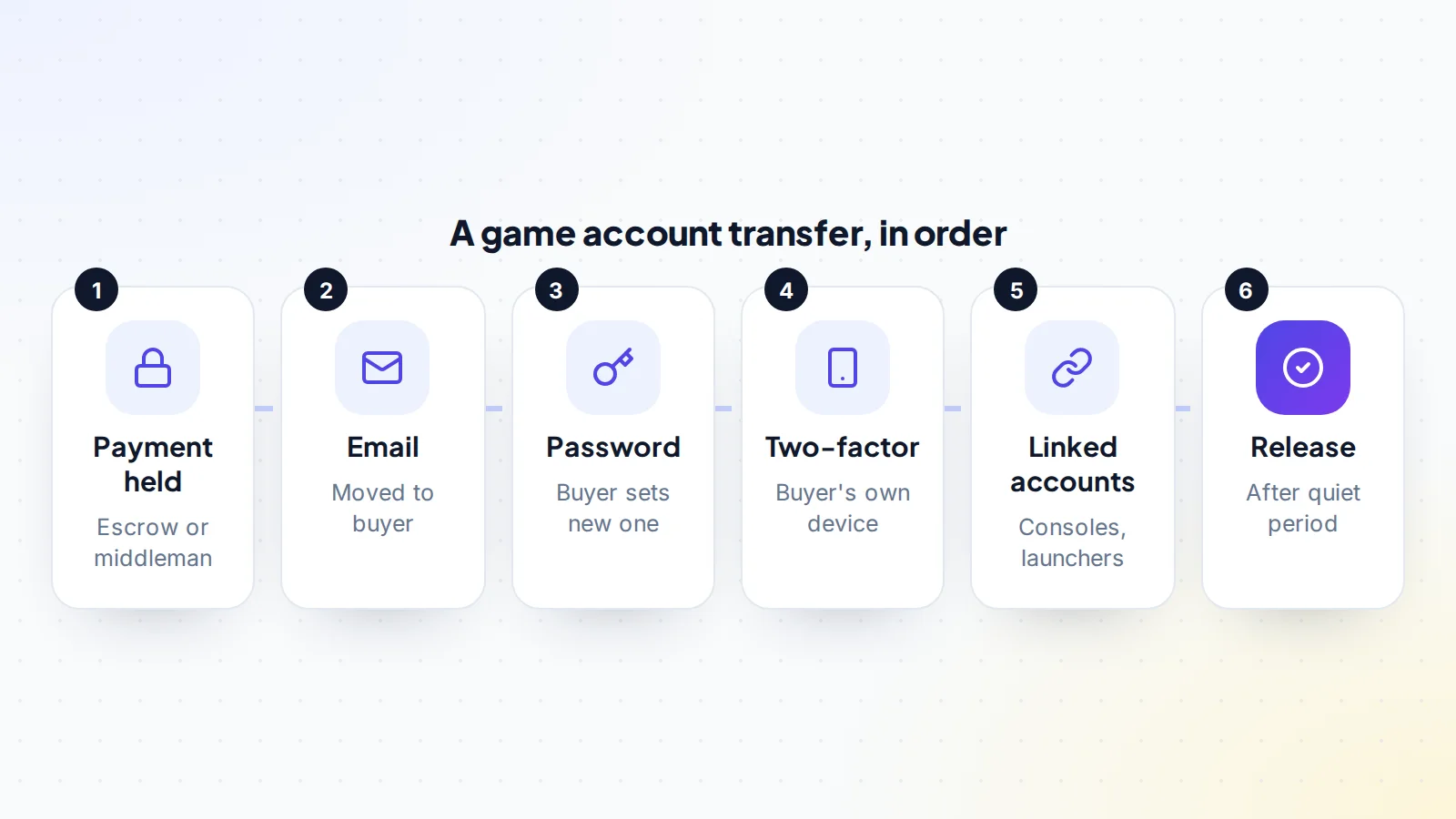
- Confirm the payment is held. Both sides check with the escrow company or middleman directly.
- Move the email. The seller starts the email change and approves it with the code sent to the old address; the buyer confirms the new address.
- Change the password. The buyer sets a new, unique password.
- Move two-factor authentication. The seller removes their authenticator or phone, and the buyer sets up their own. Save the new backup codes somewhere safe.
- Sort linked accounts. Unlink or relink consoles, launchers and social logins as agreed.
- Sign out everywhere. Use the account’s option to sign out of other devices or sessions.
- Remove payment methods. Confirm no seller cards or wallets remain.
- Check the inventory. The buyer confirms everything listed is present.
It’s best to do this on a call or screen-share together, so codes can be passed on quickly and problems solved straight away. Keep all messages in the deal chat as a record. If a code or detail has to be shared, share it at the moment it’s needed and change anything sensitive straight afterwards.
Two-factor authentication
Two-factor authentication is the layer most often forgotten. If the seller’s authenticator stays attached, the seller can still approve sign-ins or recovery. Steam’s mobile authenticator, Epic’s two-factor options and PlayStation’s 2-step verification all let account owners change or remove their second factor. Follow each platform’s own help pages for the steps, and make sure the buyer saves new backup codes. Our guide to transferring accounts with two-factor authentication covers this in more detail.
Linked consoles and launchers
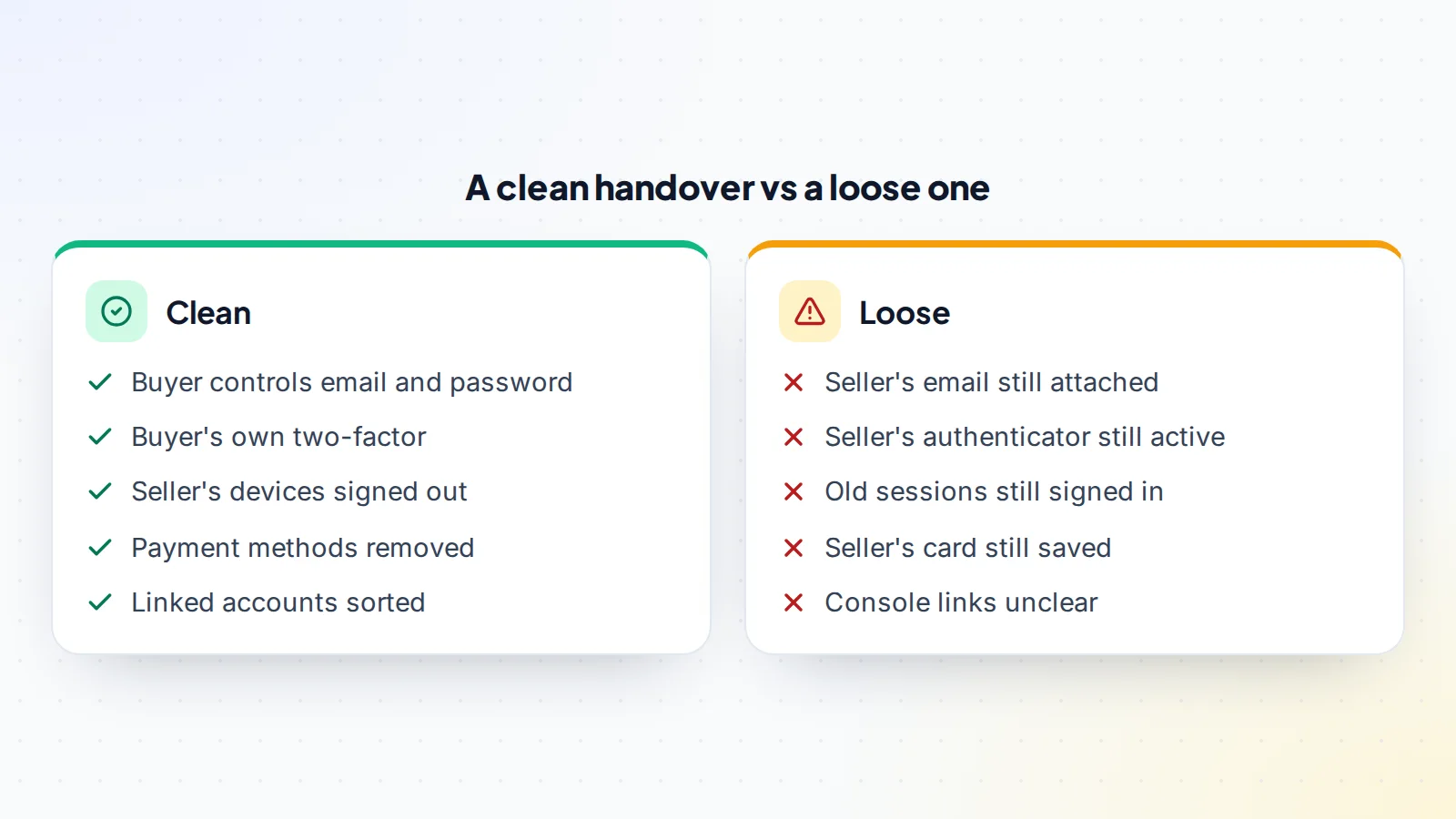
Many games link to other accounts: a console network, a launcher or a social login. Progress and purchases may live on one account while the console account holds others. Epic’s help, for example, explains that Fortnite progress and purchases are stored on the Epic account, which can be linked to console accounts. Agree in writing which linked accounts are included and how each will be handled: unlinked from the seller’s console and linked to the buyer’s, or transferred together. Check any limits on how often accounts can be linked or unlinked.
If something goes wrong during the handover
Handovers occasionally hit snags: a code doesn’t arrive, a platform asks for extra verification, or a change limit applies unexpectedly. Stay calm and keep everything in writing. Don’t release the payment, and don’t try to work around a platform’s security checks. Pause, contact the platform’s support through its official help pages if needed, and agree a new time to finish. Because the payment is held, there’s no pressure to rush. If the two sides can’t agree on how to proceed, our guide to sale disputes explains the next steps.
How long to allow
With good preparation, the handover call itself often takes under an hour. Allow extra time for platforms that send codes slowly or ask for additional checks, and remember any waiting periods on changes. Add the quiet period, typically one to two weeks, and the whole process from payment to release usually fits within a few weeks. Agree the dates in advance so both sides can plan.
The quiet period
After the handover, agree a short quiet period, often one to two weeks, before the payment is released. During this time, the buyer plays normally and confirms that everything stays in their control: no unexpected sign-in alerts, no recovery attempts, no missing items. If something goes wrong, the payment is still held while it’s sorted out. Once the period ends without problems, the payment is released, and both sides can leave feedback for each other on the platform.
After the transfer
The buyer should review the account’s security settings again after a few days: check the email and phone, confirm two-factor is on, look at recent sign-in activity and remove any devices they don’t recognise. Keep the backup codes safe and separate from the password. The seller should delete any saved passwords and remembered logins for the account from their devices and avoid signing in again unless the buyer asks for help. If the deal included a promise not to compete or sell similar accounts for a period, our guide to non-competes in a sale explains how such terms work.
For sellers: making the handover smooth
- Check every limit and waiting period before listing.
- Make sure you can access the email and authenticator.
- Remove payment methods and personal details in advance.
- Write a short list of the steps you’ll take on the call.
- Be available at the agreed time, with your devices ready.
When you’re ready, list your game account on digiflippers.com with 0% success fee up to $10,000, then 5% (max $5,000).
For buyers: getting ready
- Have a fresh email address ready that only you control, with its own two-factor turned on.
- Install the authenticator app you’ll use before the call.
- Prepare a strong, unique password in a password manager.
- Have your own console or launcher account ready if linking is part of the deal.
- Keep the seller’s inventory list open so you can check items as you go.
Buyers who are ready make the call quicker and calmer for everyone, and spot problems while the seller is still there to help.
Common mistakes
- Changing details before the payment is held.
- Changing the password before moving the email.
- Leaving the seller’s authenticator or phone attached.
- Forgetting a linked console, launcher or social login.
- Not signing out of other sessions.
- Releasing payment before the quiet period ends.
A worked example
The details below are made up to show the method.
Kai is selling a Fortnite account with a large skin collection, linked to a console. Before listing, Kai checks the email change limit, removes saved payment methods and writes an inventory list. A buyer, Rowan, agrees the price and the payment goes to a middleman.
On a video call, Kai starts the email change and approves it with the code sent to the old address. Rowan confirms the new email, sets a new password and sets up two-factor on Rowan’s own phone, saving the backup codes. Kai unlinks the console account as agreed, and Rowan links their own. Rowan signs out of other sessions and checks the skins against the inventory list. After a ten-day quiet period with no issues, the middleman releases the payment.
Game account transfer: the checklist
- Platform change limits checked before agreeing a date.
- Payment held by escrow or a middleman.
- Email moved to the buyer first.
- New password set by the buyer.
- Buyer’s own two-factor set up, with backup codes saved.
- Linked accounts handled as agreed.
- Other sessions signed out.
- Seller’s payment methods removed.
- Inventory confirmed and quiet period completed.
Looking to buy? Browse game accounts for sale, and read how escrow works.
Ready to find your next asset?
Browse listings with verified numbers, ask sellers your questions before you offer, and agree every step in a free Deal Room.
Frequently asked questions
What does a game account transfer involve?
Moving the email, password, two-factor authentication and linked accounts from the seller to the buyer, while the payment is held.
In what order should details change?
Email first, then password, then two-factor, then linked accounts, then sign out other sessions.
Are there limits on changing account details?
Some platforms have them. Epic, for example, says the email can only be changed once every 90 days. Check before agreeing a date.
What about linked console accounts?
Agree in writing which are included and how each will be unlinked or relinked, and check any limits.
Why use a quiet period?
It gives the buyer time to confirm everything stays in their control before the payment is released.
Should the buyer change the password straight away?
Yes, right after the email moves, followed by setting up their own two-factor.
How should the payment be handled?
Through escrow or a middleman, released after the handover and quiet period.