
Handing Over Passwords and 2FA Safely
A step-by-step way to hand over passwords, two-factor authentication and recovery details when an online business or account changes hands.

Every online business runs on accounts: the domain registrar, email, hosting, payments, analytics, social pages and dozens of tools. When the business is sold, each of those accounts has to move to the new owner, and most are protected by passwords and two-factor authentication. Done carelessly, the handover leaves old access open or locks the buyer out. Done well, it’s quick and calm. This guide shows how to transfer 2FA accounts safely, in the right order, so both sides finish the deal with confidence.
It’s written for both buyers and sellers. For the wider handover, see our guide to transferring an online business.
Key takeaways
- List every account first, with who holds it and how it’s protected.
- Prefer a platform’s own user invites and ownership transfers to sharing logins.
- For each account: change the recovery email, then the password, then two-factor, then backup codes.
- Never send passwords or backup codes in plain email or chat; use a password manager share or a live call.
- Keep the payment held by escrow or a middleman until every account is fully moved.
Why the order matters
Two-factor authentication, or 2FA, adds a second step to signing in, such as a code from an app or a security key. CISA, the US cybersecurity agency, encourages everyone to use it because a stolen password alone isn’t enough to get in. That protection is exactly what makes handovers tricky: whoever holds the second factor and the recovery details controls the account, whoever knows the password.
If the buyer sets a new password but the recovery email is still the seller’s, a password reset can undo it. If two-factor stays on the seller’s phone, the buyer can’t sign in alone. The safe approach is to move the controls in the order that closes every route back in.
Step 1: Build the account inventory
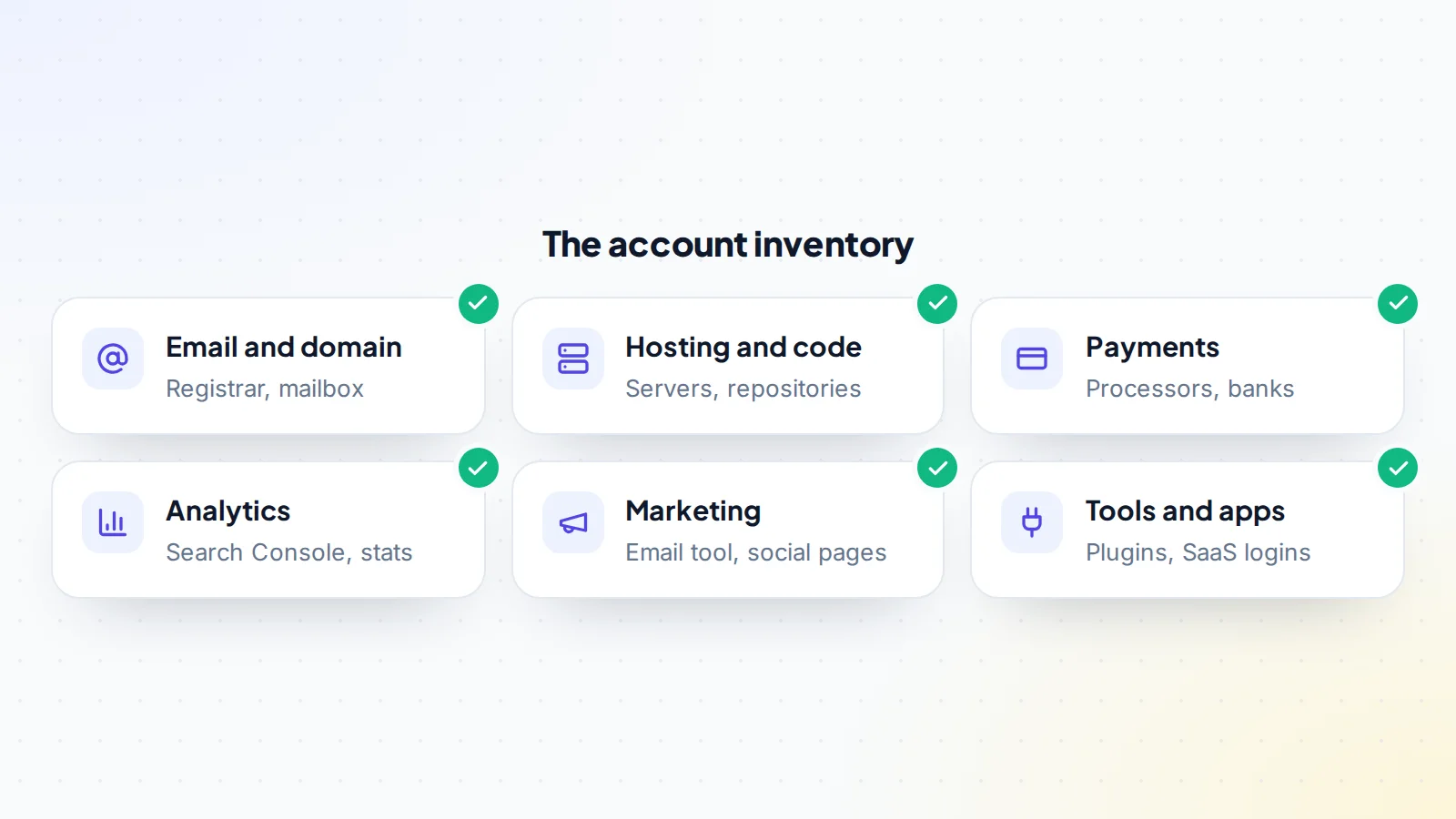
Before anything moves, the seller lists every account the business uses. For each one, record:
- The service and what it’s used for.
- The login email and who controls that mailbox.
- The type of two-factor in use: app, text message, security key or email code.
- Where backup codes are stored.
- Whether the service supports adding users and transferring ownership.
- Any payment card or billing details attached.
Share the inventory securely, without passwords in it, and agree the plan for each account. Our asset transfer checklist lists the accounts most businesses use.
Step 2: Use invites and ownership transfers where possible
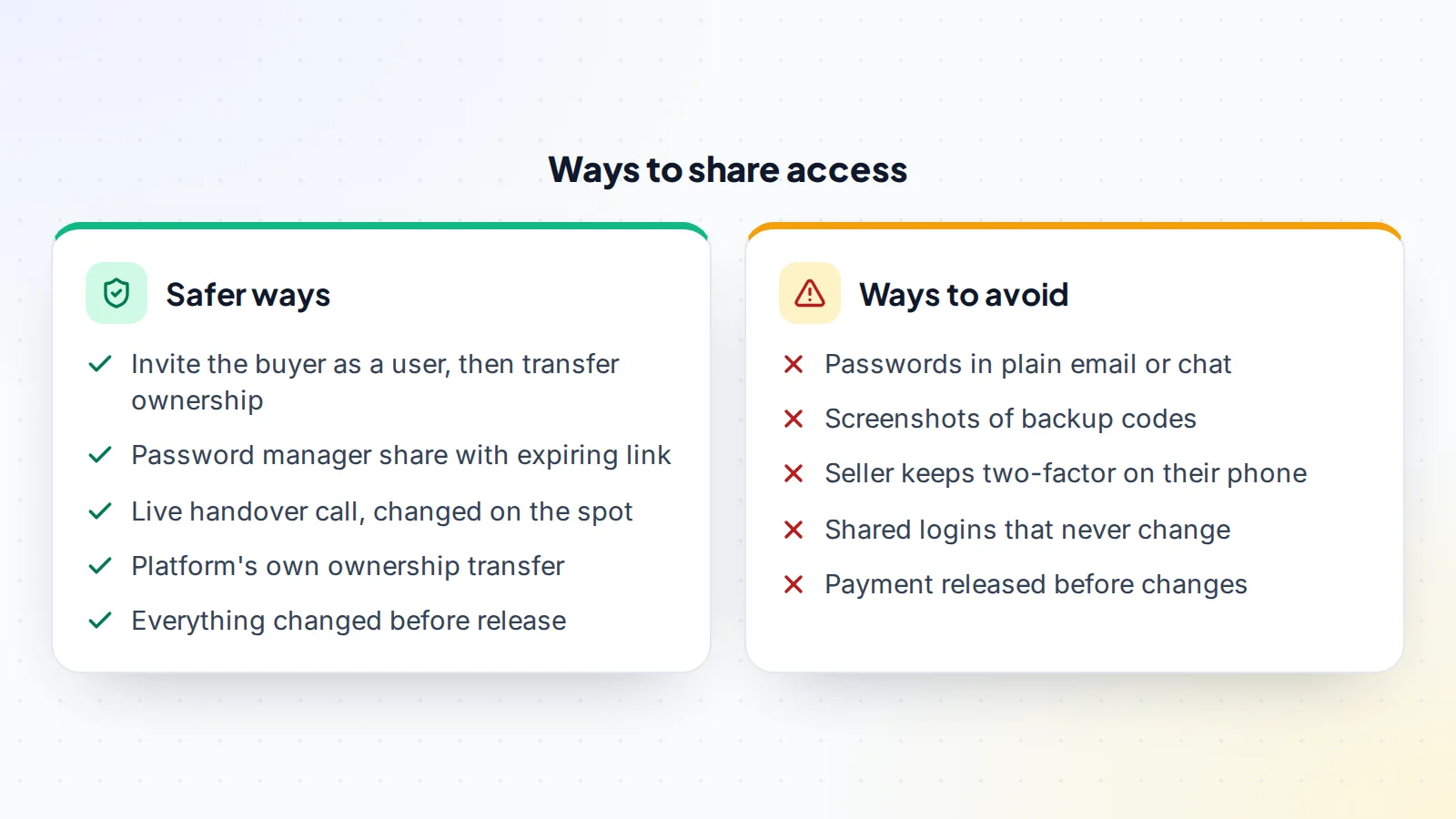
Many services let an owner invite another user and then pass ownership to them. That’s the cleanest method: the buyer signs in with their own account and their own two-factor, and nothing secret is shared. Examples include registrar account pushes, analytics and Search Console users, code repository transfers, team workspaces and many payment and marketing tools. Platform rules vary, so follow each service’s own process.
Where a service only allows one login, the account itself has to be handed over, and the steps below apply.
Step 3: Share passwords securely
When a password must be shared, don’t send it in plain email, text or chat, where it can sit in message history for years. Better options:
- A password manager share. 1Password, for example, lets you share a copy of an item through a unique link, choose when the link expires and limit it to specific people, with the item encrypted end to end.
- A live handover call. The seller signs in on a screen-share, and the buyer changes the details on the spot, so the old password stops working minutes later.
Either way, treat any password the seller knew as temporary. It gets changed during the handover. The same goes for answers to security questions, which some older services still use for recovery: the buyer should replace them with new answers that only they know.
Step 4: Move each account in the right order
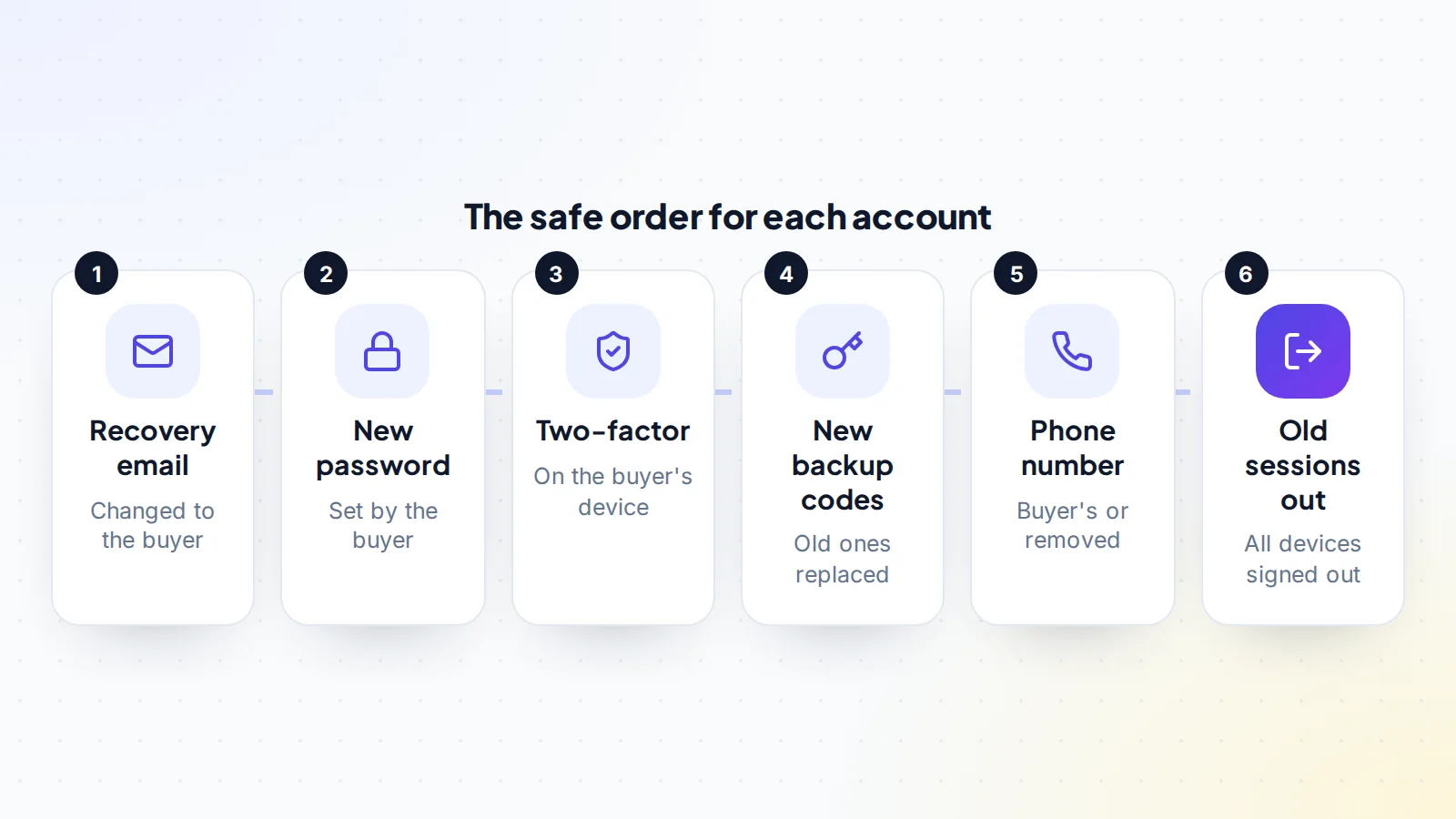
For accounts that move as a whole, work through these steps together, on a call if possible:
- Recovery email first. Change it to an address the buyer controls and confirm it. Email controls password resets and most recovery routes.
- New password. The buyer sets a long, unique password and stores it in their own password manager.
- Two-factor. Remove the seller’s authenticator, phone or security key and set up the buyer’s. CISA recommends phishing-resistant methods, such as security keys, where available, and authenticator apps over text messages.
- Backup codes. Generate a new set. Google’s help pages, for example, explain that creating a new set of backup codes makes the old set inactive.
- Phone number. Change it to the buyer’s or remove it.
- Sessions and devices. Sign out all other sessions and remove trusted devices, connected apps and API keys that belonged to the seller.
Two-factor methods and how each one moves
- Authenticator apps: the seller removes the app connection in the account’s security settings, and the buyer scans a new code with their own app. The seller’s app stops producing valid codes.
- Text messages: the phone number on the account changes to the buyer’s. Until it does, codes go to the seller.
- Security keys and passkeys: the buyer registers their own key or passkey, and the seller’s is removed from the list of registered devices.
- Email codes: these move automatically once the account email is the buyer’s, which is another reason email goes first.
Whatever the method, check the account’s security page at the end. Only the buyer’s devices, numbers and keys should be listed. When you transfer 2FA accounts in bulk, it’s worth a second check of each security page the next day.
Start with email and the domain
The mailbox and the domain registrar control everything else, so move them early. If the business email runs on the domain, the buyer gains control of password resets for many other accounts once the domain and mailbox are theirs. Copy DNS records before any domain move, so email and the website keep working. Our guide to domain push vs transfer explains the options.
Payments and billing
Payment accounts usually can’t simply change hands, because they’re tied to a legal entity and bank account. Payment processors have their own processes for a change of owner, and the buyer may need a new account. Plan this carefully for subscription businesses; our guide to moving Stripe subscriptions covers it. Remove the seller’s cards from tools and services and add the buyer’s, so nothing lapses and the seller isn’t charged after the sale.
Staff, freelancers and shared logins
Businesses often have more people with access than the owner remembers: a virtual assistant with the email tool, a developer with server keys, a freelancer with the social accounts. Ask the seller to list every person with access to each account, and decide with the buyer who stays. Remove everyone else during the handover, and change any login that more than one person used. If staff are staying, the buyer should invite them again under their own accounts, so access is personal and can be removed later.
Planning the handover day
Big handovers go best when they’re scheduled. Book one or two calls at a time when both sides can give their full attention, and plan which accounts move on each. Start with email and the domain, then hosting and code, then payments, then everything else. Keep the inventory open and tick each account off as it’s confirmed. Avoid handovers just before weekends or holidays, when support teams may be slow to answer if a platform needs to confirm a change.
A worked example
The details below are made up to show the method.
Chris is buying a small SaaS tool from Dana. Dana prepares an inventory of 23 accounts. Fourteen support inviting users, so Dana invites Chris to each and transfers ownership. The domain is pushed to Chris’s registrar account, and the Google Workspace admin account moves on a call: Chris changes the recovery email, sets a new password, adds a security key and generates new backup codes, then signs out every other session.
The remaining accounts are handed over on a second call, using a password manager share for the starting passwords, each changed within minutes. Chris confirms in the deal room that every account on the inventory is now in Chris’s control, and the escrow funds are released to Dana.
After the handover
Buyers should review each account within the first week: security settings, users and roles, connected apps, API keys, webhooks and billing. Turn on login alerts wherever the service offers them. Sellers should delete any saved passwords, backup codes and exported data they no longer need, and remove the business from their own password manager.
Agree a short window in which the seller helps with any account that turns out to need their confirmation, such as a final email to a support team. Our guide to transition support after a sale explains how to set this up.
If something goes wrong
Lockouts happen, usually because a verification code went to an old phone or a platform flagged the change as unusual. Stay calm and work through it:
- Pause the handover for that account and carry on with the others.
- Use recovery options such as backup codes, the recovery email or the platform’s account recovery process.
- Ask the seller to help, since they may still have access to the old phone or email.
- Contact the platform’s support using its official channels only, and keep records of the sale to show you’re the new owner.
Keep the payment held until every account is fully resolved. A clear agreement on what happens if an account can’t be moved, such as a price adjustment or extra time, avoids arguments later.
Common mistakes to avoid
- Changing the password before the recovery email, so a reset can undo it.
- Leaving two-factor on the seller’s phone “for now”.
- Forgetting old backup codes, which may still work until new ones are created.
- Missing connected apps and API keys that keep working after the password changes.
- Releasing the payment before the last account is confirmed.
Keep the payment held until the end
The buyer should only confirm the deal once every account on the inventory is fully theirs. On digiflippers.com, the ways to pay in a deal are: directly to the seller, through escrow, and the platform never holds the money itself. With escrow or a middleman, the money is held until the buyer confirms, which protects both sides during the handover. Our guide to choosing a middleman service explains that option.
Transfer 2FA accounts: the checklist
- Account inventory complete, without passwords in it.
- User invites and ownership transfers used where supported.
- Passwords shared through a password manager or a live call only.
- Recovery email changed first on every account.
- New passwords set and stored by the buyer.
- Two-factor moved to the buyer’s device or key.
- New backup codes generated; old ones inactive.
- Phone numbers updated or removed.
- Other sessions, devices, apps and API keys removed.
- Payment released only after every account is confirmed.
Ready to find your next asset?
Browse listings with verified numbers, ask sellers your questions before you offer, and agree every step in a free Deal Room.
Frequently asked questions
How do I transfer 2FA accounts to a buyer?
Change the recovery email to the buyer’s first, then the password, then move two-factor to the buyer’s device and generate new backup codes, and finally sign out every other session.
Is it safe to send a password by email?
It’s best avoided. Use a password manager share with an expiring link, or change the password live on a handover call.
What about backup codes?
Generate a new set during the handover. On services like Google, creating a new set makes the old codes inactive.
Which two-factor method should the buyer use?
CISA recommends phishing-resistant methods, such as security keys, where available, and authenticator apps over text messages.
What if a service doesn’t allow ownership changes?
Follow the service’s own rules. Some accounts can’t move, and the buyer may need to open a new one and migrate data.
When should the seller be paid?
After every account on the inventory is confirmed as the buyer’s, with payment held by escrow or a middleman until then.
What if the seller uses text messages for two-factor?
Move it to the buyer during the handover. The buyer can then switch to an authenticator app or security key, which CISA prefers over text messages.
