
Domain Push vs Transfer: Which One Should You Use?
A push moves a domain between accounts at the same registrar; a transfer moves it to a different registrar. How each works, the trade-offs, and which suits your deal.
When a domain changes hands, it can move in two ways. A push moves it from one account to another at the same registrar. A transfer moves it from one registrar to another. Both end with the domain in the buyer’s control, but they differ in speed, cost, steps and what can go wrong. Understanding domain push vs transfer helps you pick the right method for each deal and avoid delays at the moment it matters most.
This guide explains how each works, compares them side by side, and shows how to choose. For the full process, see our guides to the domain transfer process and the domain auth code.
Key takeaways
- A push moves a domain between two accounts at the same registrar; a transfer moves it to a different registrar.
- Pushes are often quick, free and don’t need an auth code, but both parties must use the same registrar.
- Transfers need the domain unlocked and an auth code, can take hours to days, and often add a year of registration.
- Waiting periods after recent changes can block a registrar transfer but often not a push; check your registrar’s rules.
- Whichever you choose, secure the payment with escrow or a middleman first.
What a push is
A push (some registrars call it an account change, internal transfer or change of ownership) moves a domain from one customer account to another within the same registrar. The domain never leaves the registrar’s system, so the registry doesn’t need to be involved in the same way as for a registrar transfer.
Namecheap’s knowledgebase, for example, describes moving a domain to another Namecheap account using a Change Ownership option: the current owner enters the new owner’s email or username, confirms with their password, and the new owner accepts by email. It notes the process is free, that DNS settings are unaffected so there’s no downtime, that expired domains must be renewed first, and that the change is final and can’t be reversed by the registrar. Other registrars offer similar features under different names.
What a transfer is
A registrar transfer moves a domain from one registrar to another. The current owner unlocks the domain and gets an auth code; the receiving party starts the transfer at the new registrar with the code; the old registrar releases the domain after approval or a short wait. ICANN says registrars must provide the auth code within 5 calendar days of a request.
For many generic domains, a transfer adds a year of registration, paid to the new registrar. It also means DNS may need to be recreated if it was hosted at the old registrar.
Side by side
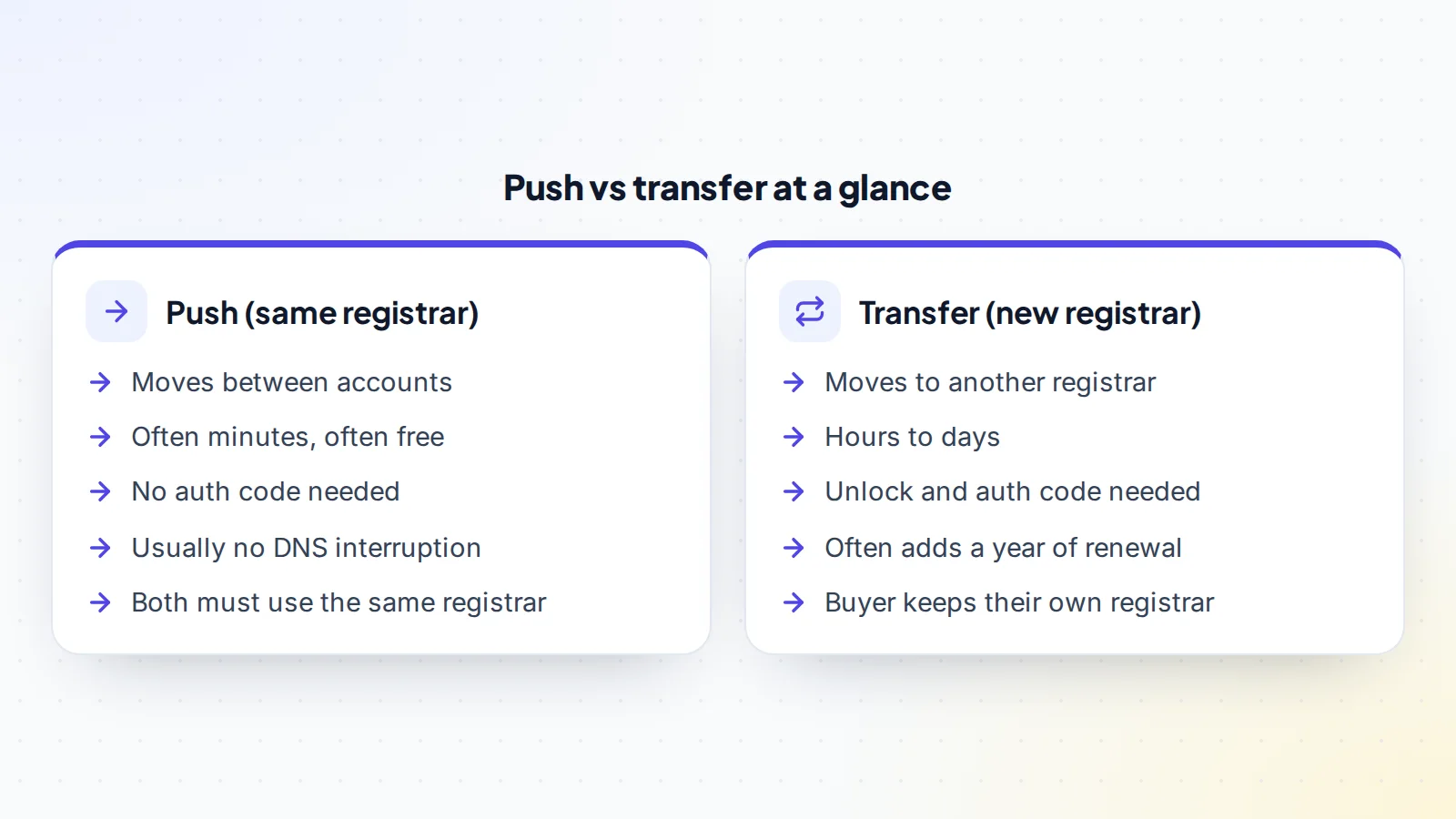
- Speed: pushes often complete in minutes once accepted; transfers take from hours to about a week for many generic domains.
- Cost: pushes are often free; transfers usually include a renewal fee at the new registrar.
- Steps: a push needs the buyer’s account details; a transfer needs unlocking, an auth code and approval.
- DNS: a push usually leaves DNS untouched; a transfer may require recreating DNS at the new provider.
- Waiting periods: registrar transfers can be blocked for a time after registration, a previous transfer or, under long-standing rules, a change of registrant. Pushes within a registrar are often not affected in the same way, but check your registrar’s rules.
- Flexibility: a transfer lets the buyer use their preferred registrar straight away.
Waiting periods and why they matter
ICANN’s Transfer Policy has long allowed registrars to refuse a registrar transfer within 60 days of registration or a previous transfer, and its change of registrant rules have required a 60-day lock on registrar transfers after certain changes to registrant details, unless the registrant opted out beforehand. ICANN’s policy review has recommended updates to these periods, so check what your registrar applies today.
These locks are one of the main reasons sales use pushes. If the buyer opens an account at the seller’s registrar, the domain can usually be pushed immediately, even when a registrar transfer would have to wait. The buyer can then transfer it to their preferred registrar later, once any waiting period has passed.
DNS and live websites
If the domain runs a live website or email, DNS matters. With a push, DNS settings usually stay exactly as they were, so nothing goes offline. With a transfer, DNS hosted at the old registrar may stop working when the domain leaves, so records must be copied and recreated first. Copy every record before either method, just in case: the website, email and verification records, and the authentication records that protect email deliverability.
How to choose
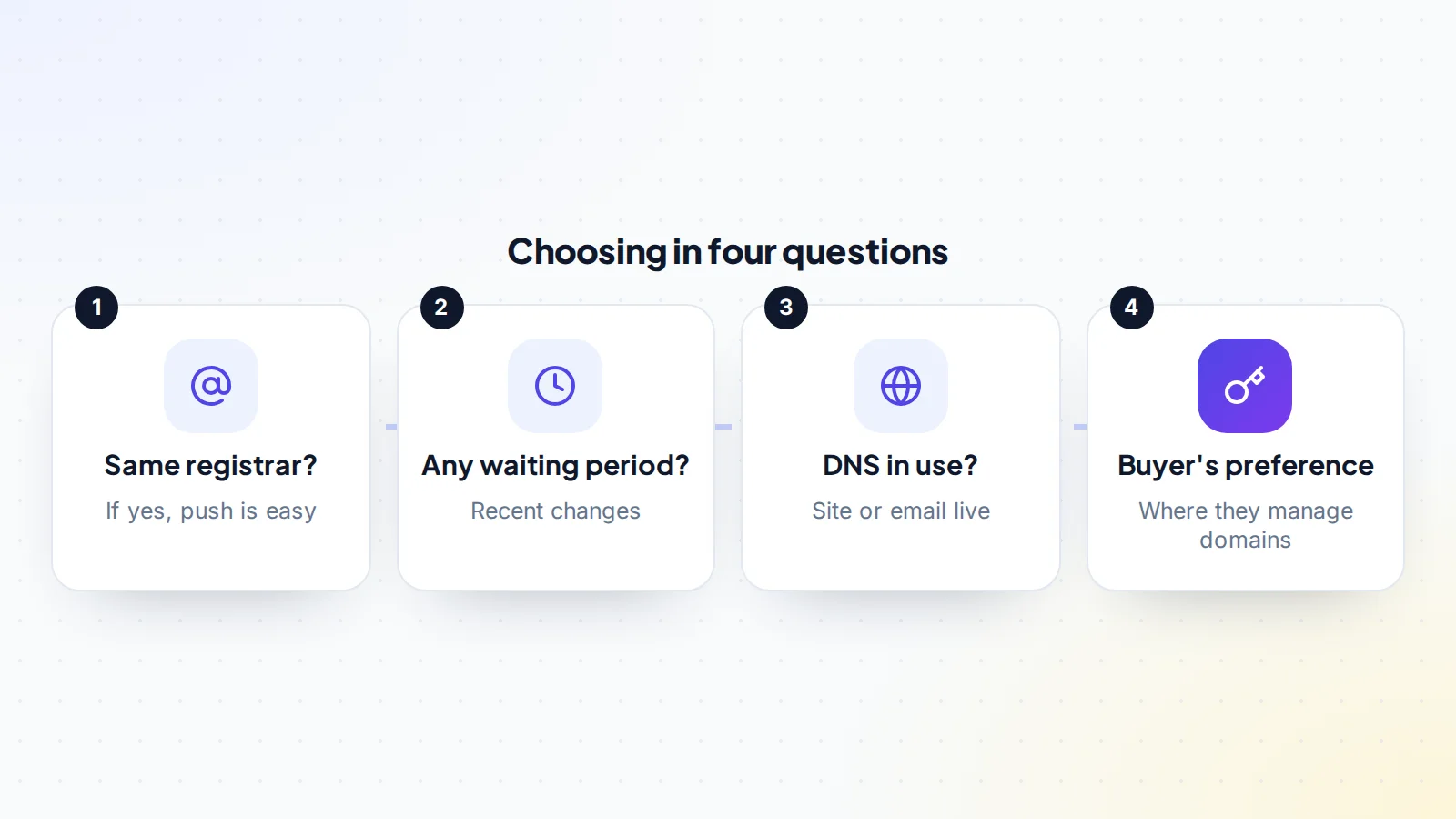
- Do buyer and seller use the same registrar, or is the buyer willing to open an account there? If so, a push is usually simplest.
- Has the domain had recent changes that might trigger a waiting period for a registrar transfer? If so, a push avoids the delay.
- Is DNS in use for a live site or email? A push avoids touching it; a transfer needs planning.
- Where does the buyer want to manage the domain long term? If they insist on their own registrar, a transfer may be better, or a push now and a transfer later.
When a transfer is the better choice
Pushes are convenient, but a registrar transfer is sometimes the better option:
- The buyer manages a portfolio at one registrar and wants every domain in one place from day one.
- The buyer won’t open an account at the seller’s registrar, for security or company policy reasons.
- The seller’s registrar is unsuitable for the buyer, for example because of missing features or support in their country.
- No waiting period applies, so a transfer won’t be delayed.
- The buyer wants the extra year of registration a transfer often adds.
In these cases, plan the transfer carefully: copy DNS first, keep the auth code private and secure the payment before it’s shared.
How pushes differ between registrars
Every registrar handles pushes slightly differently. Some ask for the recipient’s account username, others for their email or a customer number. Some send an acceptance email; others let accounts accept incoming domains automatically. Some keep the registrant contact details unchanged until the new owner updates them; others ask which contact to use during the push. Read your registrar’s help page before starting, and share the exact steps with the other party so nobody is surprised.
Security points for both methods
- Confirm the recipient’s account details through the deal messages, not a new email address that appears at the last minute.
- Never share your registrar login; neither method requires it.
- Turn on two-factor authentication at the registrar before you start.
- Watch for phishing emails pretending to be from your registrar during the process; sign in through the address you type yourself.
- Keep the domain locked except during a planned registrar transfer.
The safe order in a sale
- Agree the method (push or transfer) in the terms.
- Payment secured by escrow or a trusted middleman. On digiflippers.com, the ways to pay in a deal are: directly to the seller, through escrow, and the platform never holds the money itself.
- For a push: the buyer shares their account username or email at the registrar; the seller starts the push; the buyer accepts.
- For a transfer: the seller unlocks the domain and sends the auth code privately to the buyer; the buyer starts the transfer; the seller approves.
- The buyer confirms the domain is in their account, updates contact details and turns on the lock.
- The payment is released.
Our guide to domain escrow explains how escrow services handle the inspection step.
Costs to plan for
Pushes are often free, but check: some registrars charge for internal moves, and the buyer may need to renew soon if the domain is close to expiry. Registrar transfers usually include a year of renewal at the new registrar’s price, which can be good value but should be agreed in the deal. Premium domains can carry higher renewal prices at some registrars, so the buyer should check the renewal cost at their preferred registrar before choosing a transfer. Agree who pays any fees in writing, alongside the price and the escrow split.
Timing the handover
Choose a time when both parties are available to complete their steps, especially for a push where the buyer must accept. Avoid starting a registrar transfer right before a weekend or holiday if either registrar needs manual approval. If the domain runs a busy website or shop, pick a quiet period, even though a well-planned push or transfer shouldn’t cause downtime.
A worked example
The details below are made up to show the choice in practice.
Priya sells a domain that runs a small live website. Priya changed the registrant email last month, which at Priya’s registrar triggered a waiting period for registrar transfers. The buyer, Leo, normally uses a different registrar.
A registrar transfer would mean waiting weeks. Instead, Leo opens a free account at Priya’s registrar. With payment held in escrow, Priya pushes the domain to Leo’s account, and Leo accepts the same afternoon. The website stays online because DNS doesn’t change. Leo confirms in escrow, and Priya is paid. Two months later, once the waiting period has passed, Leo transfers the domain to the usual registrar, without any rush.
Several domains at once
For a portfolio sale, the choice between domain push vs transfer often favours the push, because many registrars let you push several domains to the same account in one go, while registrar transfers are handled domain by domain. If domains sit at different registrars, you may need a mix: push those at the seller’s main registrar and transfer the rest. List every domain with its method, status and expiry date, and release payment as agreed once all have arrived.
Country-code domains
Country-code domains such as .uk, .de or .au are run by national registries with their own rules. Some don’t use auth codes in the usual way, and some handle changes of registrar or owner through their own processes. Check the registry’s guidance before planning either method.
For buyers: what to check after either method
- The domain appears in your account with your contact details.
- The expiry date is what you expected, and auto-renew is set the way you want.
- Transfer lock and two-factor authentication are on.
- DNS resolves correctly: the website loads and email works.
- Public registration data, through ICANN’s lookup tool, shows the expected registrar.
Common mistakes
- Pushing to the wrong account: double-check the username or email; registrars often can’t reverse a push.
- Starting a transfer during a waiting period and wondering why it fails.
- Forgetting DNS when transferring a domain with a live site or email.
- Handing over before payment is secured, for either method.
- Letting the domain expire mid-process; renew first if it’s close.
Domain push vs transfer: the checklist
- Registrars of both parties identified.
- Recent changes checked for waiting periods.
- DNS records copied.
- Method agreed in writing.
- Payment secured before any step.
- Push accepted, or transfer completed.
- Contact details, lock and two-factor updated by the buyer.
Ready to find your next asset?
Browse listings with verified numbers, ask sellers your questions before you offer, and agree every step in a free Deal Room.
Frequently asked questions
What’s the difference between a domain push and a transfer?
A push moves a domain between accounts at the same registrar. A transfer moves it to a different registrar.
Is a push faster than a transfer?
Usually. A push can complete in minutes once accepted; a transfer can take hours to days.
Do I need an auth code for a push?
Usually not. Auth codes are needed for registrar transfers, not for moves between accounts at the same registrar.
Can a push be reversed?
Often not by the registrar. Namecheap’s knowledgebase, for example, says the change is final, so check the recipient’s details carefully.
Can I push a domain and transfer it later?
Yes. Many buyers accept a push for speed, then move the domain to their preferred registrar later.
Which is better for a sale, a push or a transfer?
If both parties can use the same registrar, a push is usually faster and simpler. If the buyer needs the domain at their own registrar immediately and no waiting period applies, a transfer works well.
