
Online Business Glossary: Terms Every Buyer and Seller Uses
Plain-English definitions of the words you'll meet when buying or selling websites, SaaS, domains, accounts and other digital assets.

Buying or selling an online business comes with its own language. Listings talk about TTM profit and multiples, SaaS sellers about MRR and churn, domain owners about auth codes and registrars, and every deal about escrow, inspection periods and handovers. This online business glossary explains those terms in plain English, so you can read listings, ask the right questions and agree terms with confidence.
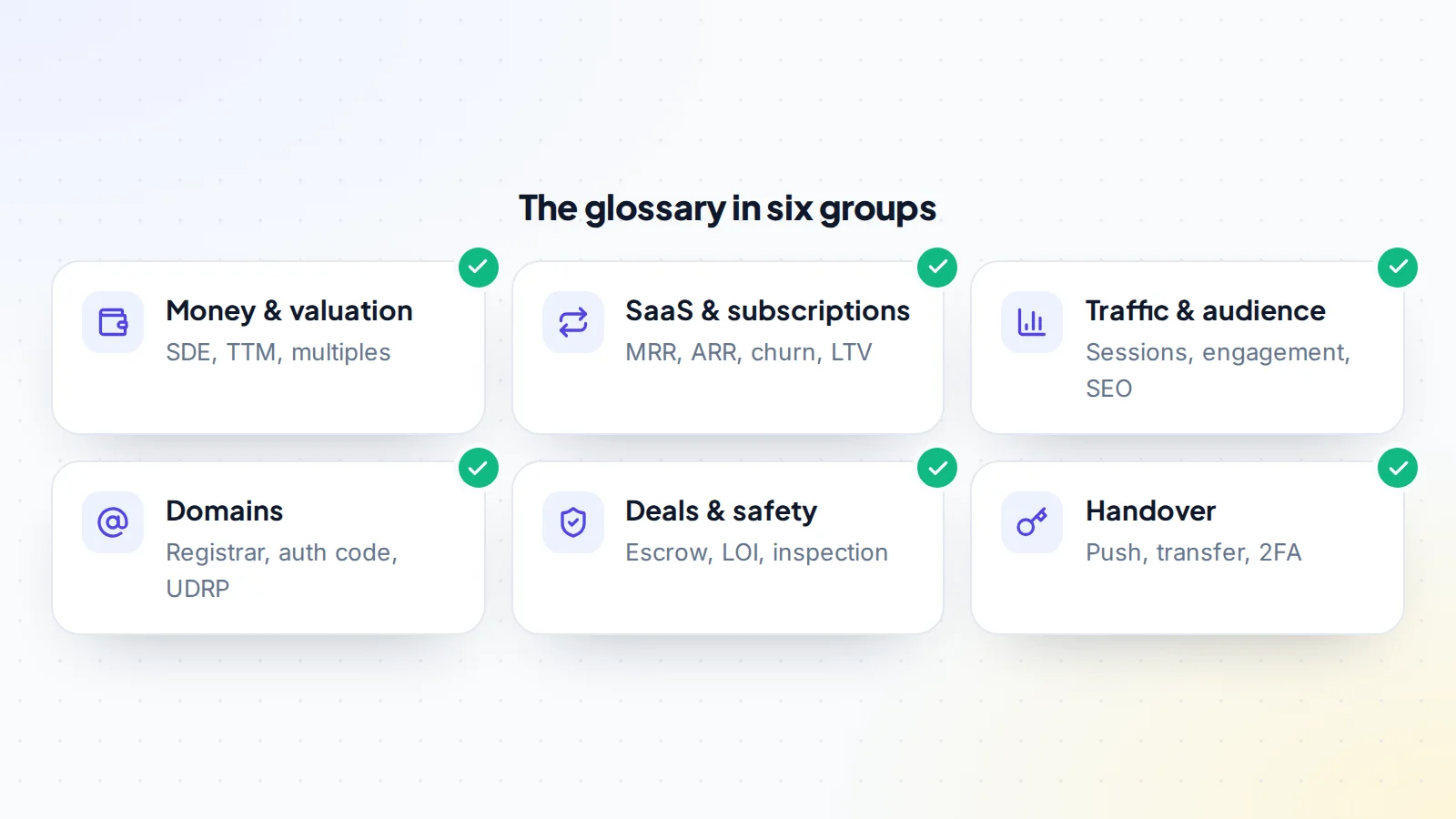
Terms are grouped by topic and follow the order of a typical deal: money and valuation, SaaS metrics, traffic and audience, domains, deals and safety, and the handover. Each definition links to a deeper guide where one exists.
If you’re completely new, start with our guide to what a digital asset is, then come back here as a reference.
Key takeaways
- Most valuation terms describe one idea: what a business earns, and how much buyers pay for those earnings.
- SaaS terms are about recurring revenue: how much comes in, how much leaves and how fast.
- Domain terms are mostly about control: who registers the name and how it moves.
- Deal terms describe protection: written agreements, held payments and time to check.
- When a listing uses a term you don’t know, ask. Clear definitions prevent most disputes.
Money and valuation
- Revenue: all the money a business brings in before costs.
- Net profit: revenue minus every cost needed to run the business, including paid help.
- TTM (trailing twelve months): the most recent 12 months of figures, used to smooth out lucky or unlucky months. See trailing twelve months profit.
- SDE (seller’s discretionary earnings): net profit plus one owner’s pay, personal expenses run through the business and one-off costs. See SDE explained.
- EBITDA: earnings before interest, tax, depreciation and amortisation; more common for larger businesses with managers.
- Add-backs: costs added back to profit because a new owner won’t have them. Fair only when real, documented and non-recurring. See add-backs.
- Multiple: the number earnings are multiplied by to reach a price. Always check which earnings figure it applies to.
- Valuation: the process of estimating what a business is worth, usually earnings × multiple.
- Comparable sales (comps): prices of similar businesses or domains sold recently, used as evidence.
- P&L (profit and loss statement): a monthly table of revenue and costs.
- Asking price: the price a seller lists; the final price is negotiated.
- Earn-out: part of the price paid later, depending on how the business performs after the sale.
- Seller financing: the seller lets the buyer pay part of the price in instalments.
SaaS and subscriptions
- MRR (monthly recurring revenue): predictable subscription revenue in a month, with annual plans divided by 12.
- ARR (annual recurring revenue): recurring revenue on a yearly basis, usually MRR × 12. See MRR vs ARR.
- New, expansion, churned and contraction MRR: the movements inside MRR each month: new customers, upgrades, cancellations and downgrades.
- Churn: the share of customers (customer churn) or revenue (revenue churn) lost in a period.
- NRR (net revenue retention): how revenue from existing customers changes over time, including upgrades and losses.
- ARPA / ARPU: average revenue per account or user.
- LTV (lifetime value): the gross profit a typical customer brings over their time as a customer.
- CAC (customer acquisition cost): what it costs to win one new customer.
- Payback period: months of gross profit needed to recover CAC.
- Gross margin: revenue minus the direct cost of delivering the product, as a share of revenue.
- Cohort: a group of customers who joined in the same period, tracked together. See SaaS metrics.
Traffic, audience and SEO
- Sessions / visits: how many times people visited a site in a period.
- Users: estimated individual visitors.
- Traffic sources: where visitors come from: organic search, direct, referral, social, email or paid.
- Organic traffic: visitors from unpaid search results.
- Search Console: Google’s free tool showing how a site appears in search and any problems Google found.
- Manual action: a penalty applied by a person at Google when a site breaks its spam policies.
- Backlinks: links from other websites; their quality affects search performance.
- Core update: a broad change to Google’s ranking systems that can move traffic up or down.
- Engagement rate: how much an audience interacts (likes, comments, clicks) relative to its size.
- RPM: revenue per thousand views or page views, common for ad income.
- Traffic concentration: how much traffic depends on a few pages or one channel.
Domains
- Registrar: the company you register and manage a domain with.
- Registry: the organisation that runs an extension (such as .com).
- Registrant: the legal holder of a domain registration.
- Auth code (EPP code, transfer code): a code needed to move a domain between registrars. ICANN’s rules require the registrar to provide it within five calendar days of a request. See how to get an auth code.
- Push: moving a domain between two accounts at the same registrar.
- Transfer lock: a status that blocks transfers for security or after certain changes.
- RDAP / WHOIS: systems for looking up domain registration data; RDAP replaced WHOIS for generic domains.
- Redemption grace period: a 30-day window after deletion when the owner can still restore a generic domain.
- UDRP: ICANN’s procedure for trademark-based domain disputes.
- Premium domain: a domain priced above standard registration because of its quality or demand.
- Parking: pointing an unused domain at a simple page, often with ads or a “for sale” notice.
Deals and safety
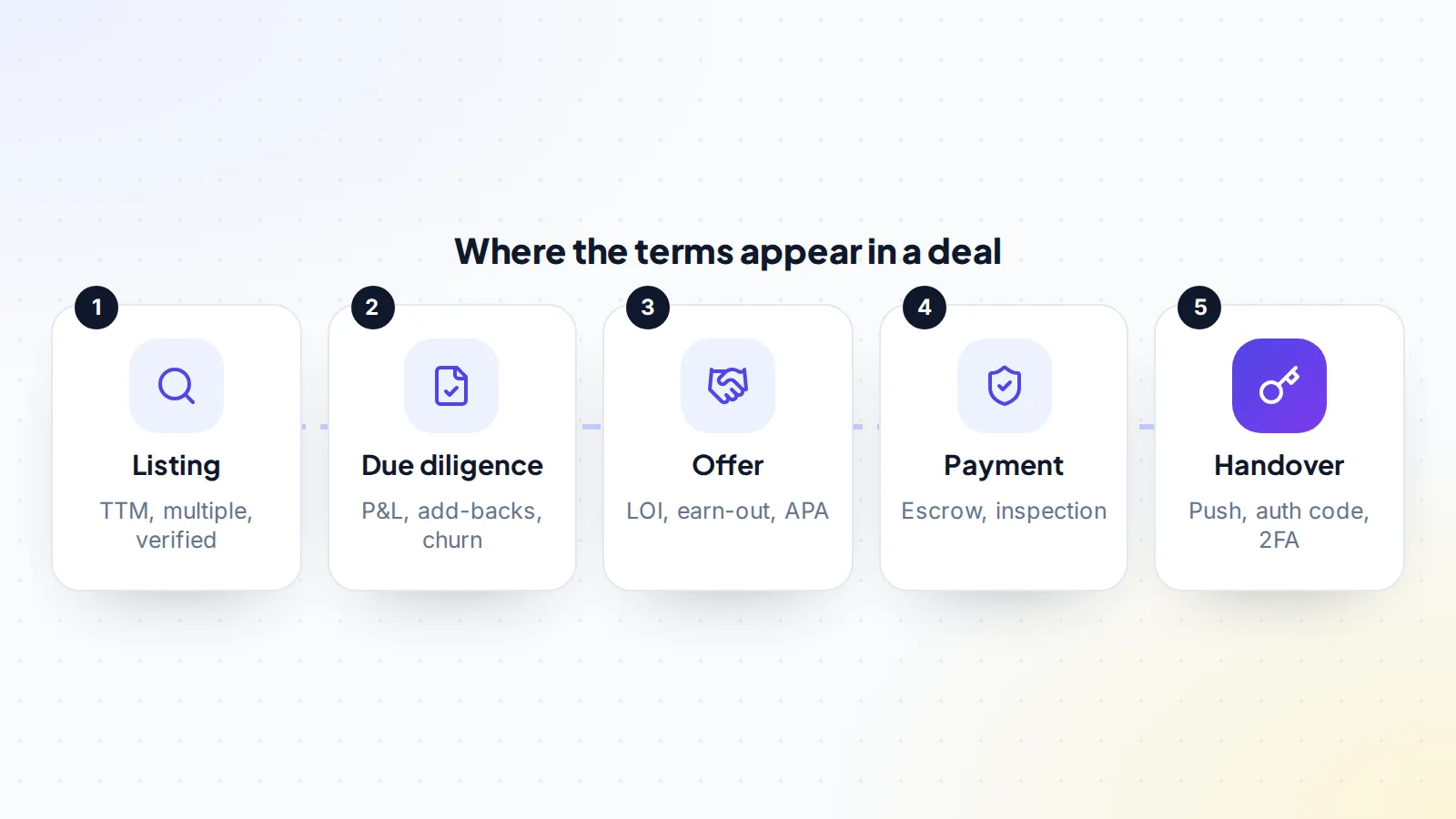
- Listing: the public description of an asset for sale.
- Verified metrics: figures checked at the source (for example through a read-only connection) rather than typed by the seller. See verified metrics.
- Due diligence: the checks a buyer does before paying.
- NDA (non-disclosure agreement): a promise to keep information confidential.
- LOI (letter of intent): a written outline of the main deal terms before the final agreement.
- APA (asset purchase agreement): the contract for buying a business’s assets rather than the company itself.
- Escrow: a licensed third party holds the payment until agreed conditions are met.
- Middleman: a trusted third party who holds the payment or the asset during a handover, common for accounts.
- Inspection period: the days the buyer has to check everything after the transfer before the payment is released.
- Non-compete: an agreement that the seller won’t start a competing business for a set time.
- Success fee: a percentage of the sale price charged by some marketplaces or brokers when a sale completes.
- Deal Room: on digiflippers.com, the shared space where both sides agree terms, track steps and keep messages.
The handover
- Handover / transfer: moving every asset and account from seller to buyer.
- Migration: moving a website’s files and database to new hosting.
- Brand Account: a Google account type that lets a YouTube channel have several owners.
- Primary owner: the main owner of an account with several owners.
- 2FA (two-factor authentication): a second step, such as an app code, needed to log in.
- Recovery options: the email and phone used to regain access; they must change to the buyer’s.
- Original email: the email an account was created with; whoever controls it can often recover the account.
- Transition period: time after the sale when the seller helps the buyer.
Creator and social media terms
- YPP (YouTube Partner Program): YouTube’s programme that shares ad revenue with eligible channels.
- Watch time: total time viewers spend watching a channel’s videos.
- Reach and impressions: how many people see content, and how many times.
- Theme page: a social account built around a topic rather than a person, which usually transfers well.
- Brand deal / sponsorship: a company paying for promotion in content or a newsletter.
- Audience demographics: the location, age and other characteristics of followers.
- Deliverability: how reliably an email reaches inboxes rather than spam folders.
Legal and ownership
- Intellectual property (IP): rights in content, code, designs and brands.
- Copyright assignment: a written transfer of copyright from a creator (such as a freelancer) to the business.
- Work made for hire: a legal category in which the hiring party owns work created for it, under specific conditions.
- Licence: permission to use something (a theme, font or image) under stated terms, which may or may not transfer.
- Trademark: a protected brand name or logo.
- Asset sale vs share sale: buying the business’s assets, or buying the company that owns them. Most small online deals are asset sales.
- GDPR: the EU regulation that governs personal data, including customer and subscriber lists.
- CAN-SPAM: the US law setting rules for commercial email, such as opt-outs and a postal address.
- Terms of service: the rules a platform sets for its users, which apply to you as the new owner.
People and roles
- Buyer and seller: the two sides of a deal.
- Broker: a professional who represents a seller and manages the sale, usually for a success fee.
- Marketplace: a platform where sellers list assets and buyers make offers directly.
- Escrow agent: the licensed company that holds the payment during a transaction.
- Operator: someone who runs a business day to day.
- Portfolio buyer: an investor who owns several online businesses.
- End user: in domains, a business that will use a name rather than resell it.
- Freelancer / contractor: someone paid to do work for the business without being an employee.
Business models
- Content site: earns from ads or affiliate links on articles.
- Affiliate site: earns commissions on products readers buy through its links.
- Ecommerce store: sells physical or digital products directly.
- Dropshipping: a store where a supplier ships products directly to customers.
- SaaS: software sold as a subscription.
- Micro SaaS: a small, focused SaaS product, often run by one person.
- Starter site: a new site with little or no income, sold for the work already done.
- Digital products: courses, templates, ebooks and other downloadable items.
Our guide to online business models explains how each earns, and buying a content website walks through the most common first purchase.
How to use this glossary
Keep this online business glossary open while you read listings. When a seller quotes a multiple, check which earnings figure it applies to. When a SaaS listing shows MRR, ask for the movements inside it. When a domain sale mentions a push, confirm you and the seller use the same registrar. And when any term in a draft agreement isn’t clear, ask for it to be defined in writing. Most disputes in online business sales come from two people using the same word to mean different things.
Next steps
If you’re deciding whether to buy or build, read buying vs starting an online business. If you want to see where the market is heading, our look at online business trends is a good overview. When you’re ready to look at real listings, browse the marketplace.
Online business glossary: quick checks
- Know which earnings figure a multiple applies to (monthly profit, SDE, EBITDA).
- Know whether figures are TTM or a shorter period.
- For SaaS, ask for MRR movements and churn, not just MRR.
- For domains, know the registrar, transfer method and any locks.
- Know the payment method and who holds the money.
- Know the inspection period and what it covers.
- Have every unclear term defined in the written agreement.
Ready to find your next asset?
Browse listings with verified numbers, ask sellers your questions before you offer, and agree every step in a free Deal Room.
Frequently asked questions
What does TTM mean in a business listing?
Trailing twelve months: the most recent 12 months of revenue or profit.
What’s the difference between profit and SDE?
SDE adds back one owner’s pay, personal expenses and one-off costs to net profit, showing what a single owner-operator takes out.
What is a multiple?
The number earnings are multiplied by to reach a price. Multiples differ depending on whether they apply to monthly profit, annual profit, SDE or EBITDA.
What is an inspection period?
Time after the handover for the buyer to check everything before the payment is released from escrow.
What is an auth code?
A code needed to move a domain from one registrar to another; registrars must provide it within five calendar days of a request.
Is this online business glossary useful for sellers too?
Yes. Sellers who use the same terms as buyers write clearer listings and answer due diligence questions faster.
What is a Deal Room?
On digiflippers.com, a shared space for each deal where buyer and seller agree terms, confirm each step and keep every message and file together.
What does MRR stand for?
Monthly recurring revenue: the predictable subscription income of a business in a month.
