How Facebook Group Ownership Changes Hands
A step-by-step guide to Facebook group admin transfers: how admin invitations work, why the old admin leaves last, groups run by Pages, keeping moderators and members on side, checks before buying and paying safely.

Facebook groups can be some of the most engaged communities online: members who post, ask, answer and come back every day. When a group changes hands, the handover happens through Facebook’s own admin tools: the current admin invites the new owner as an admin, and steps down once the new admin is in place. A Facebook group admin transfer done in the right order keeps the community steady and both sides safe. This guide explains how it works, what to check before buying, how to handle moderators and linked Pages, and how to pay safely.
Groups are often paired with Pages; see our guide to Facebook Page transfers. For the wider market, read about selling a social media account.
Key takeaways
- The current admin invites the new owner as an admin from the member list.
- Facebook says members must be active in the group to be made admin.
- Admins can remove members and admins, add admins and edit settings.
- The old admin steps down last, after the new admin accepts.
- Keep moderators on side and introduce the new admin to members.
How group admin roles work
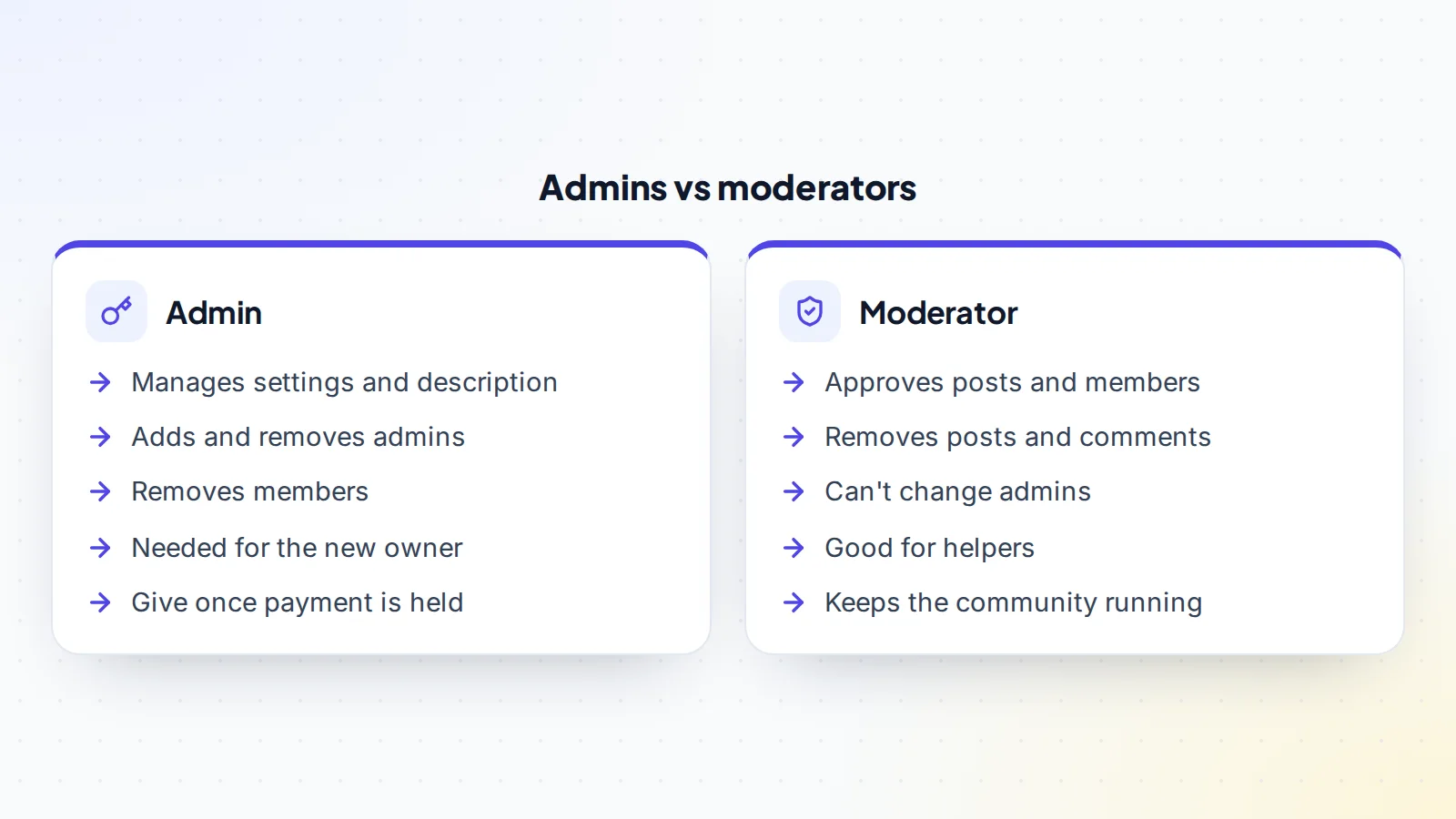
Facebook groups have admins and moderators. Facebook’s help centre explains that once someone is made an admin, they can remove members or admins, add new admins, and edit the group’s description and settings. Moderators help run the group day to day, approving posts and members and removing content, without control over admins.
To add an admin, the current admin opens the member list, selects options next to the person and chooses to invite them as admin. Facebook notes that group members must be active in the group to be made an admin, so the new owner should join and take part for a little while before the handover.
Why people buy groups
Businesses buy groups to connect with customers who share an interest. Creators and publishers buy groups to build community around their content. Brands use groups to gather feedback, launch products and support customers. The value is in the members’ engagement: people who post, comment and help each other. A focused, active, well-moderated group can be a strong asset for the right owner.
What buyers should check
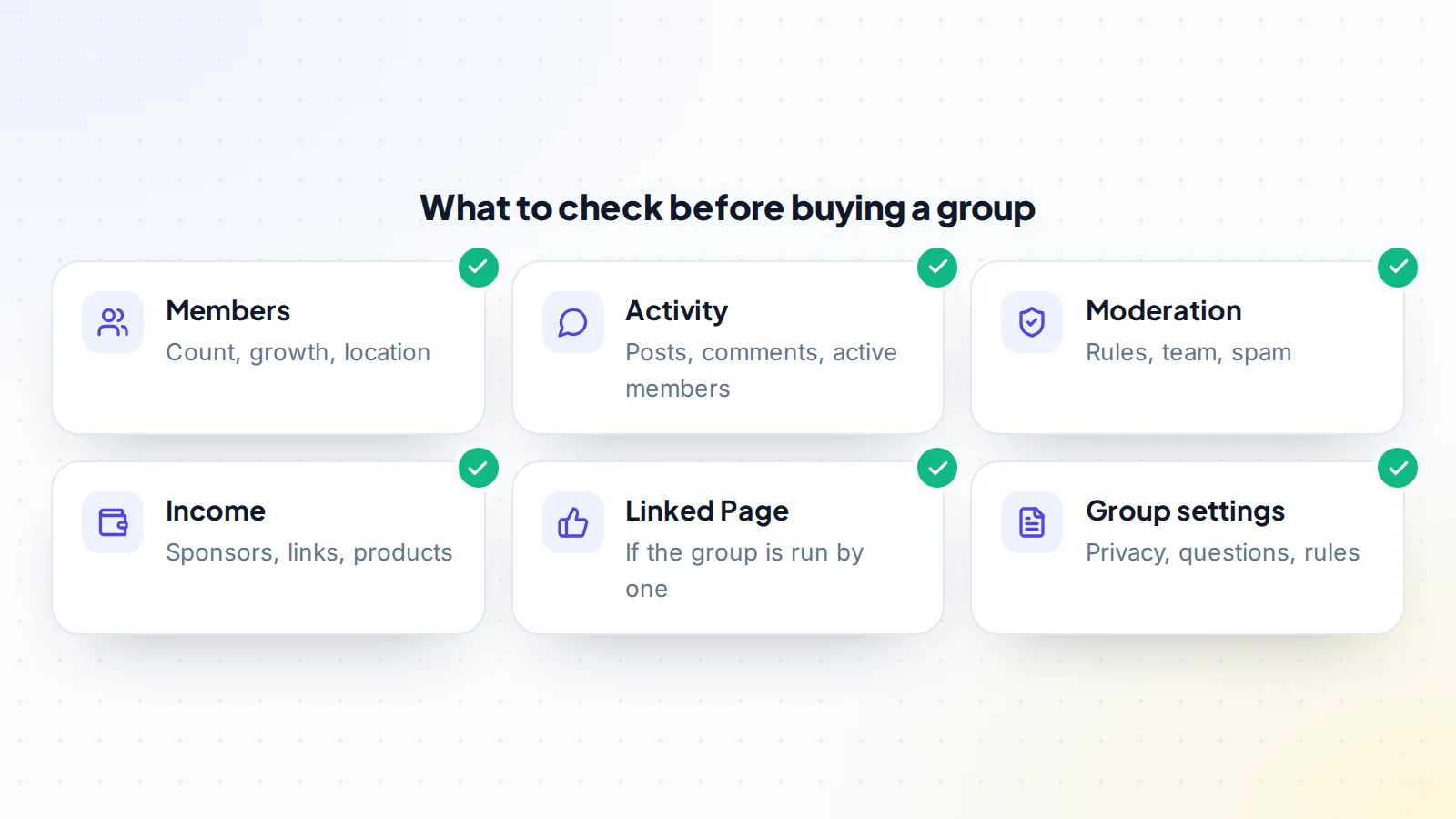
Ask the seller to show group insights live on a screen-share. Look at member growth, how many members are active, posts and comments over time, and the most active times. Scroll through recent posts yourself: are they real conversations, or mostly links and promotions? Check the group’s rules, membership questions and moderation settings, and how spam is handled. Ask who the moderators are and whether they’ll stay.
If the group earns money, through sponsors, affiliate posts or a product, ask for records by month. If the group is run by a Page, the Page needs its own handover. Our guide to engagement rate explains how to compare activity fairly.
Access during due diligence
Before paying, buyers need evidence, not control. A live screen-share of group insights is the simplest option: the seller opens the insights and the buyer asks questions. The buyer can also join the group as an ordinary member to see the day-to-day activity for themselves, which also helps meet the requirement to be active before becoming admin. Some sellers make the buyer a moderator during due diligence so they can see the moderation queue; that’s fine, as long as admin rights wait until the payment is held.
How groups are valued
Groups with steady income are priced on monthly profit, adjusted for growth, engagement and how much depends on the seller. Groups without much income are priced on engaged membership, niche and growth, compared with similar listings. Our guide to valuation multiples explains how buyers think about price, and you can try the free valuation tool for a starting range.
Before the handover
Agree terms in writing: the price, the group, any linked Page, content, sponsor contacts, a transition period and the handover steps. The buyer should join the group early and be active, so they’re eligible to be made admin when the time comes. The buyer’s Facebook profile should have two-factor authentication turned on.
Agree how the buyer pays. Use escrow or a middleman so the money is held before any admin rights change. On digiflippers.com, the ways to pay in a deal are: directly to the seller, through escrow, and the platform never holds the money itself. Our guide to escrow fees explains what the service costs and who usually pays.
The Facebook group admin transfer, step by step
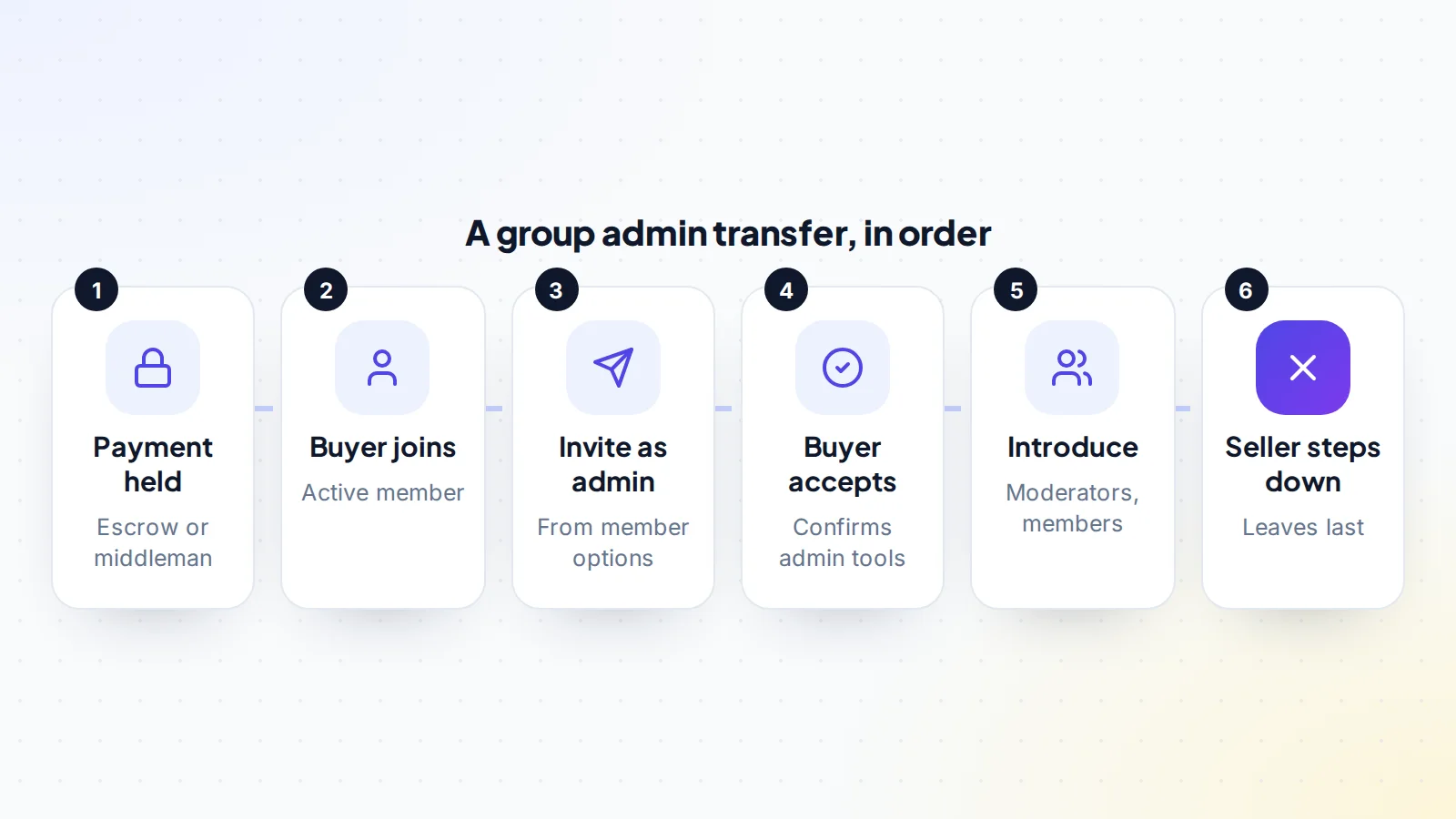
- Confirm the payment is held. The seller checks directly with the escrow company or middleman.
- Buyer is an active member. The buyer has joined and taken part in the group.
- Invite as admin. The seller opens the member list, selects options next to the buyer and chooses to invite them as admin.
- Buyer accepts. The buyer accepts the invitation and checks they can see admin tools and settings.
- Introduce the buyer. The seller introduces the buyer to moderators, and to members if that’s agreed.
- Seller steps down. The seller removes their admin role or leaves the group, last.
- Review admins. The buyer checks the admin and moderator list, and the payment is released after any agreed quiet period.
Why the old admin leaves last
Facebook’s help centre explains that if the only admin of a group leaves, or deactivates or deletes their account, they’ll be prompted to invite new admins, and that the group will be automatically paused if no new admin is selected or no one accepts within seven days. A paused group is a poor start for a new owner. The simple rule avoids it: the new admin accepts first, then the old admin steps down.
Groups run by Pages
Some groups are created and run by a Facebook Page rather than a personal profile. In that case, the Page may appear as an admin, and control of the group follows control of the Page. If the sale includes both, plan the Page transfer and the group transfer together. Our guide to Facebook Page transfers explains how Page access with full control works.
Keeping moderators on side
Moderators keep a group healthy, and members notice when moderation slips. Before the sale, the seller should tell moderators what’s happening and ask whether they’ll stay. After the handover, the new admin should thank them, keep the rules steady and agree how they’ll work together. A moderator team that feels respected through the change is one of the best protections for a group’s value, and moderators often know the community better than anyone else.
Introducing the new admin to members
Whether to announce the change is a judgement call. In many groups, a short, warm post from the outgoing admin introducing the new one, and saying the group’s purpose and rules stay the same, reassures members. In others, a quieter change works fine. Either way, the new admin should be visible: welcoming new members, joining conversations and keeping the group’s rhythm.
Keeping income steady
If the group earns through sponsors or partners, introduce the buyer before the handover so relationships continue. If it promotes a product or website that’s part of the sale, move those at the same time. Make sure sponsored posts are clearly labelled; it protects members’ trust, which is the asset you’re buying. If the deal includes other social accounts, our guides to buying an X account and Pinterest accounts for sale cover similar handovers.
Settings to review after taking over
Once you’re admin, go through the group’s settings carefully. Check the privacy setting, membership questions, post approval rules and any automated tools or connected apps. Review the group’s rules and pinned posts, and make sure the contact details or links they mention point to you. Look at pending member requests and reported content, which may have built up during the handover. A tidy start shows members the group is in good hands and makes moderation easier for everyone.
Growing the group after the sale
Healthy growth comes from giving members more of what they joined for. Regular themed posts, questions that spark discussion, live sessions, member spotlights and useful guides all encourage people to take part. Invite members from your other channels, such as a newsletter or website, if they fit the group’s purpose. Measure what works through group insights, and keep the quality of conversation high as numbers grow; an active community of the right people is worth far more than a large, quiet one.
After the handover
Keep things familiar for the first few weeks: the same rules, the same tone, the same regular posts or themes. Watch group insights weekly, and note which posts spark the most conversation. Review admin and moderator access after a week, and make sure everyone with a role uses two-factor authentication. Introduce new ideas gradually and ask members for feedback. Groups that feel listened to through a change tend to stay active.
How long it takes
The admin change itself can take minutes if both sides are online: an invitation, an acceptance and a final check. The surrounding steps take longer. The buyer needs time to become an active member, moderators need to be told, sponsors introduced and any linked Page moved. Plan for a week or two from agreement to completion, with a short quiet period afterwards before the payment is released, and write the timeline into the agreement.
For sellers: preparing a group for sale
- Gather 12 months of group insights.
- Document income and costs by month.
- Confirm which moderators will stay.
- Tidy the rules, membership questions and settings.
- Remove old admins and unused tools.
When you’re ready, list your group on digiflippers.com with 0% success fee up to $10,000, then 5% (max $5,000).
Common mistakes
- Inviting the buyer as admin before the payment is held.
- The seller leaving before the buyer accepts the admin invitation.
- Forgetting that a linked Page needs its own handover.
- Not telling moderators about the change.
- Changing the group’s rules or tone straight away.
- Sharing passwords instead of using admin roles.
A worked example
The details below are made up to show the method.
Sam is buying a 40,000-member group for home bakers. Insights on a screen-share show steady growth, thousands of active members and daily conversations. Three volunteer moderators run the group, and a baking supplies brand sponsors a monthly challenge.
They agree a price and a middleman. Sam joins the group two weeks before closing and takes part in discussions. Once the payment is held, the seller invites Sam as admin. Sam accepts and checks the settings. The seller introduces Sam to the moderators and the sponsor, posts a short welcome note, then steps down as admin. Sam reviews the admin list, thanks the moderators, and after a one-week quiet period the payment is released.
Facebook group admin transfer: the checklist
- Group insights reviewed live.
- Recent posts and moderation checked.
- Income and sponsors documented.
- Buyer active in the group before the handover.
- Payment held before any admin invitation.
- Buyer invited as admin and accepted.
- Moderators informed and introduced.
- Seller steps down only after the buyer accepts.
- Admin and moderator list reviewed afterwards.
Looking for a group? Browse social media accounts and communities for sale, and use escrow to keep the payment protected.
Ready to find your next asset?
Browse listings with verified numbers, ask sellers your questions before you offer, and agree every step in a free Deal Room.
Frequently asked questions
How do you transfer a Facebook group?
The current admin invites the new owner as an admin from the member list. Once the new admin accepts, the old admin steps down.
Who can be made an admin?
Facebook says members must be active in the group to be made an admin, so the new owner should join and take part first.
What can a group admin do?
Remove members or admins, add new admins, and edit the group’s description and settings.
What happens if the only admin leaves?
Facebook prompts them to invite new admins, and the group is paused if no new admin is selected or accepts within seven days.
What if the group is run by a Page?
Control follows the Page, so plan the Page transfer alongside the group.
Should members be told?
Often, a short, warm introduction helps. In some groups a quieter change works fine.
How should the buyer pay?
Through escrow or a middleman, released after the admin change and a short quiet period.