Buying or Selling a Facebook Page: How Page Transfers Work
A step-by-step guide to Facebook Page transfers in a sale: Page access with full control, the order of steps, business portfolios, linked Instagram and ad accounts, checks before buying and a secure handover.

A Facebook Page with an engaged audience can be a valuable asset: a ready-made channel to reach customers, readers or fans. When a Page changes hands, the handover is done through Facebook’s own Page access settings, by giving the new owner Facebook access with full control and then having the seller step away. Done in the right order, a Facebook Page transfer is straightforward. This guide explains how it works, what to check before buying, how to handle linked accounts and how to keep both sides safe.
Pages often come with groups; see our guide to Facebook group admin transfers. For the wider market, read about buying social media accounts.
Key takeaways
- Pages move by giving the new owner Facebook access with full control.
- Full control lets a person manage everyone’s access, remove anyone and delete the Page.
- Give full control only once the buyer’s payment is held.
- Move linked accounts, such as Instagram, ad accounts and shops, as separate steps.
- The seller removes their own access last, after the buyer confirms control.
How Page access works
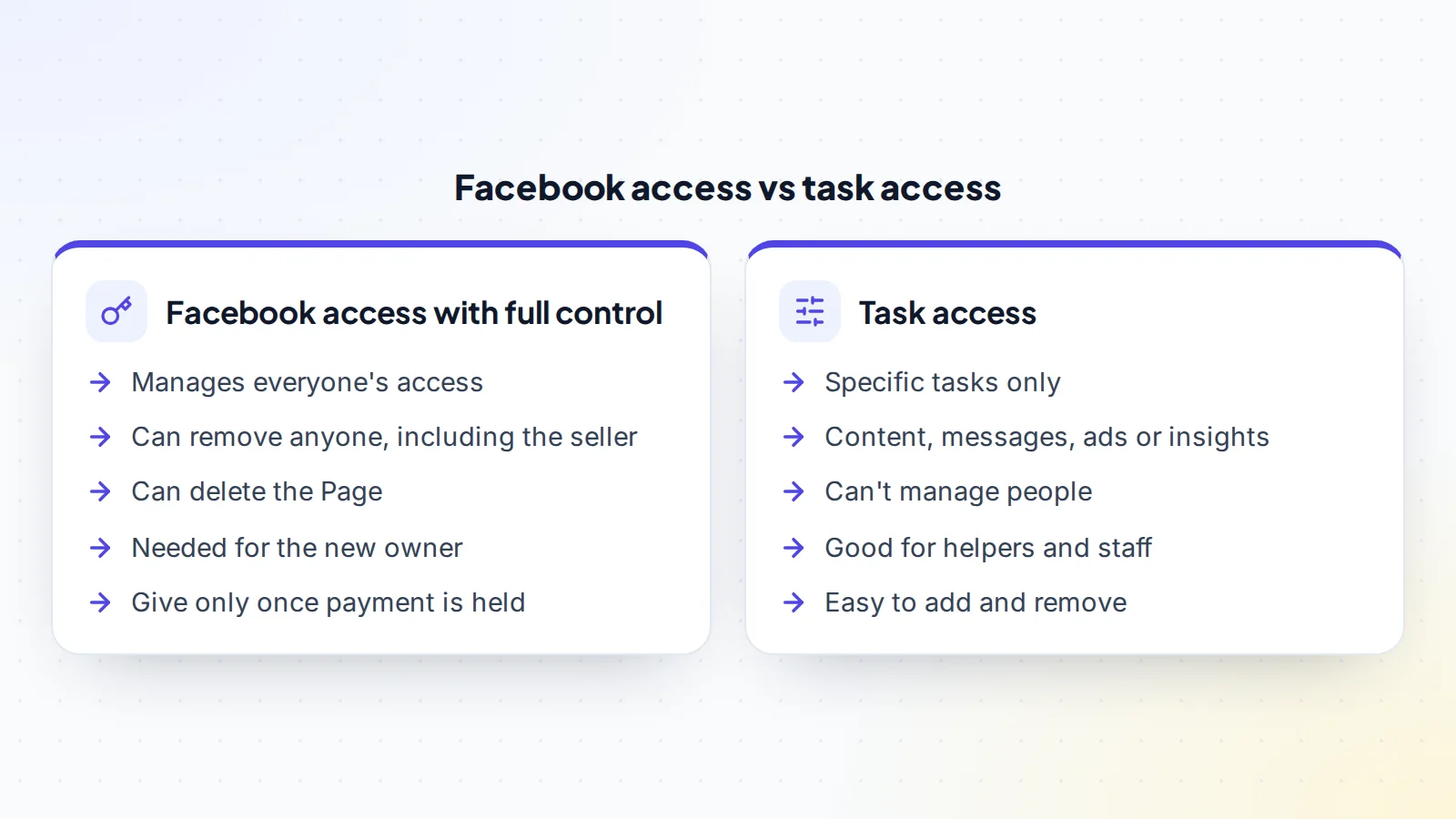
In Facebook’s current Pages experience, people can have two kinds of access. Facebook access lets someone switch into the Page and manage it directly; with full control, they can manage everyone else’s access too. Task access lets someone handle specific tasks, such as content, messages, ads or insights, from tools like Meta Business Suite, without managing people.
Facebook’s help centre explains that a person with Facebook access and full control can give access to others, remove anyone from the Page, including the person who added them, and delete the Page. That’s why full control is the key to a Facebook Page transfer, and why timing matters.
Why people buy Facebook Pages
Businesses buy Pages to reach an audience that already follows a topic they serve. Publishers buy Pages to drive traffic to their websites. Creators buy Pages to grow into a new niche. The value is in the audience’s attention: followers who see posts, react, comment and click. A Page with a focused topic and active followers in the right countries can be a strong starting point for a new owner.
What buyers should check
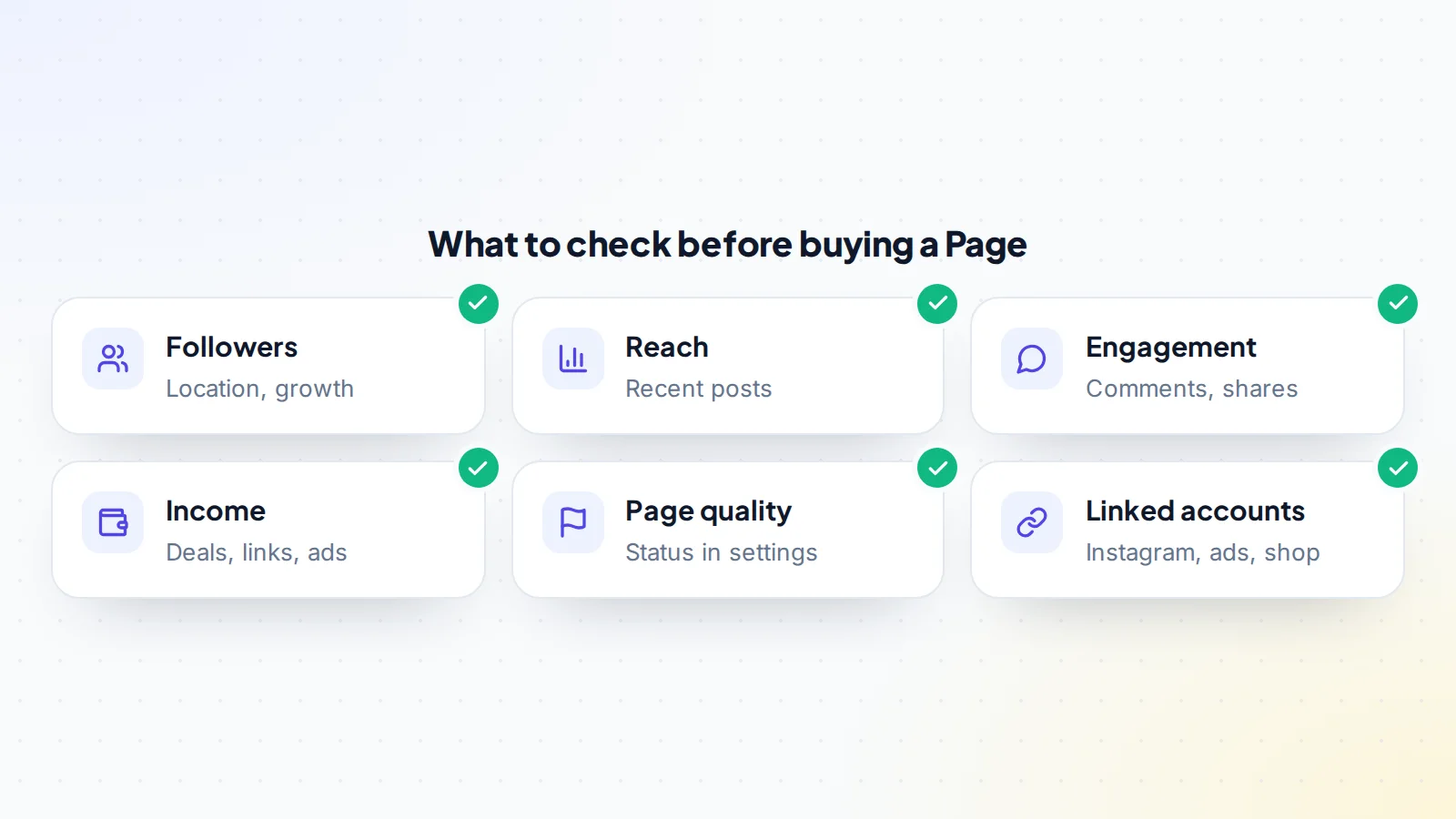
Ask the seller to show the Page’s insights live on a screen-share, or give you task access for insights during due diligence. Look at:
- Followers: the count, growth over time and where followers are located.
- Reach: how many people recent posts reach, compared with the follower count.
- Engagement: reactions, comments and shares on recent posts, and whether comments are real conversations.
- Income: brand deals, affiliate links, traffic to a website or shop, and any monetization tools, with records.
- Page status: the Page’s quality or status information in its settings.
- Linked accounts: any connected Instagram account, ad accounts, shop or business portfolio.
Our guide to engagement rate explains how to compare audiences fairly, and our guide to spotting fake followers covers signs of an inflated audience.
Access during due diligence
Buyers need to see real data before they pay, but they don’t need control. The simplest option is a live screen-share where the seller opens the Page’s insights and walks through them. Another is task access limited to insights, which lets the buyer look at the numbers directly without being able to post, message or change anything. Task access is easy to remove afterwards if the deal doesn’t go ahead. Either way, the buyer sees evidence from Facebook’s own tools rather than screenshots, and the seller keeps full control until the money is safely held.
How Pages are valued
Pages with steady income are usually priced on monthly profit, adjusted for growth, engagement and how much the income depends on the seller personally. Pages with little income are priced on audience size, engagement, location and niche, compared with similar listings. Our guide to seller’s discretionary earnings explains how owner time and personal costs are handled in profit. For a starting range, try the free valuation tool.
Before the handover
Agree the terms in writing: the price, the Page, any linked accounts, content files, brand contacts, any support period, and the exact handover steps. Make sure the buyer has a personal Facebook profile ready, with two-factor authentication turned on, because Page access is given to a person’s profile. Confirm what else is included, such as an Instagram account or a group, and plan each one.
Then arrange the payment. Use escrow or a middleman so the money is held before the seller gives any access. On digiflippers.com, the ways to pay in a deal are: directly to the seller, through escrow, and the platform never holds the money itself. Keep every message in the deal so there’s a clear record; our guide to the deal chat record explains why.
The Facebook Page transfer, step by step
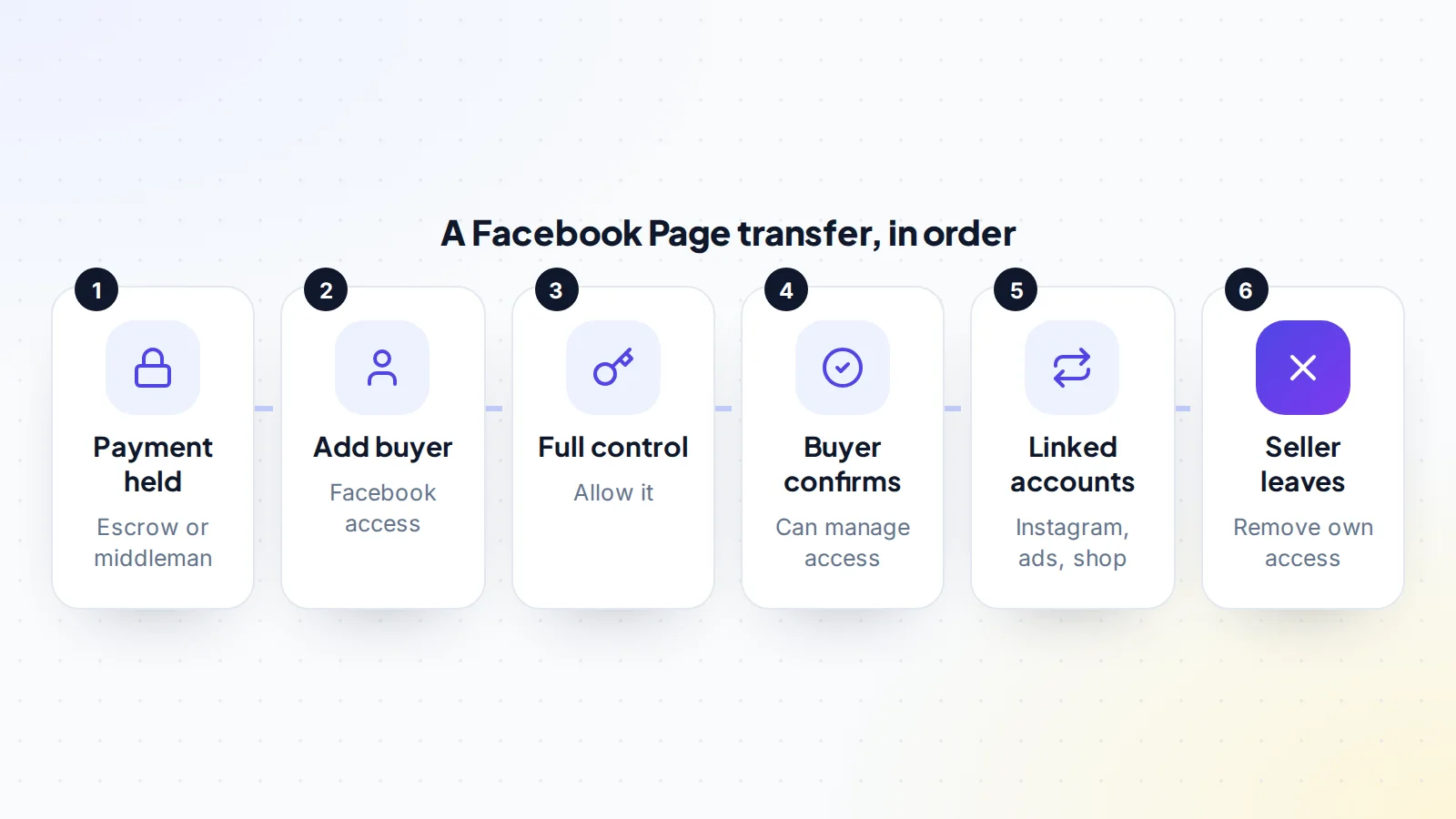
- Confirm the payment is held. The seller checks with the escrow company or middleman directly.
- Add the buyer. From the Page, the seller opens the Page access settings and adds the buyer under people with Facebook access.
- Allow full control. In the same step, the seller allows the buyer to have full control and gives access. The buyer accepts the invitation.
- Buyer confirms. The buyer switches into the Page and checks they can manage access and settings.
- Move linked accounts. Instagram, ad accounts, shops and any business portfolio links are handled as separate steps.
- Seller leaves. The seller removes their own access. Facebook’s help says you can always remove yourself, but if you’re the only admin you’ll need to add another first, which the buyer now is.
- Review access. The buyer removes anyone else who shouldn’t have access, and the payment is released after any agreed quiet period.
Menu names change from time to time, so follow Facebook’s current help pages for the exact clicks.
Linked accounts and business portfolios
Many Pages are connected to other things: an Instagram account, ad accounts with payment methods, a shop or a Meta business portfolio. These don’t move automatically with Page access. List each one in the agreement and plan how it moves. For example, an Instagram account linked to the Page may need its own handover, ad accounts may need to be disconnected and replaced, and a Page owned by a business portfolio may need to be moved following Meta’s business help. Payment methods should always be removed by the seller and added fresh by the buyer.
Keeping income flowing
If the Page earns from brand deals, introduce the buyer to partners before or during the handover, so relationships continue. If it sends traffic to a website or shop that’s part of the sale, move those at the same time. If it uses Facebook’s monetization tools, check the current eligibility rules, because they apply to the Page and its owner. Our guide to selling a TikTok account covers similar income questions on another platform.
Pages that run groups
Many Pages also run Facebook groups, sometimes with more engaged members than the Page itself. A group linked to a Page has its own admins, so it needs its own handover: the buyer is invited as an admin, accepts, and the seller leaves only after confirming the buyer can manage the group. Plan both together so the community doesn’t see a gap. Our guide to Facebook group admin transfers covers the steps in detail.
Security after the transfer
Once the Page is yours, check its security settings and connected apps. Remove any third-party tools you don’t recognise or won’t use, and reconnect the scheduling or analytics tools you do use with your own accounts. Make sure everyone with access has two-factor authentication turned on. Keep the access list short: give helpers task access for what they need rather than full control. A tidy, secure setup protects the asset you’ve just paid for.
After the handover
Buyers should keep posting in the style followers know, at a similar pace, and watch insights weekly. Review the Page’s access list again after a week. Update the Page’s contact details, website link and any business information to the new owner’s. Introduce changes gradually, measuring how followers respond. Replying to comments in the first weeks shows followers the Page is still in caring hands. If the deal includes accounts on other platforms, see our guide to buying an X account for a similar handover there.
Page name and identity
Some buyers want to rename or rebrand a Page after buying it. Facebook has rules about Page names and name changes, and followers can be confused by a sudden switch, so plan any change carefully. Check the current rules before you agree the deal if a new name is part of your plan, and consider changing the profile picture, cover and description gradually first. A Page that keeps its identity through the handover, then evolves over a few months, usually keeps its audience better than one that changes overnight.
How long a transfer takes
The access steps themselves can be done in a single session, often within an hour, if both sides are online together. Linked accounts, brand introductions and any business portfolio changes can take longer, sometimes a few days. Agree a realistic timeline in writing, with a short quiet period afterwards, so neither side feels rushed and the payment is released at a clear, agreed point.
For sellers: preparing a Page for sale
- Gather 12 months of insights: followers, reach and engagement.
- Document income by source and month, with costs.
- List every linked account and how it will move.
- Remove old admins and tools you no longer use.
- Write a short note on what content works best.
When you’re ready, list your Page on digiflippers.com with 0% success fee up to $10,000, then 5% (max $5,000).
Common mistakes
- Giving full control before the payment is held.
- The seller removing themselves before the buyer confirms control.
- Forgetting linked Instagram, ad accounts or business portfolio links.
- Leaving the seller’s payment methods on ad accounts.
- Not reviewing the access list after the transfer.
- Sharing passwords instead of using Page access.
A worked example
The details below are made up to show the method.
Jordan is buying a Page about home gardening with 85,000 followers, mostly in the countries Jordan’s seed shop serves. On a screen-share, insights show steady reach and lively comments. The seller shows six months of affiliate income and one brand partner who’s happy to continue.
They agree a price and use a middleman. Once the payment is held, the seller adds Jordan with Facebook access and full control. Jordan accepts, switches into the Page and confirms access. The seller disconnects an old ad account, introduces Jordan to the brand partner, and then removes their own access. Jordan reviews the access list and finds no one else with control. After a one-week quiet period, the payment is released.
Facebook Page transfer: the checklist
- Insights reviewed live: followers, reach and engagement.
- Income and costs documented.
- Linked accounts listed with a plan for each.
- Buyer’s profile ready with two-factor authentication.
- Payment held before any access is given.
- Buyer given Facebook access with full control.
- Buyer confirms control before the seller leaves.
- Seller’s payment methods removed from ad accounts.
- Access list reviewed and the payment released.
Looking for a Page? Browse social media accounts for sale, and read about trust and safety on digiflippers.com.
Ready to find your next asset?
Browse listings with verified numbers, ask sellers your questions before you offer, and agree every step in a free Deal Room.
Frequently asked questions
How do you transfer a Facebook Page?
The current owner gives the new owner Facebook access with full control in the Page access settings. Once the new owner confirms control, the previous owner removes their own access.
What does full control allow?
Facebook says a person with full control can give access to others, remove anyone from the Page, including the person who added them, and delete the Page.
When should full control be given?
Only once the buyer’s payment is held through escrow or a middleman.
Do linked Instagram and ad accounts move too?
Not automatically. Each linked account needs its own planned step.
Can the seller remove themselves?
Yes. Facebook says you can always remove yourself, but if you’re the only admin you need to add another first.
How should buyers check a Page?
Review insights live, read comments, check income records and look at linked accounts and the Page’s status.
Should passwords be shared?
No. Page access is given to the buyer’s own profile, so there’s no need to share passwords.