
Keeping a YouTube Channel Monetized After You Buy It
A practical guide to keeping a bought YouTube channel earning: what to check before paying, the AdSense switch, Partner Program terms and the first 90 days.
For many buyers, the main reason to acquire a YouTube channel is its income. Keeping YouTube monetization after purchase is mostly about doing a few things in the right order: checking the channel’s status before you pay, moving ownership properly, switching the payment account on an agreed date, keeping up with Partner Program terms, and continuing to publish the kind of videos that earned in the first place.
This guide walks through each step, from pre-purchase checks to the first 90 days, so the channel keeps earning for its new owner. For ownership itself, see transferring YouTube channel ownership; for pricing, see YouTube channel value.
Key takeaways
- Before buying, confirm in YouTube Studio that monetization is on and the channel is in good standing.
- Ownership moves through a Brand Account; the channel’s videos, subscribers and history stay with it.
- The new owner links their own AdSense for YouTube account; YouTube allows changing it once every 32 days.
- Keep accepting Partner Program terms in YouTube Studio when YouTube updates them.
- Keep the format, quality and schedule steady through the first months.
How monetization works for a channel
Channels earn ad revenue and other income through the YouTube Partner Program. YouTube’s help centre sets out the eligibility requirements, including subscriber and watch-time or Shorts-view thresholds, and explains that channels in the program follow YouTube’s channel monetization policies. Payments go to the AdSense for YouTube account linked to the channel.
Because monetization belongs to the channel, a channel that’s already in the program can keep earning after a change of owner, as long as the handover is done properly and the content continues to meet YouTube’s monetization policies.
Before you buy: the checks
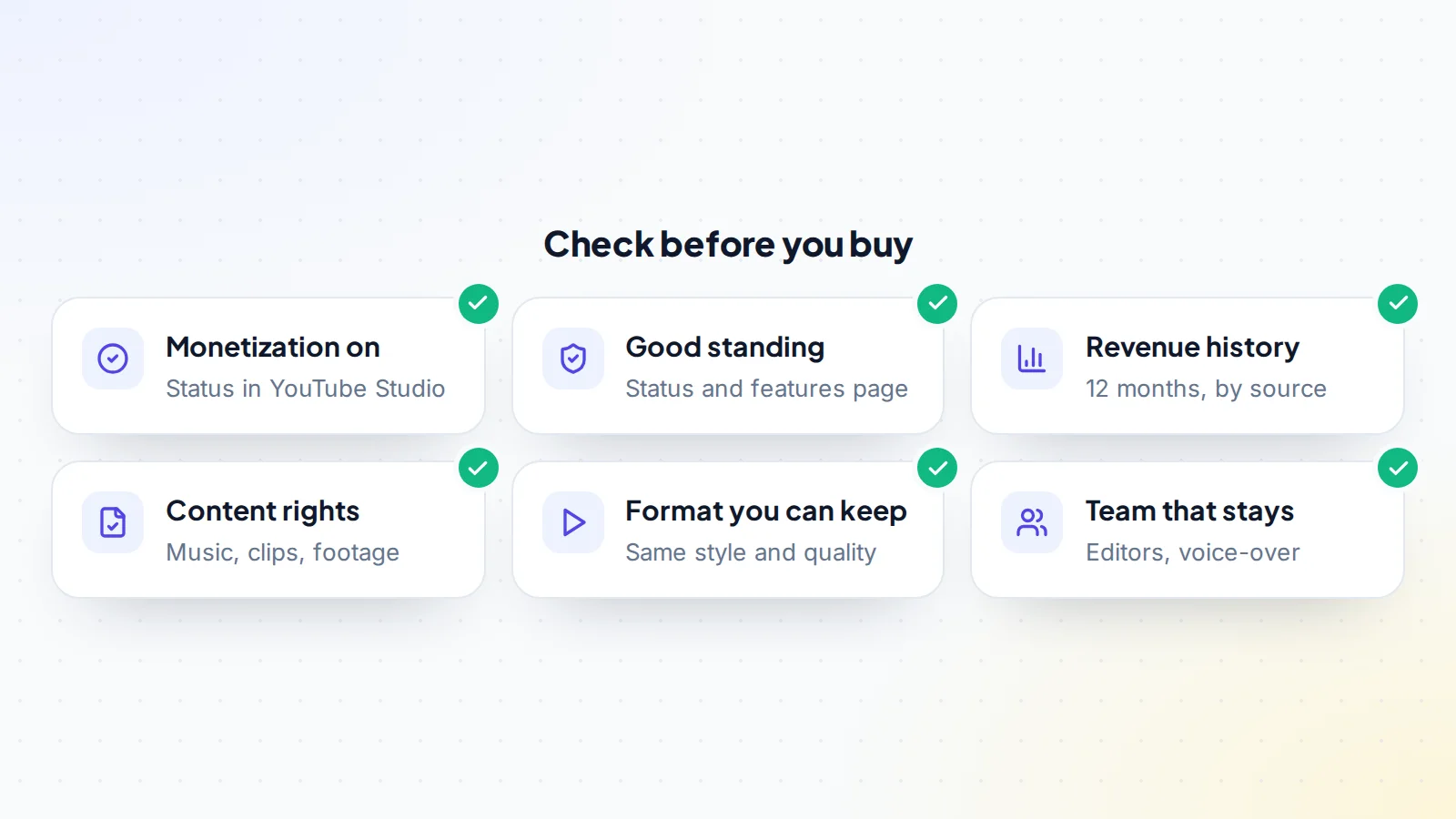
- Monetization status: ask for a live screen share of YouTube Studio’s Earn section, showing the channel is in the Partner Program.
- Standing: the channel’s status and features page shows whether everything is in order.
- Revenue history: 12 months of estimated revenue and RPM, by source (ads, memberships, Premium revenue), matched to payment records.
- Content rights: music, footage and clips used in videos should be original or licensed for the channel’s use.
- The format: can you, or a team, keep making the same kind of videos at the same quality?
- The team: editors, voice-over artists and writers who’ll continue.
Our guide on how to buy a YouTube channel covers due diligence in full.
What doesn’t move automatically
The channel’s videos, subscribers, playlists and history stay with it, but several connected things need attention:
- The AdSense for YouTube account, which belongs to the seller until the new owner links their own.
- Payment and tax details, which the new owner sets up in their own AdSense account.
- Connected tools, such as scheduling apps, analytics tools and merchandise stores.
- Licences for music libraries, stock footage and fonts, which may be in the seller’s name.
- Sponsor and agency relationships, which depend on introductions.
List each one in the deal terms with who handles it and when.
Questions to ask the seller
- Can you show the Earn section and status page of YouTube Studio live?
- How has revenue and RPM changed over the last 12 months, and why?
- Which music, footage and graphics libraries do you use, and are licences transferable?
- Who makes the videos, and will they keep working with the channel?
- Are there pending agreements in YouTube Studio?
- Which sponsors, affiliate programmes and stores are connected?
Clear answers make keeping YouTube monetization after purchase far simpler, because nothing important is discovered late.
Step 1: Move ownership properly
Ownership moves through Brand Account roles. Google’s help explains that a person must have been an owner for at least 7 days before becoming primary owner, and an owner must wait 7 days before removing other owners or managers. So the buyer is invited as an owner first, reviews the channel during that week, and is then made primary owner. No passwords are shared. See transferring YouTube channel ownership for each screen.
Step 2: Switch AdSense on an agreed date
YouTube’s help explains how to change the AdSense for YouTube account linked to a channel from the Earn section of YouTube Studio, and notes that the linked account can only be changed once every 32 days. Earnings already accrued are paid to the account that was linked when they were earned.
In the deal terms, agree:
- The date the AdSense account switches to the buyer.
- How revenue earned before and after that date is split.
- That the seller won’t change the linked account again in the meantime.
Buyers should set up their AdSense for YouTube account in advance, so the switch can happen on the agreed day.
Step 3: Keep up with Partner Program terms
YouTube occasionally updates Partner Program terms, which channel owners accept in YouTube Studio. Its help centre, for example, describes updates taking effect on 1 February 2027 that creators need to review and accept by 31 January 2027 to keep fully monetizing. After a purchase, the new owner should check YouTube Studio for any pending agreements and accept them promptly, so earning features continue.
Step 4: Keep the content steady
Audiences and advertisers responded to the channel as it was. The safest path in the first months is continuity:
- Same format and style: topics, length, editing and voice that viewers expect.
- Same schedule: regular uploads protect views and income.
- Same quality: keep the team that produced it, or replace like for like.
- Original or licensed material: keep using content you have the rights to.
- Advertiser-friendly topics: YouTube publishes advertiser-friendly content guidelines; staying within the channel’s established topics keeps ad income predictable.
The handover timeline
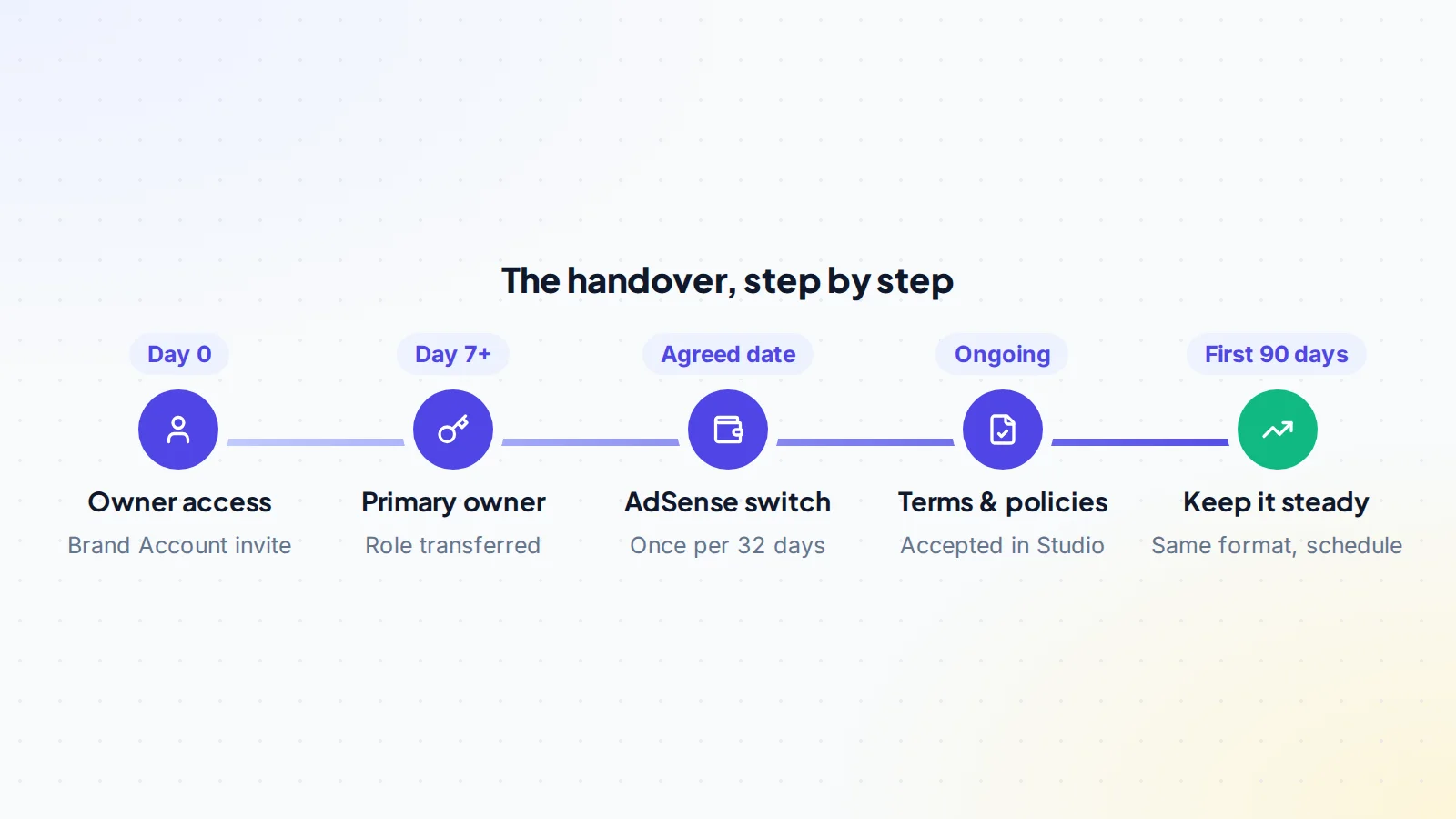
The timeline above puts the steps in order. The key dates are the 7-day point, when primary ownership can move, and the agreed AdSense switch date, which decides whose account receives each day’s earnings. Write both into the deal so there’s no doubt later.
A worked example
The details below are made up to show the process.
A buyer acquires a monetized channel explaining science topics with animation. Before paying, the buyer sees YouTube Studio live: monetization on, the status page clear, and 12 months of steady revenue. The animation studio that makes the videos agrees to continue.
With payment in escrow, the seller invites the buyer as an owner. After seven days, the buyer becomes primary owner. The deal says the AdSense switch happens on the first day of the next month, with earnings before that date belonging to the seller. The buyer prepared an AdSense for YouTube account in advance and links it on the agreed day. YouTube Studio shows one pending Partner Program agreement, which the buyer accepts.
The buyer keeps the upload schedule, topics and style unchanged for three months. Revenue continues at its usual level, and the first payment arrives in the buyer’s AdSense account on YouTube’s normal schedule.
If revenue dips after the handover
A small dip in the first weeks is common and often temporary, for example when an upload is missed during the handover or seasonal ad prices fall. If revenue drops more than expected:
- Check YouTube Studio for monetization status, pending agreements and any notices.
- Compare views and RPM: fewer views points to content or schedule; lower RPM points to advertising demand or audience changes.
- Review recent uploads for changes in topic, length or style.
- Restore the familiar format if you’ve changed it, and keep the schedule steady.
- Check seasonality against last year’s figures for the same months.
Shorts and long-form videos
Many channels publish both Shorts and long-form videos, which earn in different ways. When you take over, keep the same mix at first, because the channel’s income history reflects it. If you want to shift the balance, do it gradually and watch how revenue and RPM respond month by month.
Other income streams
- Sponsorships: agree introductions to sponsors in the deal, and confirm whether existing contracts continue with the new owner.
- Memberships: check perks promised to members, and keep delivering them.
- Affiliate links: replace the seller’s tracking links in descriptions with your own accounts.
- Merchandise: move or reconnect any store linked to the channel.
Keeping the production team
For many channels, the people who make the videos matter as much as the channel itself. Editors, animators, scriptwriters and voice-over artists give the videos their recognisable style. Before you buy, find out who they are, how they’re paid, whether they have written agreements that assign the rights to their work, and whether they’re willing to keep working with a new owner. Introduce yourself early, agree rates and schedules, and keep the workflow they’re used to. A smooth production handover is one of the strongest protections for income after the sale.
Keeping good records
Keep the deal agreement, the AdSense switch date, screenshots of YouTube Studio’s Earn section on handover day, and the first few payment statements. If there’s ever a question about which earnings belong to whom, or a need to show the channel’s history to a future buyer, these records answer it quickly. They also help with your own accounts and tax reporting.
Growing income after the handover
Once the channel is stable under your ownership, growth usually comes from steady improvements rather than dramatic changes: refreshing titles and thumbnails on older videos that still get views, adding chapters and better descriptions, building playlists that keep viewers watching, and adding income streams such as memberships, sponsorships or relevant affiliate links. Track each change in YouTube Studio so you know what works for this particular audience.
The first 90 days
- Watch revenue, RPM and views weekly in YouTube Studio.
- Keep the team and the schedule steady.
- Reply to comments and keep the community engaged.
- Check that all links in descriptions are yours.
- Plan improvements gradually: better thumbnails, refreshed titles on older videos, a new series in the same niche.
Common mistakes
- Switching AdSense without agreeing a date, causing disputes about earnings.
- Changing the format straight away, which confuses viewers and advertisers.
- Missing pending agreements in YouTube Studio.
- Using unlicensed music or footage in new videos.
- Forgetting affiliate and sponsor links that still point to the seller.
YouTube monetization after purchase: the checklist
- Monetization status and standing confirmed live before buying.
- Revenue history matched to payment records.
- Ownership moved through Brand Account roles.
- AdSense switch date and earnings split agreed.
- Buyer’s AdSense for YouTube account ready.
- Pending Partner Program agreements accepted.
- Format, schedule and team kept steady.
- Affiliate, sponsor and merchandise links updated.
Ready to find your next asset?
Browse listings with verified numbers, ask sellers your questions before you offer, and agree every step in a free Deal Room.
Frequently asked questions
Does a channel stay monetized after it’s sold?
A channel in the Partner Program can keep earning after a change of owner when ownership moves properly, the new owner links their AdSense account and the content continues to meet YouTube’s monetization policies.
How often can the AdSense account be changed?
YouTube’s help says the linked AdSense for YouTube account can be changed once every 32 days.
Who gets earnings from before the sale?
Earnings go to the AdSense account linked when they were earned. Agree a switch date and the split in the deal terms.
Do I need to accept new terms after buying?
Check YouTube Studio for pending agreements and accept any updated Partner Program terms so earning features continue.
Should I change the channel’s content after buying?
Gradually, if at all. Keeping the format and schedule steady protects views and income in the first months.
How long until the first payment reaches the new owner?
Payments follow YouTube’s and AdSense’s normal schedule. Earnings from the switch date onward go to the new owner’s AdSense account and are paid on the usual cycle once thresholds and payment details are set.
What’s the best way to protect income in the first months?
Keep the same format, quality and upload schedule, keep the production team, accept any pending agreements in YouTube Studio promptly, and watch revenue and RPM weekly so you notice changes early.
Can I add new income streams straight away?
You can, but it’s usually best to stabilise the channel first. After a few steady months, add memberships, sponsorships or affiliate links that fit the audience, one at a time, so you can see what each adds.
Keep reading
Sources
- YouTube Help: YouTube Partner Program overview & eligibility
- YouTube Help: Change your linked AdSense for YouTube account
- YouTube Help: Changes to the YouTube Partner Program
- YouTube Help: YouTube channel monetization policies
- YouTube Help: Advertiser-friendly content guidelines
- YouTube Help: Change channel owners & managers with a Brand Account
