
Technical Due Diligence for SaaS: How to Review the Code and Stack
A practical guide to reviewing a software product's code and stack: what to look at, what good and bad look like, the tools that help, and how findings change the price.
When you buy a software business, you also buy its code, its infrastructure and every decision its founder made along the way. Revenue and churn tell you whether customers value the product; SaaS technical due diligence tells you what it will cost to keep that product running, secure and improving. Done well, it turns hidden technical debt into known costs you can price into the deal.
This guide explains what to review (code, dependencies, architecture, infrastructure, security and deployment), what good and bad look like, which tools help, and how to turn findings into the price and the plan. It complements our broader SaaS due diligence checklist.
Key takeaways
- Review code quality, dependencies, architecture, infrastructure, security and deployment.
- Ask the founder to walk a reviewer through the system and a real deployment.
- Check dependencies for known vulnerabilities and end-of-life versions; tools such as GitHub’s Dependabot alerts help.
- Test that backups actually restore, and map every account and secret to a transfer method.
- Turn each finding into a cost, a condition, a deal structure or an accepted risk.
Why technical review matters
Two products with the same revenue can be very different to own. One runs on current, well-tested code that a single developer can maintain in a few hours a week. The other runs on an outdated framework, has no tests, deploys only from the founder’s laptop and stores customer data without proper access controls. The second may still be worth buying, but only at a price that reflects the work and risk ahead. SaaS technical due diligence is how you find out which one you’re looking at.
Setting up the review
- Sign a confidentiality agreement before code is shared.
- Choose a reviewer: yourself if you have the skills, otherwise a trusted developer familiar with the product’s language and stack.
- Get read access to the code repository and documentation.
- Book a walkthrough: an hour with the founder explaining the architecture, the infrastructure and a typical release.
- Agree what’s out of scope, such as running load tests on production.
The six parts of the review
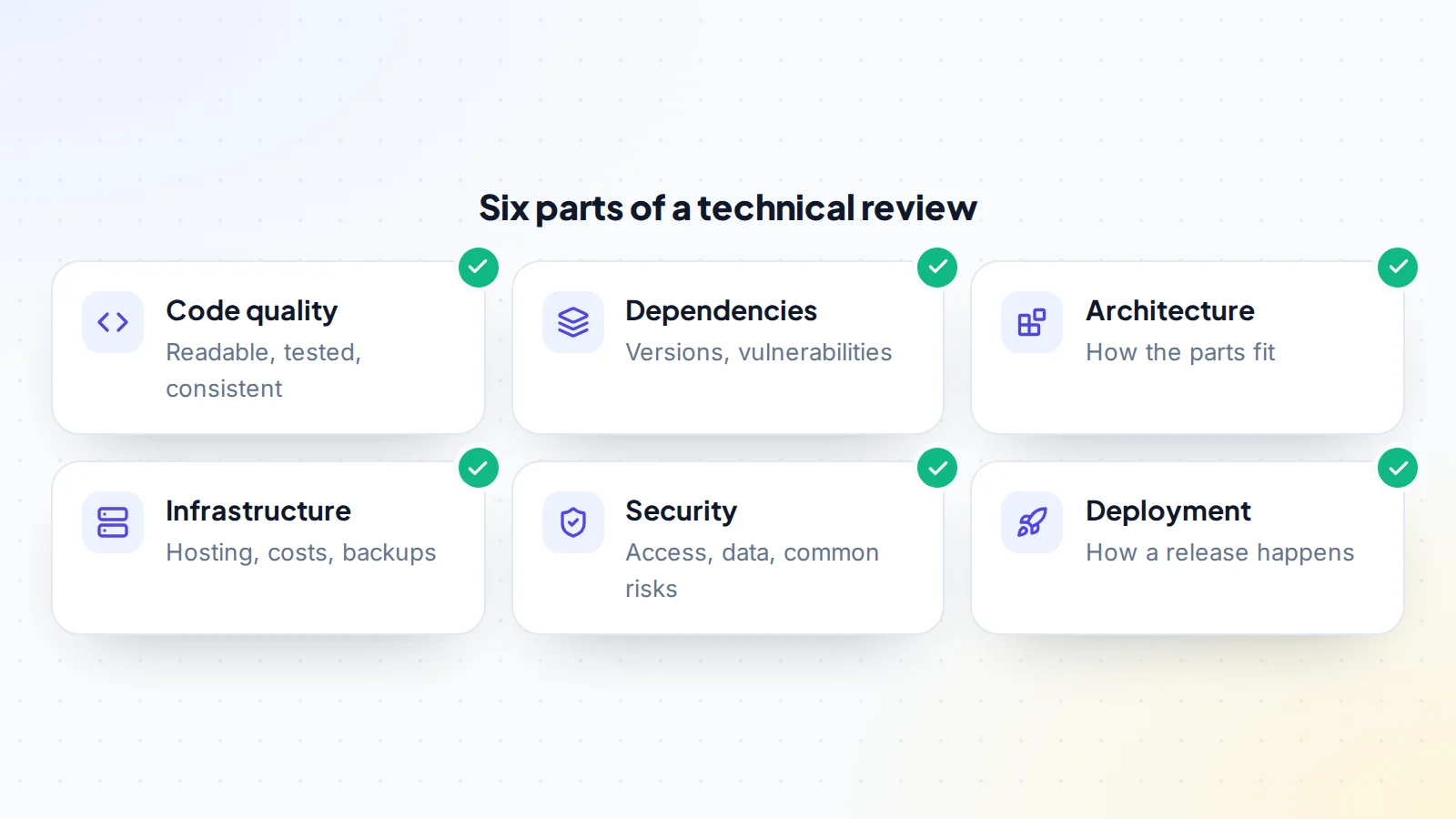
1. Code quality
Is the code readable, consistently organised and documented where it matters? Are there automated tests, and do they run and pass? How large and complex are the core parts? A reviewer doesn’t need to read every line; sampling the most important features and the most recently changed files gives a good picture.
2. Dependencies
Modern software relies on many libraries and frameworks. Check their versions, whether they’re still supported, and whether any have known vulnerabilities. GitHub’s documentation explains that Dependabot alerts flag vulnerable dependencies in a repository when a new vulnerability is added to the GitHub Advisory Database. End-of-life frameworks mean an upgrade project in your future; price it in.
3. Architecture
How do the parts fit together: the web app, background jobs, database, third-party services and APIs? Is it simple enough for one person to understand? Are there single points of failure? Ask for a diagram, or draw one during the walkthrough.
4. Infrastructure
Where is the product hosted, how much does it cost each month, and how do costs grow with customers? Are there backups, and when was a restore last tested? Is monitoring in place, and who gets alerted when something breaks? Ask for a test restore from backup during due diligence; it’s the only way to know backups work.
5. Security
Who has access to production systems and data, and how is that access controlled? Is two-factor authentication on for every critical account? How are passwords, keys and secrets stored? Have there been incidents? The OWASP Top 10 lists the most common web application security risks and is a useful checklist for a reviewer. If the product holds personal data of people in the European Union, the GDPR sets rules for how it’s protected.
6. Deployment
How does a change get from the code to customers? Is there an automated pipeline, or does the founder run commands by hand? How long does a release take, and how is a bad release rolled back? Ask to watch a real deployment if possible. A process only the founder can carry out is a risk you’ll inherit.
Questions to ask in the walkthrough
- Can you draw the main parts of the system and how data flows between them?
- What breaks most often, and how do you find out?
- What would you rewrite if you had time, and why?
- Which tasks do only you know how to do?
- How do you deploy a change, and how do you roll one back?
- Where are backups stored, and when did you last restore one?
- Which third-party services would stop the product working if they failed?
- How are passwords, API keys and other secrets stored?
Honest answers here are often worth more than any document. They show you where the knowledge lives, and how much of it needs writing down before the founder steps away.
Performance and scaling
Check how the product performs today and what happens as it grows. Ask for typical response times and any periods of slowness, review how the database and hosting costs rise with usage, and look for obvious limits, such as a single server that can’t easily be expanded. You don’t need to plan for enormous growth, but you should know whether doubling the customer base would need a rebuild or simply a bigger plan from the hosting provider.
Healthy and risky signs
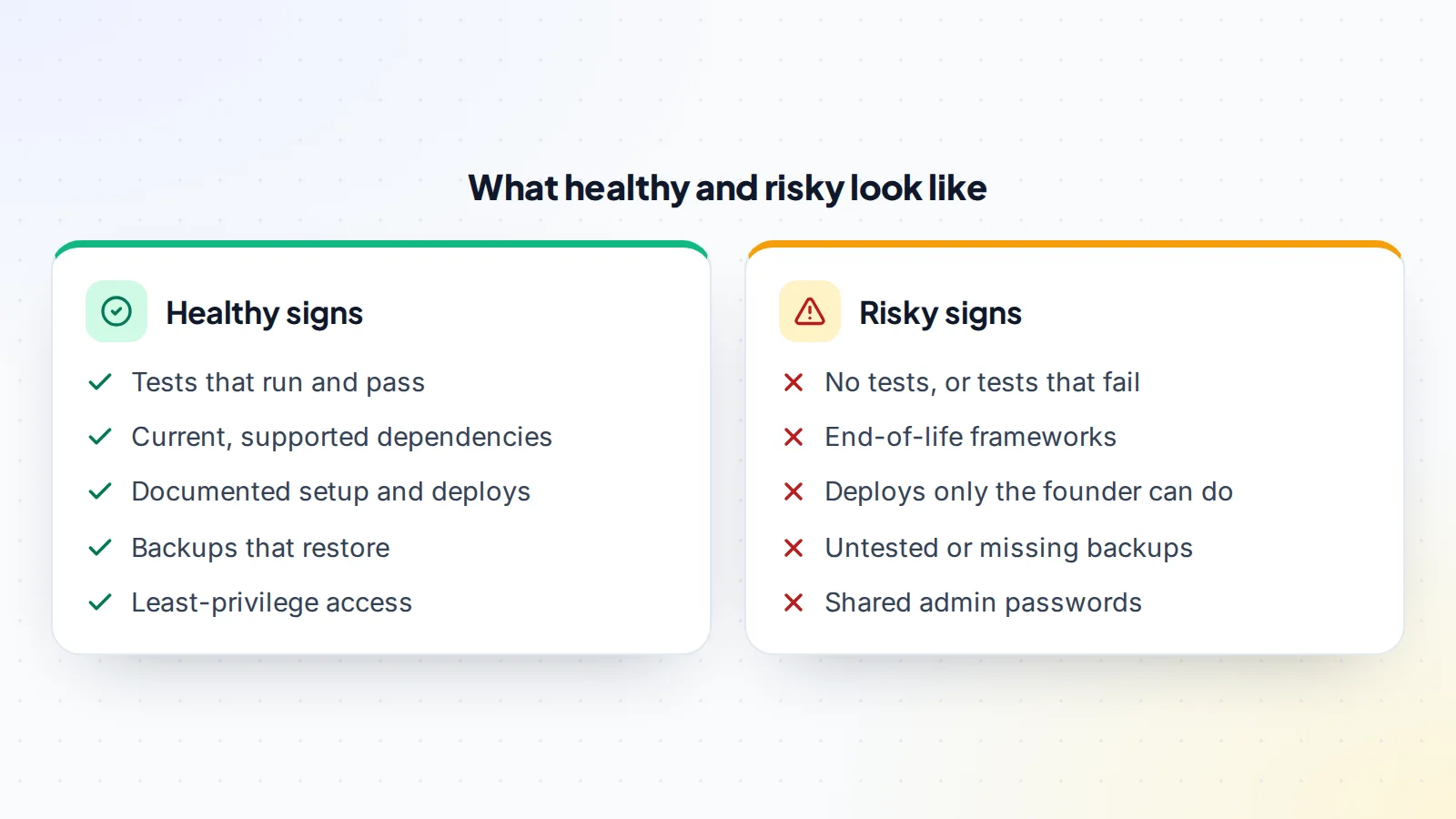
Few small products are perfect, and that’s fine. Risky signs aren’t reasons to walk away on their own; they’re work to plan and cost. What matters is that you know about them before you agree the price, so the surprises happen in due diligence rather than after you own the product.
Open-source licences and third-party code
Most products include open-source libraries, and their licences set conditions on how they can be used. Many are permissive, but some require that changes or combined works are shared under the same licence, which may matter depending on how the product is distributed. A reviewer can list the main licences in use and flag any that need a closer look. Check, too, whether the product includes code copied from elsewhere or paid components whose licences must be transferred to the buyer.
Contractors and knowledge
If contractors helped build the product, find out who they are, whether their work was assigned to the business in writing, and whether they’re available to help after the sale. A developer who already knows the codebase can make the first months far easier for a new owner. Ask the founder to introduce them during due diligence, and consider agreeing a few hours of their time as part of the transition.
Tools that help
- Dependency scanners, such as GitHub’s Dependabot alerts, to flag known vulnerabilities.
- Test runners and coverage reports to see how much of the code is tested.
- Static analysis tools for the product’s language, to spot common problems.
- Cloud provider billing reports to understand infrastructure costs.
- Access reviews in each service’s settings, to list who can do what.
Tools speed up the review, but the walkthrough with the founder often reveals more than any scanner.
Mapping accounts and secrets
Every service the product depends on needs a transfer plan: the code repository, cloud hosting, database, domain and DNS, email sending, payment processing, error monitoring, analytics, app stores and any third-party APIs. For each, note the account owner, how it transfers, and which keys or secrets must be rotated afterwards. GitHub’s documentation explains that a repository can be transferred to a new owner, keeping its issues and history. Our asset transfer checklist helps make sure nothing is missed, and transferring Stripe subscriptions covers payments.
Data and privacy in practice
Beyond policies, check how customer data is actually handled: which tables hold personal information, who can query production data, whether backups contain personal data and how long they’re kept, and how a customer’s request to delete their data would be fulfilled. If the product processes payments, confirm that card details are handled by the payment provider rather than stored by the product itself. These checks reduce legal risk and are part of good SaaS technical due diligence.
Documentation to request
- A setup guide for running the product locally.
- A deployment and rollback guide.
- An architecture diagram, even a simple one.
- A list of every external service and what it’s used for.
- Known issues and technical debt the founder is aware of.
- Runbooks for common incidents, such as a full disk or a failed payment webhook.
If documentation doesn’t exist, ask the founder to write the essentials before closing, or include it in the transition support.
A worked example
The details below are made up to show the method.
A buyer reviews a scheduling tool with $9,000 of monthly recurring revenue. The code is tidy and tested, but the web framework is two major versions behind and approaching end of support. Dependabot shows three high-severity alerts in libraries that can be updated easily. Backups run nightly, but nobody has tested a restore; during due diligence, a test restore succeeds. Deployment is automated, but the cloud account and the email-sending service are in the founder’s personal name.
The buyer estimates the framework upgrade at several weeks of developer time and adjusts the offer accordingly. The founder fixes the three alerts before closing, and the deal includes a condition that the cloud and email accounts are moved to a business account the buyer will own. The buyer starts with a clear technical plan and no surprises.
Turning findings into the deal
Each finding fits one of four outcomes:
- A price adjustment for known costs, such as a framework upgrade.
- A condition of closing, such as fixing critical vulnerabilities or moving accounts out of personal names.
- A deal structure, such as part of the price paid after a successful migration.
- An accepted risk, noted and added to your first-90-days plan.
Discussing findings this way keeps the conversation factual. Sellers usually accept adjustments when they can see the reasoning.
After closing
- Rotate every credential, key and secret the founder knew.
- Review access in every service and remove what’s not needed.
- Start the priced-in upgrades and security fixes.
- Document anything you learned in the walkthrough.
- Set up monitoring and alerts that reach you.
If you’re not technical
You can still buy a software business, but budget for help. Hire a developer for the review, ideally one who could maintain the product afterwards, and ask them to explain findings in plain language: what it is, why it matters, what it costs to fix and how urgent it is. Our guide to micro SaaS for sale covers what non-technical buyers should look for.
SaaS technical due diligence: the checklist
- Confidentiality agreement signed; reviewer chosen.
- Founder walkthrough completed.
- Code quality sampled; tests run.
- Dependencies checked for vulnerabilities and end-of-life versions.
- Architecture understood and documented.
- Infrastructure costs reviewed; backup restore tested.
- Access, secrets and security practices reviewed.
- Deployment process observed.
- Every account and secret mapped to a transfer plan.
- Findings turned into price, conditions or plan.
Ready to find your next asset?
Browse listings with verified numbers, ask sellers your questions before you offer, and agree every step in a free Deal Room.
Frequently asked questions
What is SaaS technical due diligence?
A review of a software product’s code, dependencies, architecture, infrastructure, security and deployment before you buy it, to understand the cost and risk of owning it.
How long does a technical review take?
For a small product, often a few days of a reviewer’s time, plus a walkthrough with the founder and a test restore of backups.
Do I need to read all the code?
No. Sampling the most important and most recently changed parts, plus running the tests and scanners, gives a reliable picture.
What’s the biggest technical risk in small SaaS?
Often knowledge locked in the founder’s head: undocumented deployments, accounts in personal names and systems only they understand.
Should the seller fix issues before closing?
Critical security issues and account ownership, yes. Larger projects such as framework upgrades are usually priced in instead.
Can a technical review be done without sharing the code?
Partly. A walkthrough, screen shares and scanner reports help, but a reviewer usually needs read access to the repository, under a confidentiality agreement, to give a reliable view.
