
Buying a Shopify Store: A Practical Checklist
What to check before you buy a Shopify store, from sales and margins to apps, suppliers and ads, and how store ownership transfer works in Shopify.

Shopify makes it easy to start a store, and that also makes it easy to buy one: the products, theme, apps, customers and sales history all live in one place, and Shopify has a built-in way to change the store’s owner. When you buy a Shopify store, though, you’re buying more than the Shopify account. The suppliers, ad accounts, email list and brand matter just as much. This practical checklist shows what to look at, in what order, and how to complete the handover cleanly.
If you’re new to buying websites, start with our general guide on how to buy a website, then come back here for the Shopify-specific checks.
Key takeaways
- Verify sales and orders live in the Shopify admin, and match them to payouts.
- Value is based on profit after product costs, shipping, ads, apps and fees, not on sales.
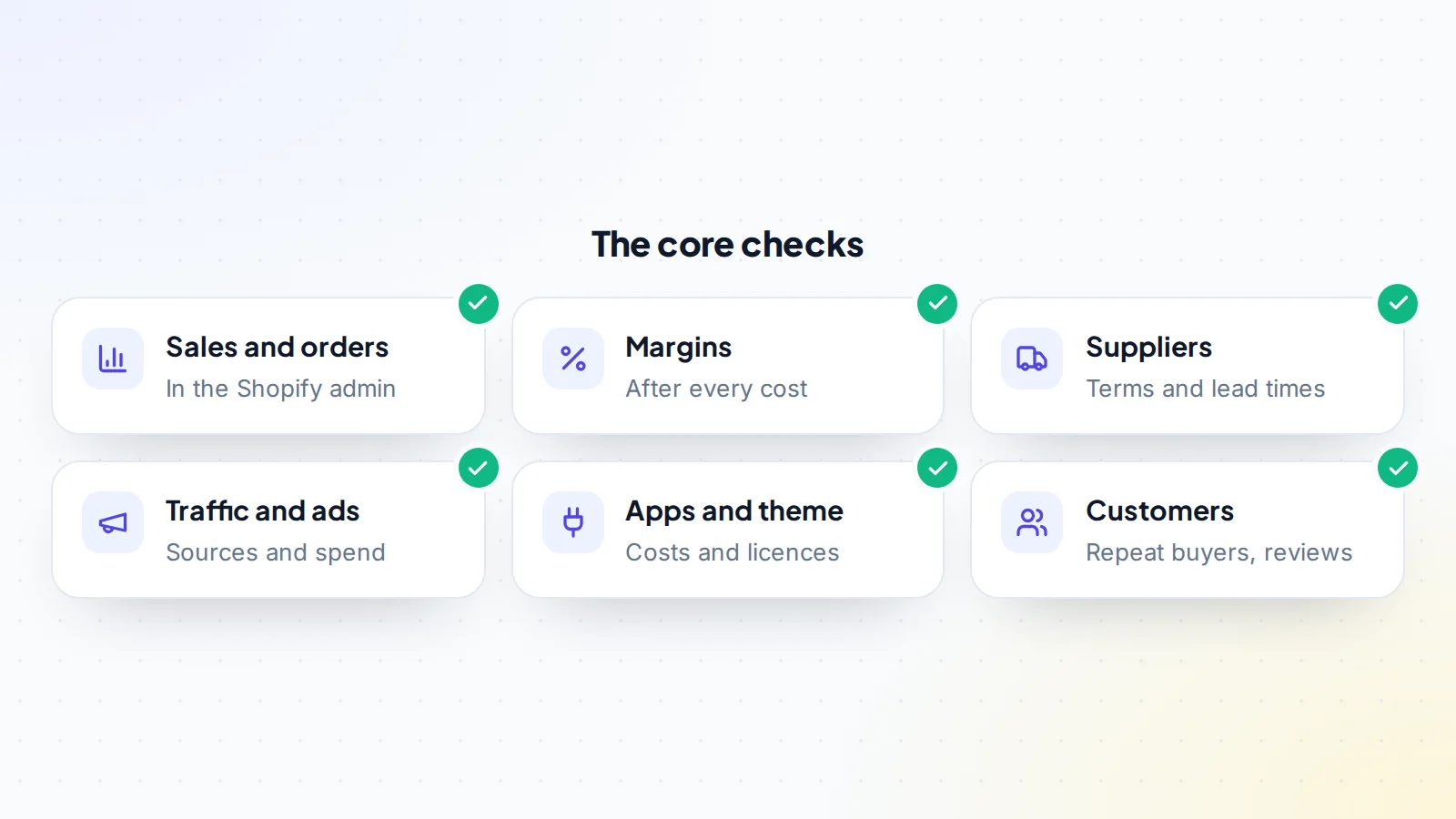
- Check suppliers, ad accounts and the email list, which sit outside Shopify.
- Shopify has a built-in ownership transfer; payments, tax and app billing need updating afterwards.
- Keep the payment held by escrow or a middleman until a test order works end to end.
Why buy an existing Shopify store
An established store comes with things that take time to build: products that sell, a converting theme, reviews, an email list, supplier relationships and data on what works in ads. For a buyer, that can mean income from day one and a clear starting point for growth. Our guide to buying an e-commerce store covers the wider picture; this one focuses on the parts that are specific to Shopify.
Verify sales in the admin
Ask the seller to share their screen and open the Shopify admin’s analytics and reports while you watch, or to add you as a staff member with view access to reports. Look at:
- Total sales, orders and average order value by month for at least 12 months.
- Refunds and returns over the same period.
- Sales by product, to see how concentrated sales are.
- Sales by channel, such as the online store, marketplaces or social channels.
Then match the figures to payouts in the payment provider and to bank statements. Sales shown in the admin should line up with money received, after fees and refunds. If the store also sells through marketplaces or wholesale, ask for those reports too, so the total you’re paying for is complete.
Work out the real margins
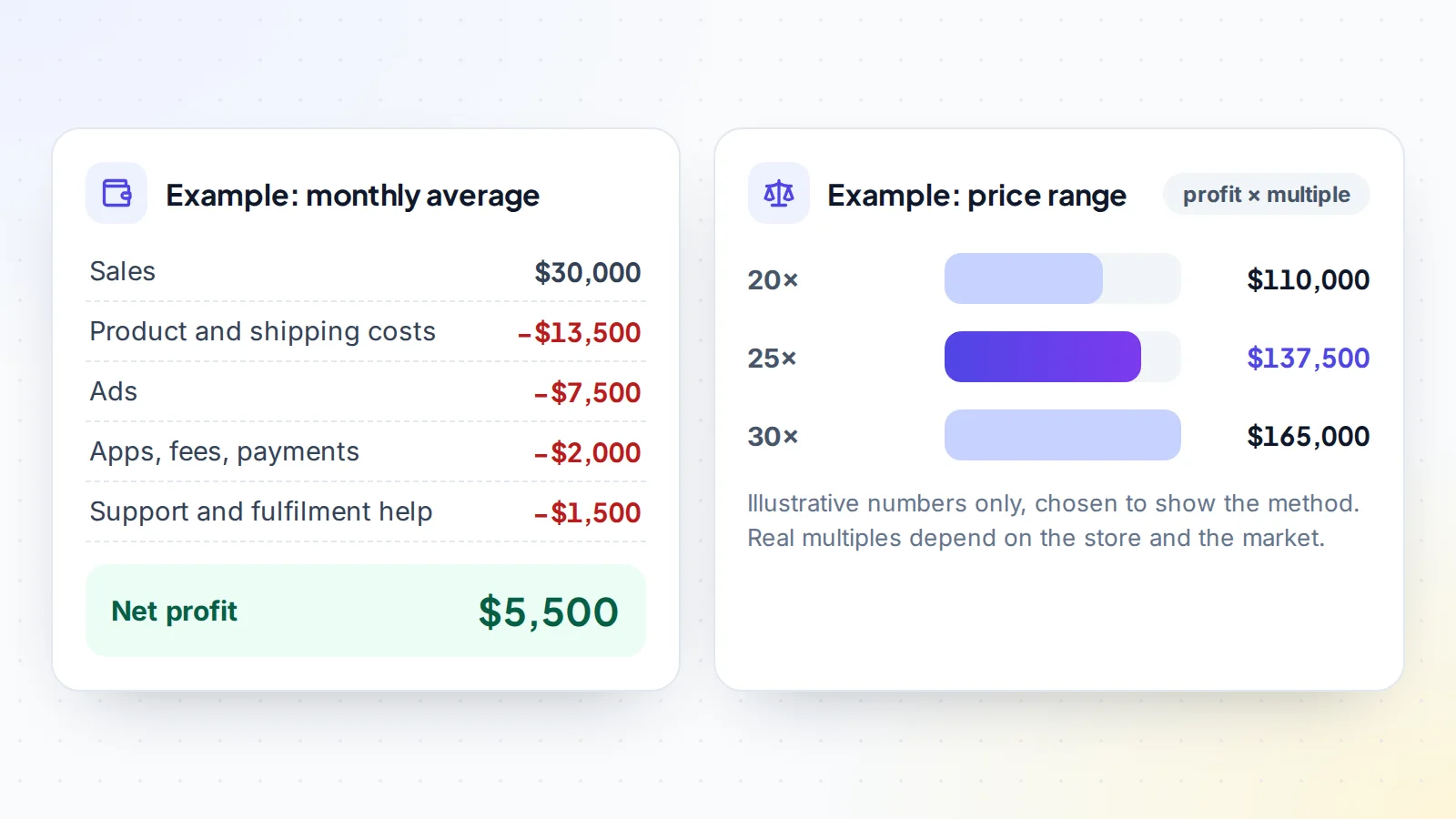
E-commerce revenue can look impressive while profit is thin. Rebuild the profit for a typical month:
- Product costs: cost per unit from supplier invoices.
- Shipping and fulfilment: postage, packaging and any warehouse fees.
- Ads: spend on each platform, checked in the ad accounts.
- Apps and subscriptions: monthly app charges, the Shopify plan and the theme licence.
- Payment fees and currency conversion.
- Help: customer support, virtual assistants or freelancers.
Value is usually set as a multiple of this net profit. Our guide to revenue vs profit valuation explains why.
Check traffic and ads
Find out where buyers come from. Look at the store’s own analytics and any connected analytics tools for traffic by source, and compare with sales by channel. If paid ads bring most sales, sign in to the ad accounts on a screen-share and check spend, return on ad spend, account history and any warnings. Ad accounts are usually tied to a person or business, so agree whether they’ll move to you or whether you’ll start new ones using the seller’s audiences and creative.
A store with a healthy mix of search, email, social and returning customers is less exposed than one that depends on a single ad platform. Our guide to verifying website traffic has more checks.
Check suppliers and fulfilment
Suppliers sit outside Shopify, and they decide margins, delivery times and quality. List every supplier, check the terms, lead times and return rates, and plan to speak to the main ones before closing. If the store dropships, check delivery times to each main market, because US rules, for example the FTC’s Mail, Internet, or Telephone Order Merchandise Rule, expect sellers to ship within the time they promise. Our guide to supplier due diligence covers this in depth, and our guide to dropshipping stores for sale covers that model.
Seasonality and trends
Many stores sell more at certain times of year, such as the holiday season or the start of summer. Look at sales month by month for at least two years, so you can tell a seasonal peak from real growth. If the seller is listing just after a strong season, the average of the last 12 months is a fairer base for the price than the last three. Also look at what’s driving the trend: new products, more ad spend, better reviews or a one-off moment on social media. Growth that comes from lasting changes is worth more than growth that depends on spending more on ads.
Paying and closing
Agree the price, what’s included, the stock valuation method, the handover steps and the checking period in writing. On digiflippers.com, the ways to pay in a deal are: directly to the seller, through escrow, and the platform never holds the money itself. With escrow or a middleman, the payment is held until you control the store and every agreed account.
Apps, theme and data
Most stores rely on apps for reviews, upsells, email, subscriptions and more. For each app, note what it does, what it costs, and whether its data and settings stay with the store when ownership changes. Some apps bill outside Shopify, and Shopify’s help centre notes that third-party apps holding the seller’s billing details need updating to the new owner. Check the theme licence too: paid themes are usually licensed per store, and the theme’s support account may be in the seller’s name.
Customers, reviews and the email list
Look at repeat purchase rate, reviews on the store and on outside review sites, and the size and engagement of the email and SMS lists. The email list often lives in a separate tool, so confirm that the account can move to you and that subscribers agreed to receive marketing. Our guide to legal due diligence covers privacy and consent.
Brand, domain and social pages
The brand is often worth as much as the store itself. Confirm who owns the domain and where it’s registered, and plan to move it to your registrar account. Check whether the brand name is registered as a trademark, and in whose name. List the social pages, marketplace listings and any wholesale accounts that use the brand, and agree how each will move. Product photos, videos and designs should come with written confirmation that you can keep using them, especially if they were made by freelancers or supplied by a manufacturer.
Warning signs to look into
- Sales that don’t match payouts or bank statements.
- A sharp rise in sales just before listing, often driven by heavy ad spend.
- High refund or chargeback rates, or many reviews about late delivery.
- One product or one supplier carrying almost all of the business.
- Ad accounts with warnings or restrictions.
- Reluctance to show the admin, ad accounts or supplier invoices live.
None of these rules a store out on its own, but each deserves a clear, documented answer from the seller before you agree a price.
How Shopify store ownership transfer works
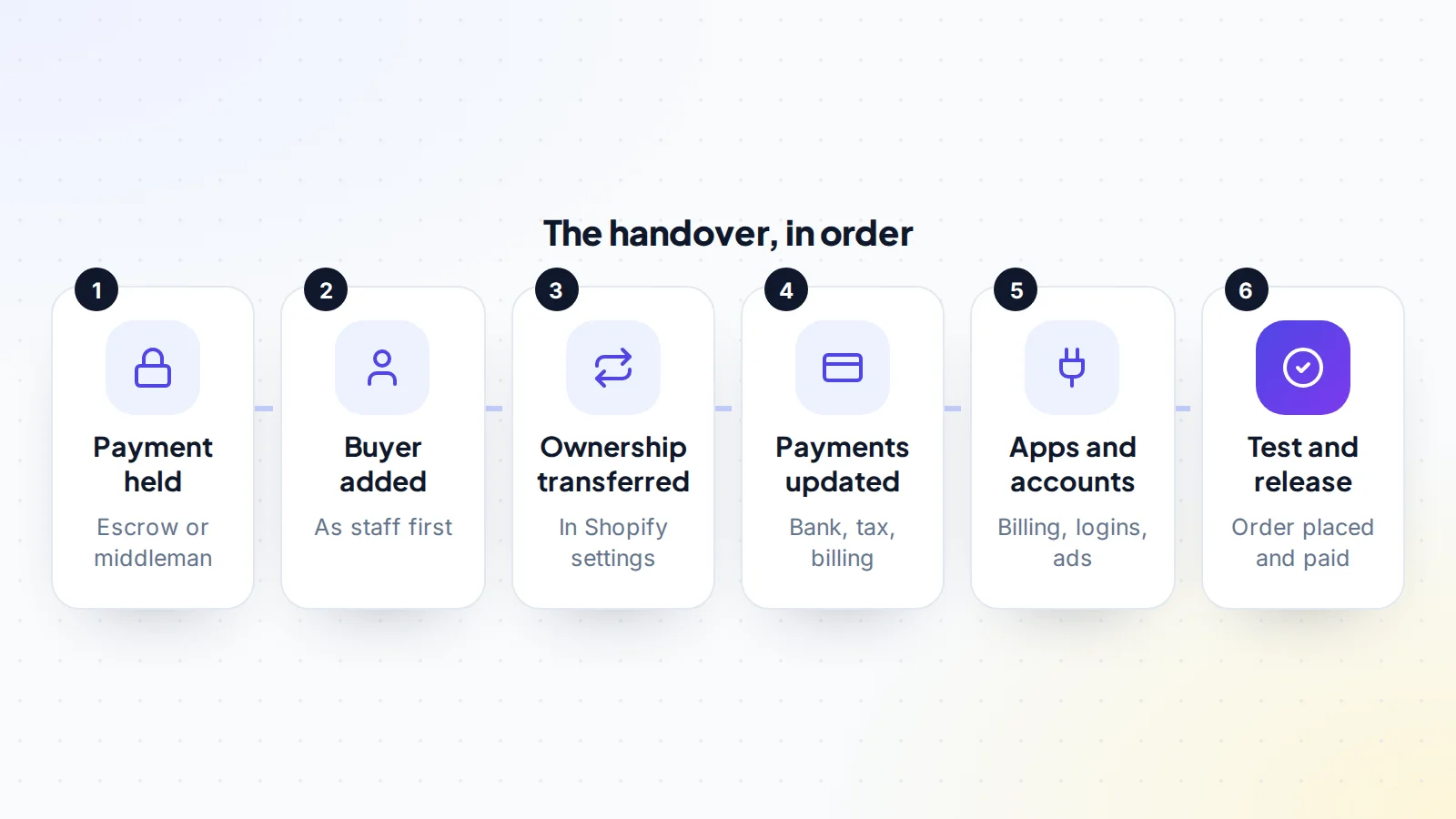
Shopify’s help centre explains that the store owner can transfer ownership to another person from the store’s settings. The usual approach is for the seller to add the buyer as a staff member first, then transfer ownership; the new owner accepts by email. Shopify notes some details that need attention:
- If Shopify Payments is used, the bank account and tax details need updating, and changes to the business information connected to Shopify Payments may require contacting Shopify Support.
- If the store hasn’t reached its billing threshold at the time of transfer, the new owner is responsible for outstanding bills.
- Third-party apps that hold billing details outside Shopify need updating.
- Staff permissions may need reviewing after the change.
Read the current help article before the handover day, as Shopify updates its process from time to time.
A worked example
The numbers below are made up to show the method.
Ben wants to buy a Shopify store selling pet accessories. The admin shows average monthly sales of $30,000 over 12 months. Supplier invoices put product and shipping costs at $13,500, ad accounts show $7,500 in monthly spend, apps and fees come to $2,000 and a part-time support person costs $1,500. Net profit averages $5,500 a month.
Sales are spread across many products, a third of orders come from returning customers, and the main supplier has worked with the store for three years. The ad account will move with the business. They agree a price in the middle of the range, use escrow and set a seven-day checking period. On the handover call, the seller adds Ben as staff and transfers ownership; Ben updates Shopify Payments, app billing and the email tool, places a test order and confirms. The escrow funds are released.
Your first 30 days
Keep the store steady while you learn how it works. In the first month:
- Check every order is fulfilled on time, and stay in close, regular contact with the main supplier.
- Keep ad campaigns running as they were, then make small, measured changes.
- Review every app and remove those you don’t need, once you’re sure what they do.
- Send a friendly note to the email list if the seller’s name was visible, and keep the usual sending rhythm.
- Reconcile sales, payouts and costs at the end of the month, so you know your real starting profit.
Agree in advance how the seller will help during this period, such as answering questions or introducing you to suppliers. Our guide to owner hours helps you plan the time the store will need from you.
Questions to ask the seller
- How many hours a week does the store take, and on what?
- Which products and channels bring most profit, not just sales?
- Have suppliers changed prices or terms recently?
- Which apps are essential, and which could be removed?
- Can the ad accounts, email tool and social pages move to me?
- Are there open disputes, chargebacks or outstanding bills?
- Will you help for a few weeks after the sale?
Buy a Shopify store: the checklist
- Sales, orders and refunds checked live in the admin for 12 months or more.
- Figures matched to payouts and bank statements.
- Net profit rebuilt from product, shipping, ads, apps, fees and help.
- Traffic sources and ad accounts reviewed.
- Suppliers listed, terms checked, main ones contacted.
- Apps, theme licence and email tool ownership confirmed.
- Customers, reviews and consent for marketing checked.
- Shopify ownership transfer planned with payments, tax and billing updates.
- Payment held by escrow or a middleman until a test order works.
Ready to find your next asset?
Browse listings with verified numbers, ask sellers your questions before you offer, and agree every step in a free Deal Room.
Frequently asked questions
Can you buy a Shopify store from someone else?
Yes. Shopify lets a store owner transfer ownership to another person from the store’s settings, and the new owner accepts by email.
What should I check before I buy a Shopify store?
Sales and refunds in the admin, profit after all costs, traffic and ads, suppliers, apps and theme licences, customers and the email list.
How are Shopify stores valued?
Usually as a multiple of average monthly net profit, adjusted for growth, how concentrated sales and traffic are, supplier strength and the time the store needs.
Do Shopify Payments move with the store?
The new owner needs to update the bank and tax details, and changes to the business information may need Shopify Support. Read Shopify’s current help article before the handover.
Do ad accounts transfer with the store?
Not automatically. They’re separate accounts with their own rules, so agree whether they’ll move or whether you’ll start new ones.
How do I pay safely?
Use escrow or a middleman so the payment is held until you control the store. On digiflippers.com, the ways to pay in a deal are: directly to the seller, through escrow, and the platform never holds the money itself.
Do I need a Shopify account before buying?
You’ll need a Shopify login to accept the ownership transfer. Setting one up before the handover call keeps things moving.
