
How to Sell a Discord Server
What makes a community worth buying, how to prove activity, what Discord requires for monetized servers, and how to transfer ownership without losing members.
A Discord server can be years of work: a community that shows up every day, a moderation team you trust, events members look forward to. When it’s time to move on, selling it to someone who’ll look after it can be a good outcome for you and for the members. To sell a Discord server well, you need to show real activity, plan for the moderators, follow Discord’s own rules, and hand over in a way that keeps the community together.
This guide covers when to sell, what buyers look for, the rules for monetized and partner servers, how to price a server, how to present it and how to transfer ownership safely. It’s the companion to our guide on how to buy a Discord server.
Key takeaways
- Show real activity (active members, conversations, events), not just the member count.
- If the server uses Discord’s monetization features, Discord’s Monetization Policy says it must not be bought or sold without Discord’s approval. Contact Discord first.
- Partner and Verified servers transfer through a Discord support ticket.
- Talk to your moderators early; a team that stays is one of the biggest parts of the value.
- Transfer ownership with Discord’s own option only after payment is secured; Discord says its support team can’t reverse a completed transfer.
When to sell
The best time to sell is while the community is active and healthy, not after it has gone quiet. Buyers look at recent activity, so a server where conversations happen every day and events still run is far easier to sell than one whose busiest days are in the past. Common reasons to sell include running out of time to lead it, moving on from the topic, or wanting someone with more resources to grow it.
Check the rules first
Before you list, find out whether your server has any special status:
- Monetized servers: if the server uses Discord’s monetization features, such as Server Subscriptions or a Server Shop, Discord’s Monetization Policy says it must not be bought or sold without Discord’s approval, and monetized server transfers go through a safety review. Contact Discord before agreeing anything.
- Server Subscriptions: Discord’s creator support explains that after a transfer, subscription payouts go to the new owner, who must set up a payout account first and becomes responsible for delivering the benefits promised to subscribers.
- Partner and Verified servers: Discord’s creator support says these must file a support ticket to transfer ownership.
If none of these apply, ownership can be transferred directly in Discord. Either way, knowing the rules up front avoids a deal that can’t be completed.
What buyers look for
- Daily activity across several channels, from many different members.
- Returning members week after week.
- A moderation team that keeps things friendly and will stay.
- A clear purpose that members care about.
- Owned channels: a website, email list or social accounts that bring new members.
- Income, if any, with records: sponsors, paid roles, products sold to members.
Finding the right buyer
The best buyer for a community is someone who’ll care for it. That might be a creator in the same niche, a company whose product the community already uses, an organiser who runs related events, or an experienced community manager. When you sell a Discord server, ask each serious buyer what they plan to do with it, how they’ll treat the moderators and what they’ll change. A buyer with a clear, respectful plan is more likely to keep the community thriving, and that protects your reputation with members you may meet again.
Members’ trust
Members joined a community, not an asset. Selling is perfectly reasonable, but how it’s done matters to them. Keep promises you’ve made in the server’s rules or announcements, don’t share members’ personal information as part of the sale, and choose a buyer who’ll respect the culture. An honest announcement, ideally written with the buyer, explaining what stays the same goes a long way.
Preparing the server for sale
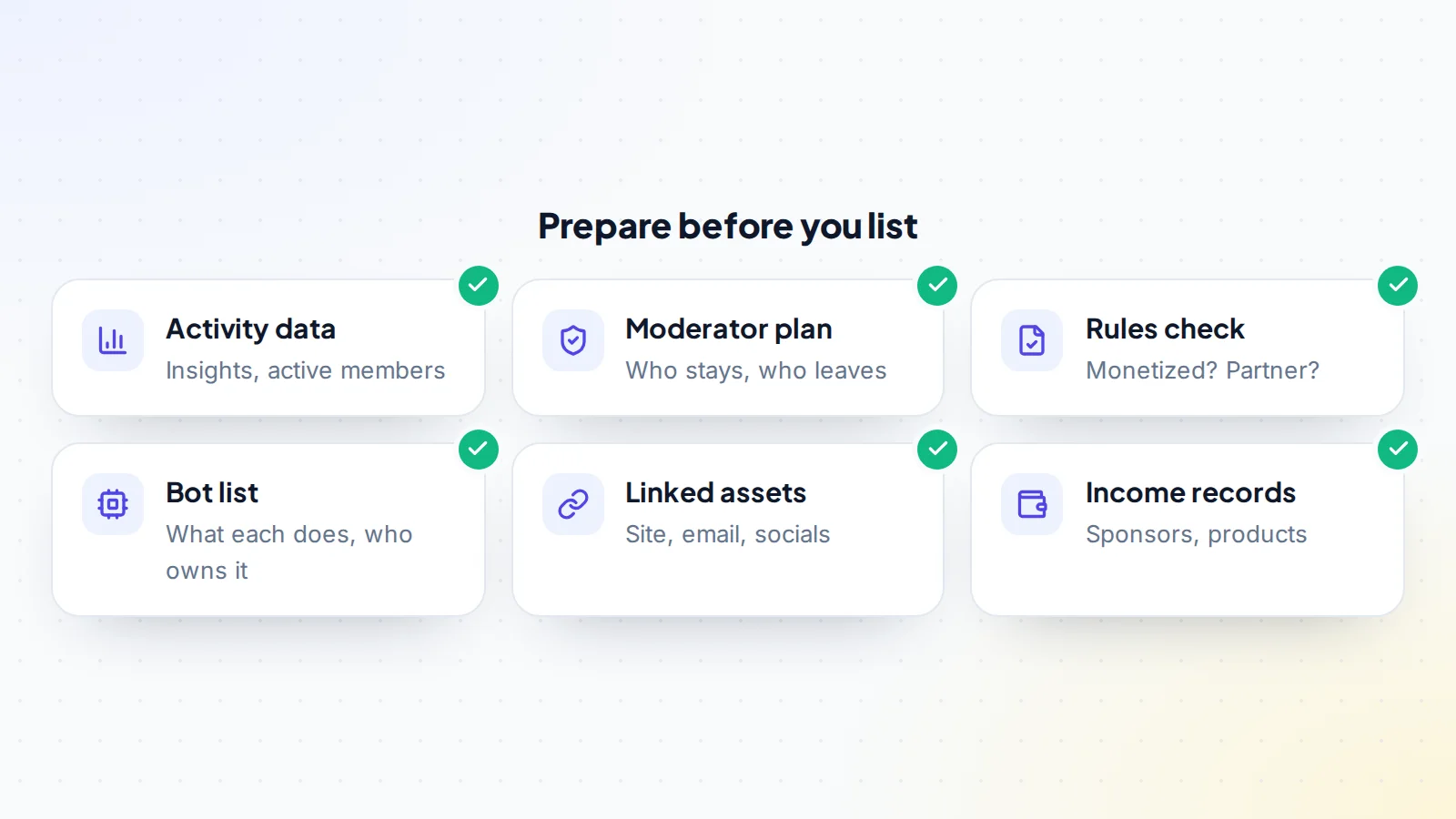
- Gather activity data: server insights where available, plus examples of recent events and conversations.
- Talk to your moderators: tell them you’re considering selling, ask who would stay, and note their roles.
- List every bot: what it does, whether it’s a public bot configured in the server or a custom bot running from your developer account, and how it will be handed over.
- List linked assets: website, email list, social accounts, merchandise store.
- Collect income records for 12 months if the server earns.
- Tidy up: clear rules, organised channels, up-to-date roles and permissions.
Your moderators
Moderators are often the reason a community works. A buyer who inherits an experienced team that wants to stay is buying something much more valuable than channels and roles. Be honest with your team: explain why you’re selling, introduce the buyer before the handover if they’re comfortable, and agree what the moderators can expect. Some will stay; some may want to step back. Either way, a respectful process protects the community and the price.
How servers are valued
Servers that earn money are usually valued on their profit, like other online businesses. Servers that don’t earn are valued on activity, engagement, topic and what a buyer can build: a community around a product, a creator’s audience, or a niche hobby. Engaged members are worth far more than a large but quiet list, so lead with activity. Read about the online business valuation multiple for earning servers, and try the free valuation tool for a starting range.
If the server earns money
Income makes a server easier to value, but buyers will want to see where it comes from and whether it will continue:
- Sponsorships: who pays, how much, and whether the sponsor will keep working with a new owner.
- Paid roles or memberships sold outside Discord’s own features, and what members were promised.
- Products or services sold to members, such as courses or coaching.
- Discord’s monetization features, which need Discord’s approval for any sale, as described above.
Share 12 months of records, matched to payouts, and agree in writing how income earned before the handover is split.
How long it takes
For a server that isn’t monetized, the transfer itself takes seconds, but preparing, finding a buyer and agreeing terms usually takes a few weeks. Monetized, partner and verified servers take longer because Discord’s own process comes first. Build that time into your plans, and keep the community running normally while the sale is in progress.
Writing the listing
- The topic and who the community is for.
- Members, active members and typical daily activity.
- Events, channels and what makes the community special.
- The moderation team and who’s staying.
- Bots and integrations.
- Income, if any, with evidence.
- Linked assets included in the sale.
- Whether the server is monetized, partner or verified, and what Discord has said.
- Why you’re selling.
Be honest about quieter periods; buyers forgive what they’re told and discount what they discover. When you’re ready, you can list your community on digiflippers.com with 0% success fee up to $10,000, then 5% (max $5,000).
Talking to buyers
Invite serious buyers to join the server as members, so they can see the community for themselves. Share insights live rather than as screenshots. Keep conversations on the marketplace, and be cautious with anyone who asks for your account login or suggests an escrow service you’ve never heard of; read how fake escrow scams work.
Questions buyers will ask
- How many members are active each day and each week, and can you show insights?
- Which moderators are staying, and can I meet them?
- Is the server monetized, partner or verified, and what has Discord said?
- Which bots does the server use, and who controls each one?
- Where do new members come from?
- Does the server earn anything, and from what?
- Why are you selling, and will you help with the transition?
Preparing clear answers before you list is the simplest way to sell a Discord server quickly and at a fair price.
Security during the sale
- Keep two-factor authentication on; Discord asks for your code when transferring ownership.
- Never share your account login; the whole transfer happens through Discord itself.
- Verify the buyer’s account through the deal messages before transferring.
- Don’t click links claiming to be from Discord staff in private messages.
The handover
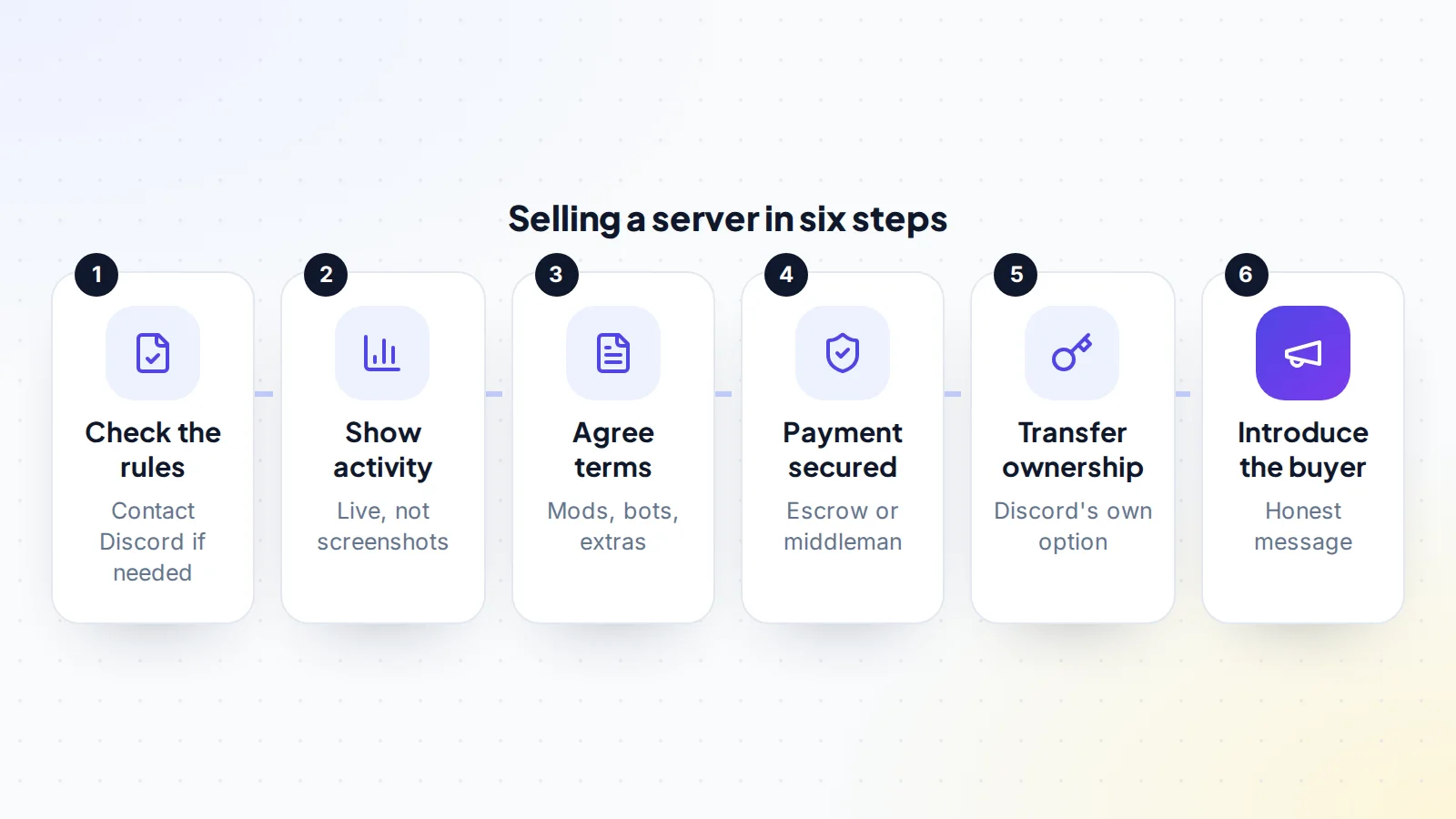
- Terms agreed in writing: price, moderators, bots, linked assets, the announcement and any support period.
- Payment secured by escrow or a trusted middleman. On digiflippers.com, the ways to pay in a deal are: directly to the seller, through escrow, and the platform never holds the money itself.
- Buyer joins the server with the account that will own it.
- Ownership transferred through Discord’s Transfer Ownership option in the member list. Discord’s help notes that its support team can’t transfer a server back afterwards.
- Bots and linked assets handed over.
- Roles reviewed: the buyer decides what access you keep.
- Announcement posted introducing the buyer.
A worked example
The details below are made up to show the process.
Mira runs a 9,000-member server for indie game developers, with around 250 people active daily, weekly feedback sessions and a sponsor who pays for a monthly showcase. The server isn’t monetized through Discord. Mira talks to the server’s four moderators: three are happy to stay. Mira lists the server with activity data, the moderator plan, the bots (two public bots and one custom bot that will be handed over) and the sponsor arrangement.
A small game studio wants the community as a home for its players and partners. After joining for a week and meeting the moderators, the studio agrees terms. Payment goes to a middleman; Mira transfers ownership in Discord; the custom bot’s code and hosting move to the studio; the sponsor is introduced. Mira posts a warm message introducing the studio and explaining that the feedback sessions will continue. The middleman confirms everything, and the payment is released.
After the sale
Keep any promises you made: a support period, introductions to sponsors, help with bots, and answers to the new owner’s questions in the first weeks. Leave the community gracefully, ideally with a final thank-you to members and moderators. Keep the agreement and payment records, and speak to an accountant about any tax on the sale.
Common mistakes
- Leading with member count instead of activity.
- Keeping moderators in the dark until the day of the transfer.
- Forgetting custom bots that run from your own accounts.
- Selling a monetized server without contacting Discord first.
- Transferring ownership before payment is secured.
How to sell a Discord server: the checklist
- Monetized, partner or verified status checked; Discord contacted if needed.
- Activity data ready to share live.
- Moderators informed and plan agreed.
- Bots and linked assets listed with handover steps.
- Honest listing with income evidence, if any.
- Terms in writing, including the announcement.
- Payment secured before ownership moves.
- Ownership transferred through Discord’s own option.
Ready to sell?
List it on digiflippers.com with verified numbers, answer buyers in one place and agree every step in a free Deal Room. 0% success fee up to $10,000, then 5% (max $5,000).
Sell your newsletter or community Browse newsletters & communities
Frequently asked questions
Can I sell my Discord server?
Ownership can be transferred to another member through Discord’s Transfer Ownership option. If the server uses Discord’s monetization features, Discord’s Monetization Policy says it must not be bought or sold without Discord’s approval, so contact Discord first.
How much is a Discord server worth?
Earning servers are valued on profit. Others are valued on activity, engagement, topic and the buyer’s plans. Active, well-moderated communities are worth far more than large quiet ones.
Should I tell members I’m selling?
Tell your moderators early. Announce the change to members once the transfer is complete, with an honest introduction of the new owner.
What happens to bots?
Public bots configured in the server stay. Custom bots running from your developer account need their own handover of code and hosting.
Can a transfer be undone?
Discord’s help says its support team can’t transfer a server back once transferred, so secure payment and agree terms first.
Can I stay on as a moderator after selling?
If the buyer agrees. Some buyers value the previous owner’s help during a transition; agree your role, your permissions and how long it lasts in the terms.
Do I need to hand over the server’s social accounts too?
Only if they’re part of the deal. List every linked asset in the terms, with how and when each one moves.
