
Buying a WordPress Plugin Business: Licences, Support and Updates
A buyer's guide to WordPress plugin businesses: free and premium models, active installs, licence renewals and churn, code and security review, support load, valuation and the WordPress.org ownership transfer.

WordPress powers a very large share of the web, and plugins are how site owners add features to it. A plugin that solves a real problem can earn steady income from licences and renewals, with a built-in way to reach users through the WordPress.org directory. That makes a WordPress plugin business for sale an appealing purchase for developers and software companies. This guide explains the common business models, what to check before buying, how to value a plugin business and how to transfer a WordPress.org listing correctly.
Plugin businesses share a lot with other software; see our guide to buying a SaaS business. For a similar product type, read about browser extensions for sale.
Key takeaways
- Most plugin businesses are freemium, premium-only, or a mix of both.
- Licence renewal rates and support load matter more than total installs.
- Review code quality, security history and compatibility with current WordPress.
- WordPress.org plugins move by adding the buyer as a committer and transferring in the Advanced tab.
- Plugins with over 10,000 users need an email to the plugin team to transfer.
Why buy a plugin business
A good plugin becomes part of the sites that use it. Owners install it, configure it and rely on it, often for years. For a buyer, that means a product with a real user base, recurring income from renewals and a clear path to grow through new features or add-ons. A plugin can also complement an existing business: a hosting company, an agency or a SaaS product might buy a plugin that brings its own customers or connects to its service.
Where to find one
A WordPress plugin business for sale may be listed on a software marketplace, offered through a broker, or found by approaching a developer directly. Many plugin authors built their products as side projects and later lack the time to maintain them, so a polite message to the author of a plugin you already use can start a conversation. Look for plugins with steady installs, recent updates and good reviews, but where the author seems stretched, such as slow forum replies. Those can be good opportunities for an owner with more time to invest.
Common business models
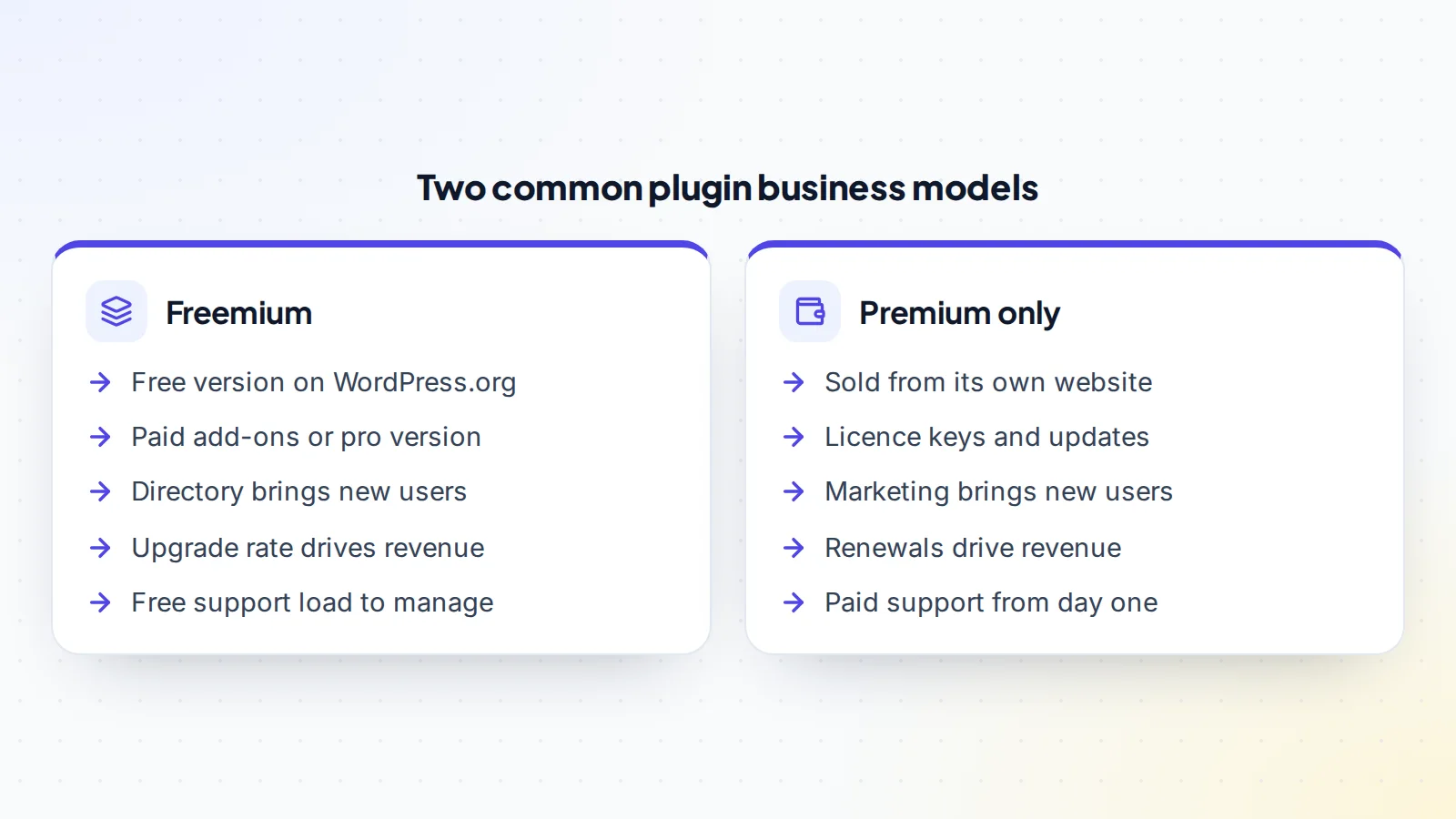
Most plugin businesses follow one of two patterns, or a combination:
- Freemium: a free version listed on WordPress.org, with a paid pro version or paid add-ons. The directory brings new users, and a share of them upgrade.
- Premium only: sold from the business’s own website, with licence keys that unlock updates and support. Marketing, partnerships and search bring new customers.
Paid licences are usually sold yearly, with renewals for continued updates and support. Some plugins also sell lifetime licences, which bring cash up front but no renewals later, and that affects how you value future income.
Active installs and their trend
For a plugin on WordPress.org, active installs show roughly how many sites use it. Look at the trend over time rather than the number alone: growing installs suggest the plugin is still winning users, while falling installs may mean competitors are taking over or the plugin isn’t keeping up. For premium-only plugins, look at active licences and how many sites they cover.
Installs are a measure of reach, not income. A plugin with fewer installs but a strong upgrade rate and loyal customers can be worth more than a widely used free plugin that earns little.
What to check before you buy
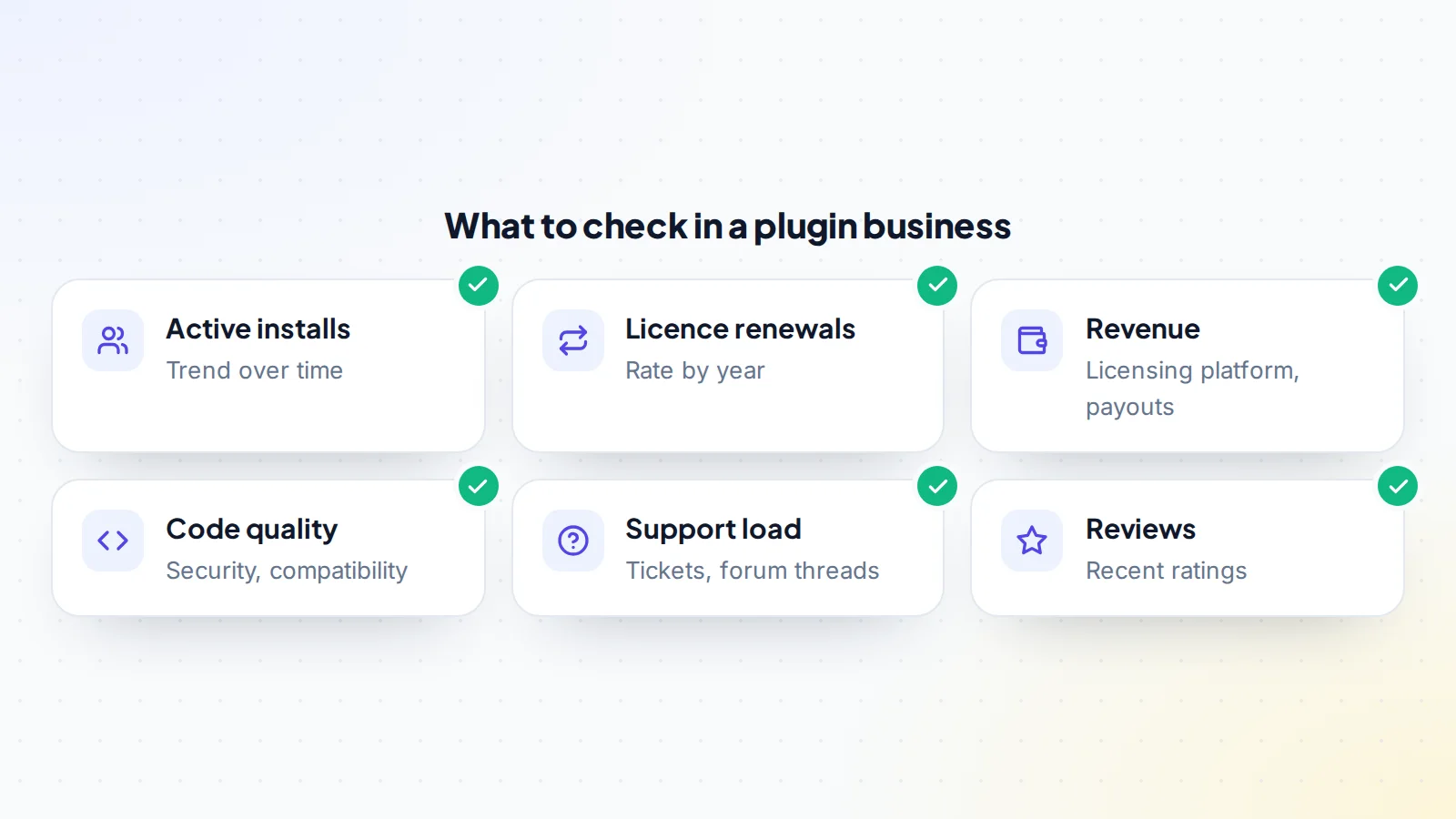
- Revenue: sales, renewals and refunds by month in the licensing or payment platform, matched to payouts and bank deposits.
- Renewals: what share of yearly licences renew, and whether that rate is steady.
- Upgrade rate: for freemium plugins, how many free users become paying customers.
- Support: tickets per month, forum threads on WordPress.org, response times and who handles them.
- Reviews: recent ratings and what users praise or complain about.
- Costs: hosting, licensing platform fees, payment fees, support staff and developers.
Our guide to fake revenue screenshots explains why every figure should be seen live at the source.
Code, security and compatibility
The code is the product, so have a developer review it before you commit. Check how well it’s written and documented, whether it follows WordPress coding practices, how it handles user input and data, and whether it’s compatible with current versions of WordPress and PHP. Ask about past security issues and how quickly they were fixed. A plugin with a history of fast, responsible fixes can be a good sign; one with unresolved issues is a risk you’d inherit.
Look at dependencies too: third-party libraries, APIs the plugin relies on, and any services that must keep running for it to work. List everything that will need to move or be renewed.
WordPress.org guidelines
Plugins listed on WordPress.org must follow the directory’s guidelines, including licensing that’s compatible with the GPL and rules about how free plugins can promote paid versions. A plugin that breaks the guidelines can be closed in the directory, which would cut off its main source of new users. Check that the plugin follows the current guidelines, and ask whether it has ever been closed or warned.
The support load
Plugin businesses often run on support. Free users ask questions in the WordPress.org forum; paying customers expect help by ticket or email. Measure how many requests come in each month, how long they take to resolve and who answers them. If the seller handles everything personally, you’ll need to replace that time. A plugin with good documentation, a knowledge base and a manageable support load is easier to run and worth more.
Questions to ask the seller
- Why are you selling, and how many hours a week does the plugin take?
- Who writes the code and answers support, and will they continue?
- What are your yearly renewal rates, and how have they changed?
- Have there been security issues, and how were they handled?
- Has the plugin ever been closed or warned on WordPress.org?
- Which third-party services, libraries or APIs does it depend on?
- What’s on the roadmap that you didn’t get to?
Answers to these questions often reveal more about the business than the numbers alone. Treat any WordPress plugin business for sale the same way: verify the answers against the dashboards, code and records before you commit.
How plugin businesses are valued
Plugin businesses with steady income are usually priced as a multiple of net profit, after licensing platform fees, payment fees, hosting, support and development costs. The multiple moves with:
- Renewal rate: higher renewals mean more predictable income.
- Growth: rising installs, sales and renewals support a higher multiple.
- Owner time: businesses where the seller does all development and support are discounted.
- Code and security: clean, secure, well-maintained code supports value.
- Platform risk: dependence on the directory, a single API or a single partner adds risk.
Our guide to small business vs startup valuation explains why some buyers pay for growth potential and others only for proven profit. Larger deals sometimes use acquisition financing or an earn-out to bridge differences in valuation.
Transferring a WordPress.org plugin
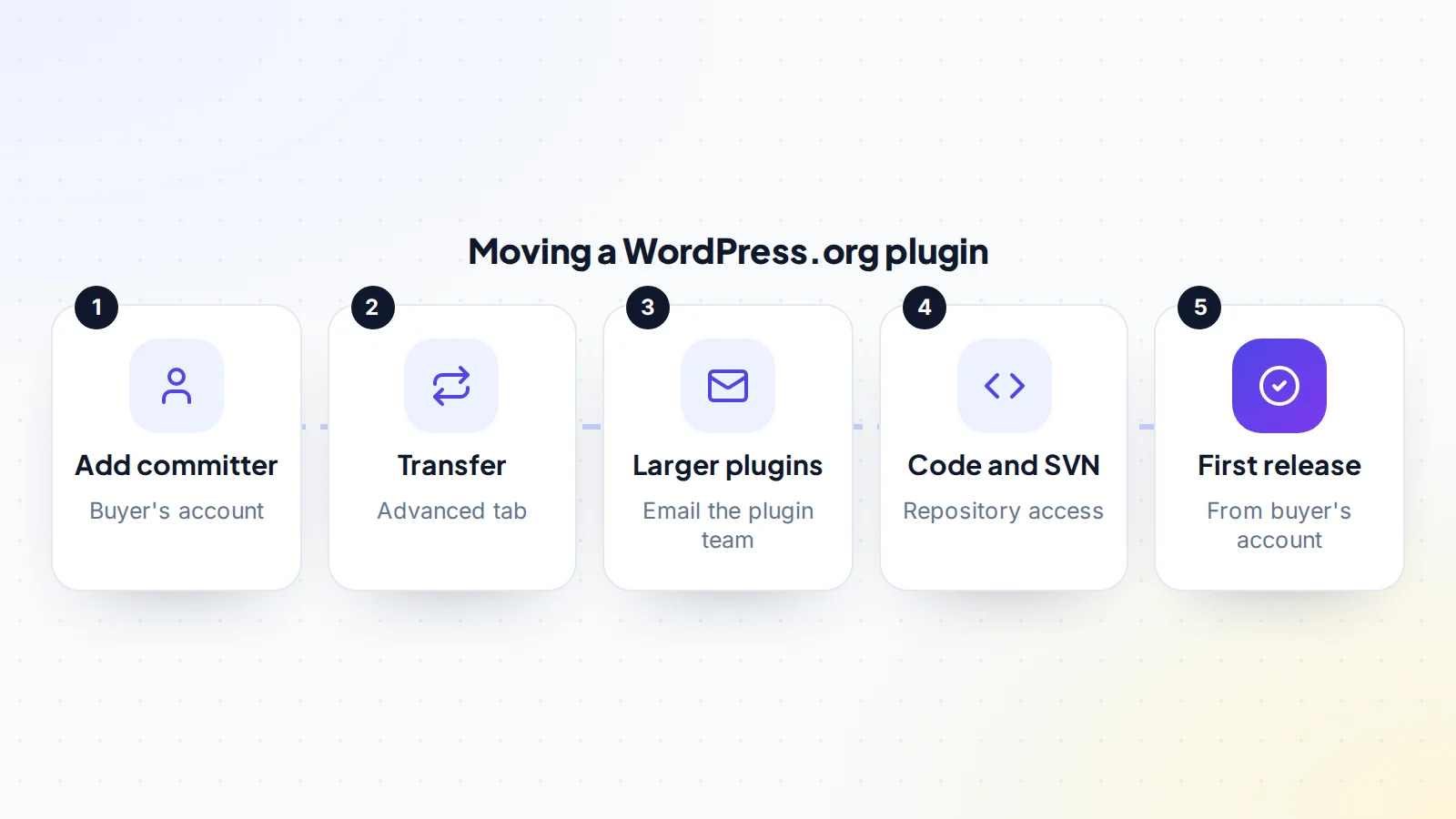
The WordPress plugin handbook explains how to transfer a plugin to a new owner. First, the current owner adds the new owner’s WordPress.org account as a committer from the plugin’s Advanced page. Then, in the Advanced tab’s danger zone, the owner uses the “Transfer Your Plugin” option to choose the new owner. For plugins with more than 10,000 users, or featured or beta plugins, the handbook says the current owner should instead email the plugin team from the owner’s email address, with the reason for the transfer and the new owner’s user ID.
Committers can push code and make official requests about a plugin, so access matters. Once the transfer is complete, the new owner should review the list of committers and support representatives, and remove anyone who no longer needs access.
Moving the rest of the business
The WordPress.org listing is only one part. A plugin business usually also includes a website, a licensing and payment platform, a customer list, a code repository, documentation, support tools, email accounts and sometimes social accounts. Each has its own handover process. For licensing platforms, find out how customer licences and renewals will continue under the new owner, because that’s where recurring revenue lives.
Making the deal
Agree the price, what’s included and a written transfer plan covering every account and asset. Use escrow, and release the payment once the WordPress.org transfer, licensing platform, website and repository are in your control. On digiflippers.com, the ways to pay in a deal are: directly to the seller, through escrow, and the platform never holds the money itself. Read how escrow works before you start. Then publish a small update from your own account to confirm everything works.
Your first months as owner
Keep things steady. Answer support quickly, publish a small compatibility update, and let users see the plugin is actively looked after. Watch reviews and renewal rates closely. If you plan bigger changes, such as new pricing or features, introduce them gradually and explain them clearly. Users who feel respected through a change of ownership tend to stay; users surprised by sudden changes often leave reviews that last much longer. A short post on the plugin’s website introducing the new team can help too.
Ways to grow after buying
Plugin businesses offer several clear growth paths. New add-ons can serve existing customers who want more features. Better onboarding and documentation can lift the upgrade rate from free to paid. Integrations with popular tools can open new audiences. Translations can help the plugin reach users in other languages. And improving renewal rates, for example by showing customers the value of updates and support, can raise income without finding a single new customer. Pick one or two to start, and measure the effect before adding more.
A worked example
The details below are made up to show the method.
Dev is looking at a form-builder plugin with a free version on WordPress.org and a pro version sold from its own site. The free plugin has around 20,000 active installs, with a steady upward trend. The pro version earns about $5,200 a month from new licences and renewals, with renewals at a healthy, steady rate. Costs, including a part-time support person, come to about $1,400 a month.
A developer Dev hires finds the code well structured, with one outdated library to update. Support is manageable, with documented answers to common questions. Because the plugin has more than 10,000 users, the seller agrees to email the plugin team to request the transfer once the payment is held. They agree a price, the payment goes into escrow, the transfer and licensing platform move, and Dev publishes a small update from the new account. The funds are then released.
WordPress plugin business for sale: the checklist
- Active installs or licences reviewed over time.
- Revenue, renewals and refunds matched to payouts.
- Upgrade rate measured for freemium plugins.
- Code, security history and compatibility reviewed.
- WordPress.org guidelines and listing status checked.
- Support load and who handles it understood.
- Transfer route confirmed, including the 10,000-user rule.
- Licensing platform and customer renewals planned.
- Payment held until the listing, platform and code are yours.
Browse apps and software for sale on digiflippers.com.
Ready to find your next asset?
Browse listings with verified numbers, ask sellers your questions before you offer, and agree every step in a free Deal Room.
Frequently asked questions
How do I transfer a WordPress.org plugin?
The owner adds the new owner as a committer, then uses the “Transfer Your Plugin” option in the Advanced tab. Larger plugins need an email to the plugin team.
What counts as a larger plugin?
The handbook says plugins with over 10,000 users, or featured or beta plugins, need an email to the plugin team from the owner’s email address.
Are active installs the best measure of value?
No. They show reach. Revenue, renewals, upgrade rate and support load show what the business earns and costs.
What should a code review cover?
Quality, documentation, security handling, compatibility with current WordPress and PHP, and dependencies.
How are plugin businesses valued?
Usually as a multiple of net profit, adjusted for renewals, growth, owner time, code quality and platform risk.
What happens to existing customers’ licences?
They live in the licensing platform. Plan with the platform how licences and renewals continue under the new owner.
Should I change pricing straight away?
It’s usually better to keep things steady first, then introduce changes gradually with clear explanations.
