
Buying or Selling a Browser Extension: What to Know
A guide to browser extensions for sale: users, ratings and revenue checks, code and privacy review, pricing, and the official Chrome Web Store and Firefox Add-ons ownership transfers.

Browser extensions are small pieces of software with a big advantage: they live where people spend their working day. A useful extension can collect thousands of daily users, earn through subscriptions or premium features, and run with modest costs. That makes a browser extension for sale an interesting purchase for developers and software businesses, and a good exit for makers who’ve built something people rely on. This guide explains what drives value, what buyers should check, how to price an extension, and how ownership transfers work on the Chrome Web Store and Firefox Add-ons.
Extensions share a lot with other software sales. For the wider picture, see our guide on selling a SaaS business, and for a similar product type, read about WordPress plugin businesses for sale.
Key takeaways
- Value comes from active users, ratings, revenue and a clean, trusted codebase.
- Check users and revenue live in the store dashboards and billing tools.
- Review permissions and privacy: they should match what the extension does.
- Chrome transfers go through a support form; Firefox transfers are done in the Developer Hub.
- Keep the payment held until the extension and its backend are fully yours.
Why extensions are worth buying
An extension that solves a real problem tends to become part of people’s routine. Users install it once and use it every day, often without thinking about it. For a buyer, that means a product with built-in distribution through the browser stores, an audience that already trusts it, and, in many cases, low running costs. For a software company, an extension can add users who match its own customers, or extend an existing product into the browser.
Extensions also have a clear upgrade path. Many start free and add premium features, subscriptions or team plans later. An extension with a large, engaged free user base and no paid tier can still be valuable to a buyer who knows how to add one carefully.
Types of extension businesses
Extensions for sale usually fall into a few groups:
- Subscription extensions: a free version with paid features, billed monthly or yearly through a payment provider.
- One-off purchase extensions: users pay once to unlock features.
- Free extensions with a large user base: no revenue yet, valued on users, ratings and potential.
- Companion extensions: extensions that support a web app or SaaS product, often sold together with it.
The type shapes what you check and how you price it. Revenue-earning extensions are usually priced on profit; free ones on users and growth.
Where to find a browser extension for sale
Extensions change hands through software marketplaces, brokers and direct approaches to developers. Marketplaces gather listings in one place and let you compare users, revenue and asking prices. Brokers tend to handle larger deals. Some buyers contact developers of extensions they already use, especially ones that look unmaintained, and ask whether they’d sell. Whichever route you take, judge each browser extension for sale on the same evidence: live store data, matched revenue, a code review and a clear transfer plan. If the seller can’t show those, keep looking.
What buyers should check
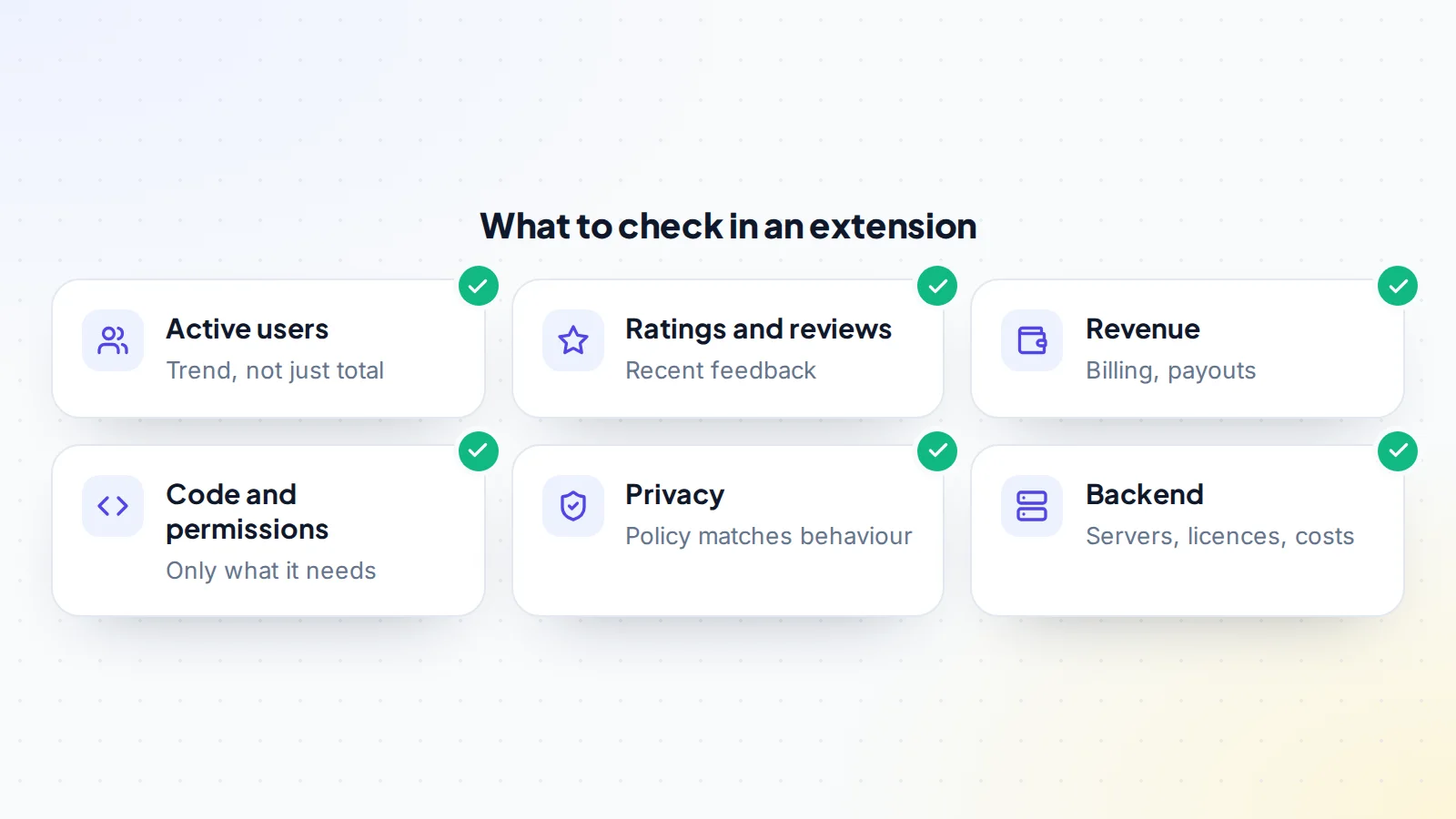
Start with the store data. Ask the seller to open the developer dashboard on a screen-share, showing users over time, installs and uninstalls, ratings and reviews. A steady or growing number of active users matters more than the total ever installed. Read recent reviews for complaints about bugs, slowdowns or unwanted changes.
Then follow the money. For paid extensions, revenue usually runs through a payment provider or licensing service outside the store. Look at monthly revenue, active subscriptions, churn and refunds in the billing tool, and match payouts to bank deposits. Our guide to verifying revenue explains how to follow the money from source to bank.
Code, permissions and privacy
Extensions ask users for permissions, such as reading data on certain websites. Review the manifest and the code to confirm the extension only asks for what it needs, and that its behaviour matches its store listing and privacy policy. Store policies require extensions to be clear about what they do and how they handle user data, so any mismatch is a risk for the buyer.
Have a developer review the code quality, dependencies and build process. Check how it’s built and published, whether it uses outdated libraries, and how much work the next store policy change might require. If the extension uses a backend, list its servers, databases and third-party services, along with their monthly costs.
Why trust is part of the value
Users install an extension because they trust it with access to their browser. That trust is the extension’s most valuable asset, and it belongs to the users as much as to the owner. Buyers who keep the extension’s purpose, respect user data and communicate changes clearly protect that value. Changing behaviour suddenly, adding unexpected features or collecting more data than users agreed to can lead to bad reviews, store action and lost users.
For sellers, a record of responsible updates and a clear privacy policy make an extension easier to sell. For buyers, a written plan for the first few updates shows how the extension will stay trustworthy under new ownership.
How Chrome Web Store transfers work
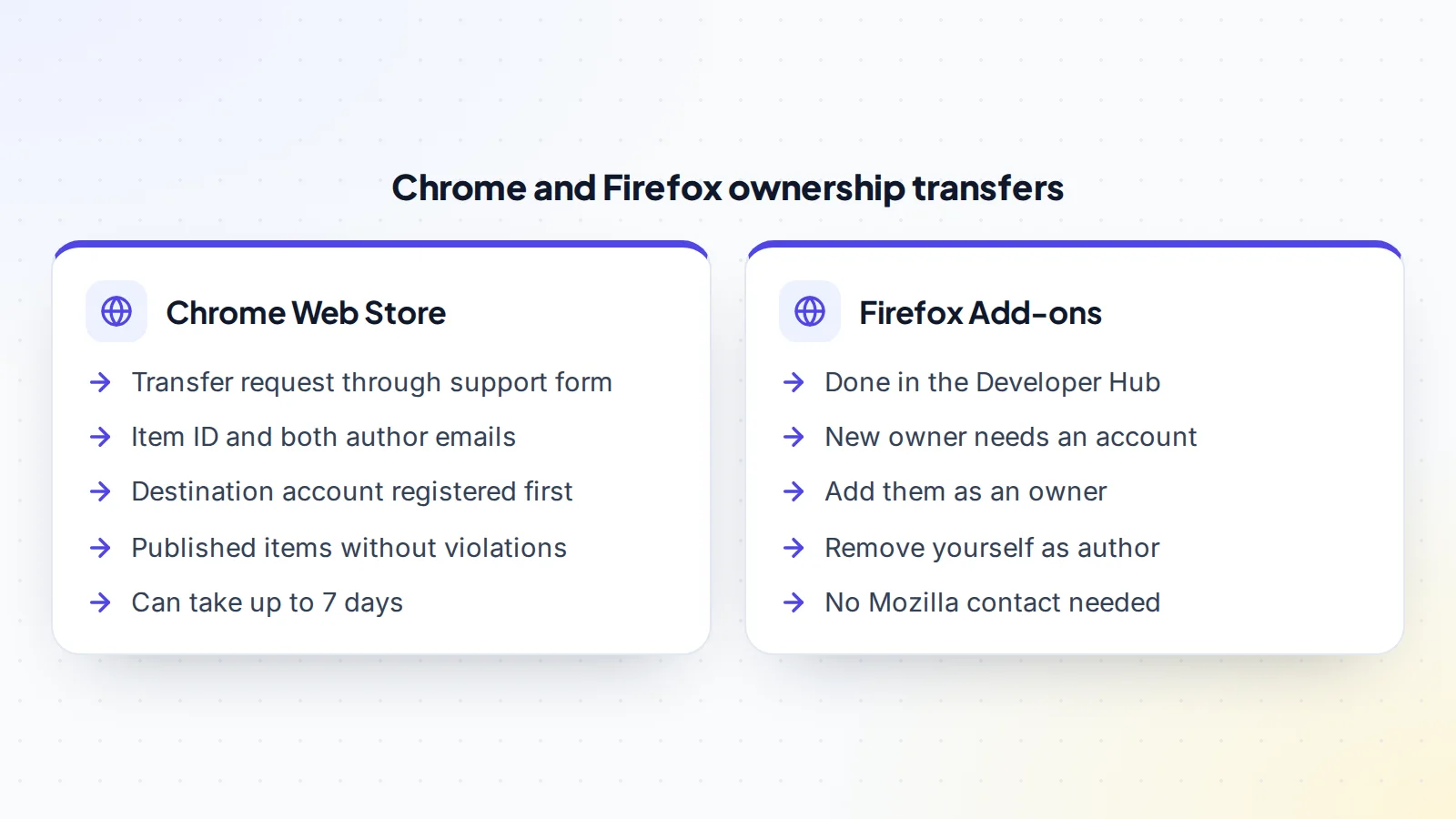
Google’s Chrome Web Store documentation explains that items can be transferred to a different developer by submitting a support form. The request needs the item’s ID, which is the 32-character value in the store URL, plus the original author’s email and the destination author’s email. After submitting the form, the transfer must be confirmed from the original publisher’s email address.
The destination account needs to be registered as a Chrome Web Store developer before the request, which involves a one-time registration fee. Google says only items that are published and without violations will be transferred, and that transfers can take up to 7 days. The Chrome Web Store also lets owners share access to items by adding members to the publisher that owns them, which can help during a handover period.
How Firefox add-on transfers work
Mozilla’s Extension Workshop explains add-on ownership on addons.mozilla.org. Authors can be owners or developers; both can update and manage the add-on, but only owners can add authors. To transfer ownership, the current owner makes sure the new owner has an account with a confirmed email address, then opens the add-on in the Developer Hub, goes to the authors and license settings, adds the new owner’s email as an owner, removes their own email and saves. Mozilla says no interaction with its representatives is needed.
Other browsers and stores
Many extensions are also published in other stores, such as those for Microsoft Edge or Safari. Each store has its own developer accounts and process. List every store the extension is in, check each one’s current transfer process, and plan them all in the agreement. Where a store doesn’t offer a transfer, discuss alternatives with the buyer early, such as publishing a new listing and guiding users across.
How to price an extension
Revenue-earning extensions are usually priced as a multiple of monthly or annual net profit, after payment fees, hosting and tools. The multiple moves with the trend in users and revenue, churn, how much time the owner spends, the code’s condition and how exposed the extension is to store policy changes. Free extensions are priced on active users, ratings, niche and the buyer’s plans for earning from them, compared with similar sales.
Our guide to business valuation reports explains how findings turn into value, and buyers looking at larger deals can read about SaaS acquisition financing.
Preparing an extension for sale
Sellers can make the process smoother by preparing in advance:
- Twelve months of active users, installs, uninstalls and ratings from each store.
- Revenue, subscriptions and churn by month from the billing tool, matched to payouts.
- A clean repository with build and publishing notes.
- A list of all permissions, with a short reason for each.
- A current privacy policy and a summary of what data is collected and why.
- A list of backend services, licences and monthly costs.
- A note of which stores the extension is in and how each transfer works.
When you’re ready, list your extension on digiflippers.com with 0% success fee up to $10,000, then 5% (max $5,000). Sellers can verify key details, and buyers can see what’s been verified.
Making the deal and the handover
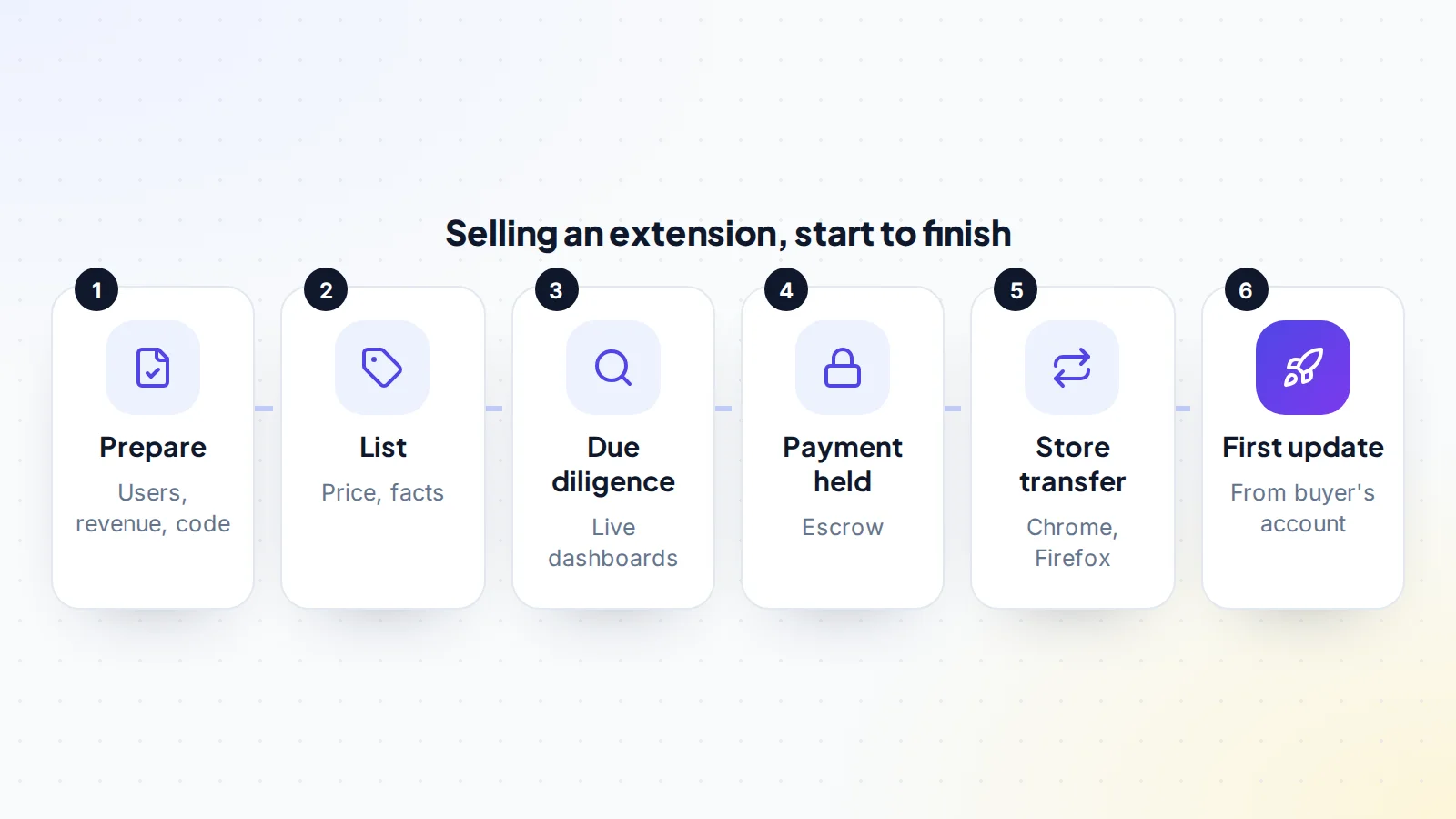
Agree the price, what’s included and the transfer plan in writing: each store listing, the code repository, the backend, the payment provider or licensing service, the website, support email and any domains. Then agree how the buyer pays. On digiflippers.com, the ways to pay in a deal are: directly to the seller, through escrow, and the platform never holds the money itself. Read more about trust and safety on the platform.
With the payment held, start the store transfers, move the backend and billing, and hand over the repository. The buyer then publishes a small update from their own account, which confirms everything works, and the payment is released. If subscriptions run through a payment provider, plan carefully how existing subscribers will continue to be billed, because each provider has its own rules on moving accounts or customers.
After the sale
Buyers should keep the extension’s behaviour stable at first, update the developer contact details and privacy policy, and reply to reviews so users see the extension is looked after. Sellers should remove their access to backend services once the buyer confirms, and stay available for questions during any agreed support period. A short written handover note, covering how to build, test and publish the extension, saves the buyer time and avoids rushed questions later. Our guide to app store transfers covers similar steps for mobile apps if the business has those too.
A worked example
The details below are made up to show the method.
Sofia built a tab-management extension with about 45,000 weekly active users on Chrome and 6,000 on Firefox. A premium plan earns $1,600 a month through a payment provider, with $150 a month in hosting and tools. Sofia prepares a year of user and revenue data, a clean repository, a permissions list and an updated privacy policy, then lists the extension.
A buyer who runs a productivity SaaS reviews the dashboards live, matches payouts to bank deposits, and has a developer read the code. They agree a price based on profit and the user trend. With the payment in escrow, Sofia submits the Chrome Web Store transfer form and confirms it by email; the transfer completes within a week. On Firefox, Sofia adds the buyer as an owner in the Developer Hub and then removes the old author entry. The buyer publishes an update from the new accounts, and the escrow funds are released.
Browser extension for sale: the checklist
- Active users, installs, uninstalls and ratings reviewed in each store.
- Revenue, subscriptions and churn matched to payouts.
- Permissions checked against what the extension does.
- Privacy policy matches actual data handling.
- Code, dependencies and build process reviewed.
- Backend services, licences and costs listed.
- Each store’s transfer process confirmed.
- Payment held until stores, backend and billing are moved.
- First update published from the buyer’s account.
Looking to buy? Browse apps and software for sale.
Ready to find your next asset?
Browse listings with verified numbers, ask sellers your questions before you offer, and agree every step in a free Deal Room.
Frequently asked questions
Can you sell a browser extension?
Yes. The Chrome Web Store and Firefox Add-ons both have ways to transfer ownership to another developer.
How do I transfer a Chrome extension?
Submit Google’s transfer form with the item ID and both author emails, then confirm from the original publisher email. The destination account must be registered first, and transfers can take up to 7 days.
How do I transfer a Firefox add-on?
In the Developer Hub, add the new owner’s email as an owner under the authors and license settings, then remove yourself and save.
How are extensions valued?
Paid extensions are usually priced on net profit and its trend; free ones on active users, ratings, niche and potential, compared with similar sales.
What should buyers check most carefully?
Active user trends, revenue matched to payouts, permissions and privacy, and code quality.
Do subscribers move with the extension?
Subscriptions run through the payment provider, not the store, so plan with the provider how billing continues under the new owner.
How should the payment be handled?
Through escrow or a middleman, released once the store transfers, backend and billing are complete.
