How to Grow a YouTube Channel You Just Bought
A practical plan to grow a YouTube channel after buying it: the first 30 days, reading analytics, keeping the channel's voice, content planning, thumbnails and titles, Shorts, community, monetization and tracking progress.

Buying a channel gives you an audience on day one, which is a big head start. The work now is to grow a YouTube channel you didn’t build: keep the viewers who came for the old content, learn from years of data, and add your own ideas without losing what made it work. This guide gives you a plan for the first 90 days and beyond, from securing the channel to reading analytics, planning content, testing thumbnails and adding new income.
If you haven’t completed the purchase yet, read how to buy a YouTube channel and the guide to social media account transfers first.
Key takeaways
- Secure the channel first: owners, two-step verification and recovery details.
- Study the analytics before changing anything; the history shows what viewers want.
- Keep the upload rhythm and style the audience is used to, then evolve slowly.
- Test titles, thumbnails and formats one at a time.
- Track a few numbers monthly and double down on what works.
Why a bought channel needs a plan
An audience subscribed for a certain kind of video, made in a certain way, often by a certain person or voice. When ownership changes, viewers notice. If the content changes suddenly, some leave, and YouTube’s recommendations, which follow how viewers respond, can show the new videos to fewer people. A plan helps you keep the audience while you learn, then grow it on your terms.
Week one: secure the channel
Before you think about content, make sure the channel is fully yours. If it’s on a Brand Account, check you’re the primary owner and remove access you don’t need; YouTube explains how in change channel owners and managers with a Brand Account. If it uses channel permissions, review every role; YouTube’s guide to channel permissions lists what owners, managers and editors can do, and notes that invitations expire after 30 days.
Turn on two-step verification on the Google account that owns the channel, update recovery phone and email, and check linked accounts such as Google Ads or merchandise partners. Read how to transfer YouTube channel ownership for the full process.
Weeks one and two: study the analytics
A bought channel comes with something new channels don’t have: years of data about what works. Spend your first two weeks in YouTube Studio’s analytics before you publish anything new.
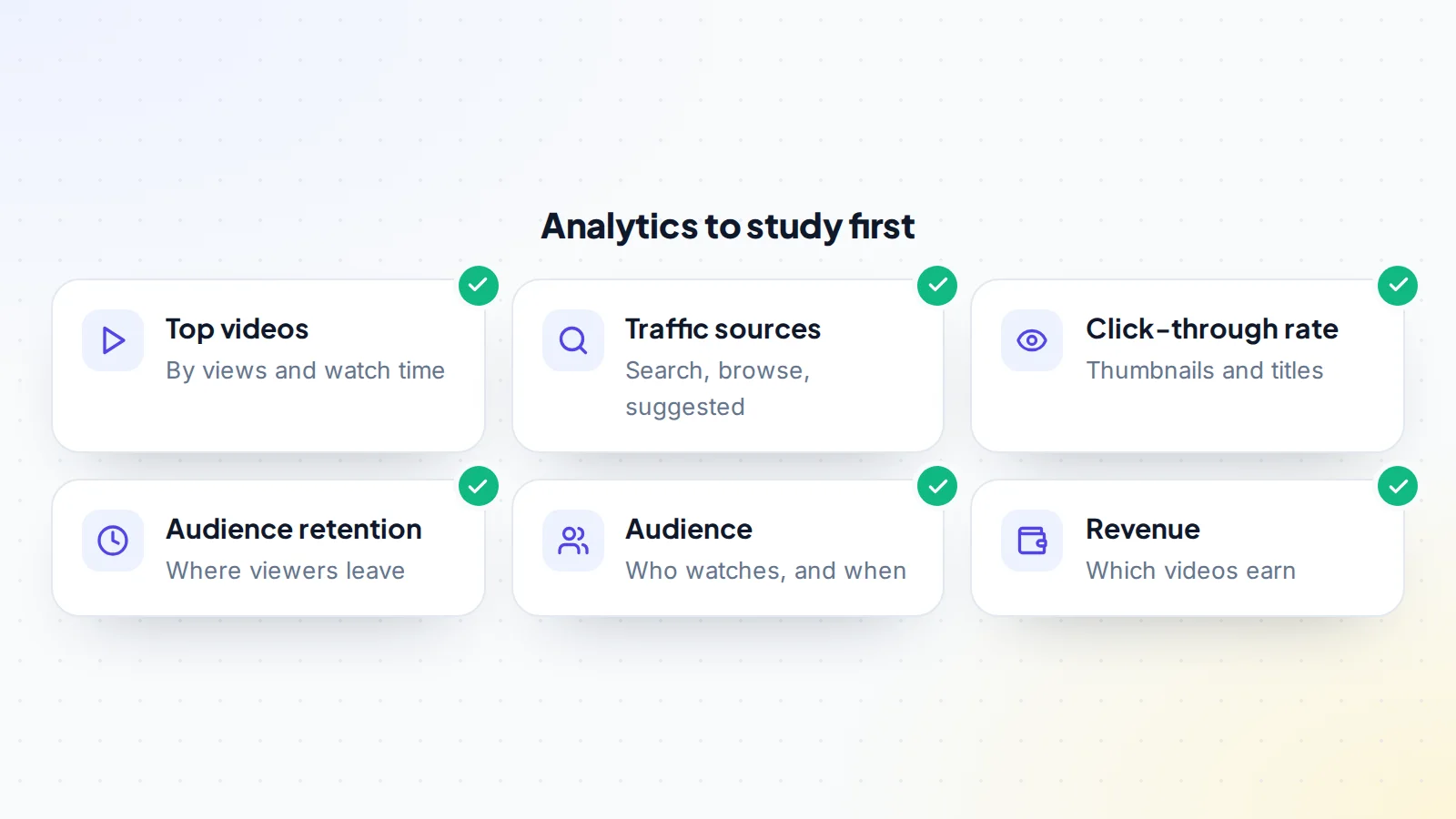
Look at the top videos by views and by watch time over the last year and over the channel’s lifetime. Note what they have in common: topic, length, format, title style and thumbnail style. Check the traffic sources to see whether viewers find the channel through search, the home page, suggested videos or outside links. Look at audience retention on the best and worst videos to see where viewers drop off. And check when the audience is on YouTube, so you can time uploads.
Understanding where views come from
The traffic source report tells you which strategy fits the channel. Channels that get most views from search do well with clear, searchable titles that answer questions. Channels driven by suggested videos and the home page depend more on strong thumbnails, titles that spark interest and videos that keep people watching.
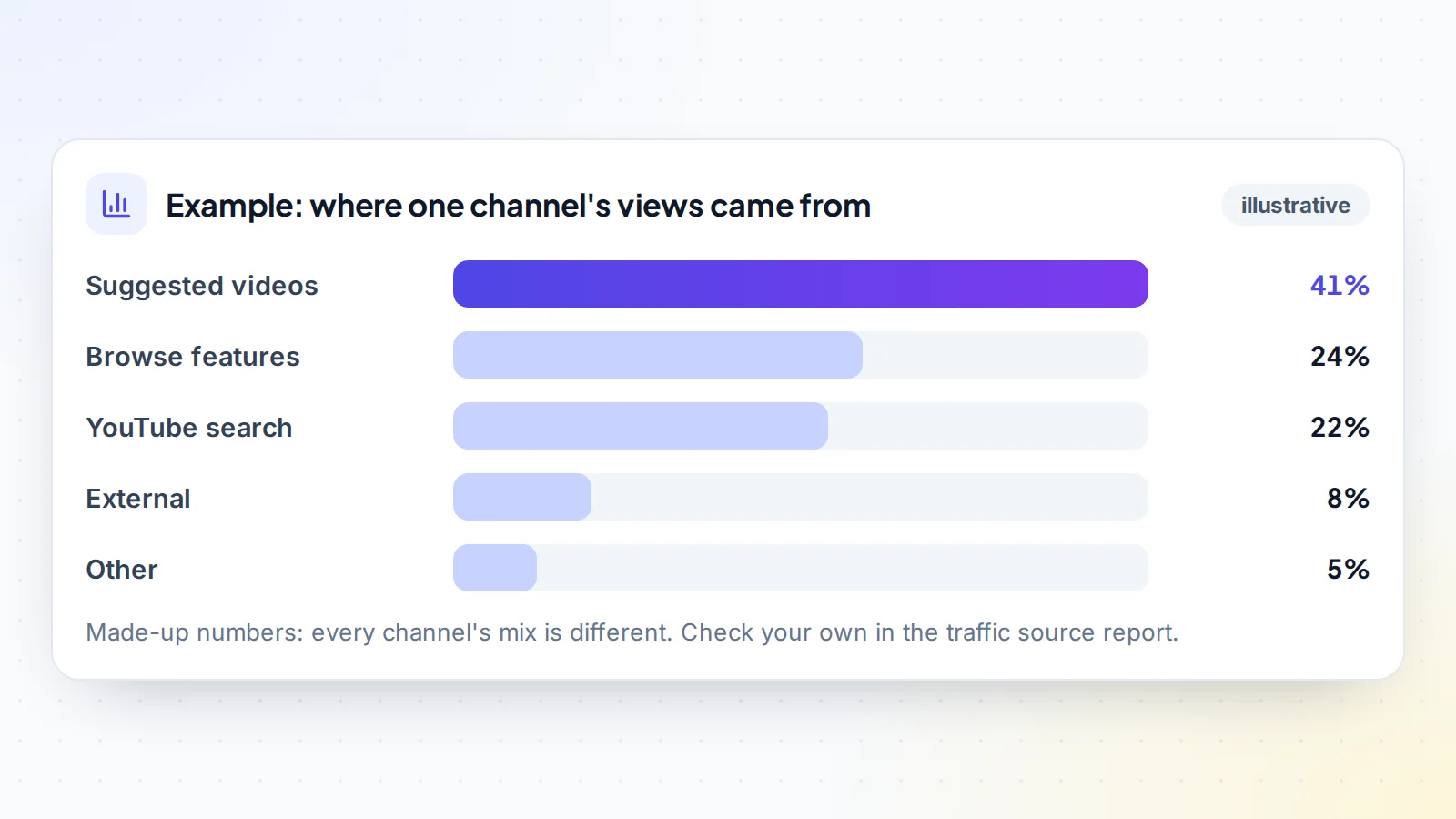
Don’t fight the channel’s strengths in the first months. If suggested videos bring most views, study which videos it’s suggested next to and make more content that fits there.
Weeks two to four: keep the rhythm
Viewers notice when uploads stop. If the channel published weekly, keep publishing weekly, even if the first videos are close copies of past formats. A gap after a sale is one of the most common reasons bought channels slow down. Ask the seller to leave you a few finished or planned videos as part of the deal if possible.
Keep the style the audience knows: intro, length, editing pace, thumbnail look. You can change these later, one at a time, once you’ve seen how viewers respond to your first uploads.
Keeping the channel’s voice
If the old owner was on camera or narrated the videos, think carefully about how to handle the change. Some channels are about a topic more than a person, and a new voice works fine. Others are built around a personality, and viewers may need time. Being open about new management can build goodwill; a short community post or video introducing the change often works better than pretending nothing happened. Agree with the seller beforehand how the change will be announced, if at all.
Planning content that grows
Build your content plan from three sources: the channel’s own best performers, searches people make in the niche, and gaps you can see in what other channels cover. Make a list of video ideas that are close to past winners, then add a few that stretch into nearby topics. Plan a few weeks ahead so a busy week doesn’t break the rhythm.
Series help too. A playlist of related videos gives viewers a reason to watch the next one, which helps retention and suggestions.
Titles and thumbnails
The title and thumbnail decide whether someone clicks. Study the channel’s best-performing ones and keep their strengths. Test changes on new videos and, carefully, on older videos that get steady views. YouTube Studio offers a built-in way to test several thumbnails on many channels; if yours has it, use it, and change one element at a time so you know what worked.
Clear beats clever. A viewer should know what the video gives them from the title and thumbnail together, and the video should deliver on that promise in its first few seconds.
Holding viewers’ attention
Audience retention shows where people stop watching. Common fixes: start with the payoff or a clear promise instead of a long intro, cut slow sections, show progress through the video, and end by pointing to a related video. Compare retention on your new uploads with the channel’s past averages to see whether changes help.
Shorts and long videos
Short vertical videos can bring new viewers to a channel quickly. Clips from the channel’s best long videos are an easy start. Watch whether Shorts viewers go on to watch long videos and subscribe; on some channels they do, on others they stay a separate audience. Use what the data shows for your channel rather than a general rule.
Building community
Reply to comments, especially in the first hours after an upload. Pin a comment that asks viewers a question. Use community posts, if the channel has them, to ask what viewers want next. Viewers who feel heard keep watching, and their suggestions are often your best video ideas.
Keeping and growing income
If the channel is monetized, check the payment details and AdSense account are in your name, and read YouTube monetization after a purchase for how that works. YouTube’s YouTube Partner Program overview explains the requirements and the ways channels can earn.
Add income gradually: sponsorships that fit the audience, affiliate links in descriptions, your own products, or memberships if available. Spreading income across sources protects you if one changes. Read about revenue diversification for ideas.
Tracking progress
Pick a handful of numbers and check them monthly: views, watch time, subscribers gained, average view duration, click-through rate and revenue. Compare each month with the same month last year, since many niches have seasons. Keep a simple log of what you changed each month so you can link results to actions. After six months, that log becomes your own playbook for the channel.
Expect some months to dip. Holidays, school terms and news events all move views. Judge the trend over a quarter rather than reacting to a single slow week.
Making the most of old videos
A bought channel’s library keeps earning views long after upload. Update descriptions on the top videos with links to your newer uploads and playlists. Add chapters to long videos so viewers can jump to what they need. Fix outdated information with a pinned comment. Group older videos into clear playlists by topic, so a viewer who finds one video can watch several in a row. These small changes help you grow a YouTube channel without filming anything new, and they’re a good task for the first weeks while you learn the audience.
Getting help from the seller
The previous owner knows things analytics can’t show: which ideas flopped and why, which sponsors were good to work with, what viewers asked for in emails, and which editing tricks matter. Agree a short period of help as part of the deal, such as a few calls over the first month. Ask for any planning documents, editing templates, thumbnail files, music licences and sponsor contacts. If the seller had an editor or thumbnail designer, ask whether they’d be willing to keep working with you; continuity behind the scenes keeps the look steady while you settle in.
Collaborations
Working with other creators in the niche introduces the channel to viewers who already like similar content. Start small: a guest appearance, a shared topic or a mention. Choose partners whose audience overlaps yours and whose style fits. Collaborations are one of the more reliable ways to grow a YouTube channel once your own uploads are steady, because the new viewers arrive already interested in the topic.
Budget and tools
Set aside a budget for the first six months: editing help, thumbnail design, equipment upgrades and perhaps music or stock footage licences. Keep receipts and track costs against revenue each month, so you know whether the channel pays for its own growth. If you plan to sell it again one day, clean records make that much easier.
Common mistakes
- Changing the channel’s name, look and topic all at once.
- Pausing uploads for weeks after the purchase.
- Ignoring years of analytics and starting from scratch.
- Copying trends that don’t fit the audience.
- Changing several things at once, so you can’t tell what worked.
- Leaving old managers or linked accounts in place.
A worked example
The details below are made up to show the method.
Avery buys a home cooking channel with 80,000 subscribers that uploaded every Sunday. In week one, Avery becomes primary owner, removes the seller’s access, and turns on two-step verification. Two weeks in analytics show that the top videos are twenty-minute one-pan dinners, that most views come from suggested videos, and that viewers leave during long intros.
Avery keeps the Sunday schedule, starts with three one-pan videos using the same thumbnail style, and posts a short note introducing the new host. In month two, Avery shortens intros to a few seconds and tests new thumbnails on two videos. Retention improves and suggested views rise. By month three, Avery adds a weekly Short cut from each long video and a sponsor that fits the audience.
How to grow a YouTube channel you bought: the checklist
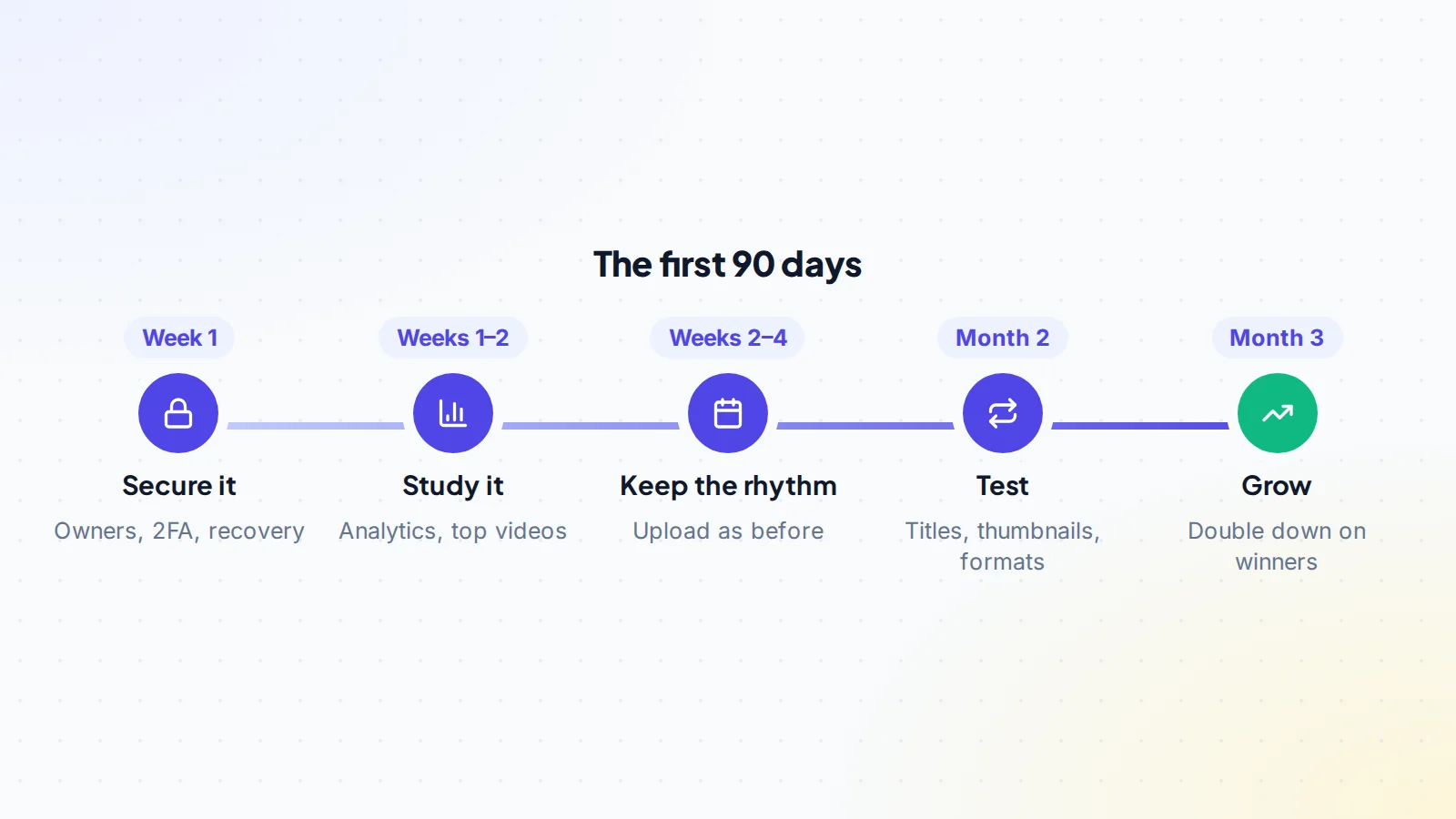
- Primary ownership confirmed and unneeded access removed.
- Two-step verification and recovery details updated.
- Top videos, traffic sources and retention studied.
- Upload schedule kept from the first week.
- Channel’s style kept, with changes made one at a time.
- Content plan built from past winners and searches.
- Payments and monetization in your name.
- Monthly numbers tracked and compared year on year.
Browse social media accounts and channels for sale, and read how it works on digiflippers.com.
Ready to find your next asset?
Browse listings with verified numbers, ask sellers your questions before you offer, and agree every step in a free Deal Room.
Frequently asked questions
Will a channel lose views after a change of owner?
It can if content changes suddenly or uploads stop. Keeping the rhythm and style lowers that risk.
Should I tell viewers the channel has a new owner?
Often yes, especially if the old owner was on camera. A short, friendly introduction usually goes down well.
How soon can I change the channel’s topic?
Gradually. Move into nearby topics first and watch how viewers respond before larger changes.
What analytics matter most?
Top videos, traffic sources, click-through rate, audience retention and revenue by video.
Do Shorts help a long-video channel?
They can bring new viewers. Check whether Shorts viewers go on to watch long videos on your channel.
How often should I upload?
At least as often as before the sale. Consistency matters more than volume.
Can I change the channel name?
Yes, but wait until you know the audience. A sudden rename can confuse viewers.
How long until I see growth?
Many owners see clear signals within a few months, but it depends on the niche and the work put in.