Selling Templates (Notion, Canva, Figma): Business Models and Value
How template shops make money, the licensing rules on Canva, Notion and Figma, where sales come from, and what buyers check before they pay.

Templates are one of the simplest digital products to sell: a planner in Notion, a social media kit in Canva, a design system in Figma. Built once, they can sell for years with little support. A template business can be a profitable side project or a serious income, and established template shops are increasingly bought and sold like other online businesses.
This guide explains how template businesses make money, the licensing rules on the main platforms, where sales come from, the risks to watch, and how buyers value a template shop. It’s useful whether you’re building one, selling one or thinking of buying one.
For the wider category, see our guide to buying a digital product business.
Key takeaways
- A template business sells ready-made designs or systems that customers copy and adapt, mainly for Notion, Canva and Figma.
- Platform rules matter: Canva, for example, only allows templates containing its Pro content to be sold as Canva template links.
- Sales come from marketplaces, your own store, search, video and email; more channels mean less risk.
- Value depends on steady sales across many templates, clear rights and owned customer relationships.
- Established template businesses are usually priced on average monthly profit, like other digital product businesses.
What a template business sells
A template is a ready-made starting point that a customer copies into their own account and adapts: a budget planner, a content calendar, a resume, a presentation, a website wireframe or a complete set of design components. The customer saves time; the creator sells the same work many times.
The main types:
- Notion templates: planners, trackers, dashboards and systems for work or personal life.
- Canva templates: social media posts, presentations, invitations, ebooks and printables.
- Figma templates and UI kits: design systems, wireframes, icon sets and mock-ups for designers.
- Other formats: spreadsheets, slide decks, document templates and website themes.
Platform rules you need to know
Each platform has its own rules on how templates may be sold, and they matter both to creators and to buyers of a template shop.
Canva
Canva’s help centre explains that templates you sell must be your own original designs; existing Canva templates can’t simply be resold. If a template includes Canva’s Pro content, it can only be sold as a Canva template link that opens in Canva, not as a downloadable file such as a PDF. Templates made only with free content and your own uploaded photos can be sold as files or as template links. Canva’s licensing pages set out the details.
Notion
Notion’s help centre explains how creators sell templates on Notion Marketplace: setting up a creator profile, being approved, connecting Stripe for payments, and publishing each template as a Notion site so customers can preview it. Many creators also sell Notion templates through their own stores.
Figma
Figma’s help centre explains that eligible creators can sell files, plugins and widgets on the Figma Community, with Figma handling purchases and refunds. At the time of writing, it also notes it isn’t approving new creators to sell paid files, so many Figma template sellers use their own stores or other marketplaces. Check the current rules before planning around it.
Rules change, so check each platform’s current guidance before you build, sell or buy.
Where the sales come from
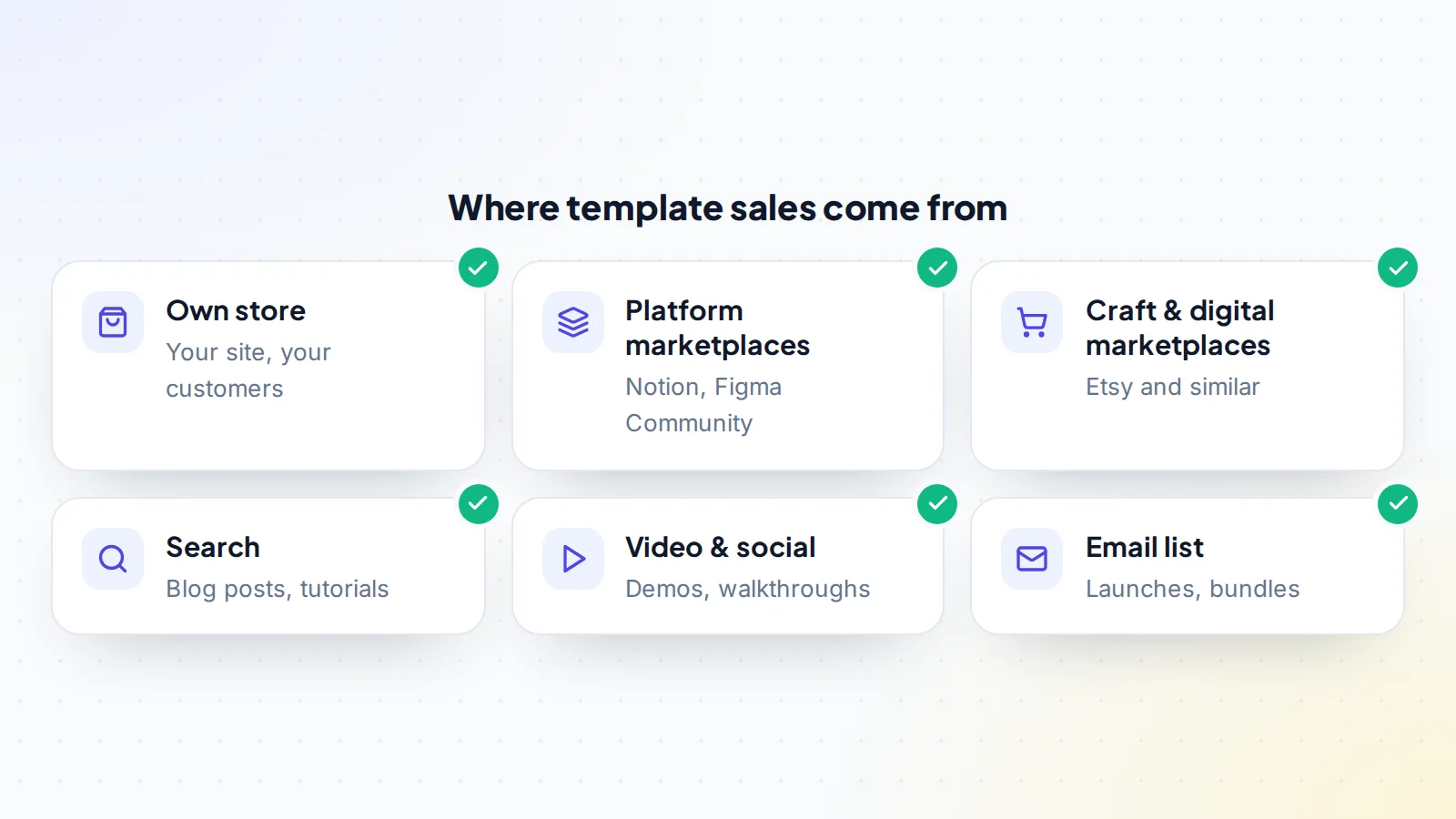
- Platform marketplaces bring buyers already looking for templates, but you share revenue and depend on the platform’s rules and search.
- Craft and digital marketplaces such as Etsy reach a large audience; see Etsy digital shops for sale.
- Your own store keeps more of each sale and gives you customer emails, but you have to bring the traffic.
- Search: blog posts and tutorials (“best Notion budget template”) bring steady visitors.
- Video and social: template walkthroughs on video and social platforms show the product in action.
- Email: a list of past customers is the best channel for new launches and bundles.
How the economics work
Templates have very low costs per sale: no stock, no shipping, little support. The main costs are design time, marketing, platform or payment fees and tools. That makes margins high once a template is selling.
Revenue usually comes from a mix of:
- Single template sales at low to mid prices.
- Bundles that raise the average order value.
- Premium versions with more features, videos or support.
- Memberships giving access to all templates, which turns one-off sales into recurring income.
- Custom work for clients, which earns well but depends on the owner’s time.
Pricing templates
Template prices vary widely, from low-priced single designs to premium systems with video guides. A few principles help:
- Price on the time saved, not the time spent. A system that saves a freelancer hours every month is worth more than its design time suggests.
- Offer tiers: a basic version, a complete version and a bundle. Many customers choose the middle option.
- Use bundles to raise the average order and to move customers to related products.
- Test prices on your own store, where you control them, and watch conversion and refunds together.
For buyers of a template shop, pricing history is useful evidence: steady sales at stable prices suggest real demand, while sales that depend on heavy discounts are weaker.
Support and updates
Templates need less support than software, but not none. Customers ask how to duplicate a template, how to adapt it, or why something looks different after a tool update. Good template shops keep support light with clear setup guides, short videos and a help page answering common questions.
Updates matter too. When Notion, Canva or Figma adds features or changes how something works, templates may need refreshing. Shops that update their bestsellers regularly keep reviews strong and refunds low. When valuing a shop, ask how much time support and updates take each month, and who does them.
The risks to watch
- Copying: templates are easy to copy and resell. Original design, a recognisable brand and good customer experience are the best defences; Notion, for example, offers access locking to help stop redistribution.
- Platform changes: a marketplace can change its rules, fees or search.
- Tool changes: templates can break or look dated when the underlying tool changes.
- Concentration: one bestseller producing most of the income.
- Licensing: fonts, images and elements must be licensed for commercial use and resale.
How a template business is valued

Established template businesses are valued like other digital product businesses: usually a multiple of average monthly net profit over the last 6 to 12 months. The multiple rises with steady sales across many templates, several channels, an email list, original designs with clear rights and little need for updates. It falls with one-hit income, reliance on one marketplace, licensing questions and a brand built around the creator personally.
Read about revenue vs profit valuation to make sure the right figure is used, and try the free valuation tool for a quick range.
A worked example
The numbers below are made up to show the method, not market data.
A creator runs a Notion template shop with 40 templates for freelancers: client trackers, invoicing systems, content planners. Over 12 months, revenue was $54,000: 45% from the creator’s own store, 35% from a template marketplace and 20% from bundles sold to an email list of 6,000 customers. Costs (payment fees, platform fees, tools and a part-time designer) were $13,000, so profit averaged about $3,400 a month.
A buyer reviews the business. Strengths: no template brings more than 12% of sales, half of revenue comes through channels the owner controls, and every design is original with a documented process. Weaknesses: search traffic depends on a few blog posts, and the creator’s video tutorials feature their voice. The buyer values it on profit, with a multiple adjusted slightly down for the tutorials, and agrees that the creator will record a short introduction for the new owner.
Ways to grow a template shop
- Add formats: a popular Notion planner can become a spreadsheet version or a printable, reaching new customers with the same idea.
- Move into memberships: access to the full library for a monthly or yearly price turns one-off buyers into recurring customers.
- Serve teams: versions for small businesses or agencies, with setup help, can sell at higher prices.
- Teach: short courses on using the templates well add value and a new product.
- Partner: affiliate programmes let other creators recommend your templates for a commission.
For buyers, these are often the clearest opportunities after a purchase: the audience and products exist, and the next step is packaging them differently.
If you’re buying a template shop
- Verify sales in each store and marketplace dashboard for 12 months.
- Check how sales split across templates and channels.
- Confirm the designs are original and that fonts, images and elements are licensed for resale.
- Check each platform’s rules on transferring stores and accounts.
- Look at refund rates and customer reviews.
- Agree what’s included: source files, store, domain, email list, social accounts and videos.
For the seller’s side, see how to sell a digital product business.
How a template shop changes hands
Handing over a template shop involves several parts, each with its own process:
- Source files: the master copies of every template, in the buyer’s own Notion, Canva or Figma account.
- Stores and marketplace accounts: transferred where the platform allows it; otherwise the buyer opens their own and products are re-listed. Check each platform’s rules before agreeing the plan.
- Customer access: make sure past customers keep access to what they bought, especially where templates are delivered through links.
- Domain, website and email list: moved like any other online business.
- Videos and social accounts used to promote the templates.
- Payment held throughout by escrow or a middleman. On digiflippers.com, the ways to pay in a deal are: directly to the seller, through escrow, and the platform never holds the money itself.
Our handover checklist covers the remaining steps.
If you’re building one
- Start from a real problem you understand: templates sell when they save a specific group of people time.
- Use only content you’re allowed to resell, and keep records of licences.
- Collect emails from day one, even if you sell on a marketplace.
- Build a range, not one product, and bundle related templates.
- Show the template working with short demos.
Selling a template business
When it’s time to sell, prepare 12 months of sales by template and channel, document your design and launch process, gather licences, and decide what transition help you’ll offer. Buyers of template shops especially value an email list and channels the owner controls. When you’re ready, you can list it on digiflippers.com with 0% success fee up to $10,000, then 5% (max $5,000).
Template business: the checklist
- Platform rules checked for every template format sold.
- Designs original; fonts, images and elements licensed for resale.
- Sales spread across templates and channels measured.
- Email list owned and growing.
- Source files organised and documented.
- 12 months of sales and costs ready for a buyer.
- Store and account transfer rules confirmed.
Ready to find your next asset?
Browse listings with verified numbers, ask sellers your questions before you offer, and agree every step in a free Deal Room.
Frequently asked questions
Can I sell templates I made in Canva?
Yes, if they’re your original designs. Canva’s rules say templates containing Pro content can only be sold as Canva template links; templates using only free content and your own photos can also be sold as files.
Where can I sell Notion templates?
On Notion Marketplace once approved as a creator, on your own store, and on other digital marketplaces.
Is a template business profitable?
It can be, because costs per sale are low. Profit depends on finding a real need, marketing well and building a range rather than one product.
How much is a template business worth?
Established ones are usually valued as a multiple of average monthly net profit, adjusted for concentration, channels, rights and how much the business depends on the creator.
Can templates be copied?
Yes, which is why original design, a brand customers recognise and platform tools such as access locking matter.
What’s included when a template shop is sold?
Usually the master files for every template, the store or marketplace accounts where they can be transferred, the domain and website, the email list, videos, social accounts and any licences. List everything in the deal terms.
Do I need design skills to run one?
It helps, but many owners hire designers for new templates and focus on marketing and customers themselves. What matters most is understanding what the customers need.