Transferring Third-Party Accounts: PayPal, Amazon and Ad Networks
A practical guide to the accounts around an online business: payment processors, PayPal, marketplace seller accounts, ad networks, affiliate programs, email and SaaS tools. Which can move, which must be opened again, the order to switch them, and how to avoid gaps in income.

An online business is more than a website or a store. Around it sit payment processors, ad networks, affiliate programs, marketplaces, email tools and suppliers, each with its own account, owner and rules. When you sell or buy, you have to transfer third-party accounts or replace them, and the rules differ from service to service. Some move with a few clicks; others can’t be transferred at all and must be opened fresh by the buyer. This guide explains which is which, the order to switch them, and how to keep income flowing during the change.
For the full handover, read how to transfer an online business. For what to do once it’s yours, see after buying an online business.
Key takeaways
- List every third-party account before the sale, with its owner, billing and transfer rule.
- Some services transfer ownership; many tie accounts to the person who opened them.
- PayPal, ad network and affiliate accounts are usually opened fresh by the buyer.
- Apply for new accounts early so income doesn’t stop at closing.
- Agree a date to split income, and have the seller remove old access.
Why third-party accounts need a plan
Many of these accounts carry money, data or reputation. A payment processor holds customer subscriptions and payouts. An ad network pays for traffic. An affiliate program tracks commissions. If one is handed over wrongly, or not at all, income can stop, data can be lost, or the seller can stay connected to the buyer’s business. Planning which accounts move and which are replaced, and in what order, avoids that.
Start with an inventory
The seller should list every service the business uses, including those paid annually or rarely touched.
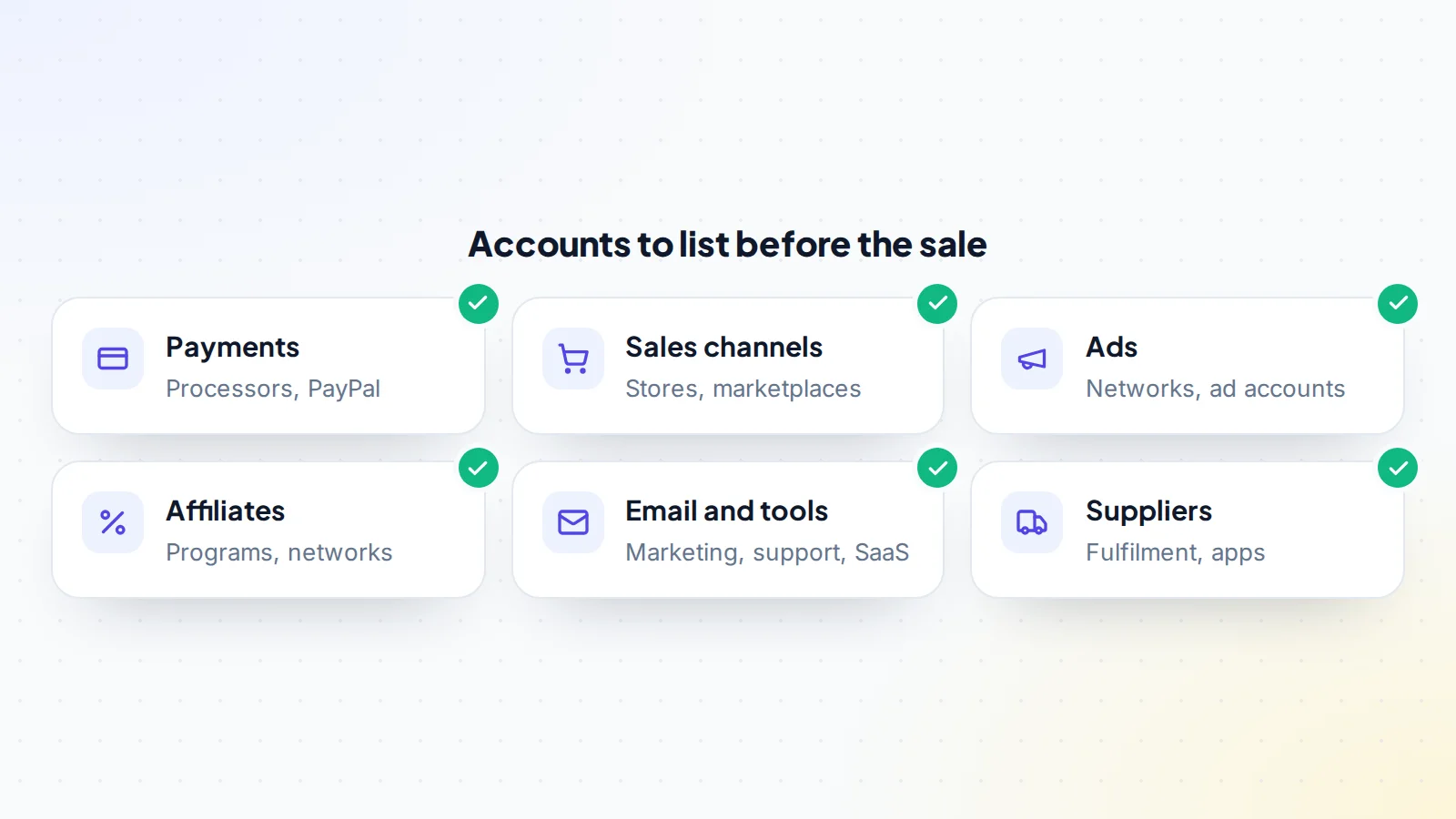
For each, note who owns it, the login email, how it’s billed, what data it holds, and whether it can be transferred. That list becomes part of the deal terms and the handover plan. Read the asset transfer checklist.
What moves and what’s opened fresh
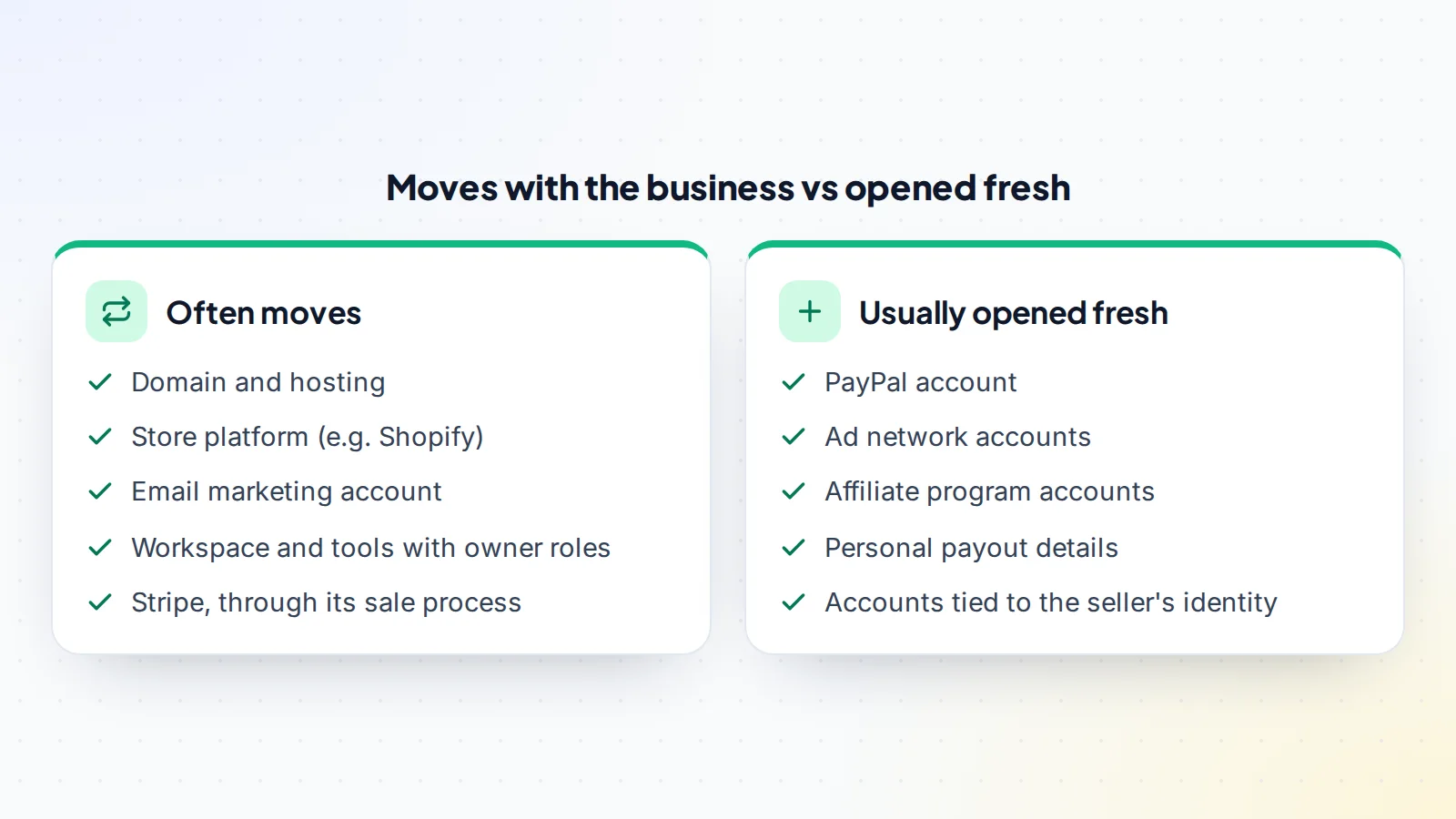
As a rule of thumb, platforms built around a business or a team often let ownership change. Services built around a person, their identity, tax details and bank, usually don’t.
Payment processors
Stripe. Stripe has a process for business sales: its help page on transferring a Stripe account due to a business sale or acquisition explains the options. This matters most for subscription businesses, where customer payment details and subscriptions live in the account. Read how to transfer Stripe subscriptions.
PayPal. PayPal’s user agreement says you may not transfer or assign your rights or obligations under it without PayPal’s prior written consent. In practice, buyers usually open their own PayPal business account and switch the store or checkout to it. Plan for this, including any recurring payments that run through PayPal, which may need customers to sign up again.
Marketplace seller accounts
Seller accounts on large marketplaces are tied to a verified business and its owners, and many marketplaces limit how they change hands. Some states it plainly: Etsy, for example, says accounts can’t be transferred to someone else. For others, changes in ownership go through the marketplace’s own verification. If a business you’re buying depends on a marketplace account, ask the marketplace’s seller support how ownership changes work before you agree the deal, and make the sale conditional on it. Read buying a dropshipping store for how this affects store sales.
Store platforms are different. Shopify, for example, lets a store’s owner change or transfer store ownership, which moves the store itself to the buyer.
Ad networks
Ad network accounts usually belong to the publisher who was approved, with their tax and payment details. Mediavine, for example, states in its guide to selling your Mediavine website that accounts aren’t transferable, the new owner must apply and be approved, and the seller should give notice with a firm transfer date so there’s no lapse in earnings. Google AdSense accounts are tied to the payee, so the buyer adds the site to their own AdSense account. Read buying an AdSense website and display ad income.
Because approval isn’t guaranteed, buyers should apply as early as the network allows, and the deal should consider what happens if approval is delayed.
Affiliate programs
Affiliate accounts are almost always personal or tied to a business entity’s tax details, so the buyer joins each program under their own account and replaces the links on the site. Make a list of every program, the commission rates, cookie lengths and any special deals the seller negotiated. Special rates may not carry over, so ask each program before relying on them. Swap links in bulk where possible, and check a sample afterwards to make sure tracking works.
Email, support and SaaS tools
Most email marketing, help desk and SaaS tools let an account owner hand ownership to another user. Invite the buyer as an admin, transfer ownership, then remove the seller. Moving the account keeps history, automations and settings intact. For workspace accounts, read transferring Google Workspace. For email subscribers, consent rules apply; read transferring email subscribers.
Suppliers and fulfilment
Supplier relationships often depend on the seller’s account and history. Some suppliers will move an account or honour existing terms for a new owner; others will need a new account. Ask the seller for introductions, and get any special pricing in writing before closing. For print-on-demand suppliers, read buying a print-on-demand store.
Export data before old accounts close
When an account is replaced rather than moved, its history usually stays behind. Before the seller closes or loses access, export what the buyer will need: earnings reports, customer lists where the law allows, order history, affiliate performance by page, and ad revenue by page. Mediavine, for example, notes that a seller’s dashboard is deactivated at the end of the notice period, so exporting first matters. These reports help the buyer compare performance after the switch and support future valuations.
Connections in the domain and site
Many services connect to a business through DNS records, verification files, tracking codes and API keys. When you transfer third-party accounts or replace them, those connections need updating too: new verification records for email sending, new tracking IDs for analytics and ads, new API keys for payments and tools. Make a list of every record and code the site uses, and update each one as its account switches. Remove records for services the business no longer uses.
Sign-in with another account
Some tools are set up with “sign in with Google” or another single sign-on, tied to the seller’s personal login. Those can’t simply be handed over. The buyer should be invited as an owner using their own login, then the seller’s login removed. Check every tool for this before closing, because it’s easy to miss until the seller’s access is gone.
Buying as a company
If the buyer is a company, open the new accounts in the company’s name with its tax details, not in a personal name. That makes the business easier to manage, account for and sell again later. Keep a record of every account the company owns, its login and its recovery details, so the next time you need to transfer third-party accounts, the inventory is already done.
The order to switch
Switching everything at once creates confusion. A steady order works better.
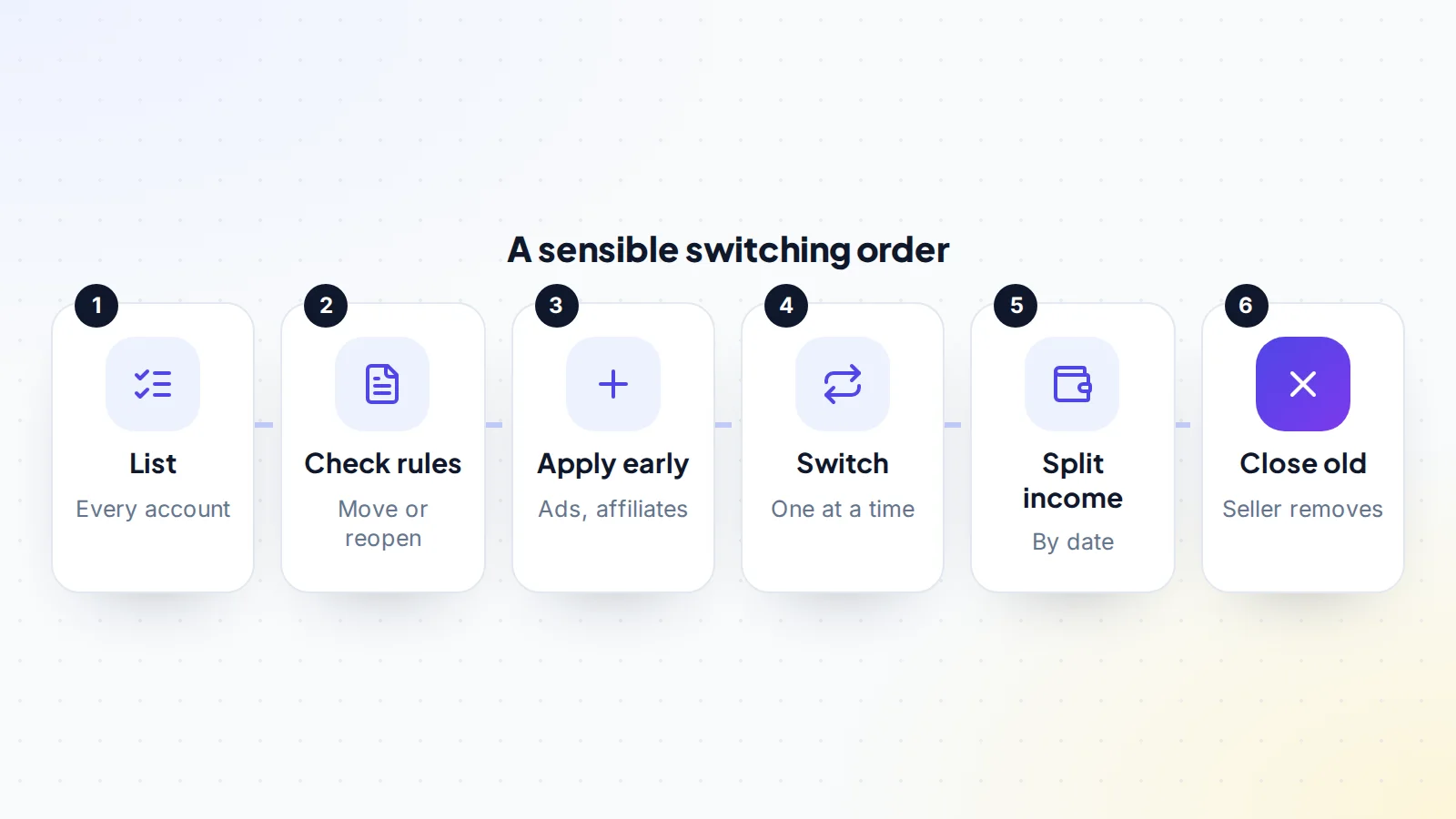
Apply for accounts that need approval, such as ad networks and affiliate programs, before closing. Move accounts that hold money or customer data, such as payments, carefully and one at a time. Switch tools last. After each switch, test it: make a test purchase, check a tracking link, confirm an ad loads.
Splitting income during the switch
Payouts arrive on a delay, so some income earned before closing will be paid after it, and vice versa. Agree a cut-off date and how income on either side of it will be split. Write it into the agreement, and keep records so both sides can check the figures. Monthly statements from each service make the split simple to work out.
Telling customers and partners
Some switches are visible to customers, such as a new PayPal account name at checkout or new billing details on subscriptions. Tell customers in advance when that happens, in plain words. Partners and suppliers usually need to know too. Read how to tell customers a business was sold.
Security during the handover
Never share passwords for accounts that are being replaced rather than transferred. For accounts that do move, change passwords and two-step verification straight away and remove the seller’s access. Rotate API keys used by the site to connect to these services. Make sure old webhooks or integrations don’t send data to the seller. Check notification emails too: alerts from payment, ad and store accounts should now reach the buyer, not the seller’s inbox.
Unusual payment methods
If the business takes crypto or other less common payments, list those wallets and providers too, and plan how they move. Wallets are controlled by keys, so the buyer should set up their own and switch the payment address. Read paying with crypto for a business.
How long it takes
Moving owner roles on tools can take minutes. Store and payment transfers often take days, especially where verification is involved. Ad network and affiliate approvals can take from a few days to several weeks. Build the slowest items into the timeline from the start, and agree in writing what happens if an approval is late, such as the seller keeping an account running for an agreed period and passing on the income.
Common mistakes
- Forgetting accounts that are billed yearly or rarely used.
- Assuming every account can be transferred.
- Applying for ad or affiliate accounts only after closing.
- Sharing passwords for personal accounts that should be replaced.
- No agreed cut-off date for splitting income.
- Leaving the seller connected through old integrations.
A worked example
The details below are made up to show the method.
Logan sells a home decor blog with a small shop. The inventory lists eleven accounts: domain, hosting, Shopify, Stripe, PayPal, an ad network, three affiliate programs, an email tool and a stock photo subscription. The agreement marks which move and which the buyer, Parker, will open fresh, with a cut-off date for income at the end of the month.
Parker applies to the ad network three weeks before closing and is approved. At closing, Logan transfers the domain, hosting, Shopify store and email tool. Parker opens a PayPal business account and switches checkout, and follows Stripe’s process for the card payments. Parker joins the three affiliate programs and swaps links using a bulk tool. Ads switch over on the agreed date with no gap. Logan removes their access to everything, and income earned before the cut-off is paid to Logan as agreed.
Transfer third-party accounts: the checklist
- Every account listed with owner, billing and transfer rule.
- Each service’s current rules checked.
- Ad and affiliate applications made before closing.
- Payment and data accounts switched carefully, one at a time.
- Each switch tested.
- Income cut-off date agreed in writing.
- Customers told about visible changes.
- Seller access and old integrations removed.
Read how it works on digiflippers.com, or sell your business with 0% success fee up to $10,000, then 5% (max $5,000). See how trust and safety protect both sides.
Ready to find your next asset?
Browse listings with verified numbers, ask sellers your questions before you offer, and agree every step in a free Deal Room.
Frequently asked questions
Can I transfer a PayPal account to a buyer?
PayPal’s terms don’t allow transferring your rights without its written consent. Buyers usually open their own account.
Do ad network accounts transfer?
Usually not. The buyer applies to the network, and approval isn’t guaranteed.
What about affiliate programs?
The buyer joins each program under their own account and replaces the links.
Can a Stripe account move with the business?
Stripe has a process for business sales. Check its help pages for the options that fit your deal.
When should the buyer apply for new accounts?
As early as allowed, ideally before closing, so income doesn’t stop.
How is income split during the switch?
By an agreed cut-off date written into the agreement.
Should the seller share passwords?
Only for accounts that move, and the buyer changes them straight away. Personal accounts are replaced, not shared.
What if a marketplace account can’t move?
Check with the marketplace before agreeing the deal, and make the sale conditional on how it will work.