
Buying a Game Account: The Complete Guide
Ranks, rare skins, inventories and progress: how to judge a game account's value, check the proof, pay safely and lock the account down after the handover.
Some players want to skip a grind they’ve already done on another account. Others want a skin that hasn’t been in the shop for years, a ranked account that matches their skill, or a library of games at a good price. Whatever the reason, more players than ever choose to buy a game account, and the market for them is large and active.
This guide shows you how to do it with confidence. You’ll learn what actually makes an account valuable, how to check the proof a seller gives you, what a fair price looks like, how to pay without being exposed and, most importantly, how to make sure the account stays yours after the handover.
The advice applies to accounts across platforms and games, from Fortnite and Roblox to Steam libraries and competitive shooters. Where a game works differently, we link to a dedicated guide.
Key takeaways
- Value comes from specifics: rare items, rank, inventory, progress and account age. Ask for a full list.
- Prefer live proof (a video or screen share showing the account and its email) over screenshots.
- Make sure the original email, or full control of the email, comes with the account.
- Pay through a middleman or escrow, and release payment only once you’ve secured the account.
- After the handover: new password, your email and phone, two-factor authentication on, all other sessions signed out.
Why players buy game accounts
People buy game accounts for very different reasons, and knowing yours helps you focus on the right checks:
- Collectors want rare or retired cosmetics that can’t be bought any more. For them, the item list is everything. See what makes rare skins valuable.
- Competitive players want an account with a rank or stats that match their level, so they can play with friends or practise at the right difficulty. Read ranked account value.
- Returning or new players want progress, unlocks and in-game currency without starting over.
- Library buyers want a platform account with many games at a lower price than buying them one by one. See Steam inventory and library value.
If this is your first purchase, our guide to buying your first game account covers the basics in a shorter format.
Step 1: Understand what makes an account valuable
Level and hours played are only the start. Two accounts with the same level can be worth very different amounts, because value comes from the details.
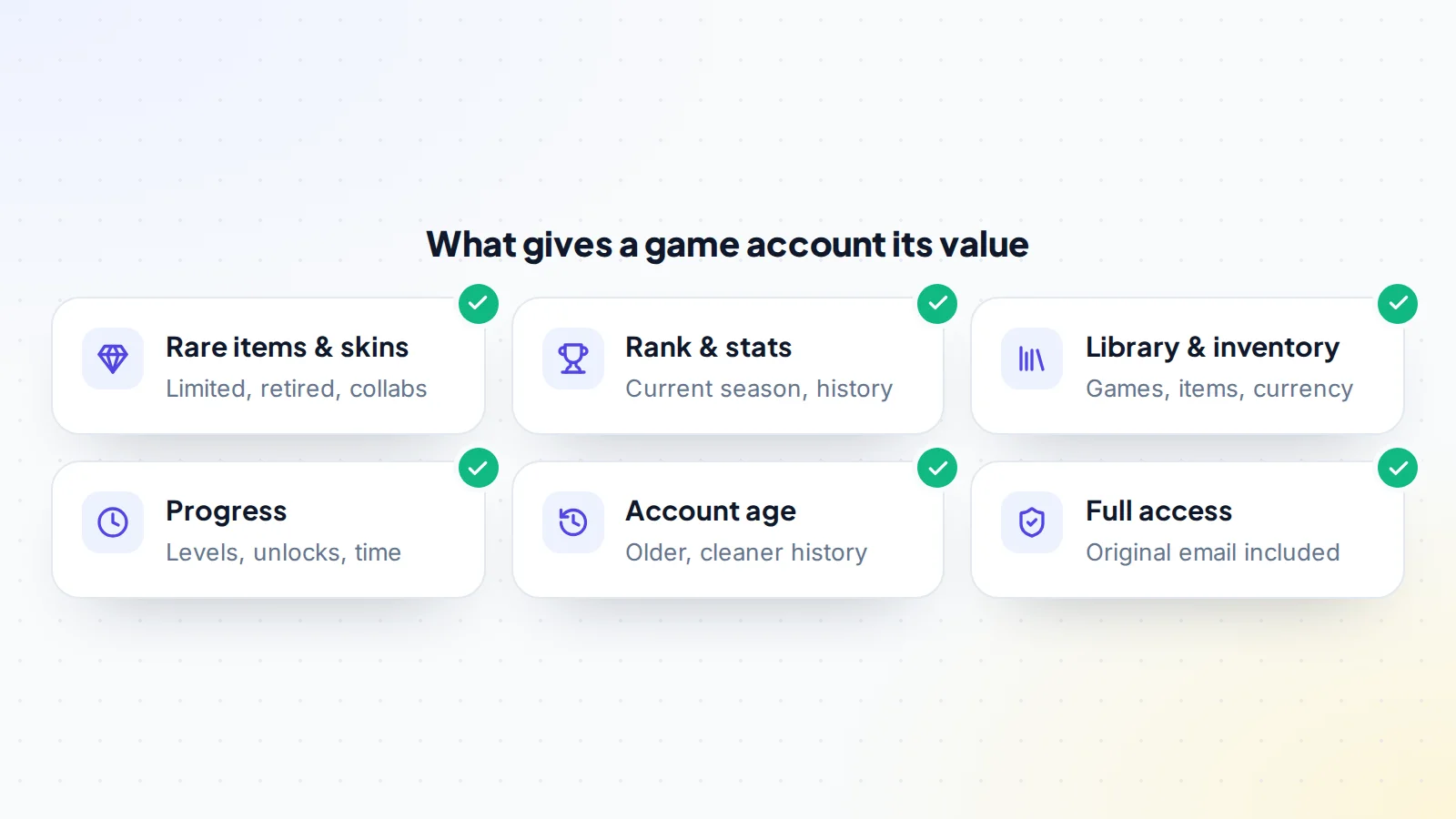
- Rare and limited items. Cosmetics from early seasons, limited events, collaborations or battle passes that won’t return are usually the biggest driver of price.
- Rank and stats. Current-season rank, peak rank and match history. A high rank earned recently is worth more than one from several seasons ago.
- Inventory and currency. Tradeable items, unspent currency and owned games or DLC.
- Progress. Unlocked characters, levels, achievements and other things that take a long time to earn.
- Account age and history. An older account with a clean history is generally more desirable.
- Full access. An account that comes with its original email, or full control of it, is worth far more than one that doesn’t.
Game-specific guides go deeper: Fortnite account value, Roblox account value and our overview of how game accounts are valued.
Step 2: Shortlist accounts that fit you
Start with the platform and the game you’ll actually play, then filter by what matters most to you: a specific skin, a rank range, a library size. Read each listing carefully and look for:
- A complete list of what’s on the account, not just the highlights.
- Which platforms the account is linked to (PC, console, mobile) and whether those links can be changed.
- Whether the original email is included.
- How long the seller has owned it, and whether they created it.
- The seller’s history and reviews on the marketplace.
Our guide to game account market trends explains which games and items are in demand, which helps you spot listings that are priced well. You can browse game accounts for sale on digiflippers.com and ask sellers questions in public before you make an offer.
Step 3: Check the proof
Screenshots are easy to fake or reuse. Ask for proof that’s hard to fake:
- A live screen share or a fresh video where the seller logs in, opens the inventory or locker, and shows the account settings with the linked email partly visible.
- Your own detail in the proof: ask the seller to type a word you choose in chat, or show today’s date, so you know the video is new.
- Rank and match history shown in the game or on a stats page you can open yourself.
- Purchase history where available, which also shows the account wasn’t bought with someone else’s card.
Our guide on proof for game accounts lists what to ask for in each popular game. Be cautious if a seller can only provide old screenshots or refuses any live check.
Step 4: Agree a fair price
Game account prices are set by supply and demand for the items and ranks on them. To judge a price:
- Compare several listings with similar items, ranks or libraries.
- Give extra weight to rare items that can never be obtained again.
- Treat an account without its original email as worth significantly less.
- Be wary of prices far below similar accounts; they’re often too good to be true.
Make a clear offer and agree in writing exactly what’s included: the account, the email, linked platforms and anything else the seller promised.
Red flags in game account listings
Most sellers are honest players moving on from a game. A few patterns, though, show up again and again in deals that go wrong. Slow down if you see any of these:
- Stock photos or the same screenshots on several listings. Search the images; reused proof means the seller may not have the account.
- “No email included” on an expensive account. Without the email, the seller keeps the easiest route back in.
- Many identical accounts from one seller. Bulk accounts are often created or obtained in ways that don’t last.
- A brand-new seller profile with a high-value account and no history anywhere. Not always a problem, but ask more questions and insist on a middleman.
- Pressure to move fast: “someone else wants it in the next hour”. Real sellers can wait for a proper handover.
- Payment only by gift card or direct crypto transfer. Both are hard to reverse and are favourites of scammers.
Platforms, regions and linked accounts
Game accounts are often tied to more than one service. Before you agree a price, check:
- Which platform the progress lives on. Some games share progress across PC, console and mobile; others keep it per platform. Make sure the items you’re paying for will appear where you play.
- Linked console or store accounts. Some links can be changed and some can’t, or only after a waiting period. Ask the seller to show the linked accounts screen during the proof.
- Region. Servers, store prices and even available items can differ by region. An account created in another region may connect you to distant servers or a different store.
- Purchases made with another person’s payment method. Ask how the items were bought. Accounts built with legitimate purchases by the seller are the ones that stay stable.
Asking these questions up front avoids most of the disappointments buyers report after a purchase, and a good seller will be happy to answer them.
Step 5: Pay through a middleman or escrow
Never pay the full amount directly before you have the account. The safest route is a middleman or escrow: you pay a trusted third party, the seller hands over the account, you check and secure it, and then the money is released. Read how game account middlemen work and how escrow works.
On digiflippers.com, the ways to pay in a deal are: directly to the seller, through escrow. The middleman service fee is not offered. The platform never holds the money itself, and the Deal Room keeps every message and agreed step in one place.
Watch out
Be careful with sellers who move the conversation to private chat, ask for gift cards or crypto sent directly to them, or claim the middleman is “too slow”. Those are the most common signs of a scam.
Step 6: Take over and secure the account
This step decides whether the account stays yours. The most common problem in this market is a seller recovering an account after being paid, usually through an email or phone number they kept. A careful handover prevents it.
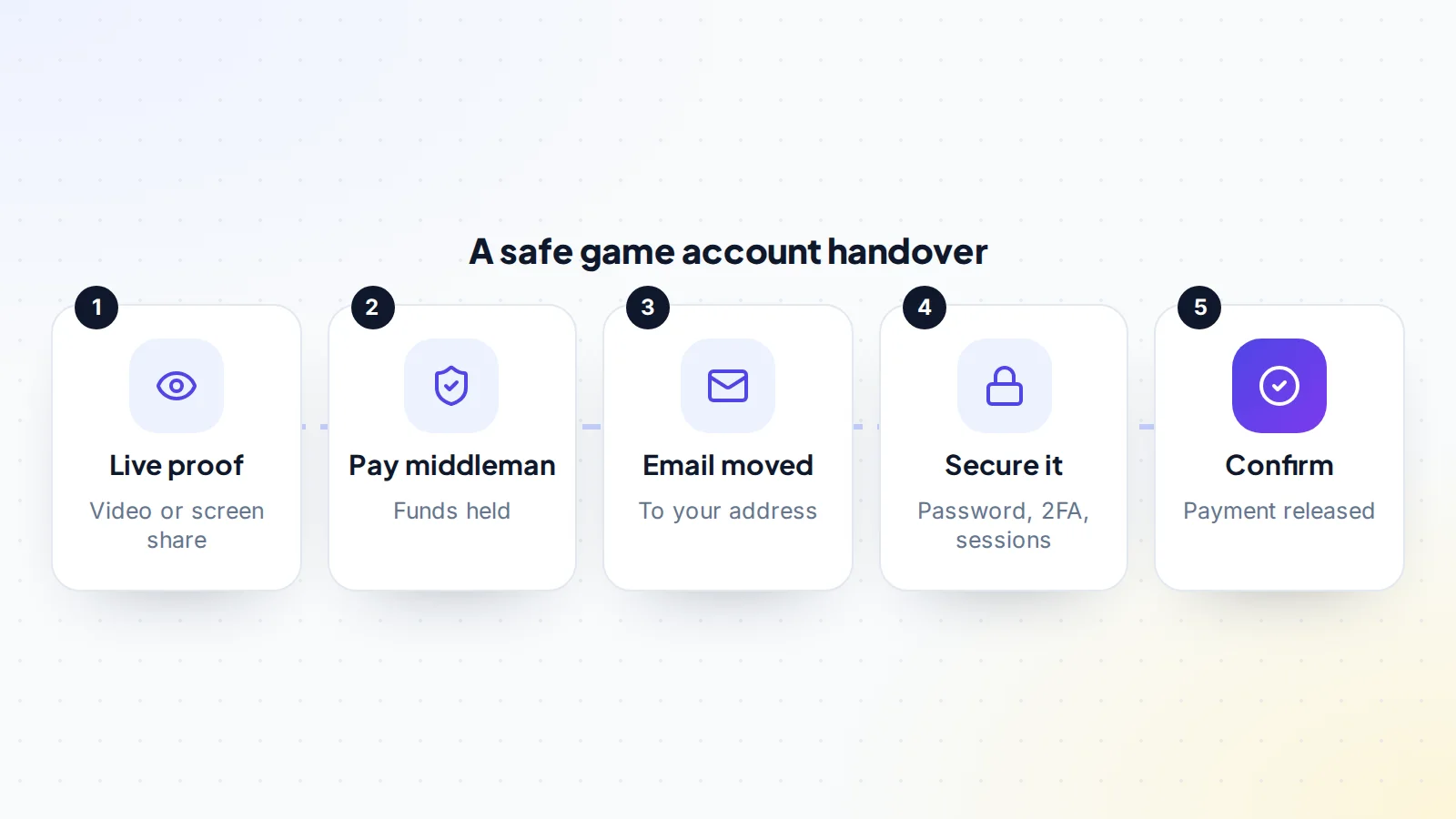
- Get control of the email. Either receive the original email account and change its password and recovery options, or have the seller change the game account’s email to yours while you watch.
- Change the password to a new, unique one.
- Replace the phone number and remove the seller’s recovery details.
- Turn on two-factor authentication. Epic Games, for example, supports an authenticator app, email or SMS codes, and requires 2FA for some features. Steam’s Steam Guard Mobile Authenticator is described by Steam Support as its highest level of account security.
- Sign out of all other sessions and remove devices or linked accounts you don’t recognise.
- Check the linked platforms (console, PC, mobile) and update them to yours where the game allows.
- Wait a few days and play normally, then confirm so the payment is released.
Our step-by-step guides to game account transfers and securing a game account cover the details for each platform.
After you buy
Keep your login details private, never share codes from your authenticator, and be suspicious of messages that claim to be from the game’s support asking you to “verify” the account through a link. Support teams don’t ask for your password. Save backup codes somewhere safe, and keep the purchase records and conversation from the deal in case you ever need to show how you got the account.
A worked example
Imagine you want a Fortnite account with a few skins from the early seasons. You find three listings at similar prices. The first shows only screenshots and says the email isn’t included. The second offers a live video, includes the original email and lists every item, but the seller is new. The third has a long sales history and a full item list, and the seller suggests using the marketplace’s middleman.
The first is easy to rule out: no live proof and no email means you’d never fully own it. The second could be fine, but only with a live screen share using a word you choose and payment through a middleman. The third is the strongest starting point. You ask for a live check, confirm the email will be moved to yours during the handover, agree the price and the items in writing, and pay through the middleman. After the handover, you change the password, phone and two-factor authentication, sign out all other sessions, play for a few days and then confirm. That’s what a safe purchase looks like when you buy a game account: careful at the start, calm at the end.
Checklist: how to buy a game account safely
- You know why you’re buying: items, rank, progress or library.
- A full item, rank and inventory list from the seller.
- Live proof with a detail you chose, plus the account settings.
- Original email included, or the email changed to yours during the handover.
- Price compared with similar accounts; nothing that looks too good to be true.
- Everything included agreed in writing.
- Payment through a middleman or escrow, not directly.
- Password, email, phone and two-factor authentication changed to yours.
- All other sessions signed out; linked platforms checked.
- Payment released only after a few days of normal play.
Ready to find your next asset?
Browse listings with verified numbers, ask sellers your questions before you offer, and agree every step in a free Deal Room.
Frequently asked questions
What should I check before I buy a game account?
The full item and rank list, live proof of the account, whether the original email is included, the seller’s reviews, and the price compared with similar accounts. Then agree everything in writing and pay through a middleman.
How much does a game account cost?
It depends on the game, the rarity of items, the rank and the inventory. Accounts with retired or limited cosmetics, high current ranks or large libraries cost more. Compare several similar listings to judge a fair price.
Why does the original email matter so much?
Whoever controls the email can usually reset the password and recover the account. If the seller keeps it, they keep a way back in. Make sure you control the email before you release payment.
How do I avoid game account scams?
Use a marketplace with seller reviews, ask for live proof, never pay directly before the handover, use a middleman or escrow, and keep all conversations in the marketplace rather than private chat.
How long does a game account handover take?
The handover itself can take less than an hour. Leave a few days afterwards to make sure everything stays stable before you confirm and release payment.
Should I buy items or a whole account?
If you only want one or two items and the game lets you trade them, buying the items can be simpler and cheaper. If you want progress, a rank or many items that can’t be traded, a whole account is usually the only option.
Can I change the username after buying?
Many games allow it, sometimes with limits or a fee. Check the game’s settings after the handover.